

From my experience with Labeljoy, I found it excels at simplifying the creation and printing of professional barcode and QR code labels. The software’s intuitive interface and strong database integration make batch printing straightforward, which is a big time saver for inventory and shipping tasks. It’s particularly well-suited for small to medium businesses that need reliable labeling solutions without a steep learning curve. However, the Windows-only availability and pricing might limit casual or Mac users. Overall, if you require efficient label design and printing with broad barcode support, Labeljoy delivers solid, dependable results.
Labeljoy Labeling Software for Barcode and QR Code Printing Solutions
Labeljoy is a Windows-based label printing software that allows users to design and print labels with barcodes and QR codes, supporting database import and batch printing for various business needs.
- Best for
- Product Labeling
- Key capability
- Barcode and QR Code Generator
Your actions
Save Labeljoy, follow its updates and vote on it — everything stays in your account.
Sign in or create a free account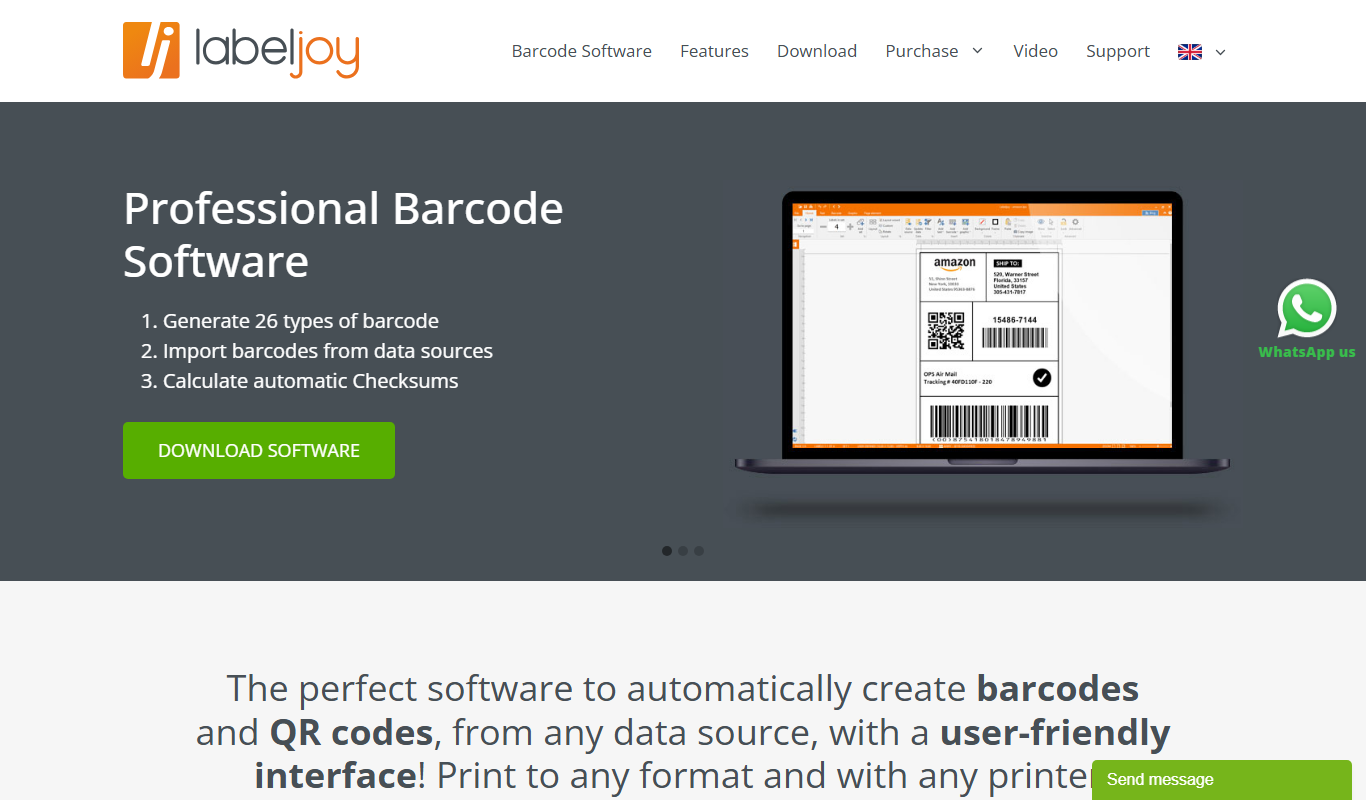
What is Labeljoy?
Labeljoy is a professional label printing software designed to create and print labels with barcodes, QR codes, texts, images, and shapes. It supports a wide range of barcode types and offers an intuitive interface for designing labels for products, inventory, shipping, and more. Labeljoy simplifies the process of generating barcode labels and printing them on various printers.
Key features of Labeljoy
Labeljoy provides barcode and QR code generation, label design templates, database import for batch printing, support for multiple barcode standards, and print preview. It also offers automation features and supports various printer types including thermal and laser printers.
Barcode and QR Code Generator
Supports over 100 barcode types including Code 128, EAN, UPC, and QR codes.
Database Integration
Import data from external sources to automate label creation and batch printing.
Label Design Tools
Rich set of design tools including text formatting, images, shapes, and templates.
Print Preview and Printer Support
Accurate print preview and compatibility with thermal, laser, and inkjet printers.
Automation Features
Automate repetitive tasks and label generation with scripting and macros.
Pros and cons of Labeljoy
Pros
- User-friendly interface with drag-and-drop design
- Supports a wide variety of barcode standards
- Powerful database integration for batch printing
- Comprehensive print preview and printer compatibility
Cons
- Windows-only software with no native Mac version
- Pricing may be high for casual users
- Limited cloud or mobile platform support
Key use cases for Labeljoy
Product Labeling
Design and print professional labels with barcodes and QR codes for product packaging.
Inventory Management
Generate barcode labels to track inventory efficiently in warehouses and stores.
Asset Tracking
Create custom labels for asset identification and management in businesses.
Shipping and Logistics
Print shipping labels with barcodes and QR codes to streamline logistics operations.
Event and Ticketing
Produce labels and tickets with QR codes for event access control and management.
How Labeljoy works
- 1
Download and Install
Download Labeljoy from the official website and install it on your Windows PC.
- 2
Create a New Label
Start a new label project using templates or from scratch with the design tools.
- 3
Add Barcodes and Elements
Insert barcodes, QR codes, text, images, and shapes to customize your label.
- 4
Import Data for Batch Printing
Import data from Excel, CSV, or databases to generate multiple labels automatically.
- 5
Preview and Print
Preview your labels and print them using your preferred printer.
Who is using Labeljoy
Small to medium businesses needing product labeling
Warehouse and inventory managers
Shipping and logistics companies
Event organizers requiring ticket printing
Manufacturers and retailers
Labeljoy pricing
Free Trial
$0
Full-featured trial version available for 30 days.
Standard License
$99 one-time
Single user license with full features and free updates for one year.
Professional License
$199 one-time
Includes advanced features like database import and automation.
Plans and prices are as published by the vendor and can change. Check the official site before you buy. Open the pricing page (opens in a new tab)
Frequently asked questions about Labeljoy
Labeljoy supports most printers including thermal, laser, and inkjet printers.
Yes, you can import data from Excel, CSV, and databases to print multiple labels.
Labeljoy offers a 30-day free trial with full features.
Labeljoy supports over 100 barcode types including Code 128, EAN, UPC, and QR codes.
Yes, it can help with that use case depending on how you configure it and what features are available. You’ll get the best results with clear inputs and a defined goal.
Yes, it can help with that use case depending on how you configure it and what features are available. You’ll get the best results with clear inputs and a defined goal.
It depends on your specific needs and how you plan to use the tool. The official website and documentation are the best sources for the latest details.
Sign in to review this tool.
Sign In to ReviewNo reviews yet
Be the first to share how this tool worked for you.
Ask about pricing, limits, or how it compares — or answer someone else.
Sign In to AskNo questions yet
Have a question about using or paying for this tool? Be the first to ask.
Featured on TiorAI



Alternative Tools
Explore similar AI tools that might fit your needs

Perpetual License
BarTender
BarTender is a label design and barcode printing software by Seagull Scientific that supports RFID encoding, enterprise automation, and compliance labeling.