

jpgHi Magic Image Upscale - AI Image Enlarger for High-Quality Photos
jpgHi Magic Image Upscale is a web-based AI tool that enlarges and enhances images up to 4x their original size while preserving quality through noise reduction and detail restoration.
- Best for
- Photo Enlargement
- Key capability
- AI-Powered Upscaling
Save jpgHi.com Magic Image Upscale, follow its updates and vote on it — everything stays in your account.
Sign in or create a free account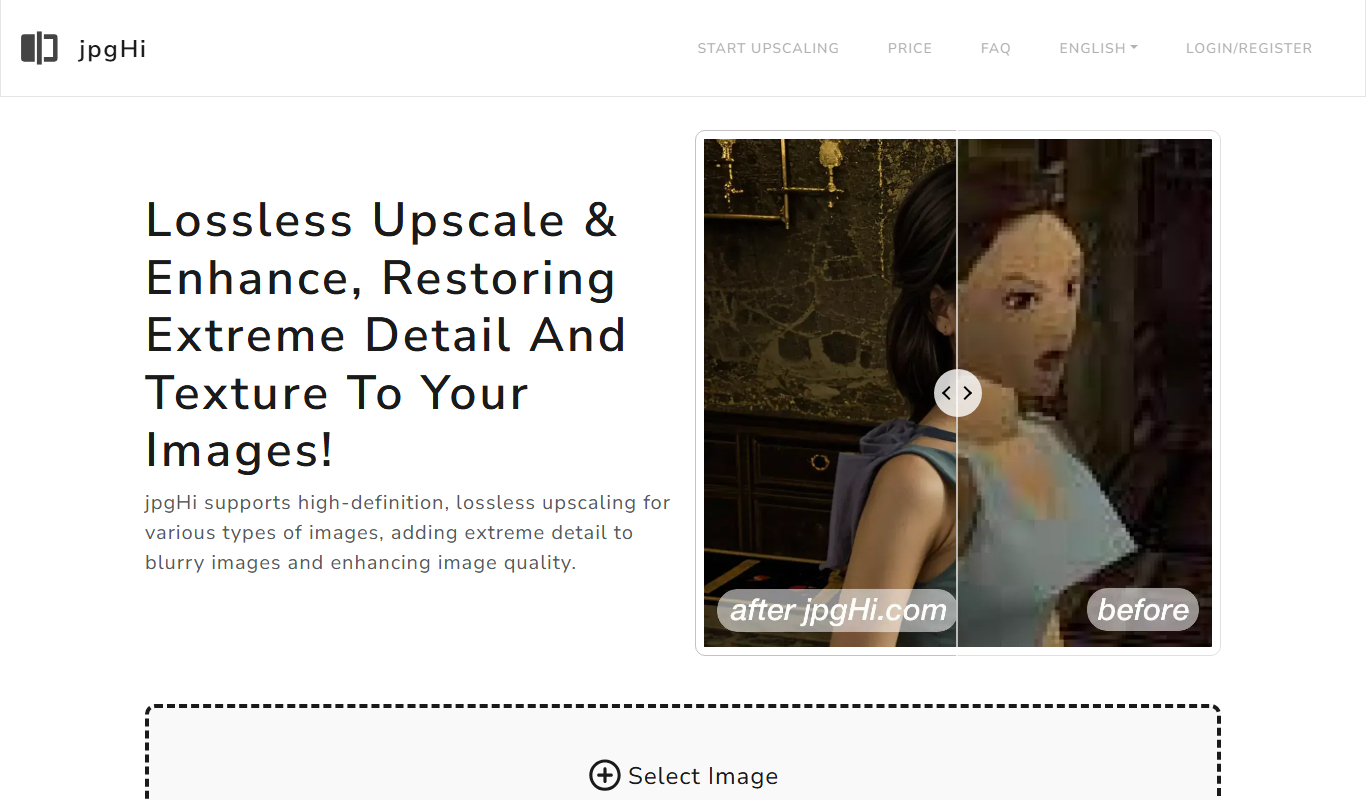
What is jpgHi.com Magic Image Upscale?
jpgHi Magic Image Upscale is a web-based AI-powered tool designed to enlarge and enhance images without compromising quality. It uses advanced machine learning algorithms to upscale photos, restore details, and reduce noise, making images clearer and sharper even at higher resolutions.
Key features of jpgHi.com Magic Image Upscale
The tool offers automatic image upscaling, noise reduction, and detail enhancement. It supports various image formats and provides a simple drag-and-drop interface for quick processing. Users can upscale images up to 4x their original size while maintaining natural textures and colors.
AI-Powered Upscaling
Uses deep learning to enlarge images while preserving quality and details.
Noise Reduction
Automatically removes grain and noise for cleaner images.
Supports Multiple Formats
Accepts common image formats like JPG, PNG, and BMP.
User-Friendly Interface
Simple drag-and-drop upload and one-click enhancement process.
Fast Processing
Quickly upscales images with minimal wait times.
Pros and cons of jpgHi.com Magic Image Upscale
Pros
- Easy to use with drag-and-drop interface
- High-quality AI upscaling with noise reduction
- Supports multiple image formats
- Free tier available for casual users
Cons
- Limited information on company and tech stack
- Subscription pricing details are not clearly published
- Web-only platform with no desktop or mobile apps
Key use cases for jpgHi.com Magic Image Upscale
Photo Enlargement
Enlarge low-resolution photos without losing quality for printing or digital use.
Image Quality Enhancement
Improve the clarity and details of images that are blurry or pixelated.
Restoration of Old Photos
Enhance and upscale old or damaged photos to restore visual quality.
E-commerce Product Images
Upscale product photos to meet high-resolution standards for online stores.
Social Media Content
Create sharper and more appealing images for social media posts and profiles.
How jpgHi.com Magic Image Upscale works
- 1
Upload Image
Drag and drop or select an image file to upload on the jpgHi website.
- 2
Select Upscale Factor
Choose the desired enlargement scale, such as 2x or 4x.
- 3
AI Processing
The AI algorithm analyzes and enhances the image, improving details and reducing noise.
- 4
Download Enhanced Image
Once processing is complete, download the upscaled and improved image.
Who is using jpgHi.com Magic Image Upscale
jpgHi.com Magic Image Upscale pricing
Free
$0
Limited daily usage with basic upscaling features.
Subscription
Varies
Offers higher resolution limits, faster processing, and priority support.
Plans and prices are as published by the vendor and can change. Check the official site before you buy. Open the pricing page (opens in a new tab)
Frequently asked questions about jpgHi.com Magic Image Upscale
jpgHi Magic Image Upscale supports up to 4x enlargement of images.
Yes, there is a free tier with limited daily usage and basic features.
The tool supports JPG, PNG, BMP, and other common image formats.
jpgHi uses secure protocols to protect your images during upload and processing.
It depends on your specific needs and how you plan to use the tool. The official website and documentation are the best sources for the latest details.
Some tools offer a free plan or trial with limited features. Availability can vary, so confirm on the official website.
Yes, it can help with that use case depending on how you configure it and what features are available. You’ll get the best results with clear inputs and a defined goal.
Conclusion
Low-resolution, blurry or pixelated photos are the starting point: an image is dragged onto the jpgHi website, an enlargement scale such as 2x or 4x is chosen, and the upscaled image is downloaded once processing is complete. During processing, deep learning enlarges the image while restoring details and removing grain and noise.
Its intended users include photographers needing image enlargement and e-commerce sellers who upscale product photos to meet high-resolution standards for online stores. Old or damaged photos can also be enhanced and upscaled to restore visual quality.
Sources
Sign in to review this tool.
Sign In to ReviewNo reviews yet
Be the first to share how this tool worked for you.
Ask about pricing, limits, or how it compares — or answer someone else.
Sign In to AskNo questions yet
Have a question about using or paying for this tool? Be the first to ask.
Featured on TiorAI



Alternative Tools
Explore similar AI tools that might fit your needs

Waifu2x
Waifu2x is a web-based tool that upscales anime-style images by 1.6x or 2x, with 4x in the unlimited version, and reduces noise.
More AI Image & Visual Tools tools
Other tools in the same category, for when this one is not quite the fit.

iSamurai
iSamurai is a browser-based AI creative studio for face swap, head swap, character swap, image generation, photo restoration and slow motion on one credit system.

MimicPC
MimicPC is an open-source AI platform where you create AI images, videos and audio, train LoRA models without deployment and add custom models on cloud GPUs.

Fancinet
Fancinet by DeepVinci trains your personal Large-Visual-Model in simple steps, then generates AI human photos of you in any scenario you prompt.

Pikzels
Pikzels is an AI thumbnail maker for YouTube that creates thumbnails from prompts, recreates and edits them, keeps a Persona and Style consistent, and writes titles built to get clicked.

The New Black
The New Black offers AI fashion models, product photos and virtual try-ons for e-commerce, plus clothing design and tech packs, with selling on Shopify.

Zizoto
Zizoto is a free AI image generator and creative community where you generate images, remix other users' creations and print posters.

Secur3D
SECUR3D helps brands, creators, marketplaces and platforms detect unauthorized content, verify asset authenticity and generate enforcement-ready intelligence.

Pictorial
Pictorial creates graphics for your website from its URL: it reads your public content and detects topics, tone and brand colors.