

From my experience with InstaSnippet, I found it excels at simplifying code snippet management with a clean, intuitive interface and useful collaboration features. It’s particularly well-suited for developers and small teams who want to organize and share reusable code efficiently without complex setups. However, the lack of dedicated mobile or desktop apps may limit accessibility for some users. Overall, if you need a straightforward web-based snippet manager that supports team sharing and syntax highlighting, InstaSnippet delivers solid value.
InstaSnippet Code Snippet Manager for Developers and Teams
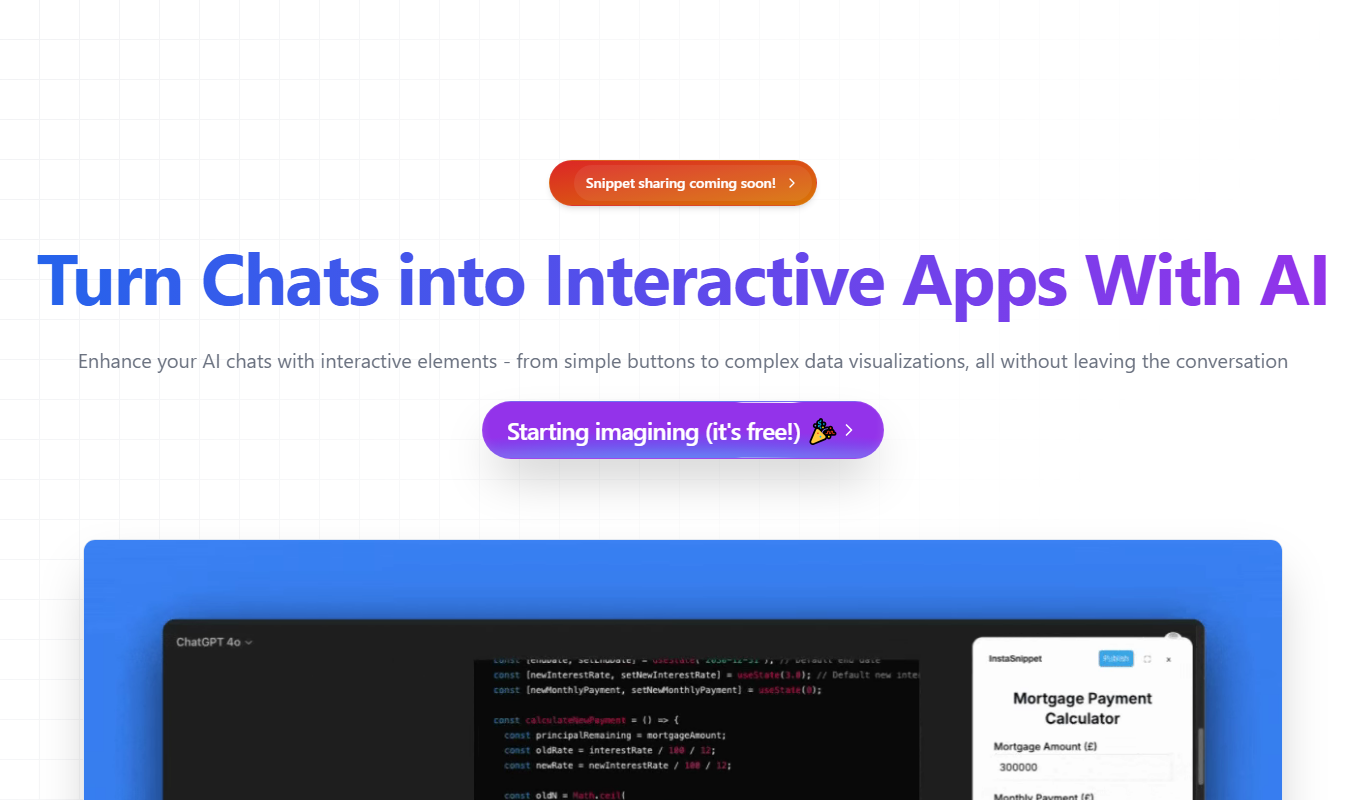
InstaSnippet is a web-based tool that helps developers and teams store, organize, and share reusable code snippets with syntax highlighting and collaboration features.
- Best for
- Code Snippet Organization
- Key capability
- Syntax Highlighting
Do you recommend this tool?
What is InstaSnippet?
InstaSnippet is a web-based code snippet manager designed to help developers and teams store, organize, and share reusable code snippets. It simplifies managing frequently used code blocks, enabling faster development cycles and better collaboration among developers.
Key features of InstaSnippet
InstaSnippet offers features such as snippet organization with tags and folders, team sharing capabilities, syntax highlighting for multiple programming languages, and easy access through a clean web interface.
Syntax Highlighting
Supports multiple programming languages with syntax highlighting for better readability.
Tagging and Folder Organization
Organize snippets using tags and folders to quickly find and manage code blocks.
Team Collaboration
Share snippets with team members and collaborate on code reuse.
Web-Based Access
Access your snippets from any device with an internet connection via the web interface.
Pros and cons of InstaSnippet
Pros
- Simple and clean user interface
- Supports multiple programming languages with syntax highlighting
- Enables team collaboration on code snippets
Cons
- No dedicated mobile or desktop apps
- Limited free plan features
Key use cases for InstaSnippet
Code Snippet Organization
Store, categorize, and manage reusable code snippets efficiently to speed up development.
Team Collaboration
Share code snippets with team members to improve collaboration and maintain coding standards.
Cross-Device Access
Access your code snippets from any device with internet connectivity via the web platform.
Code Reuse and Productivity
Reuse frequently used code blocks to reduce repetitive coding and increase productivity.
How InstaSnippet works
- 1
Create an Account
Sign up on the InstaSnippet website to start managing your code snippets.
- 2
Add Snippets
Save your frequently used code snippets with titles, descriptions, and tags.
- 3
Organize Snippets
Use folders and tags to categorize snippets for easy retrieval.
- 4
Share with Team
Invite team members to collaborate and share snippets within your organization.
- 5
Access Anywhere
Use the web platform to access your snippets from any device.
Who is using InstaSnippet
Software developers
Development teams
Freelance programmers
Coding educators
Tech startups
InstaSnippet pricing
Free
$0/month
Basic snippet management with limited storage and single user access.
Pro
$5/month
Advanced features including team collaboration, unlimited snippets, and priority support.
Plans and prices are as published by the vendor and can change. Check the official site before you buy. Open the pricing page (opens in a new tab)
Frequently asked questions about InstaSnippet
Yes, the Pro plan allows you to share snippets and collaborate with your team.
Yes, it supports syntax highlighting for many popular programming languages.
Currently, InstaSnippet is only available as a web-based platform.
It depends on your specific needs and how you plan to use the tool. The official website and documentation are the best sources for the latest details.
Some tools offer a free plan or trial with limited features. Availability can vary, so confirm on the official website.
Yes, it can help with that use case depending on how you configure it and what features are available. You’ll get the best results with clear inputs and a defined goal.
Sign in to review this tool.
Sign In to ReviewNo reviews yet
Be the first to share how this tool worked for you.
Ask about pricing, limits, or how it compares — or answer someone else.
Sign In to AskNo questions yet
Have a question about using or paying for this tool? Be the first to ask.
Featured on TiorAI



More AI Collaboration & Team Tools tools
Other tools in the same category, for when this one is not quite the fit.

Free
Aardvark
Aardvark is an AI assistant that helps teams quickly search and access internal knowledge by integrating with multiple data sources and providing natural language answers.
Free
AI to Human
AI to Human is a free web platform that promotes ethical collaboration among AI developers, policymakers, and communities to ensure responsible AI innovation.

Pay Per Service
Hauservice
Hauservice is a German online platform that connects homeowners with vetted local professionals for home maintenance and repair services, offering transparent pricing and easy booking.
Freemium
IntelliOptima
IntelliOptima is an AI optimization platform that automates workflows, analyzes business data, and provides predictive insights to improve operational efficiency.

Freemium
Klart AI
Klart AI is an AI-powered writing assistant that helps users improve clarity, grammar, and tone in their writing through real-time suggestions on a web platform.

Free
GptPanda
GptPanda is a no-code AI chatbot platform that enables users to create customized GPT-powered chatbots for automation, customer support, and content generation.

Freemium
Langtail
Langtail is an AI-driven translation platform that automates multilingual content management through machine learning, API integration, and collaborative editing features.

Free
Plot
Plot is a web-based platform that allows teams to collaboratively design, prototype, and share interactive user interfaces in real-time without installing software.