
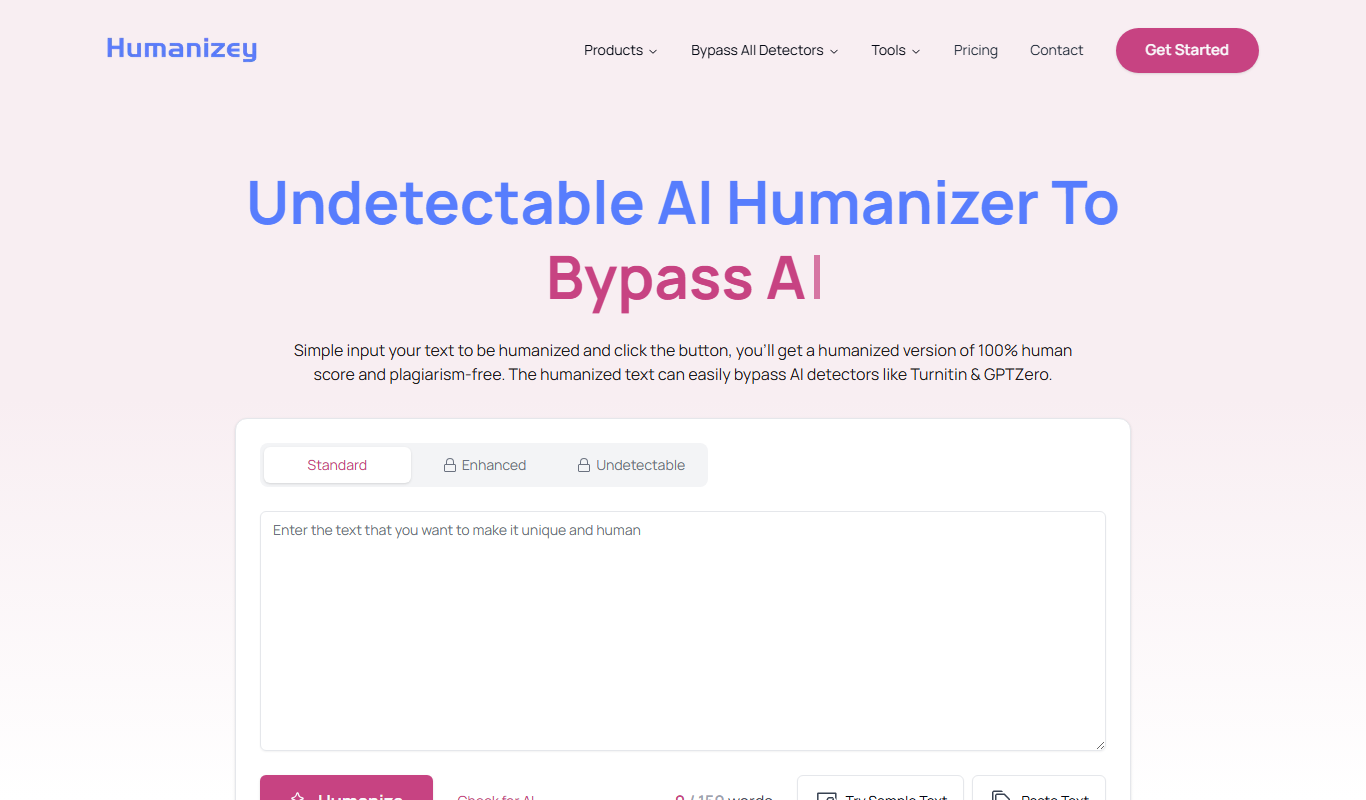
From my experience with Humanizey, I found it excels at making AI-generated or stiff text sound natural and engaging, which is crucial for connecting with readers. The platform’s straightforward interface and tone adjustment features make it especially useful for marketers and non-native English speakers aiming to improve their writing quality without extensive editing. However, the tool currently supports only English and lacks deeper integrations, which might limit workflow automation for some users. Overall, if you need to humanize your content quickly and effectively, Humanizey offers a practical solution.

Humanizey AI Writing Assistant for Natural, Engaging Content Creation
Humanizey is an AI writing assistant that rewrites text to sound more natural and human-like, improving tone and engagement for various content types.
What is Humanizey?
Humanizey is an AI-powered writing assistant designed to transform robotic or generic text into natural, human-like language. It helps users create engaging, authentic content that resonates with readers by enhancing tone, style, and clarity.
Key Features of Humanizey
Natural Language Rewriting
Transforms mechanical or stiff text into conversational, human-like language.
Tone Adjustment
Allows users to modify the tone to suit different audiences and purposes.
Content Enhancement
Improves clarity, flow, and engagement of existing text.
User-Friendly Interface
Simple web-based platform that requires no technical skills.
Pros and Cons of Humanizey
Pros
- Makes AI-generated or robotic text sound natural and engaging
- Easy to use with a clean web interface
- Supports tone customization for different audiences
Cons
- Currently supports only English language
- Limited integrations with other platforms
- Pricing details are not fully transparent without signup
Key Use Cases for Humanizey
Content Writing
Generate natural, engaging written content for blogs, articles, and marketing materials.
Copywriting
Create persuasive and human-like copy for advertisements, emails, and social media posts.
Editing and Refinement
Improve existing text by making it sound more natural and less robotic.
SEO Content Optimization
Produce content that balances SEO requirements with a human tone to improve reader engagement.
How Humanizey Works
-
1
Input Text
Users provide the original text or draft they want to humanize.
-
2
AI Processing
The AI analyzes the text to identify robotic or unnatural phrasing.
-
3
Text Humanization
Humanizey rewrites the content to improve tone, flow, and engagement.
-
4
Review and Edit
Users review the enhanced text and make any additional edits if needed.
Who's Using Humanizey
Content marketers
Copywriters
Small business owners
Non-native English speakers
Social media managers
Humanizey Pricing
Free Trial
$0
Limited access to features for evaluation purposes.
Pro
$19/month
Full access to all features with higher usage limits.
Frequently Asked Questions About Humanizey
Humanizey works well with marketing copy, blog posts, emails, social media content, and other written materials.
Yes, it helps non-native speakers produce more natural and fluent English text.
Yes, Humanizey allows tone adjustments to match your target audience and style.
It depends on your specific needs and how you plan to use the tool. The official website and documentation are the best sources for the latest details.
Yes, it can help with that use case depending on how you configure it and what features are available. You’ll get the best results with clear inputs and a defined goal.
Some tools offer a free plan or trial with limited features. Availability can vary, so confirm on the official website.
Share your review
Reviews are limited to one per logged-in user and are published after moderation.
You need an account to review this tool.
0.0
★
★
★
★
★
0 reviews
5 star
0
4 star
0
3 star
0
2 star
0
1 star
0
No reviews yet
Be the first to share how this tool worked for you.
Questions from the community
Read questions and answers about this tool, or ask your own.
No questions yet
Start the conversation by asking the first question about this tool.
Is this tool helpful?

Freemium
TheWordsmith.ai
TheWordsmith.ai is an AI writing assistant that helps create SEO-friendly marketing and content copy quickly through AI-generated suggestions and templates.

One-time purchase
Offthreadr AI
Offthreadr AI is an AI-driven tool that helps users generate and structure Twitter threads efficiently, saving time and improving content quality.

Free
Cuppa
Cuppa is an AI-powered writing assistant that provides real-time grammar, style, and clarity suggestions to help users create and edit content efficiently via web and Chrome extension.

Free
odeist
Odeist is an AI writing assistant that helps users generate and edit content such as blog posts, marketing copy, and creative writing through an intuitive web platform with real-time AI suggestions.

Free
AI Coffee Club
AI Coffee Club is a web-based platform that combines AI writing assistance with collaborative tools to help teams create, brainstorm, and manage content projects efficiently.

Freemium
Clipfly
Clipfly is an AI-driven video editing platform that automates trimming, clipping, and enhancing videos to help users quickly create professional content without prior editing skills.

Freemium
vidu.studio
Vidu Studio is a web-based AI video editing platform that automates cutting, trimming, captioning, and exporting videos optimized for social media and marketing use.
Freemium
Tolan
Tolan is an AI-powered writing assistant that helps users generate, edit, and optimize written content efficiently using natural language processing.