

From my experience with HelpDocs, I found it excels at simplifying the creation and management of customer-facing knowledge bases with a clean, intuitive interface. After spending time with the platform, I can say it’s particularly well-suited for small to medium businesses and SaaS companies looking to reduce support tickets through effective self-service portals. However, there’s a trade-off: it lacks offline access and some advanced customization options found in larger enterprise solutions. Overall, if you need a straightforward, reliable knowledge base tool to improve customer support, HelpDocs delivers solid results.
HelpDocs Knowledge Base Software for Customer Support and Documentation
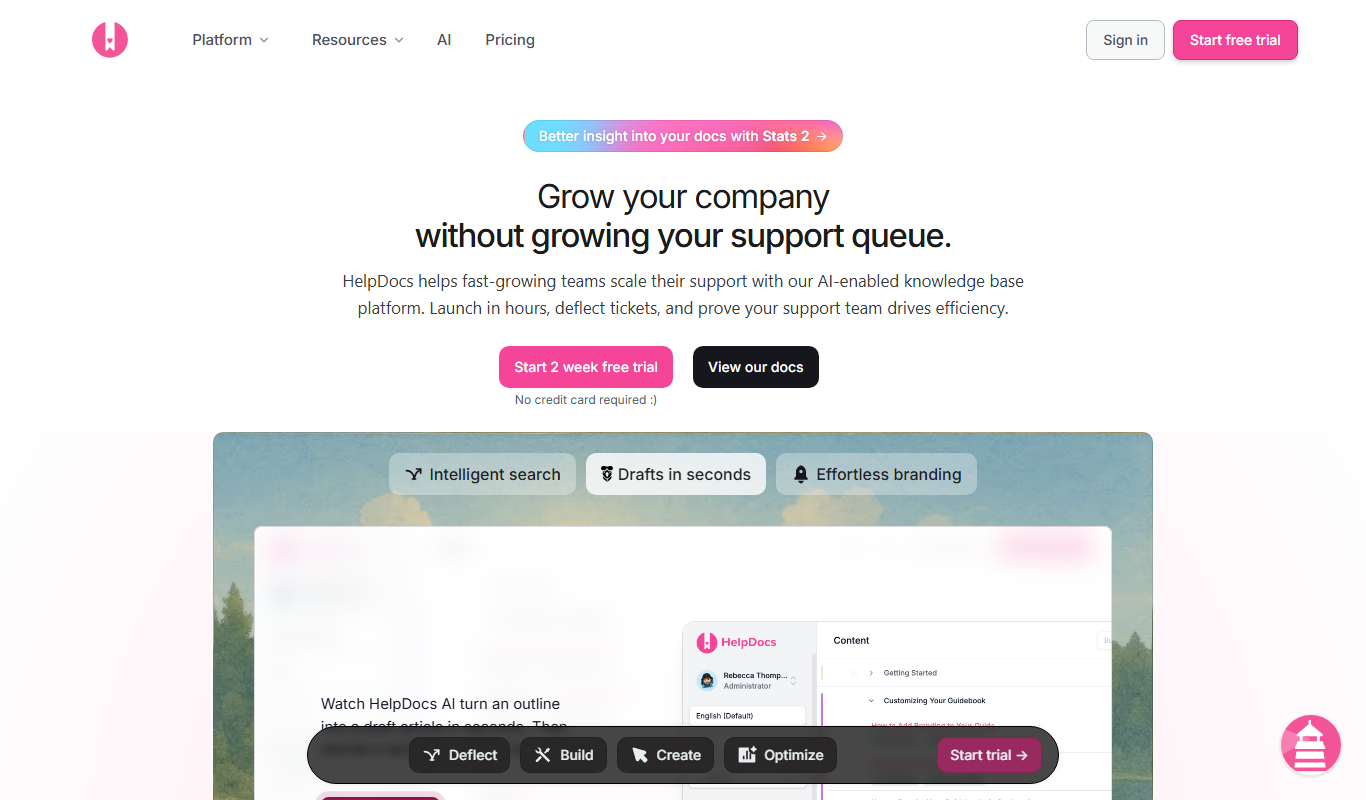
HelpDocs is a cloud-based knowledge base software that enables businesses to create, customize, and manage self-service help centers to improve customer support and reduce support tickets.
- Best for
- Customer Support Knowledge Base
- Key capability
- Customizable Branding
Do you recommend this tool?
What is HelpDocs?
HelpDocs is a cloud-based knowledge base software designed to help businesses create, manage, and share documentation and support content. It enables companies to build self-service help centers that reduce support tickets and improve customer satisfaction by providing easy access to relevant information.
Key features of HelpDocs
HelpDocs offers a user-friendly editor, customizable branding, analytics to track content performance, multi-language support, and integrations with popular tools to streamline customer support and documentation workflows.
Customizable Branding
Tailor the look and feel of your help center to match your company’s brand identity.
Powerful Search
Help customers find answers quickly with a fast and accurate search engine.
Analytics Dashboard
Gain insights into what users are searching for and which articles are most helpful.
Multi-language Support
Create content in multiple languages to serve a global audience.
Integrations
Connect with tools like Intercom, Zendesk, and Slack to streamline support workflows.
Pros and cons of HelpDocs
Pros
- Easy to use and set up without technical skills
- Customizable branding to maintain company identity
- Powerful search functionality improves user experience
- Detailed analytics help optimize content
- Supports multiple languages for global reach
Cons
- No offline access to knowledge base content
- Limited advanced customization compared to some competitors
- Pricing may be high for very small businesses
Key use cases for HelpDocs
Customer Support Knowledge Base
Create and maintain a centralized knowledge base to help customers find answers quickly without contacting support.
Internal Documentation
Organize internal company documentation for teams to access policies, procedures, and product information easily.
Self-Service Help Center
Build a branded self-service portal that empowers users to troubleshoot and resolve issues independently.
Product Documentation
Publish detailed product manuals, FAQs, and guides to assist users in understanding and using your products effectively.
Onboarding Resources
Provide new customers or employees with onboarding materials and tutorials to accelerate their learning curve.
How HelpDocs works
- 1
Sign Up and Set Up
Create an account on HelpDocs and configure your knowledge base with your brand colors and logo.
- 2
Create Content
Use the intuitive editor to write articles, FAQs, and guides organized into categories.
- 3
Publish and Share
Publish your knowledge base online and share the link with customers or embed it into your website.
- 4
Analyze and Improve
Monitor article views and search queries to optimize content and address common customer questions.
Who is using HelpDocs
Customer support teams
Small to medium businesses
SaaS companies
Marketing teams
Product managers
HelpDocs pricing
Starter
$49/month
Basic knowledge base features suitable for small teams.
Pro
$99/month
Advanced features including multi-language support and integrations.
Enterprise
Custom pricing
Tailored solutions with dedicated support and custom features.
Plans and prices are as published by the vendor and can change. Check the official site before you buy. Open the pricing page (opens in a new tab)
Frequently asked questions about HelpDocs
Yes, HelpDocs allows you to customize branding elements like colors, logos, and fonts.
Yes, you can create and manage content in multiple languages to support international users.
HelpDocs offers a free trial so you can test the platform before committing.
Yes, HelpDocs integrates with popular tools such as Intercom, Zendesk, and Slack.
This tool is designed to help users accomplish its core tasks more efficiently. It is typically used by individuals or teams looking to improve productivity and workflow.
Pricing depends on the plan and included features. For the most accurate and up-to-date details, check the official pricing page.
Yes, it can help with that use case depending on how you configure it and what features are available. You’ll get the best results with clear inputs and a defined goal.
Sign in to review this tool.
Sign In to ReviewNo reviews yet
Be the first to share how this tool worked for you.
Ask about pricing, limits, or how it compares — or answer someone else.
Sign In to AskNo questions yet
Have a question about using or paying for this tool? Be the first to ask.
Featured on TiorAI



Alternative Tools
Explore similar AI tools that might fit your needs

Free Trial
Document360
Document360 is a cloud-based knowledge base software that helps businesses create, manage, and publish documentation and help centers for both internal teams and customers.

Subscription
Helpjuice
Helpjuice is a cloud-based knowledge base software designed to help businesses create, manage, and share information efficiently to improve customer support and internal collaboration.
More AI Customer Service tools
Other tools in the same category, for when this one is not quite the fit.

Free
MobileMonkey
MobileMonkey is an AI-powered chatbot platform that enables businesses to automate marketing, lead generation, and customer support conversations across multiple messaging channels including Facebook Messenger, Instagram, SMS, and web chat.

Pay As You Go
TextMagic
TextMagic is a cloud-based SMS marketing platform that enables businesses to send bulk text messages, automate notifications, and engage customers with two-way messaging and API integration.

Free Trial
EZ Texting
EZ Texting is a cloud-based SMS marketing platform that enables businesses to send mass text messages, automate campaigns, and engage customers with two-way messaging.

Free Trial
SimpleTexting
SimpleTexting is a cloud-based SMS marketing platform that enables businesses to send mass text messages, automate SMS workflows, and engage customers with two-way messaging to improve communication and marketing effectiveness.

Freemium
Komoot
Komoot is an outdoor navigation app that helps users plan and follow hiking, cycling, and other adventure routes with detailed maps, offline access, and voice guidance.

Custom Pricing
Cambridge Mobile Telematics
Cambridge Mobile Telematics provides a mobile telematics platform that uses smartphone sensors and AI to analyze driver behavior, enabling insurers and fleet managers to assess risk, improve safety, and reduce accidents.

Commission-based
Pathrise
Pathrise is a career coaching platform that provides personalized mentorship, interview preparation, resume reviews, and salary negotiation guidance to help job seekers, especially in tech, secure employment. It operates on a commission-based payment model where users pay only after getting hired.

Free
MyHammer
MyHammer is a UK-based online platform connecting customers with local tradesmen and builders by allowing job posting, offer comparison, and secure communication.