

From my experience with GPT Food Cam, I found it excels at providing quick and accessible nutritional information through AI-powered food recognition. The ability to analyze meals instantly by simply taking a photo makes diet tracking much less tedious compared to manual logging. It’s particularly well-suited for health-conscious individuals and those managing their calorie intake. However, the accuracy can vary depending on the complexity of the dish and photo quality, which is a common limitation in AI food scanners. Overall, if you want a convenient way to monitor your nutrition on the go, GPT Food Cam delivers solid and user-friendly results.
GPT Food Cam AI Nutrition Scanner for Instant Food Analysis
GPT Food Cam is an AI-based tool that analyzes food photos to provide instant nutritional information including calories and macronutrients, helping users track their diet easily.
- Best for
- Instant Food Nutrition Analysis
- Key capability
- AI-Powered Food Identification
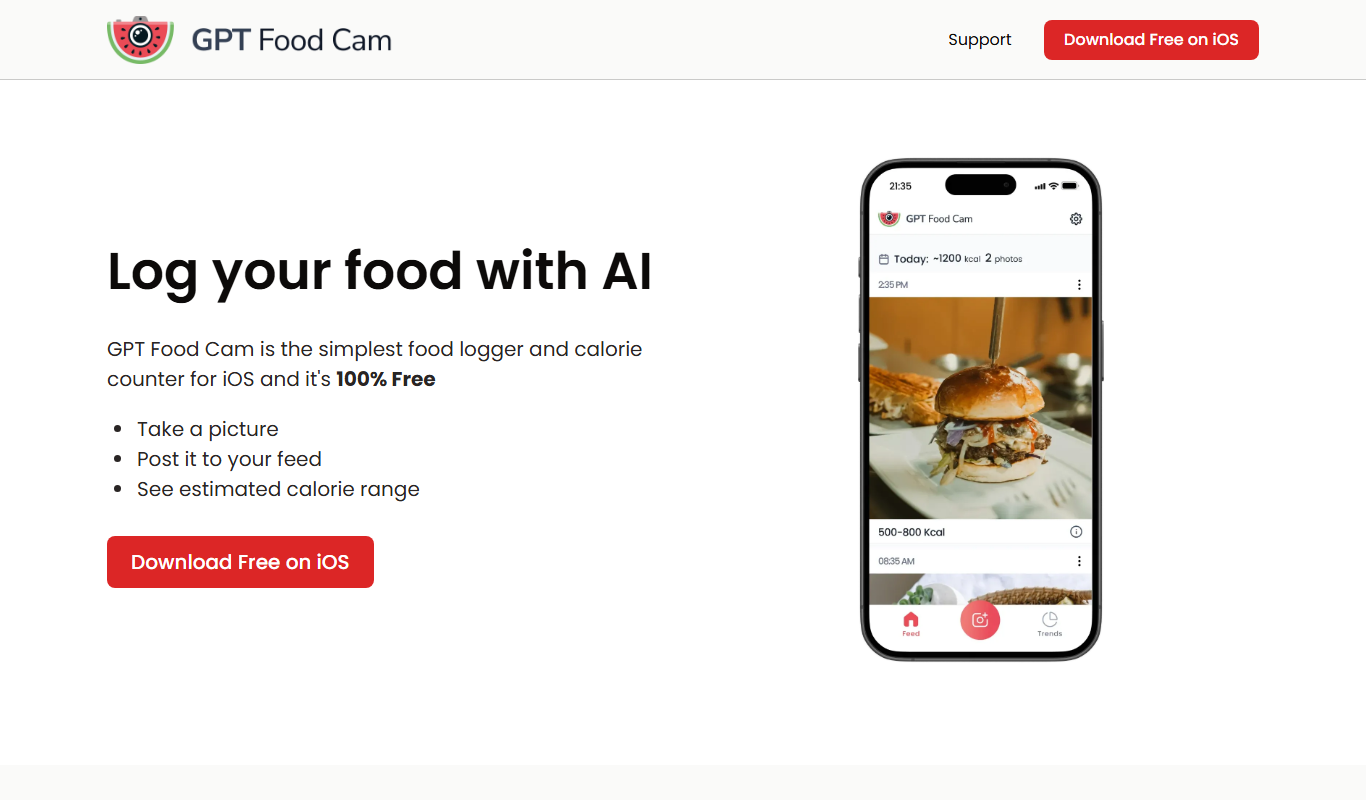

What is GPT Food Cam?
GPT Food Cam is an AI-powered food scanner that uses your device’s camera to analyze meals instantly. By capturing a photo of your food, the tool identifies ingredients, estimates portion sizes, and provides detailed nutritional information such as calories, macronutrients, and more. It aims to simplify diet tracking and promote healthier eating habits through quick and accurate food analysis.
Key features of GPT Food Cam
The main features of GPT Food Cam include real-time food recognition, nutritional breakdowns, calorie counting, and meal logging. Its AI technology interprets food images to deliver comprehensive nutrition data without manual input, making it convenient for users to monitor their diet on the go.
AI-Powered Food Identification
Automatically recognizes various foods from photos with high accuracy.
Nutritional Breakdown
Provides detailed calorie counts and macronutrient information.
Portion Size Estimation
Estimates serving sizes to improve accuracy of nutritional data.
Meal Logging and History
Allows users to save and review past meals for diet tracking.
User-Friendly Interface
Simple and intuitive design for quick food scanning and analysis.
Pros and cons of GPT Food Cam
Pros
- Quick and easy food scanning
- Detailed nutritional insights without manual entry
- Supports healthy eating and diet tracking
Cons
- Accuracy depends on photo quality and food complexity
- Limited offline functionality
- Premium features require subscription
Key use cases for GPT Food Cam
Instant Food Nutrition Analysis
Users can scan their meals using their device camera to get immediate nutritional information including calories, macros, and ingredients.
Diet and Calorie Tracking
Helps individuals track their daily calorie intake and macronutrients by analyzing food photos, supporting weight management goals.
Meal Planning and Health Monitoring
Assists users in planning balanced meals and monitoring nutritional intake for health or medical reasons.
Educational Tool for Nutrition Awareness
Provides insights into food composition, helping users learn about nutrition and make informed dietary choices.
How GPT Food Cam works
-
1
Capture Your Meal
Use your device camera to take a clear photo of your food.
-
2
AI Food Recognition
The AI analyzes the image to identify food items and estimate portion sizes.
-
3
Receive Nutrition Data
Get instant nutritional information including calories, macros, and ingredients.
-
4
Track and Log Meals
Save your meal data to monitor your diet and progress over time.
Who is using GPT Food Cam
Health-conscious individuals
Dieters and weight management users
Nutritionists and dietitians
Fitness enthusiasts
People with dietary restrictions
GPT Food Cam pricing
Free
$0/month
Basic food scanning with limited daily scans and access to nutrition info.
Premium
$9.99/month
Unlimited scans, detailed nutrition reports, and meal history tracking.
Plans and prices are as published by the vendor and can change. Check the official site before you buy. Open the pricing page (opens in a new tab)
Frequently asked questions about GPT Food Cam
The AI uses advanced image recognition technology and provides reasonably accurate results, though accuracy may vary with complex dishes or poor image quality.
Yes, GPT Food Cam works on most smartphones and tablets via the web interface.
Yes, GPT Food Cam follows standard data privacy practices to protect your information.
It depends on your specific needs and how you plan to use the tool. The official website and documentation are the best sources for the latest details.
Some tools offer a free plan or trial with limited features. Availability can vary, so confirm on the official website.
Yes, it can help with that use case depending on how you configure it and what features are available. You’ll get the best results with clear inputs and a defined goal.
Sign in to review this tool.
Sign In to ReviewNo reviews yet
Be the first to share how this tool worked for you.
Ask about pricing, limits, or how it compares — or answer someone else.
Sign In to AskNo questions yet
Have a question about using or paying for this tool? Be the first to ask.
Featured on TiorAI



Alternative Tools
Explore similar AI tools that might fit your needs

Free
Calorie Mama AI
Calorie Mama AI is an app that uses AI to identify foods from photos and provide calorie and nutrition tracking to simplify meal logging and support diet goals.
Free
Foodvisor
Foodvisor is an AI-driven nutrition app that analyzes meal photos to provide calorie counts, macronutrient breakdowns, and personalized diet recommendations to support health and fitness goals.
More AI Instagram Tools tools
Other tools in the same category, for when this one is not quite the fit.

Freemium
Gainsty
Gainsty is a web-based tool that automates Instagram and TikTok follower growth by engaging targeted audiences through follows, likes, and comments, helping users increase their social media presence efficiently.

Freemium
Modly
Modly is an AI-driven video creation platform that automates video editing and production, enabling users to quickly generate professional videos using customizable templates and text-to-video features.