

From my experience with Findr, I found it excels at delivering fast and accurate AI-powered search results that significantly reduce the time spent on manual research. The concise summaries help digest complex information quickly, making it a valuable tool for students, content creators, and professionals alike. However, the tool currently supports only English and limits usage on the free plan, which might restrict some users. Overall, if you need a reliable AI assistant to streamline your web research and boost productivity, Findr offers a practical and user-friendly solution.
Findr AI Search Assistant for Fast, Accurate Web Research and Insights
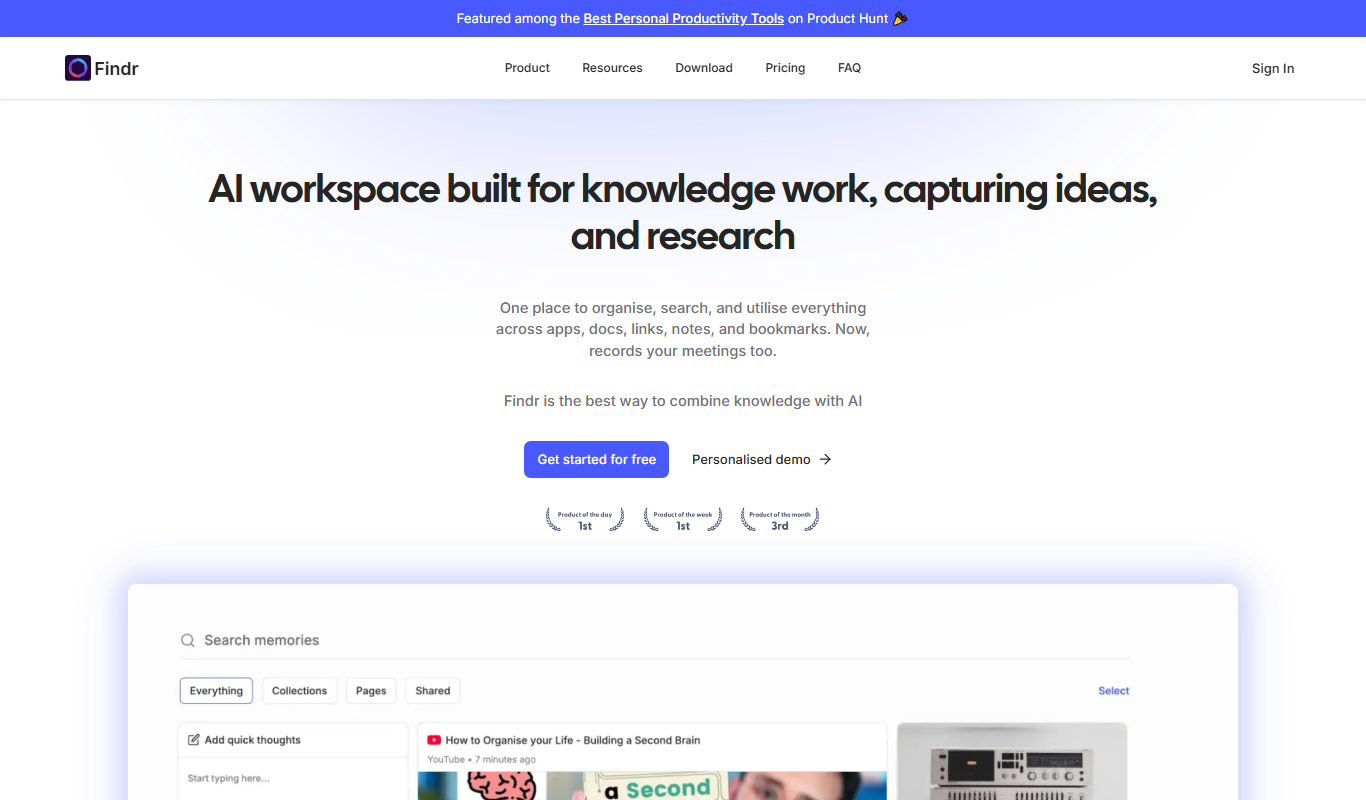
Findr is an AI-powered search assistant that helps users quickly find and summarize accurate information from the web, enhancing research and productivity.
- Best for
- Fast Web Research
- Key capability
- AI-Powered Search
Your actions
Do you recommend this tool?
What is Findr?
Findr is an AI-powered search assistant designed to streamline web research by providing fast, accurate, and concise answers. It leverages artificial intelligence to understand user queries deeply and fetch relevant information from across the internet, summarizing it in an easy-to-digest format. This tool helps users save time and effort typically spent on manual searching and filtering through numerous sources.
Key features of Findr
Findr offers features such as AI-driven web search, instant summarization of complex topics, a Chrome extension for seamless integration, and a user-friendly web interface. It focuses on delivering precise answers and relevant insights to enhance productivity and knowledge acquisition.
AI-Powered Search
Leverages advanced AI to understand and respond to complex queries with relevant web data.
Concise Summaries
Delivers clear and brief summaries to save time and improve comprehension.
Chrome Extension
Offers a browser extension for quick access and seamless integration into daily browsing.
User-Friendly Interface
Clean, intuitive design that makes searching and reading results straightforward.
Pros and cons of Findr
Pros
- Fast and accurate AI-driven search results
- Concise summaries save time reading
- Easy-to-use interface and Chrome extension
- Supports a variety of research and productivity use cases
Cons
- Limited language support (English only)
- Free plan has usage restrictions
Key use cases for Findr
Fast Web Research
Use Findr to quickly gather accurate information from the web without sifting through multiple sources manually.
Knowledge Summarization
Findr summarizes complex topics and presents concise answers to help users understand subjects efficiently.
Productivity Enhancement
Integrate Findr into daily workflows to reduce time spent on searching and increase focus on decision-making.
Content Creation Support
Writers and content creators can leverage Findr to find relevant facts and insights to enrich their work.
Learning and Education
Students and lifelong learners can use Findr to explore topics and get clear explanations quickly.
How Findr works
- 1
Enter Your Query
Type your question or topic into Findr’s search bar.
- 2
AI Processes the Request
Findr’s AI analyzes the query and searches the web for the most relevant and reliable information.
- 3
Receive Summarized Results
The tool presents a concise summary and key insights drawn from multiple sources.
- 4
Explore Further or Refine
Users can dive deeper into the results or adjust their queries for more specific answers.
Who is using Findr
Researchers and students
Content creators and writers
Knowledge workers and professionals
Marketing and SEO specialists
Anyone needing quick, reliable web information
Findr pricing
Free
$0/month
Basic access with limited searches and features.
Pro
$15/month
Unlimited searches, priority support, and advanced features.
Plans and prices are as published by the vendor and can change. Check the official site before you buy. Open the pricing page (opens in a new tab)
Frequently asked questions about Findr
Yes, Findr offers a free plan with limited features and searches.
Yes, Findr provides a Chrome extension for easier access.
Currently, Findr supports English language queries.
Yes, Findr uses AI to generate concise summaries of detailed information.
This tool is designed to help users accomplish its core tasks more efficiently. It is typically used by individuals or teams looking to improve productivity and workflow.
It depends on your specific needs and how you plan to use the tool. The official website and documentation are the best sources for the latest details.
Sign in to review this tool.
Sign In to ReviewNo reviews yet
Be the first to share how this tool worked for you.
Ask about pricing, limits, or how it compares — or answer someone else.
Sign In to AskNo questions yet
Have a question about using or paying for this tool? Be the first to ask.
Featured on TiorAI



Alternative Tools
Explore similar AI tools that might fit your needs

Free
You.com
You.com is a privacy-focused AI search engine that integrates an AI chat assistant called YouChat, offering personalized and customizable web search results without tracking user data.
More AI Productivity Tools tools
Other tools in the same category, for when this one is not quite the fit.

Free
Merlin AI
Merlin AI is a GPT-4 powered AI chat assistant that integrates as a browser extension, enabling users to access AI-generated content and assistance directly on any website to improve productivity and content creation.

Freemium
EasyTrip AI
EasyTrip AI is an AI-driven travel planner that generates customized trip itineraries based on your travel dates, destinations, and preferences, helping you organize your trip efficiently.

Freemium
Wanderlust Browser Extension V2
Wanderlust Browser Extension V2 is a travel planning tool that integrates with Chrome and Firefox browsers, enabling users to save travel ideas, build itineraries, and collaborate on trip plans directly from their browsing experience.

Freemium
PlaninGo
PlaninGo is an AI travel planning tool that generates personalized trip itineraries and guides based on your preferences, helping you plan efficient and enjoyable trips.

Free
Travelwiz
Travelwiz is an AI-powered travel planning tool that creates personalized trip itineraries and offers tailored travel recommendations based on user preferences.

Freemium
Swifty
Swifty is an AI writing assistant that helps users create and edit English content quickly with AI-generated suggestions and grammar corrections.

Free
Momo
Momo is an AI-powered assistant that automates workflows, manages tasks, and enhances team collaboration by integrating with popular productivity tools.

Freemium
Travel Itinerary AI
Travel Itinerary AI is an AI-powered web tool that creates personalized travel itineraries based on your preferences, helping you plan and manage trips efficiently.