

Eventbrite Event Management Platform for Ticketing and Online Events
Eventbrite is an event management platform that enables users to create, promote, and manage events with ticketing, registration, and analytics tools for both in-person and virtual events.
- Best for
- Event Ticketing
- Key capability
- Customizable Event Pages
Save Eventbrite, follow its updates and vote on it — everything stays in your account.
Sign in or create a free account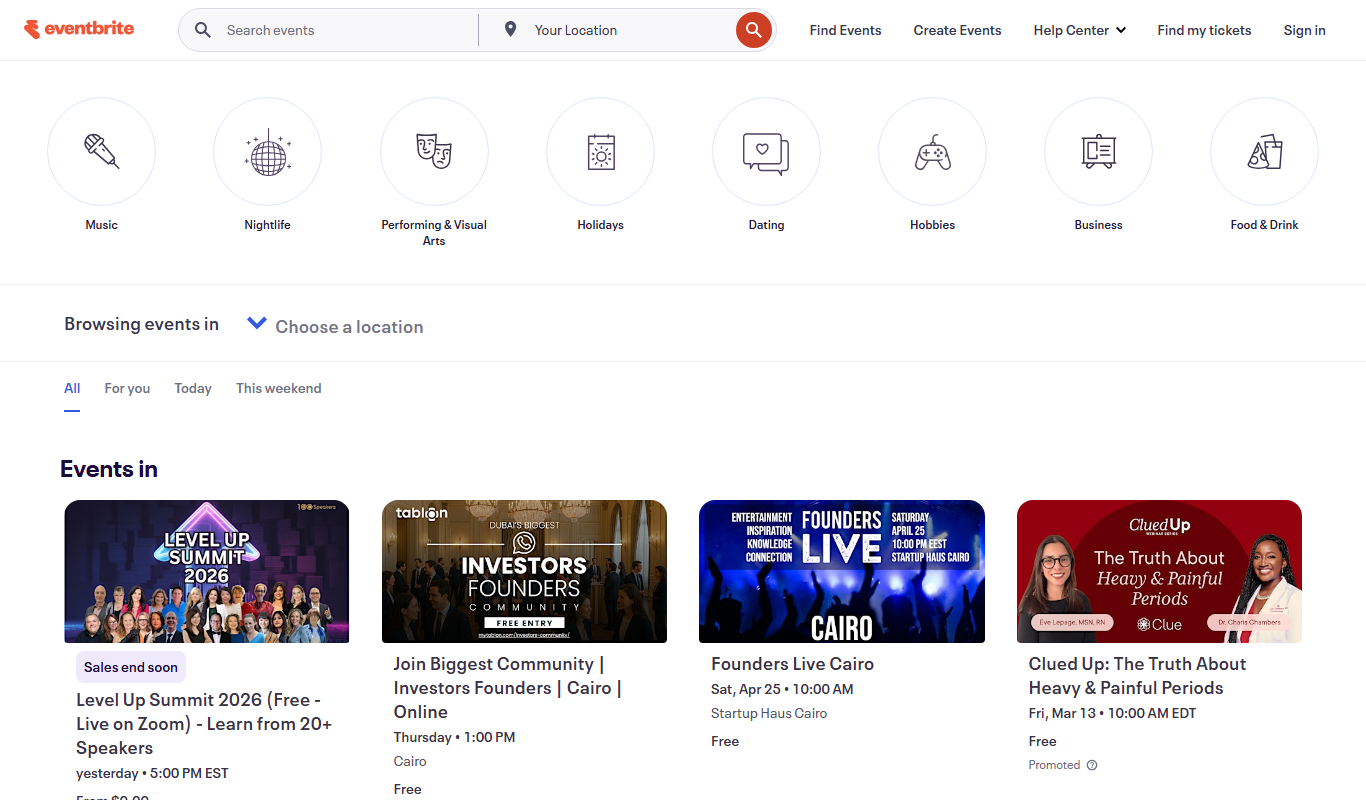
What is Eventbrite?
Eventbrite is a comprehensive event management and ticketing platform that enables organizers to create, promote, and manage events of all sizes. It supports both in-person and virtual events, providing tools for ticket sales, registration, marketing, and attendee engagement.
Key features of Eventbrite
Eventbrite offers features such as customizable event pages, ticketing and payment processing, attendee check-in apps, promotional tools, and detailed analytics to streamline event planning and execution.
Customizable Event Pages
Design event pages with personalized branding, images, and descriptions to attract attendees.
Integrated Payment Processing
Securely process payments and handle multiple ticket types including free, paid, and donation-based tickets.
Mobile Check-In App
Streamline event entry with a dedicated app for scanning tickets and managing guest lists.
Marketing and Promotion Tools
Leverage email campaigns, social media sharing, and promotional codes to increase event visibility.
Real-Time Analytics
Access live data on ticket sales, revenue, and attendee demographics to optimize event management.
Pros and cons of Eventbrite
Pros
- User-friendly event creation and management interface
- Robust ticketing and payment processing system
- Comprehensive marketing and promotional tools
- Mobile app for seamless attendee check-in
- Detailed analytics and reporting features
Cons
- Service fees can add up for large events
- Limited customization options on lower-tier plans
- Customer support can be slow during peak times
Key use cases for Eventbrite
Event Ticketing
Create and sell tickets for in-person or virtual events with customizable pricing and seating options.
Event Promotion
Promote events through integrated marketing tools and social media sharing to increase attendance.
Attendee Management
Manage registrations, check-ins, and attendee data efficiently with real-time analytics and reporting.
Virtual Events Hosting
Host live streaming and virtual events with integrated video platforms and interactive features.
Event Analytics
Access detailed insights on ticket sales, attendee demographics, and event performance.
How Eventbrite works
- 1
Create an Event
Set up your event details including date, location, ticket types, and pricing using Eventbrite’s intuitive interface.
- 2
Promote Your Event
Use built-in marketing tools and social media integrations to reach your target audience and boost ticket sales.
- 3
Manage Attendees
Track registrations, communicate with attendees, and manage check-ins with Eventbrite’s mobile app.
- 4
Analyze Performance
Review sales data and attendee insights to measure event success and plan future events.
Who is using Eventbrite
Eventbrite pricing
Free
No fees for free events
Publish unlimited free events at no cost, with no ticketing platform fees.
Paid tickets
3.7% + $1.79 service fee per ticket, plus 2.9% payment processing fee per order
Applies to paid tickets only; ticket fees are paid by buyers by default, or the organizer can choose to absorb them.
Eventbrite Pro
Starting at $15/month
Add-on to send more emails: up to 10,000 emails daily.
Sales partnership
Contact Sales
Custom solutions for complex or high-volume events.
Plans and prices are as published by the vendor and can change. Check the official site before you buy. Open the pricing page (opens in a new tab)
Frequently asked questions about Eventbrite
Yes, Eventbrite allows you to create and manage free events without charging any platform fees.
Eventbrite securely processes payments through its integrated system and transfers funds to your account.
Yes, Eventbrite offers a mobile app that allows organizers to scan tickets and manage attendee check-ins.
Yes, Eventbrite supports virtual events with integrations for live streaming and online attendee engagement.
It depends on your specific needs and how you plan to use the tool. The official website and documentation are the best sources for the latest details.
Some tools offer a free plan or trial with limited features. Availability can vary, so confirm on the official website.
Yes, it can help with that use case depending on how you configure it and what features are available. You’ll get the best results with clear inputs and a defined goal.
Yes, it can help with that use case depending on how you configure it and what features are available. You’ll get the best results with clear inputs and a defined goal.
Conclusion
Organizers set up an event with its date, location, ticket types and pricing, and the listing then sits on a discovery marketplace that connects local ticket-buyers to events. Promotion runs through email campaigns, promo codes and Facebook and Instagram ad tools, while sponsored Eventbrite Ads are only available in select markets. On event day a dedicated organizer app scans tickets and manages guest lists, and the platform also sends automated event reminders and runs waitlists. Sales data and attendee insights are then reviewed to measure event success and plan future events.
The service is designed for event organizers of every size, from community groups and nonprofit organizations to small and medium businesses. Free events cost nothing to publish, while paid tickets carry a per-ticket service fee plus a payment processing fee on each order. Buyers pay those fees by default, although organizers can choose to absorb them when setting up ticket types. The published pricing plans are available in the United States, Canada, Australia, New Zealand, the United Kingdom and Ireland.
Sources
Sign in to review this tool.
Sign In to ReviewNo reviews yet
Be the first to share how this tool worked for you.
Ask about pricing, limits, or how it compares — or answer someone else.
Sign In to AskNo questions yet
Have a question about using or paying for this tool? Be the first to ask.
Featured on TiorAI



Alternative Tools
Explore similar AI tools that might fit your needs

Cvent
Cvent is a comprehensive event management platform that supports in-person, virtual, and hybrid events with features like registration, venue sourcing, marketing automation, and analytics.

Meetup
Meetup is an online platform that helps people create and join local groups and events based on shared interests, facilitating community building and networking both in-person and virtually.
More Business Management tools
Other tools in the same category, for when this one is not quite the fit.
WideOrbit
WideOrbit is a broadcast software platform that streamlines media sales, advertising inventory management, campaign planning, and billing for TV, radio, and digital broadcasters.

Houzz
Houzz is a free online platform offering home design inspiration, a directory of home improvement professionals, and an integrated marketplace for home products.
Artlogic
Artlogic is a cloud-based platform that helps artists, galleries, and dealers manage art inventory, sales, and create professional websites with e-commerce capabilities.

HouseCanary
HouseCanary is a US-based real estate analytics platform providing automated property valuations, market trend analysis, and risk assessments primarily for professionals in real estate, lending, and insurance.

BidPrime
BidPrime is a subscription-based platform that provides businesses with real-time government contract leads, detailed RFPs, and procurement data to help them identify and win public sector contracts.

ContractWorks
ContractWorks is a web-based contract management software that helps businesses securely store, track, and sign contracts with features like electronic signatures, automated alerts, and compliance tools.

ONAP
ONAP is an open-source platform that automates the orchestration and lifecycle management of telecom networks, supporting 5G, SDN, and NFV technologies.
Krisp
Krisp is an AI noise cancelling application that removes background noise from your microphone and speaker in real time, and it has expanded into an AI meeting assistant with transcription.