

Edit Videos Online - Free Web-Based Video Editing Tool for Beginners
Edit Videos Online is a free multi-track video editor in the browser with auto captions, AI voiceover and background removal, with no download, no sign up and no watermark.
- Best for
- Basic Video Editing
- Key capability
- No Installation Required
Save Edit Videos Online, follow its updates and vote on it — everything stays in your account.
Sign in or create a free account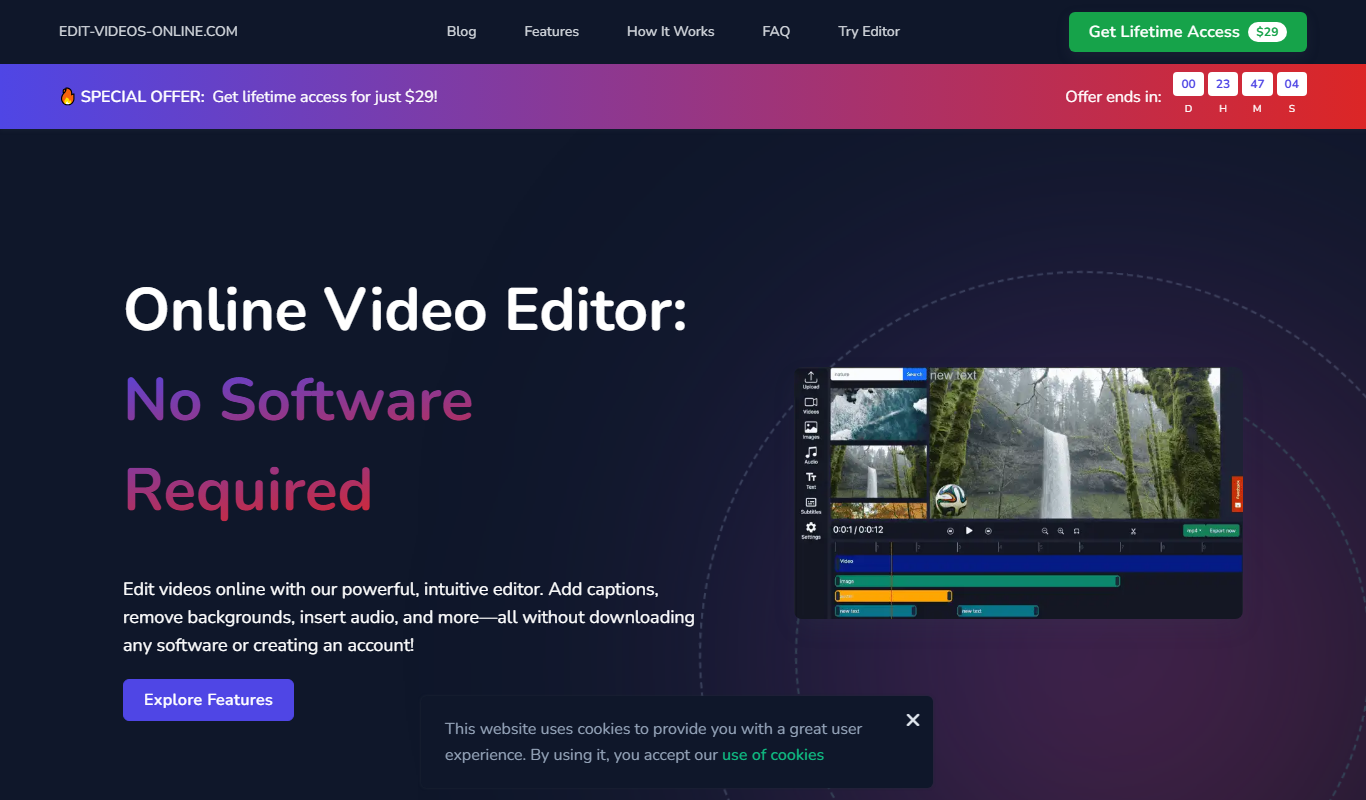
What is Edit Videos Online?
Edit Videos Online is a free video editor that runs in the browser with a multi-track timeline, automatic captions, AI voiceover and one-click background removal. Nothing has to be downloaded, no account is needed, and exports carry no watermark.
Key features of Edit Videos Online
The platform provides an intuitive interface for basic video editing tasks including cutting, trimming, merging clips, and adding text. It supports common video formats and enables users to export edited videos easily. Being fully online, it requires no downloads or installations.
No Installation Required
Fully web-based editor accessible from any modern browser without downloads.
Basic Editing Tools
Trim, cut, merge videos, and add text overlays easily.
Supports Common Formats
Works with popular video file types for easy uploading and exporting.
Free to Use
All features are available at no cost with no hidden fees.
Pros and cons of Edit Videos Online
Pros
- No software installation needed
- Simple and easy to use interface
- Completely free with no hidden charges
Cons
- Limited to basic editing features
- No advanced effects or multi-track editing
- No account or cloud saving options
Key use cases for Edit Videos Online
Basic Video Editing
Users can trim, cut, and merge video clips directly in their browser without installing software.
Adding Text and Effects
Add text overlays and simple visual effects to enhance videos for social media or presentations.
Quick Video Production
Create short videos quickly for marketing, tutorials, or personal projects without a steep learning curve.
How Edit Videos Online works
- 1
Upload Video
Start by uploading your video file directly from your device to the online editor.
- 2
Edit Video
Use the timeline and editing tools to trim, cut, merge clips, or add text overlays.
- 3
Preview and Export
Preview your edited video and export it in the desired format to your device.
Who is using Edit Videos Online
Edit Videos Online pricing
Free
$0
Access to all basic video editing features with no subscription required.
Plans and prices are as published by the vendor and can change. Check the official site before you buy. Open the pricing page (opens in a new tab)
Frequently asked questions about Edit Videos Online
No, you can use the tool directly without signing up or creating an account.
The editor supports common formats such as MP4, AVI, MOV, and others.
There is no hard clip limit or project length cap. Very long timelines take longer to export because the render happens on your own machine.
Yes. Music and an AI voiceover can be mixed on the multi-track timeline alongside video clips, text and captions.
Some tools offer a free plan or trial with limited features. Availability can vary, so confirm on the official website.
Some tools offer a free plan or trial with limited features. Availability can vary, so confirm on the official website.
Yes, it can help with that use case depending on how you configure it and what features are available. You’ll get the best results with clear inputs and a defined goal.
Conclusion
Nothing needs installing and no account is required, since the editor opens straight in a browser tab and signing in with Google only keeps projects for later. Behind that sits a multi-track timeline rather than a simple trimmer, with automatic word-by-word captions, AI voiceover in 54 voices across 9 languages and one-click background removal. Clips can be split at the playhead, layered and trimmed to the frame, then animated with keyframes and transitions. Finished videos export as MP4 in vertical, square or widescreen format, with no watermark and no per-export cap.
Rendering happens on the user’s own machine, so very long timelines take longer to export. The timeline editor also expects a mouse or trackpad and a reasonably wide screen, while the separate quick tools work fine on a phone. For one-click jobs there are 51 free quick tools, such as converting MP4 to MP3, compressing a video or generating subtitles from audio. Cutting, captions, AI voices and MP4 export are free to use, with no card and no trial countdown. The site pitches it at people who have to post something this week, from Shorts and Reels to YouTube videos and course explainers.
Sources
Sign in to review this tool.
Sign In to ReviewNo reviews yet
Be the first to share how this tool worked for you.
Ask about pricing, limits, or how it compares — or answer someone else.
Sign In to AskNo questions yet
Have a question about using or paying for this tool? Be the first to ask.
Featured on TiorAI



More AI Content Creation Tools tools
Other tools in the same category, for when this one is not quite the fit.

Origin
Origin is an all-in-one financial platform with AI-powered budgeting, spend tracking, investment tools, forecasting and estate planning, plus an AI financial advisor.

Boutiq
Boutiq adds AI-powered personal video shopping to Shopify stores: shoppers start or schedule a video chat with the store team, from discovery through checkout.

Quilter
Quilter uses physics-driven AI to automate PCB placement and routing, returning review-ready layout candidates in hours for designs from Altium, Cadence and Xpedition.

Talers
Talers is a collaborative writing application for books, novels, scripts and articles, with AI assistance.

Podcast Shownotes Generator
Podcast Shownotes Generator is an AI-powered web tool that creates detailed, SEO-optimized summaries for podcast episodes, helping podcasters save time and improve discoverability.

JotBot AI
JotBot AI is an AI writing assistant that writes in your personal style and helps you find and cite sources without leaving your document.

Sonnet
Sonnet AI is a meeting assistant and notetaker that records without bots, transcribes, writes custom notes, extracts action items and updates your CRM.

Supermeme.ai
Supermeme.ai is an AI-driven meme generator that creates viral memes quickly using customizable templates and AI-generated captions, ideal for social media marketing and content creation.