

Dux-Soup LinkedIn Automation Tool for Lead Generation and Outreach
Dux-Soup is a LinkedIn automation tool that helps users automate profile visits, connection requests, and messaging to generate leads and streamline outreach.
- Best for
- Lead Generation
- Key capability
- Automated Profile Visiting
Save Dux-Soup, follow its updates and vote on it — everything stays in your account.
Sign in or create a free account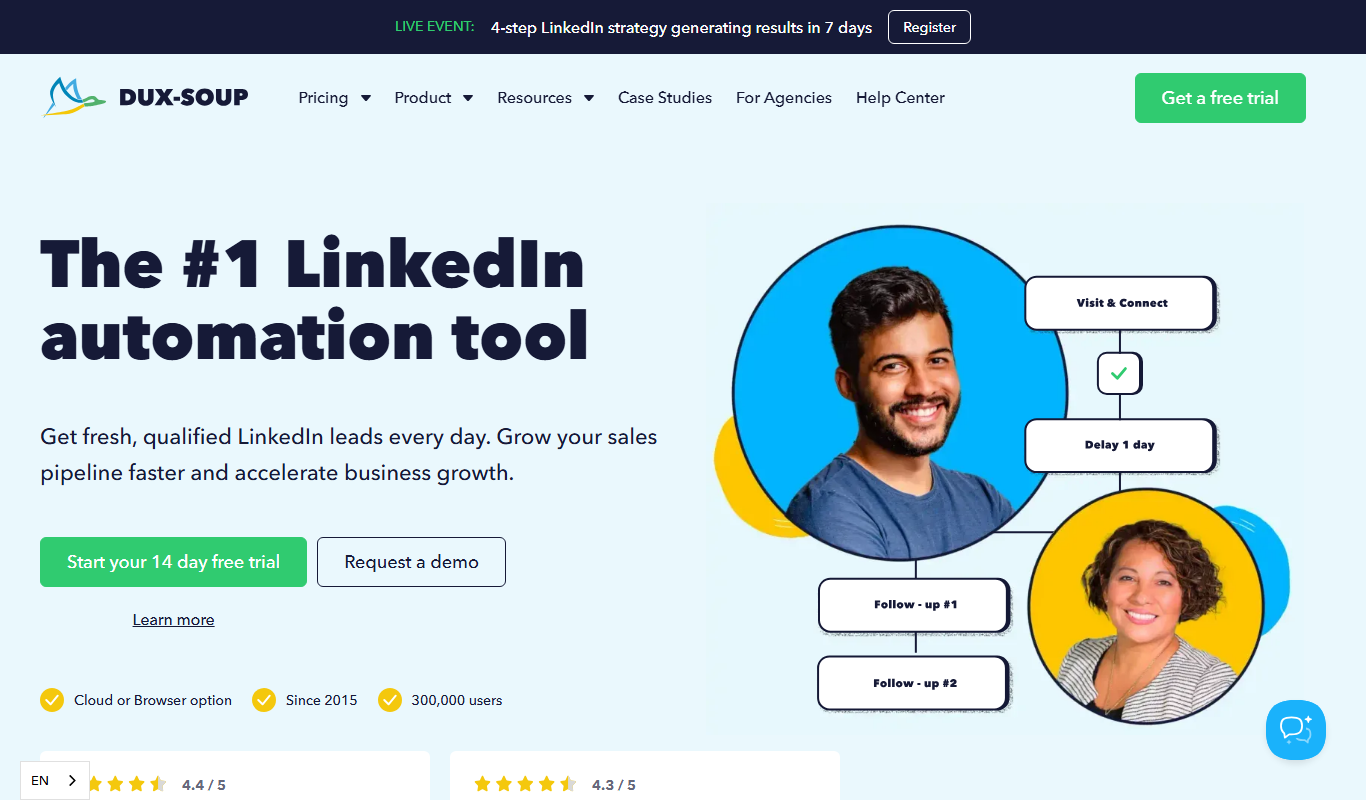
What is Dux-Soup?
Dux-Soup is a LinkedIn automation tool, now sold as STACKED, powered by Dux-Soup, that automates profile visits, connection requests, messages and multi-step drip campaigns for sales professionals, recruiters and marketers. It runs either as a desktop app on the user’s own machine or as a cloud version managed on Dux-Soup infrastructure.
Key features of Dux-Soup
The tool offers automated LinkedIn profile visiting, personalized messaging sequences, contact data export, CRM integration, and campaign tracking to optimize lead generation and sales outreach efforts.
Automated Profile Visiting
Automatically visit LinkedIn profiles to increase visibility and trigger profile views.
Personalized Messaging
Send customized connection requests and follow-up messages to engage prospects effectively.
CRM Integration
Seamlessly export LinkedIn data to popular CRM platforms for streamlined lead management.
Data Export
Export prospect information in CSV format for offline analysis or import into other tools.
Campaign Tracking
Monitor the progress and performance of your outreach campaigns within the dashboard.
Pros and cons of Dux-Soup
Pros
- Effective automation for LinkedIn lead generation
- Supports personalized messaging and follow-ups
- Integrates with popular CRM platforms
- Local and cloud versions with volume discounts for teams
Cons
- Limited to LinkedIn platform only
- Automation may risk LinkedIn account restrictions if overused
- No mobile app available
Key use cases for Dux-Soup
Lead Generation
Automate the process of finding and connecting with potential leads on LinkedIn to build a targeted prospect list.
Sales Outreach
Send personalized connection requests and follow-up messages to prospects to increase engagement and conversion rates.
Recruitment
Streamline candidate sourcing by automating profile visits and messaging to attract qualified job applicants.
CRM Integration
Automatically capture LinkedIn prospect data and export it to CRM systems for efficient pipeline management.
Data Enrichment
Collect detailed LinkedIn profile information to enrich contact databases and improve targeting accuracy.
How Dux-Soup works
- 1
Install the App
Install the desktop app on your own machine (Mac or Windows), or use the cloud version that runs on Dux-Soup infrastructure.
- 2
Configure Campaign
Set up your target audience filters and customize connection requests and messages.
- 3
Run Automation
Start the automation to visit profiles, send connection requests, and follow-up messages automatically.
- 4
Export Data
Download collected prospect data or sync it with your CRM for further sales activities.
Who is using Dux-Soup
Dux-Soup pricing
STACKED local
$55.00/month per 1 seat, or $41.25/month per 1 seat billed annually
Runs on your own machine as a desktop app: unlimited concurrent campaigns, AI-powered message personalization, campaign statistics and lead management, contact export, native integrations.
STACKED cloud
$99.00/month per 1 seat, or $74.17/month per 1 seat billed annually
Everything in local, plus cloud-based campaigns that run continuously without keeping a machine on, and one dashboard for unlimited accounts.
Plans and prices are as published by the vendor and can change. Check the official site before you buy. Open the pricing page (opens in a new tab)
Frequently asked questions about Dux-Soup
Dux-Soup operates within LinkedIn’s guidelines by mimicking human behavior, but users should use automation responsibly to avoid account restrictions.
Yes, the tool allows you to personalize connection requests and follow-up messages using variables like first name and company.
Yes, it supports exporting data to various CRM platforms and offers integrations to streamline lead management.
No, Dux-Soup has no free plan, but a free trial is available before buying a seat.
It depends on your specific needs and how you plan to use the tool. The official website and documentation are the best sources for the latest details.
It depends on your specific needs and how you plan to use the tool. The official website and documentation are the best sources for the latest details.
Pricing depends on the plan and included features. For the most accurate and up-to-date details, check the official pricing page.
Integration support depends on the tool and its available connectors or API. Check the official documentation or integrations page to confirm what is supported.
Conclusion
LinkedIn outreach now runs through STACKED, powered by Dux-Soup, in two versions: a local desktop app on the user’s own machine and a cloud version that runs continuously on the vendor’s infrastructure. Drip campaigns chain up to 12 actions such as profile visits, connection requests, messages and InMail sends, with customizable delays and automatic pausing when a response is detected. Lead lists can be exported to CSV or sent to CRMs such as Salesforce, HubSpot and Pipedrive through two-way integrations.
Sales professionals and recruiters are the main users, and campaigns work with LinkedIn, Sales Navigator and Recruiter. Daily limits, natural pauses and an auto-snooze safeguard are built in, because overused automation may risk LinkedIn account restrictions. There is no free plan, only a free trial, and both versions are billed per seat with a volume discount of 10% per 10 seats.
Sources
Sign in to review this tool.
Sign In to ReviewNo reviews yet
Be the first to share how this tool worked for you.
Ask about pricing, limits, or how it compares — or answer someone else.
Sign In to AskNo questions yet
Have a question about using or paying for this tool? Be the first to ask.
Featured on TiorAI



Alternative Tools
Explore similar AI tools that might fit your needs

Expandi
Expandi is a LinkedIn automation tool designed to automate personalized outreach and lead generation campaigns safely, helping sales and marketing teams scale their LinkedIn prospecting efforts.
More AI CRM tools
Other tools in the same category, for when this one is not quite the fit.

Meet Alfred
Meet Alfred is a LinkedIn automation platform that enables sales and marketing professionals to automate outreach campaigns across LinkedIn, email, and Twitter, helping generate leads and manage multi-channel prospecting efficiently.
Glofox
Glofox is a gym management software designed to help fitness studios manage memberships, class schedules, payments, and member engagement through web and mobile apps.

Albacross
Albacross is a B2B lead generation platform that identifies anonymous website visitors, provides detailed company insights, and integrates with CRM systems to help businesses convert visitors into qualified leads.

Market Leader
Market Leader is a real estate CRM and marketing platform that helps agents generate leads, manage contacts, and automate marketing campaigns with customizable IDX websites and integrated tools.

Branch Metrics
Branch Metrics is a platform that provides mobile app attribution and deep linking technology to help marketers track user acquisition and engagement across channels, improving app growth and user experience.

Appsflyer
Appsflyer is a mobile attribution and marketing analytics platform that helps app marketers track installs, measure campaign performance, prevent ad fraud, and optimize user acquisition.

Keap
Keap is a CRM and marketing automation software designed for small businesses to manage contacts, automate marketing campaigns, track sales pipelines, schedule appointments, and process payments all in one platform.

Airship
Airship is a customer engagement platform that enables businesses to send personalized push notifications, in-app messages, SMS, and emails to mobile and web users, helping improve retention and conversions through automation and segmentation.