

Docsumo AI Document Processing Software for Automated Data Extraction
Docsumo is an AI-driven document processing platform that automates extraction of data from scanned documents, PDFs, and images using OCR and machine learning, helping businesses digitize workflows and reduce manual data entry.
- Best for
- Invoice Processing
- Key capability
- AI-Powered OCR
Save Docsumo, follow its updates and vote on it — everything stays in your account.
Sign in or create a free account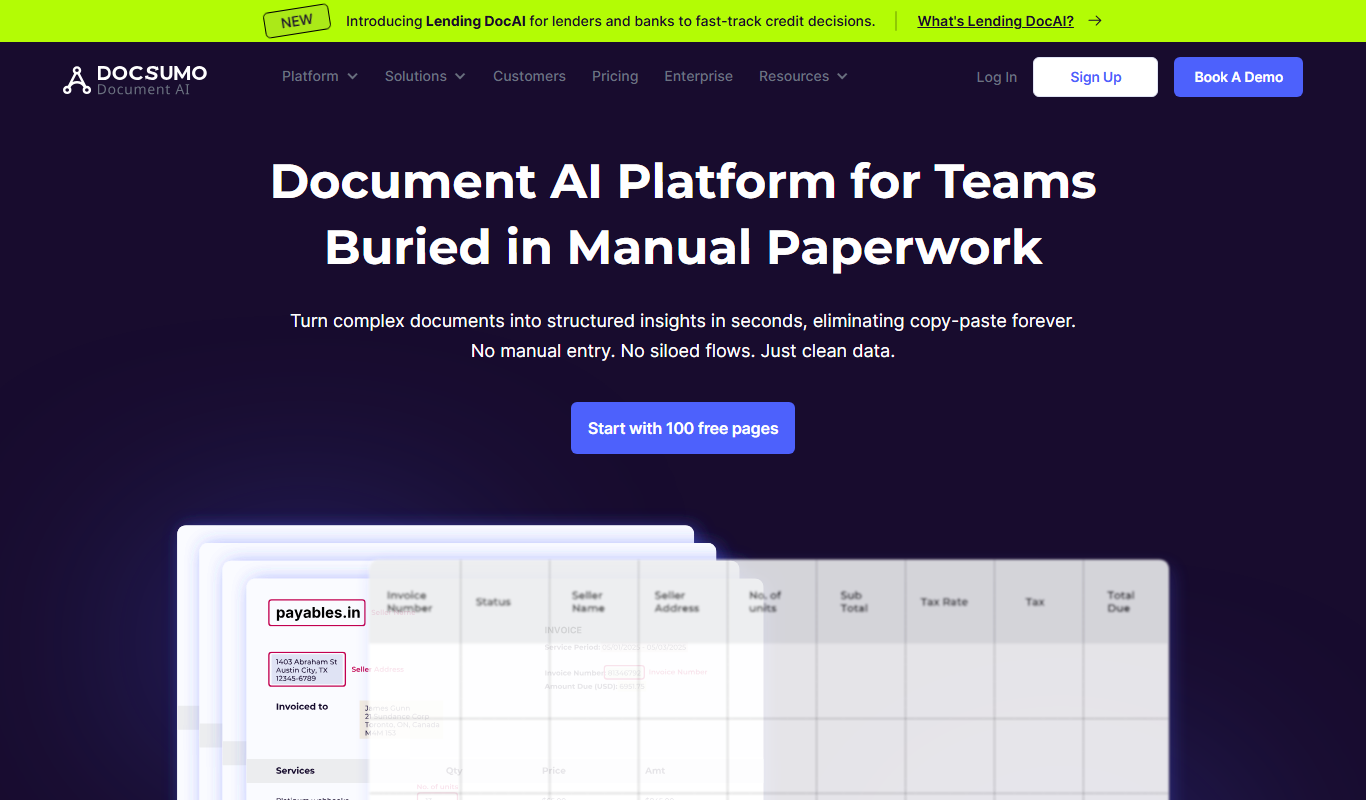
What is Docsumo?
Docsumo is an AI-powered document processing platform that automates data extraction from scanned documents, PDFs, and images using advanced OCR and machine learning technologies. It helps businesses digitize and streamline workflows by converting unstructured documents into structured, actionable data.
Key features of Docsumo
Docsumo offers intelligent OCR, customizable data extraction templates, API integrations, multi-format support, and automated validation to reduce manual data entry and improve accuracy.
AI-Powered OCR
Leverages machine learning to accurately recognize text and data from complex documents.
Customizable Extraction Templates
Users can create templates tailored to specific document types for precise data capture.
API Access
Robust API allows seamless integration with existing software and workflows.
Multi-Format Support
Supports PDFs, scanned images, and various document formats for flexible input.
Automated Data Validation
Built-in validation rules reduce errors and improve data quality.
Pros and cons of Docsumo
Pros
- Highly customizable extraction templates
- Supports a wide range of document types
- API enables easy integration
- Automated validation improves data quality
- User-friendly interface for review
Cons
- Pricing details are not publicly transparent
- Limited language support (primarily English)
- No dedicated mobile app
Key use cases for Docsumo
Invoice Processing
Automatically extract key data fields from invoices to streamline accounting workflows.
Form Data Extraction
Digitize and extract data from various forms such as applications, surveys, and tax documents.
Receipt Scanning
Capture and process receipt data for expense management and bookkeeping.
Document Digitization
Convert paper documents into structured digital data for easier storage and retrieval.
KYC Automation
Extract and verify customer identity documents to accelerate onboarding processes.
How Docsumo works
- 1
Upload Documents
Users upload scanned documents, PDFs, or images to the Docsumo platform.
- 2
AI Data Extraction
Docsumo’s AI engine analyzes the documents and extracts relevant data fields automatically.
- 3
Review and Validate
Extracted data can be reviewed and corrected via the user interface if needed.
- 4
Export or Integrate
Data is exported in structured formats or integrated directly into business systems via API.
Who is using Docsumo
Docsumo pricing
Free Trial
$0
Limited usage to test core features and evaluate the platform.
Standard
Custom pricing
Subscription plan with full access to features and API integration.
Plans and prices are as published by the vendor and can change. Check the official site before you buy. Open the pricing page (opens in a new tab)
Frequently asked questions about Docsumo
Docsumo can process invoices, receipts, forms, KYC documents, and other scanned or digital documents.
Yes, Docsumo provides API access for integration with ERP, accounting, and other business systems.
Yes, Docsumo offers a free trial with limited usage to evaluate the platform.
Accuracy varies by document quality, but AI-powered OCR and validation features help achieve high precision.
Data handling and security practices vary by provider. Review the official privacy policy to understand how your data is stored and used.
Yes, it can help with that use case depending on how you configure it and what features are available. You’ll get the best results with clear inputs and a defined goal.
Integration support depends on the tool and its available connectors or API. Check the official documentation or integrations page to confirm what is supported.
Some tools offer a free plan or trial with limited features. Availability can vary, so confirm on the official website.
Conclusion
Scanned documents, PDFs and images are uploaded to the platform, where OCR and machine learning extract the relevant data fields automatically. Extracted data can be reviewed and corrected in the interface, then exported in structured formats or sent to ERP and accounting systems via API. Custom templates for specific document types and built-in validation rules shape how data is captured. Auto language detection handles multilingual documents.
Invoice processing and KYC onboarding are typical jobs for accounting firms, financial institutions and logistics companies. A free trial is available to evaluate the platform.
Sources
Sign in to review this tool.
Sign In to ReviewNo reviews yet
Be the first to share how this tool worked for you.
Ask about pricing, limits, or how it compares — or answer someone else.
Sign In to AskNo questions yet
Have a question about using or paying for this tool? Be the first to ask.
Featured on TiorAI



Alternative Tools
Explore similar AI tools that might fit your needs

Rossum
Rossum is an AI-driven document processing platform that automates data extraction from business documents like invoices and purchase orders using deep learning, eliminating manual data entry and template setup.

Hypatos
Hypatos is an AI-powered document processing platform that automates data extraction from invoices and financial documents to optimize accounts payable workflows.
More AI Automation & Workflow Tools tools
Other tools in the same category, for when this one is not quite the fit.

ocrolus.com
Ocrolus is an AI-driven platform that automates the extraction and validation of data from financial documents like bank statements and pay stubs, combining OCR technology with human review to ensure accuracy and compliance.

DocumentPro
DocumentPro is an AI-driven document automation platform that extracts and processes data from documents to streamline business workflows.

Quiksbot
Quiksbot is an AI-powered no-code chatbot platform designed to automate customer support and lead generation on websites.

CryptoMatic Bot
CryptoMatic Bot is a web-based automated cryptocurrency trading platform that allows users to create, customize, and deploy trading bots with backtesting and multi-exchange support.
Pega Systems
Pega Systems is an enterprise software platform specializing in business process management, customer relationship management, and intelligent automation with AI-powered decisioning and low-code development.

Seismic
Seismic is a sales enablement platform that centralizes sales content, personalizes buyer experiences, integrates with CRM systems like Salesforce, and provides analytics to improve sales effectiveness.

Open Interpreter
Open Interpreter is an open-source AI tool that translates natural language instructions into executable code, enabling users to automate tasks and write code without programming expertise.

Quartile
Quartile is an AI retail media optimization platform covering Amazon, Walmart, Instacart, Criteo, Google and Meta.