

From my experience with Dicer.ai, I found it excels at simplifying complex marketing data into actionable insights using AI. The platform’s intuitive dashboards and automated reporting make it easy for marketers to optimize campaigns and segment customers effectively. It’s particularly well-suited for small to medium businesses and marketing agencies looking for affordable, data-driven marketing tools. However, the lack of mobile app support and limited language options may restrict accessibility for some users. Overall, if you want to leverage AI to enhance your marketing analytics and decision-making, Dicer.ai offers a solid, user-friendly solution.
Dicer.ai AI Marketing Insights Platform for Data-Driven Campaigns
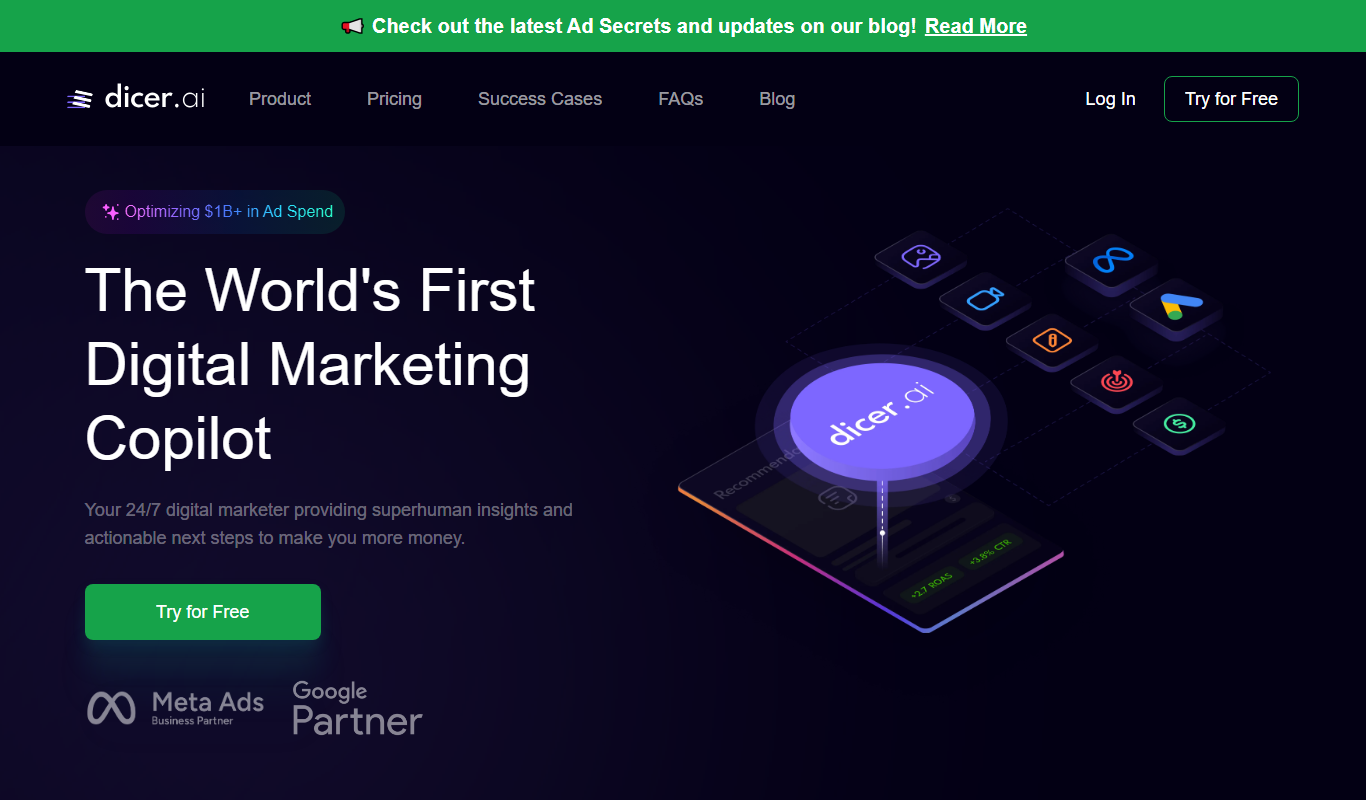
Dicer.ai is an AI marketing insights platform that analyzes marketing data to provide actionable insights for campaign optimization, customer segmentation, and competitor analysis.
- Best for
- Marketing Campaign Optimization
- Key capability
- AI-Powered Customer Segmentation
Do you recommend this tool?
What is Dicer.ai | AI Marketing Insights?
Dicer.ai is an AI-powered marketing insights platform designed to help marketers and businesses analyze and optimize their marketing efforts. It uses artificial intelligence to process large volumes of marketing data, providing actionable insights that improve campaign performance, customer targeting, and overall marketing strategy.
Key features of Dicer.ai | AI Marketing Insights
Dicer.ai offers features such as AI-driven customer segmentation, marketing campaign analysis, competitor benchmarking, and performance reporting. The platform simplifies complex data into clear insights, enabling marketers to make data-driven decisions efficiently.
AI-Powered Customer Segmentation
Automatically segment customers based on behavior and preferences for precise targeting.
Marketing Campaign Performance Analysis
Track and analyze the effectiveness of campaigns across multiple channels.
Competitor Benchmarking
Compare your marketing performance against competitors to identify opportunities.
Customizable Dashboards
Create personalized dashboards to monitor the metrics that matter most to your business.
Automated Reporting
Generate and schedule detailed reports to keep stakeholders informed.
Pros and cons of Dicer.ai | AI Marketing Insights
Pros
- User-friendly AI-driven insights simplify complex marketing data
- Supports multiple marketing data integrations
- Customizable dashboards and automated reporting
- Affordable pricing with a free plan option
Cons
- Limited language support (English only)
- No mobile app available currently
Key use cases for Dicer.ai | AI Marketing Insights
Marketing Campaign Optimization
Use AI-driven insights to optimize marketing campaigns by identifying high-performing channels and customer segments.
Customer Segmentation
Leverage AI to segment customers based on behavior and preferences for targeted marketing efforts.
Competitor Analysis
Analyze competitor marketing strategies and performance to inform your own marketing decisions.
Data-Driven Decision Making
Utilize comprehensive analytics and AI insights to make informed marketing and business decisions.
Performance Reporting
Generate detailed reports on marketing performance metrics to track ROI and campaign effectiveness.
How Dicer.ai | AI Marketing Insights works
- 1
Connect Marketing Data
Integrate your marketing platforms and data sources with Dicer.ai to centralize data collection.
- 2
AI Analysis
The AI engine processes the data to identify patterns, trends, and actionable insights.
- 3
Review Insights
Access dashboards and reports that highlight key marketing metrics and recommendations.
- 4
Optimize Campaigns
Use the insights to adjust targeting, budget allocation, and messaging for better results.
Who is using Dicer.ai | AI Marketing Insights
Digital marketing agencies
Small and medium-sized businesses
E-commerce companies
Marketing analysts
Startups focused on growth
Dicer.ai | AI Marketing Insights pricing
Free
$0/month
Basic access with limited features and data integration options.
Pro
$49/month
Full access to all features, advanced analytics, and priority support.
Plans and prices are as published by the vendor and can change. Check the official site before you buy. Open the pricing page (opens in a new tab)
Frequently asked questions about Dicer.ai | AI Marketing Insights
Dicer.ai supports integration with major marketing platforms such as Google Ads, Facebook Ads, and Google Analytics.
Yes, Dicer.ai offers a free plan with limited features to try the platform before upgrading.
Yes, the platform allows you to create customizable dashboards and reports tailored to your needs.
Yes, it includes competitor benchmarking features to help you understand your market position.
It depends on your specific needs and how you plan to use the tool. The official website and documentation are the best sources for the latest details.
Integration support depends on the tool and its available connectors or API. Check the official documentation or integrations page to confirm what is supported.
It depends on your specific needs and how you plan to use the tool. The official website and documentation are the best sources for the latest details.
Sign in to review this tool.
Sign In to ReviewNo reviews yet
Be the first to share how this tool worked for you.
Ask about pricing, limits, or how it compares — or answer someone else.
Sign In to AskNo questions yet
Have a question about using or paying for this tool? Be the first to ask.
Featured on TiorAI



More AI Ai Tools tools
Other tools in the same category, for when this one is not quite the fit.

Free
Pogo Travel
Pogo Travel is an AI-driven platform that generates personalized travel itineraries based on your preferences, travel dates, and interests, offering collaborative planning and offline access.

Freemium
PlaninGo
PlaninGo is an AI travel planning tool that generates personalized trip itineraries and guides based on your preferences, helping you plan efficient and enjoyable trips.

Free
Travelwiz
Travelwiz is an AI-powered travel planning tool that creates personalized trip itineraries and offers tailored travel recommendations based on user preferences.

Free
Momo
Momo is an AI-powered assistant that automates workflows, manages tasks, and enhances team collaboration by integrating with popular productivity tools.

Free
Nextrip
Nextrip AI is an online travel planning tool that uses artificial intelligence to generate personalized trip itineraries based on your preferences, travel dates, and destinations.

Freemium
TravelBot AI Travel Assistant
TravelBot AI Travel Assistant is a web-based platform that uses artificial intelligence to help users create personalized travel itineraries, book flights and hotels, and receive tailored travel recommendations based on preferences and budget.

Freemium
AIreelity
AIreelity is an AI-driven video creation platform that transforms text scripts into engaging marketing videos with customizable templates and AI voiceovers.

Free
AIJOURNEY
AIJOURNEY is an AI-driven career development tool that provides personalized career path recommendations, identifies skill gaps, and offers curated learning resources to help users advance professionally.