

From my experience with CVtoBlind, I found it excels at simplifying the process of making CVs accessible to blind and visually impaired users. The tool’s straightforward drag-and-drop interface and free access make it highly practical for job seekers and recruiters focused on inclusivity. However, its scope is limited to CV conversion and does not support multiple languages or mobile platforms, which could restrict some users. Overall, if you need a quick, no-cost solution to optimize CVs for screen readers, CVtoBlind delivers effective and user-friendly results.
CVtoBlind – Convert CVs to Accessible Formats for Screen Readers
CVtoBlind is a free web tool that converts CVs into accessible formats optimized for screen readers, improving accessibility for blind users.
- Best for
- Accessible CV Conversion
- Key capability
- Screen Reader Optimization
Your actions
Save CVtoBlind, follow its updates and vote on it — everything stays in your account.
Sign in or create a free account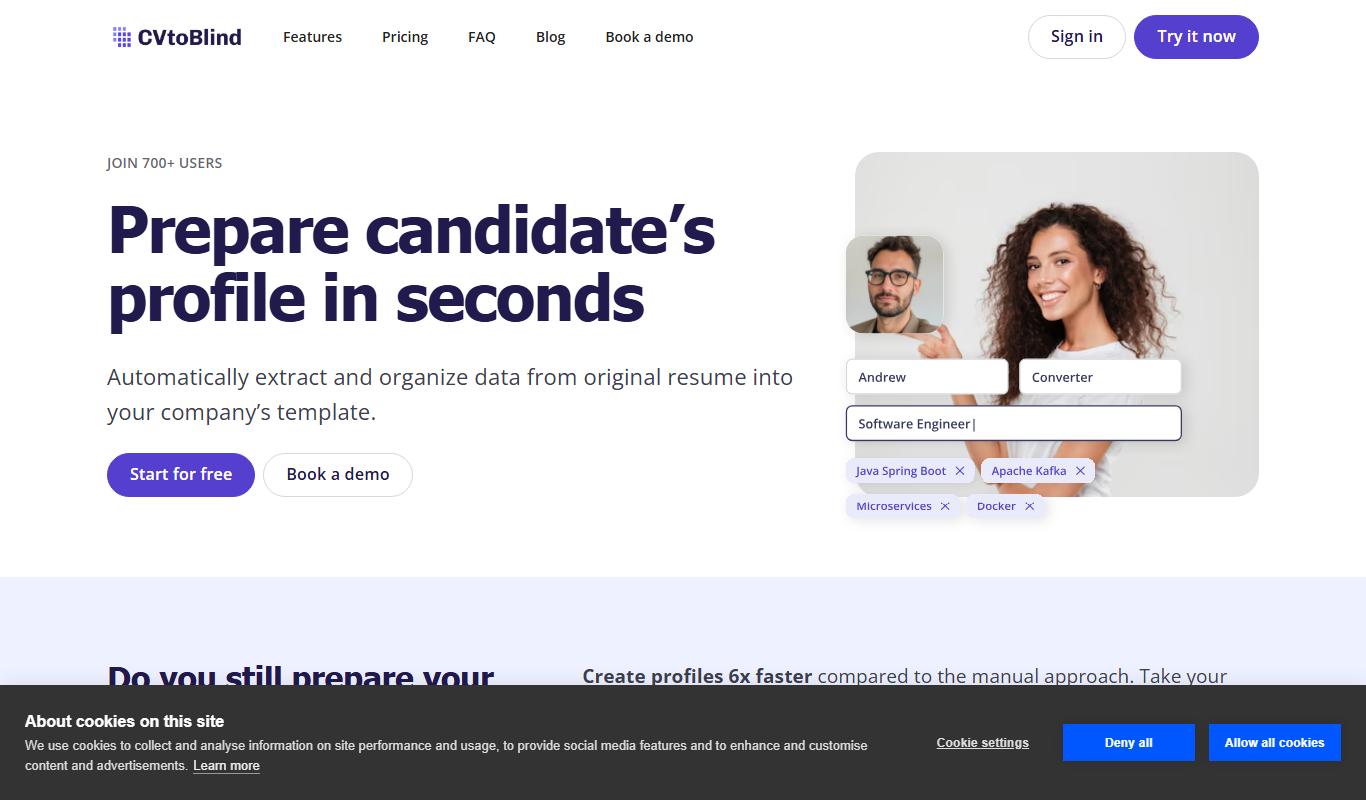
What is CVtoBlind?
CVtoBlind is a free web-based tool designed to convert standard CVs into accessible formats that are optimized for screen readers. It helps blind and visually impaired users access the content of CVs more effectively by transforming the document structure and formatting to be compatible with assistive technologies.
Key features of CVtoBlind
CVtoBlind offers simple drag-and-drop CV conversion, instant accessibility optimization, and outputs that improve screen reader compatibility. It focuses on making CV content readable and navigable for blind users without requiring complex software installations.
Screen Reader Optimization
Transforms CVs to be fully compatible with popular screen readers.
Simple Web Interface
No installation required; users can convert CVs directly from their browser.
Free to Use
The service is offered at no cost, making accessibility improvements widely available.
Pros and cons of CVtoBlind
Pros
- Easy to use with drag-and-drop interface
- Improves accessibility for blind and visually impaired users
- Free with no hidden costs
Cons
- Limited to CV/document conversion only
- Supports only English language CVs
- No mobile app or desktop version available
Key use cases for CVtoBlind
Accessible CV Conversion
Convert traditional CVs into formats optimized for screen readers to improve accessibility for blind and visually impaired users.
Job Application Accessibility
Ensure CVs submitted during job applications are accessible and readable by assistive technologies, increasing inclusivity.
Document Accessibility Testing
Test and verify how well CV documents perform with screen readers by converting and reviewing the output.
How CVtoBlind works
- 1
Upload CV
Drag and drop your CV file onto the CVtoBlind web interface.
- 2
Automatic Conversion
The tool processes the CV to restructure and optimize it for screen readers.
- 3
Download Accessible CV
Download the converted CV in an accessible format ready for use or submission.
Who is using CVtoBlind
Blind and visually impaired job seekers
Recruiters and HR professionals focusing on accessibility
Accessibility consultants and advocates
Employers aiming for inclusive hiring practices
CVtoBlind pricing
Free
$0
Unlimited access to CV conversion and accessibility optimization features.
Plans and prices are as published by the vendor and can change. Check the official site before you buy. Open the pricing page (opens in a new tab)
Frequently asked questions about CVtoBlind
CVtoBlind primarily supports common CV formats such as PDF and DOCX for conversion.
Yes, CVtoBlind is completely free with no subscription fees.
No, it is a web-based tool that works directly in your browser.
It depends on your specific needs and how you plan to use the tool. The official website and documentation are the best sources for the latest details.
Yes, it can help with that use case depending on how you configure it and what features are available. You’ll get the best results with clear inputs and a defined goal.
Sign in to review this tool.
Sign In to ReviewNo reviews yet
Be the first to share how this tool worked for you.
Ask about pricing, limits, or how it compares — or answer someone else.
Sign In to AskNo questions yet
Have a question about using or paying for this tool? Be the first to ask.
Featured on TiorAI



Alternative Tools
Explore similar AI tools that might fit your needs

Free
Be My Eyes
Be My Eyes is a free app that connects blind and visually impaired users with sighted volunteers through live video calls to provide real-time visual assistance.

Free
NVDA Screen Reader
NVDA is a free, open-source screen reader for Windows that helps visually impaired users access digital content through speech and braille output.
More AI Accessibility Tools tools
Other tools in the same category, for when this one is not quite the fit.

One-time payment
Alt Text AI Generator
Alt Text AI Generator is a web tool that uses AI to create descriptive alternative text for images, helping improve website accessibility and SEO.

Free
free text Into Speech
Free Text Into Speech is a free web tool that converts typed text into natural-sounding speech with multiple voice options and downloadable MP3 audio.

Freemium
MS Text-to-Speech Downloader
MS Text-to-Speech Downloader is a web tool for synthesizing speech with the Microsoft Text-to-Speech service and playing or downloading the audio with one click, with a capped Free plan and a Pro plan for unlimited downloads.

Freemium
TexttoSpeech.im: Convert Text to Speech Free Online
TexttoSpeech.im is a free web-based tool that converts written text into natural-sounding speech in multiple languages, allowing users to download the audio as MP3 files without registration.

Free
GPT Reader: A Free AI Text-to-Speech
GPT Reader is a browser extension for Chrome, Firefox and Edge that offers text-to-speech and speech-to-text.

Free
Text to Speech Online
Text to Speech Online is a free web tool that converts written text into natural-sounding speech in multiple languages, allowing instant playback and audio download without registration.

Free
Image to Caption
Image to Caption is a free web tool that uses AI to generate descriptive captions for images instantly, enhancing accessibility and content usability.

Freemium
Image Describer X
Image Describer X is an AI tool that automatically generates detailed and accessible descriptions for images, improving web accessibility and SEO.