

Coolors Color Palette Generator for Designers and Creatives Online
Coolors is an online tool that generates harmonious color palettes for design projects, offering customization and export options across multiple platforms.
- Best for
- Graphic Design
- Key capability
- One-Click Palette Generation
Save Coolors, follow its updates and vote on it — everything stays in your account.
Sign in or create a free account
What is Coolors?
Coolors is an intuitive online color palette generator that helps designers, artists, and creatives quickly create, explore, and save color schemes. It offers an easy-to-use interface where users can generate palettes with a single click, adjust colors manually, and export palettes in various formats for use in design projects.
Key features of Coolors
Coolors provides fast palette generation, color adjustment tools, export options, and integration with design software. It supports palette exploration, saving favorites, and sharing palettes with teams or clients.
One-Click Palette Generation
Instantly create harmonious color schemes with a single click.
Color Adjustment Tools
Modify colors precisely with sliders for hue, saturation, brightness, and more.
Multiple Export Formats
Export palettes as images, PDFs, or files compatible with popular design apps.
Palette Library and Favorites
Browse trending palettes and save your favorites for easy access.
Cross-Platform Availability
Use Coolors on web browsers, mobile apps, and as a Chrome extension.
Pros and cons of Coolors
Pros
- Fast and intuitive palette generation
- Multiple export options for design workflows
- Cross-platform support including mobile apps
- Large library of user-created palettes
- Free tier available for casual users
Cons
- Advanced features require paid subscription
- Limited real-time collaboration tools
- No offline desktop application
Key use cases for Coolors
Graphic Design
Create harmonious and visually appealing color palettes for graphic design projects.
Web Design
Generate color schemes that enhance website aesthetics and user experience.
Branding
Develop consistent brand color palettes to maintain identity across marketing materials.
Social Media Content
Design engaging social media posts with cohesive color themes.
Interior Design
Explore color combinations for interior decorating and mood setting.
How Coolors works
- 1
Generate Palette
Start by generating a random color palette with one click or input a base color.
- 2
Customize Colors
Adjust individual colors using sliders or hex codes to fine-tune the palette.
- 3
Save and Export
Save palettes to your account and export them in formats like PNG, PDF, or ASE.
- 4
Use Across Projects
Apply the palettes in your design software or share them with collaborators.
Who is using Coolors
Coolors pricing
Free
$0/month
Ads visible, palettes of up to 5 colors, 10K+ ready color schemes, up to 10 saved palettes, 1 project and 1 collection, and up to 5 saved colors.
Pro
$4.99/month
Access to Coolors AI (3000 credits per month), no ads, palettes of up to 10 colors, 10M+ ready color schemes, unlimited palettes, projects, collections and colors, advanced export options, a private profile and a custom logo on exported PDFs.
Pro Annual
$39.99/year
The Pro plan billed yearly.
Plans and prices are as published by the vendor and can change. Check the official site before you buy. Open the pricing page (opens in a new tab)
Frequently asked questions about Coolors
Yes, palettes generated with Coolors can be used freely in commercial and personal projects.
Coolors exports palettes in formats compatible with popular design tools like Adobe Photoshop and Illustrator.
Yes, Coolors offers mobile apps for both iOS and Android devices.
While Coolors allows sharing palettes, real-time collaboration features are limited.
It depends on your specific needs and how you plan to use the tool. The official website and documentation are the best sources for the latest details.
Some tools offer a free plan or trial with limited features. Availability can vary, so confirm on the official website.
Yes, it can help with that use case depending on how you configure it and what features are available. You’ll get the best results with clear inputs and a defined goal.
Conclusion
Palettes are generated with a single click or from a base color, fine-tuned with sliders or hex codes, then saved and exported in formats like PNG, PDF or ASE. Companion tools extract colors from an image, check designs against accessibility standards and preview palettes on real designs. Besides the website, there is an iOS app, a Figma plugin, an Adobe extension and a Chrome extension.
It is built for graphic and web designers, branding professionals and artists. The free plan has no time limit but shows ads and caps palettes at 5 colors, with up to 10 saved palettes, 1 project and 1 collection. Pro removes ads and allows palettes of up to 10 colors, unlimited saves and advanced export options, plus monthly Coolors AI credits. A single Pro subscription covers the features on the website, mobile apps and plugins alike.
Sources
Sign in to review this tool.
Sign In to ReviewNo reviews yet
Be the first to share how this tool worked for you.
Ask about pricing, limits, or how it compares — or answer someone else.
Sign In to AskNo questions yet
Have a question about using or paying for this tool? Be the first to ask.
Featured on TiorAI



Alternative Tools
Explore similar AI tools that might fit your needs

Paletton
Paletton is a free web-based color scheme designer that helps create harmonious color palettes using an interactive color wheel and multiple harmony modes.
More AI Color Palette Generator tools
Other tools in the same category, for when this one is not quite the fit.

Super Coloring
Super Coloring is a free online platform offering thousands of printable and digital coloring pages for children and adults to foster creativity and relaxation.

Color Hunt
Color Hunt is a free web-based platform offering curated color palettes for designers and creators to easily find and use harmonious color combinations.

Gradient Hunt
Gradient Hunt is a free online platform offering curated gradient color palettes with CSS code export, ideal for designers and developers to enhance web and graphic projects.
uiGradients
uiGradients is a free web tool providing curated gradient color palettes with CSS code snippets for easy use in web and UI design projects.

Colorwise.me
Colorwise.me is an AI-powered tool that generates harmonious color palettes for design and creative projects, offering customization and export features.

Colori AI
Colori AI is a web-based tool that uses artificial intelligence to automatically add realistic colors to black and white or grayscale images, ideal for photo restoration and creative projects.
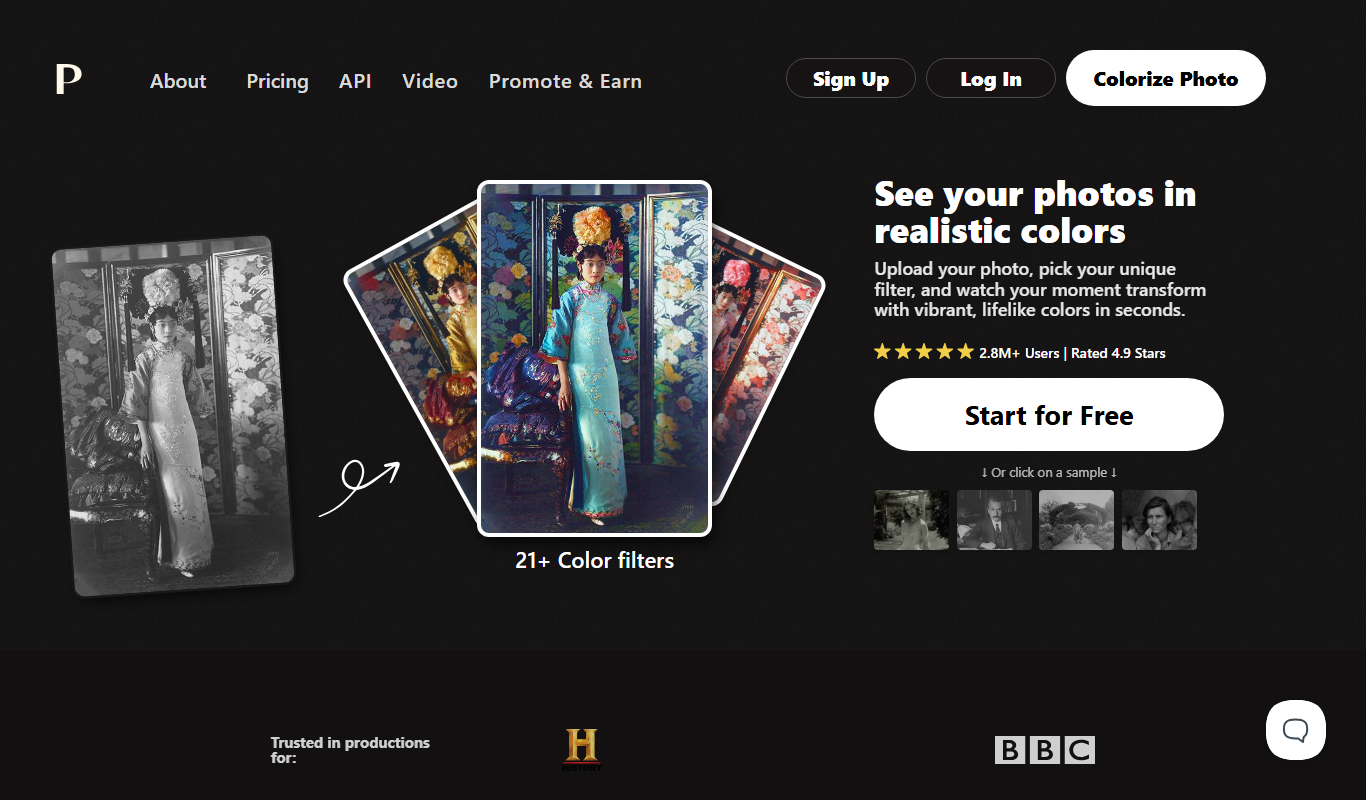
Palette.fm
Palette.fm is a web-based AI tool that automatically adds color to black and white photos using deep learning, allowing users to restore and enhance images with customizable color palettes.

TemPolor
TemPolor is an AI-driven time tracking tool that automatically logs work hours across devices, designed for freelancers and remote teams to improve productivity and billing accuracy.