

CocktailWave AI Bartender App for Personalized Drink Recipes and Mixology
CocktailWave is an AI-powered bartender app that generates personalized cocktail recipes based on your available ingredients and taste preferences, helping you create unique drinks easily.
- Best for
- Personalized Cocktail Recipes
- Key capability
- AI-Powered Recipe Generator
Save CocktailWave, follow its updates and vote on it — everything stays in your account.
Sign in or create a free account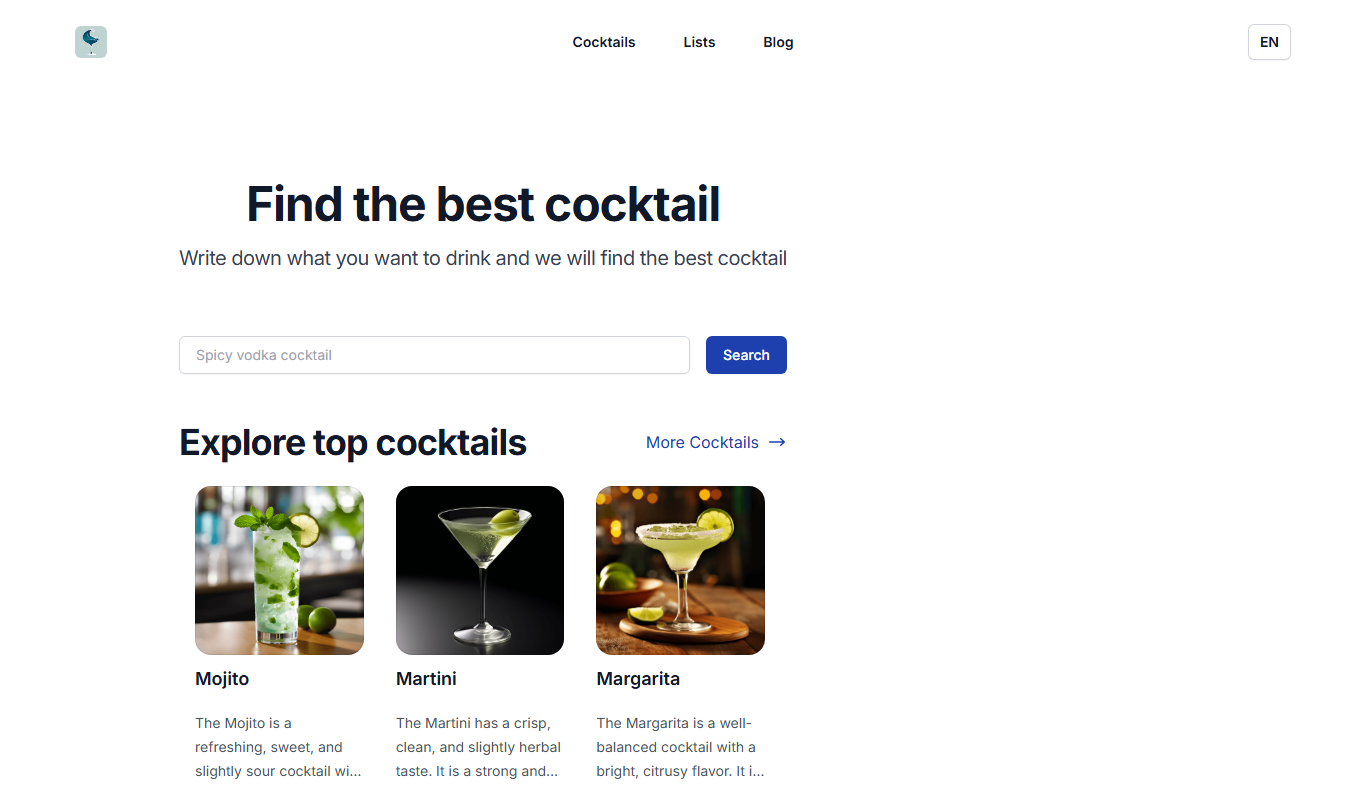

What is CocktailWave?
CocktailWave is an AI-powered bartender app that helps users create personalized cocktail recipes and explore mixology. It leverages artificial intelligence to suggest drinks based on your preferences and available ingredients, making it easier to enjoy custom cocktails at home or events.
Key features of CocktailWave
The app offers AI-driven recipe generation, ingredient-based suggestions, a vast cocktail database, and user-friendly interfaces for both beginners and experienced bartenders.
AI-Powered Recipe Generator
Creates unique cocktail recipes based on your ingredients and preferences.
Extensive Cocktail Database
Access a wide variety of classic and modern drink recipes.
Ingredient Inventory Management
Keep track of your bar stock to avoid missing ingredients.
User-Friendly Interface
Simple and intuitive design suitable for all skill levels.
Pros and cons of CocktailWave
Pros
- Personalized cocktail recipes tailored to available ingredients
- Easy to use for beginners and experienced users
- Helps manage bar inventory efficiently
Cons
- Premium features require subscription
- AI suggestions may sometimes require manual adjustments
Key use cases for CocktailWave
Personalized Cocktail Recipes
Generate custom cocktail recipes based on available ingredients and taste preferences.
Learning Mixology
Discover new drink recipes and learn bartending techniques through AI suggestions.
Event Planning
Plan drink menus for parties or events with tailored cocktail options.
Ingredient Management
Track and manage your bar inventory to optimize drink creation.
How CocktailWave works
- 1
Input Ingredients
Enter the ingredients you have on hand into the app.
- 2
Set Preferences
Specify your taste preferences or desired cocktail type.
- 3
Receive Recipes
Get AI-generated cocktail recipes tailored to your inputs.
- 4
Mix and Enjoy
Follow the step-by-step instructions to prepare your drink.
Who is using CocktailWave
CocktailWave pricing
Free
$0/month
Basic access with limited recipe generation and features.
Premium
$4.99/month
Unlimited AI recipes, advanced features, and ad-free experience.
Plans and prices are as published by the vendor and can change. Check the official site before you buy. Open the pricing page (opens in a new tab)
Frequently asked questions about CocktailWave
Yes, CocktailWave offers a free plan with basic features and limited recipe generation.
Some features require internet access, especially AI recipe generation, but saved recipes can be accessed offline.
Yes, the app can generate recipes for both alcoholic and non-alcoholic beverages.
CocktailWave is available on Web, iOS, and Android platforms.
It depends on your specific needs and how you plan to use the tool. The official website and documentation are the best sources for the latest details.
Yes, it can help with that use case depending on how you configure it and what features are available. You’ll get the best results with clear inputs and a defined goal.
Conclusion
The starting point is the ingredients a user has on hand, plus taste preferences or a desired cocktail type; the AI then returns cocktail recipes with step-by-step instructions. Recipes can be alcoholic or non-alcoholic, and a database of classic and modern drinks sits alongside the generator. CocktailWave runs as an AI cocktail search on the web and also has an iOS app on the App Store.
It is pitched at home bartenders and cocktail enthusiasts, while event planners can plan drink menus for parties with tailored cocktail options. AI suggestions may sometimes require manual adjustments.
Sources
Sign in to review this tool.
Sign In to ReviewNo reviews yet
Be the first to share how this tool worked for you.
Ask about pricing, limits, or how it compares — or answer someone else.
Sign In to AskNo questions yet
Have a question about using or paying for this tool? Be the first to ask.
Featured on TiorAI


