

Coachchat - 24/7 AI voice tutor
Coachchat is an AI voice tutor that sees your shared screen and guides you step by step through any problem, available 24/7.
- Best for
- Homework help
- Key capability
- Sees your screen
Save Coachchat, follow its updates and vote on it — everything stays in your account.
Sign in or create a free account
What is Coachchat?
Coachchat is an AI voice tutor platform. The user shares their screen and asks questions by speaking, and the AI tutor sees the work in real time, answers immediately and guides the user step by step through problems in subjects such as mathematics, science, programming and languages, 24/7.
Key features of Coachchat
Coachchat reads your shared screen in real time, answers spoken questions immediately, guides you step by step with visual pointers, adapts explanations to your level and gives hints when you are stuck.
Sees your screen
Instant visual analysis of your work, with no copying and pasting or explaining the problem.
Voice conversation
Speak naturally, ask anything about your work and get immediate responses.
Step-by-step guidance
Step-by-step help with visual pointers to solutions as you solve the problem.
Adaptive learning
Adjusts the explanation style to your learning level and provides hints when you are stuck.
Pros and cons of Coachchat
Pros
- Sees your work directly, so there is no need to copy and paste
- Natural voice conversation with immediate responses
- Free plan with a 10-minute chat session every day
- Available 24/7 with no scheduling
Cons
- The free plan is limited to a 10-minute session per day
- Parts of the website still show placeholder text
- AI coaching may lack depth compared to human coaches
Key use cases for Coachchat
Homework help
Students tackling homework get guidance on the work shown on their screen.
Learning new skills
Professionals learning new skills can ask questions about their work as they go.
Getting unstuck
Anyone stuck on a complex problem can get hints and step-by-step help.
Late-night study sessions
The tutor is available day or night, with no scheduling required.
How Coachchat works
- 1
Share your screen
Share your work visually; no setup is required and it works with any application.
- 2
Ask your question
Speak naturally and ask anything about your work.
- 3
Follow the guidance
Receive step-by-step help and visual pointers, and learn as you solve the problem.
- 4
Track Progress
Monitor your goals and improvements through ongoing AI support.
Who is using Coachchat
Coachchat pricing
Freebie
$0
Free chat session of 10 minutes every day.
Professional
$95
Unlimited sessions every day; starts with a free trial. Shown with the Monthly option selected; a Yearly option saves 20%.
Plans and prices are as published by the vendor and can change. Check the official site before you buy. Open the pricing page (opens in a new tab)
Frequently asked questions about Coachchat
You share your screen, ask your question out loud and follow the step-by-step guidance the AI tutor gives.
Coachchat says the platform works across desktop computers, laptops, tablets and mobile phones.
A wide range of subjects, including mathematics, science, programming and languages.
The company says its AI tutor triple-checks everything it sees before providing guidance.
Yes. The Freebie plan includes a 10-minute chat session every day.
Coachchat says all data is encrypted and stored securely following industry best practices.
Yes, it can help with that use case depending on how you configure it and what features are available. You’ll get the best results with clear inputs and a defined goal.
Conclusion
Instead of copying a problem into a chat box, the user shares their screen and asks about it out loud. The AI voice tutor analyses the work it sees, replies immediately and walks through the problem step by step with visual pointers toward the solution. Explanations adjust to the learner’s level, with hints offered when someone is stuck. Screen sharing requires no setup and works with any application, so it covers subjects from mathematics and science to programming and languages.
Students tackling homework, professionals learning new skills and self-learners seeking guidance are the people it is built for, and it is available day or night. Coachchat has a free Freebie plan capped at a 10-minute session per day, while the paid Professional plan allows unlimited daily sessions and starts with a free trial. Some sections of the website still carry placeholder text.
Sources
Sign in to review this tool.
Sign In to ReviewNo reviews yet
Be the first to share how this tool worked for you.
Ask about pricing, limits, or how it compares — or answer someone else.
Sign In to AskNo questions yet
Have a question about using or paying for this tool? Be the first to ask.
Featured on TiorAI



Alternative Tools
Explore similar AI tools that might fit your needs

Replika
Replika is an AI chatbot designed to provide personalized emotional support and companionship through text and voice conversations, helping users manage loneliness and stress.

BetterUp
BetterUp is a digital coaching platform for organizations that combines certified human coaches with AI-powered insights to support leadership development, mental fitness, and career growth.
More AI Coaching tools
Other tools in the same category, for when this one is not quite the fit.

Insight7
Insight7 analyzes customer calls, scores every conversation, coaches reps and deploys AI voice and chat agents for customer teams.

Coach Me Up!
Coach Me Up! is an AI-driven career coaching platform that provides personalized guidance, skill-building exercises, and interview preparation tools to help users achieve their professional goals.

Flamme
Flamme is a couples app for daily connection with meaningful questions, milestone widgets, couple games and an AI love coach, free to start on iOS and Android.
SuperInterview AI
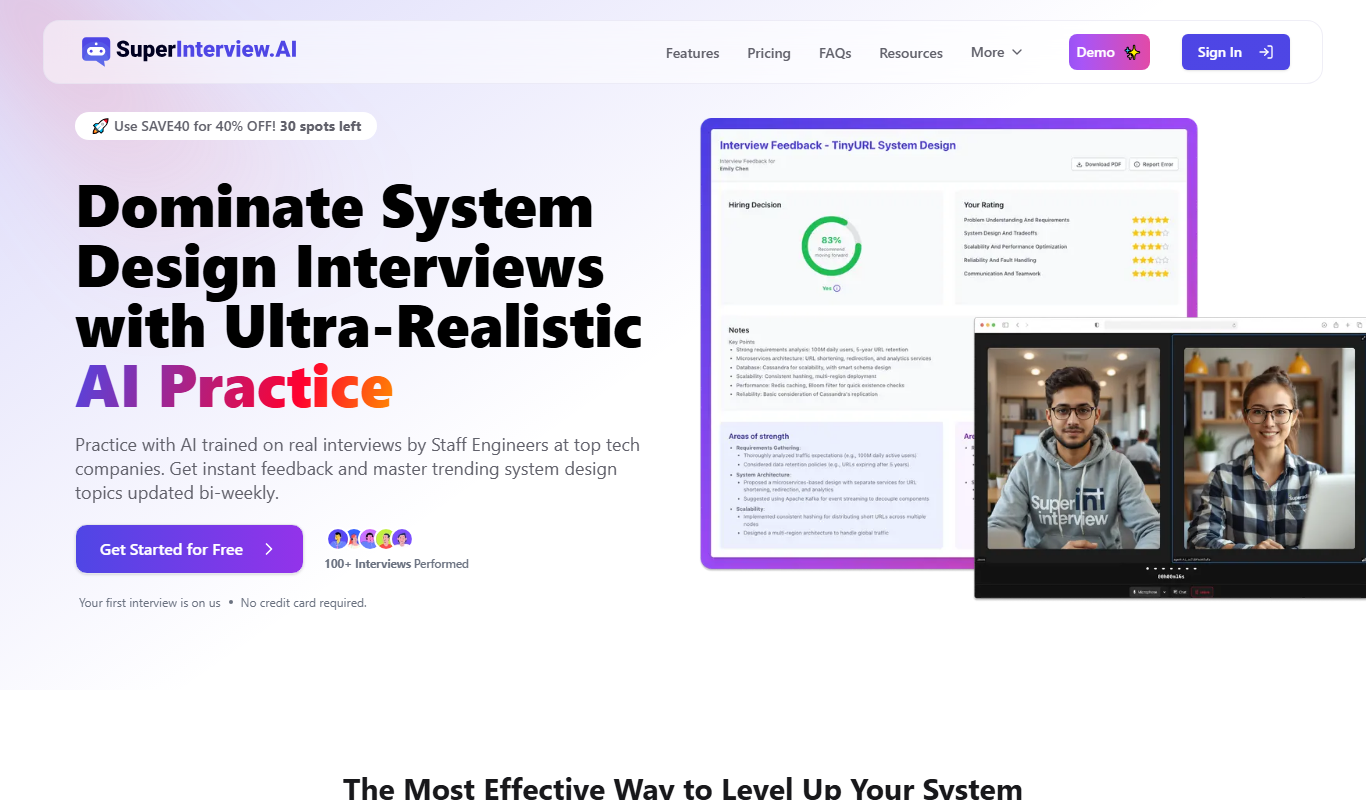
SuperInterview AI offers ultra-realistic system design interview practice with an AI interviewer, personalized mock interviews and real-time feedback for engineers aiming at tech roles.

InterviewPal
InterviewPal is an AI interview prep platform with real interview questions, AI answer feedback and an ATS resume scan to help job seekers get hired.

AmpUp
AmpUp is an AI sales coaching platform that preps reps before every call, coaches them after it and runs roleplay practice built from real objections.

kuizu
Kuizu is an AI-powered relationship coach for couples with daily questions, a relationship score and a 24/7 AI advisor.

Entelechy Discover
Entelechy Discover is a professional development platform built on 54 Human Qualities, combining self assessment, feedback and coaching for individuals and teams.