

Cliniko Practice Management Software for Clinics and Healthcare Providers
Cliniko is a cloud-based practice management software that helps healthcare providers manage appointments, patient records, billing, and telehealth consultations efficiently.
- Best for
- Appointment Scheduling
- Key capability
- Appointment Scheduling
Save Cliniko, follow its updates and vote on it — everything stays in your account.
Sign in or create a free account
What is Cliniko?
Cliniko is a cloud-based practice management software designed specifically for healthcare providers such as physiotherapists, chiropractors, psychologists, and other allied health professionals. It streamlines administrative tasks including appointment scheduling, patient record keeping, billing, and telehealth, enabling practitioners to focus more on patient care.
Key features of Cliniko
Cliniko offers a comprehensive suite of features including an easy-to-use appointment calendar, secure patient records, integrated billing and invoicing, telehealth video consultations, and detailed reporting tools. Its cloud-based platform ensures accessibility from anywhere with internet access.
Appointment Scheduling
Drag-and-drop calendar with automated SMS and email reminders to reduce no-shows.
Patient Records
Securely store notes, treatment plans, and medical history accessible anytime.
Billing and Invoicing
Create invoices, accept payments, and track outstanding balances easily.
Telehealth Integration
Built-in video consultations with secure and HIPAA-compliant connections.
Reporting Tools
Customizable reports on appointments, revenue, and patient demographics.
Pros and cons of Cliniko
Pros
- User-friendly interface tailored for healthcare providers
- Comprehensive all-in-one practice management features
- Integrated telehealth functionality
- Reliable customer support and onboarding resources
Cons
- No dedicated mobile app; relies on mobile web access
- Pricing may be high for very small practices or startups
Key use cases for Cliniko
Appointment Scheduling
Manage patient bookings efficiently with an intuitive calendar and automated reminders.
Patient Record Management
Store and access comprehensive patient records securely in one centralized system.
Billing and Invoicing
Generate invoices, process payments, and manage insurance claims seamlessly.
Telehealth Consultations
Conduct secure video consultations integrated directly within the platform.
Reporting and Analytics
Gain insights into practice performance with customizable reports and dashboards.
How Cliniko works
- 1
Create an Account
Sign up on Cliniko’s website to start a free trial or choose a subscription plan.
- 2
Set Up Your Practice
Configure your clinic details, practitioner profiles, and appointment types.
- 3
Manage Appointments and Patients
Use the calendar to book appointments, send reminders, and maintain patient records.
- 4
Handle Billing and Payments
Generate invoices, process payments, and manage insurance claims within the platform.
- 5
Conduct Telehealth Sessions
Use the integrated video feature to hold secure remote consultations.
Who is using Cliniko
Cliniko pricing
Solo
$45/month
Pricing depends on the number of practitioners; all plans include all features with no appointment limit.
Team
About $95-99 per month for 2-5 practitioners
For 2-5 practitioners; all features with no appointment limit.
Plans and prices are as published by the vendor and can change. Check the official site before you buy. Open the pricing page (opens in a new tab)
Frequently asked questions about Cliniko
Yes, Cliniko includes integrated video consultations to conduct secure telehealth sessions.
Yes, Cliniko allows importing patient data via CSV files to help transition from other systems.
Cliniko follows industry standards to ensure patient data security and privacy compliance.
Cliniko is accessible via mobile web browsers but does not currently have a dedicated mobile app.
This tool is designed to help users accomplish its core tasks more efficiently. It is typically used by individuals or teams looking to improve productivity and workflow.
Yes, it can help with that use case depending on how you configure it and what features are available. You’ll get the best results with clear inputs and a defined goal.
Pricing depends on the plan and included features. For the most accurate and up-to-date details, check the official pricing page.
It depends on your specific needs and how you plan to use the tool. The official website and documentation are the best sources for the latest details.
Conclusion
A drag-and-drop calendar with automated SMS and email reminders is at the center, aimed at reducing no-shows. Notes, treatment plans and medical history are stored in patient records, while invoices, payments and insurance claims are managed within the platform. Remote consultations use the integrated video feature, and existing patient data can be imported via CSV files when moving from other systems.
Physiotherapists, chiropractors, psychologists and other allied health professionals are the providers it was built around. Pricing depends on the number of practitioners, and every plan includes all features with no appointment limit. Access is through mobile web browsers on phones, since there is no dedicated mobile app.
Sources
Sign in to review this tool.
Sign In to ReviewNo reviews yet
Be the first to share how this tool worked for you.
Ask about pricing, limits, or how it compares — or answer someone else.
Sign In to AskNo questions yet
Have a question about using or paying for this tool? Be the first to ask.
Featured on TiorAI



Alternative Tools
Explore similar AI tools that might fit your needs

Jane App
Jane App is a practice management software designed for health and wellness clinics, providing scheduling, billing, telehealth, and client record management in one platform.

SimplePractice
SimplePractice is a practice management software designed for therapists and health professionals that streamlines scheduling, telehealth, billing, and documentation in one platform.

TheraNest
TheraNest is a comprehensive practice management software designed for mental health professionals, providing tools for scheduling, billing, clinical documentation, and telehealth sessions.
More AI CRM tools
Other tools in the same category, for when this one is not quite the fit.

Copper
Copper is a CRM software designed to help businesses manage sales pipelines and customer relationships with deep Google Workspace integration and automation features.

Gem
Gem is an AI-driven recruiting platform that helps talent acquisition teams automate candidate sourcing, manage pipelines, and engage candidates with personalized outreach.
Re:amaze
Re:amaze is a cloud-based customer support and helpdesk platform that unifies messaging channels and uses AI chatbots to automate customer service for businesses, especially in e-commerce.

Sellbrite
Sellbrite is a cloud-based ecommerce platform that centralizes inventory, order, and listing management across multiple online marketplaces, helping sellers avoid overselling and streamline fulfillment.
WideOrbit
WideOrbit is a broadcast software platform that streamlines media sales, advertising inventory management, campaign planning, and billing for TV, radio, and digital broadcasters.

Litify
Litify is a cloud-based legal CRM and case management platform built on Salesforce, designed to help law firms automate client intake, manage cases, and streamline workflows.
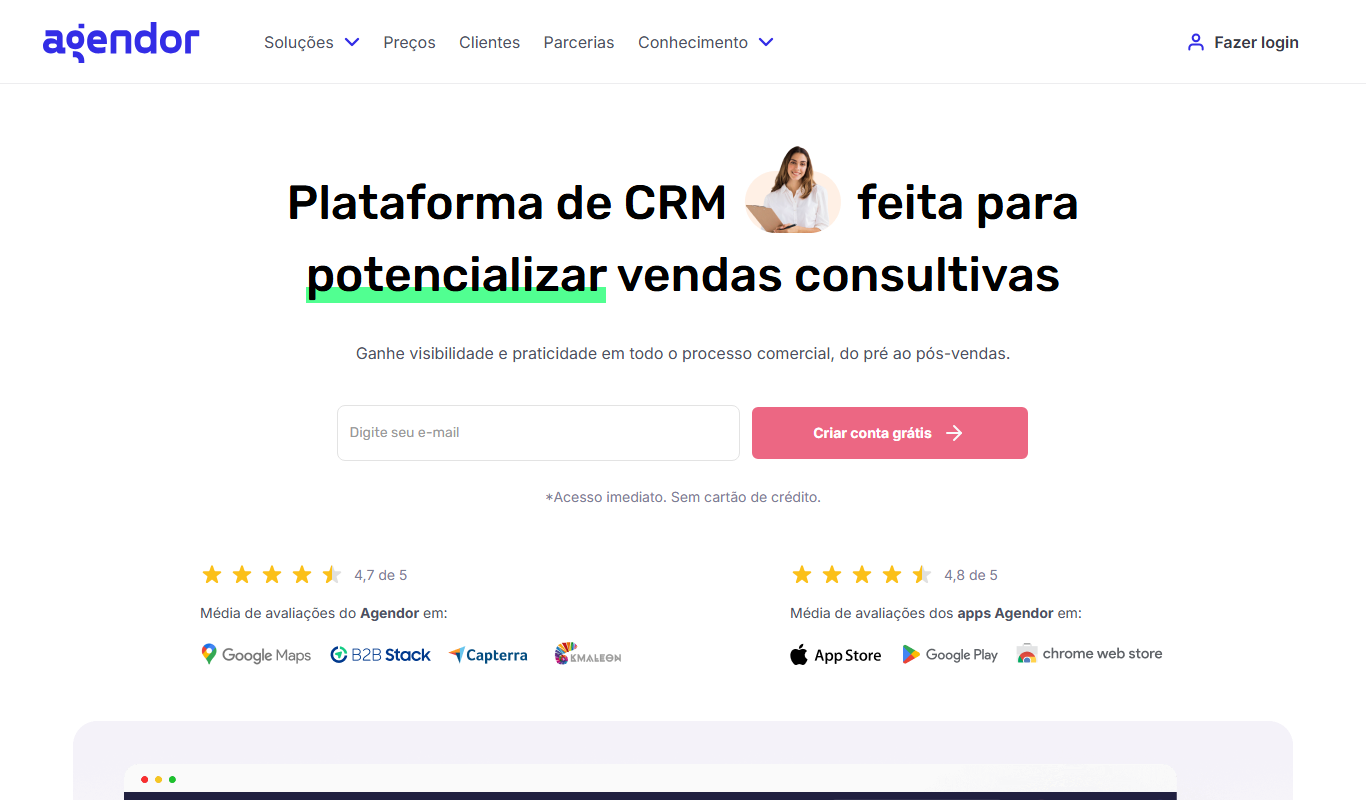
Agendor CRM
Agendor CRM is a cloud-based platform that helps sales teams manage their sales pipeline, customer relationships, and team collaboration with customizable features and mobile access.

RD Station CRM
RD Station CRM is a cloud-based AI-powered customer relationship management platform that integrates sales pipeline management, lead capture, and marketing automation to help businesses optimize sales and marketing efforts.