

From my experience with ChatScribe Pro, I found it excels at delivering highly accurate AI-powered transcriptions with a user-friendly interface. The multi-language support and real-time transcription features make it versatile for various professional needs, from content creation to legal documentation. However, the free plan’s limited minutes and the lack of publicly available enterprise pricing may require users to evaluate their usage carefully. Overall, if you need reliable and efficient transcription software with solid editing and export options, ChatScribe Pro is a strong contender.
ChatScribe Pro AI Transcription Software for Accurate Audio to Text
ChatScribe Pro is an AI transcription tool that converts audio and video files into accurate text transcripts with multi-language support and real-time capabilities.
- Best for
- Meeting Transcriptions
- Key capability
- High Accuracy AI Transcription
Your actions
Save ChatScribe Pro, follow its updates and vote on it — everything stays in your account.
Sign in or create a free account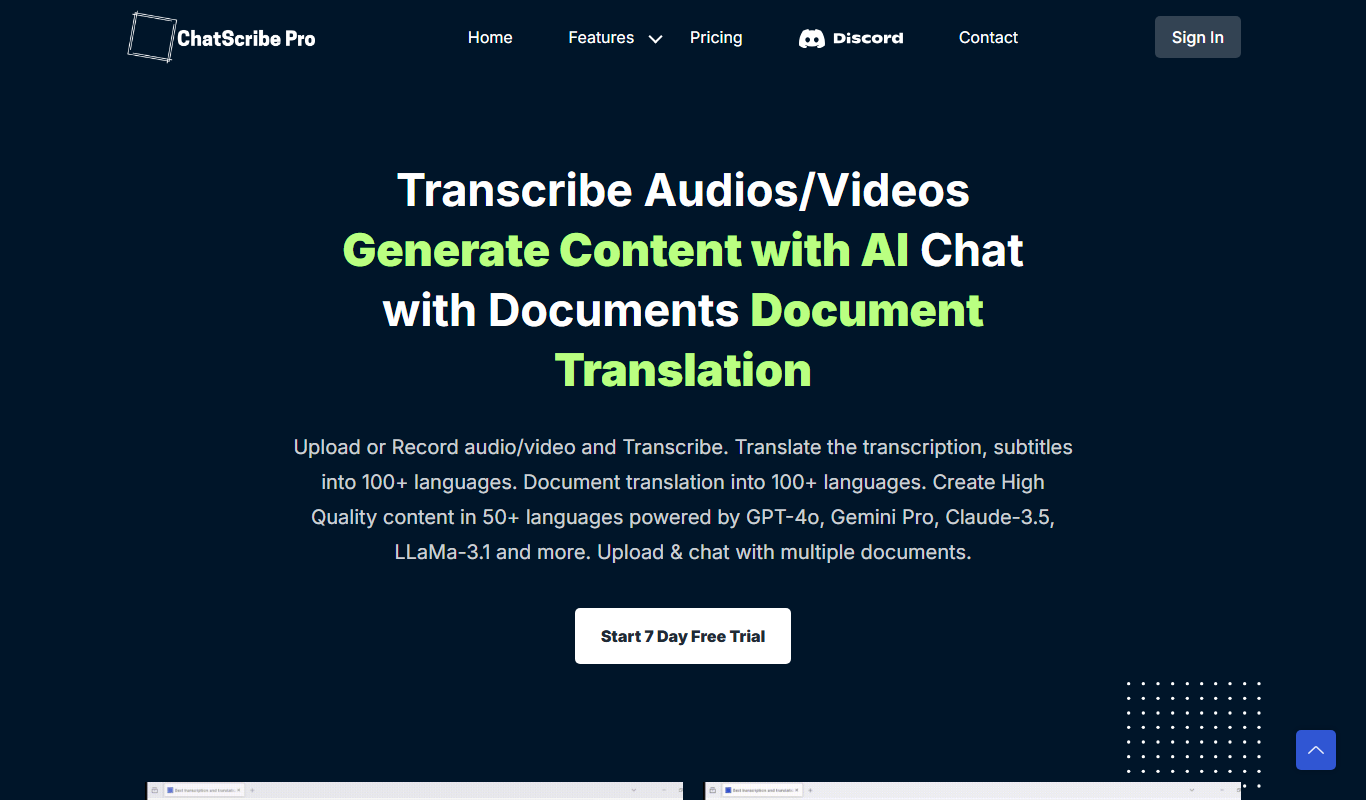

What is ChatScribe Pro?
ChatScribe Pro is an AI-powered transcription software designed to convert audio and video files into accurate, editable text transcripts. It leverages advanced speech recognition technology to deliver fast and reliable transcriptions, supporting multiple languages and specialized vocabulary. The platform is accessible via web and offers API integration for seamless workflow automation.
Key features of ChatScribe Pro
ChatScribe Pro offers real-time transcription, multi-language support, speaker identification, punctuation and formatting, and secure cloud storage. It also provides editing tools to refine transcripts and export options in various formats including TXT, DOCX, and SRT for captions.
High Accuracy AI Transcription
Utilizes deep learning models to deliver precise transcriptions even with background noise.
Multi-language Support
Supports transcription in English, Spanish, French, and German with plans to expand.
Speaker Identification
Automatically differentiates speakers in multi-person conversations.
Real-time Transcription
Provides live transcription for meetings and events.
Secure Cloud Storage
Ensures user data and transcripts are encrypted and safely stored.
Pros and cons of ChatScribe Pro
Pros
- High transcription accuracy with AI models
- Supports multiple languages
- Real-time transcription available
- User-friendly editing and export options
- Secure cloud storage for transcripts
Cons
- Limited free plan minutes
- Enterprise pricing not publicly listed
- Currently supports a limited set of languages
Key use cases for ChatScribe Pro
Meeting Transcriptions
Automatically convert meeting recordings into accurate text transcripts for easy review and sharing.
Content Creation
Assist content creators by transcribing podcasts, interviews, and videos to generate written content quickly.
Accessibility
Provide captions and transcripts to improve accessibility for hearing-impaired audiences.
Legal Documentation
Support legal professionals by transcribing depositions, hearings, and client interviews with high accuracy.
Research and Analysis
Enable researchers to transcribe focus groups and interviews for qualitative data analysis.
How ChatScribe Pro works
- 1
Upload Audio or Video
Users upload their recordings directly through the web interface or via API.
- 2
AI Transcription Processing
The platform processes the audio using AI models to generate a text transcript with speaker labels and timestamps.
- 3
Review and Edit
Users can review the transcript, make corrections, and format the text as needed.
- 4
Export and Share
Final transcripts can be exported in multiple formats or shared directly with collaborators.
Who is using ChatScribe Pro
Content creators and podcasters
Business professionals and meeting organizers
Legal and research professionals
Accessibility service providers
Marketing and media agencies
ChatScribe Pro pricing
Free
$0/month
Limited to 60 minutes of transcription per month with basic features.
Pro
$25/month
Includes 600 minutes per month, priority processing, and advanced editing tools.
Enterprise
Custom pricing
Offers unlimited transcription, dedicated support, API access, and custom integrations.
Plans and prices are as published by the vendor and can change. Check the official site before you buy. Open the pricing page (opens in a new tab)
Frequently asked questions about ChatScribe Pro
It supports common audio and video formats including MP3, WAV, MP4, and MOV.
Yes, the platform offers real-time transcription capabilities for live events.
Yes, all data is encrypted in transit and at rest, following industry-standard security practices.
Currently, it supports English, Spanish, French, and German, with plans to add more languages.
It depends on your specific needs and how you plan to use the tool. The official website and documentation are the best sources for the latest details.
Yes, it can help with that use case depending on how you configure it and what features are available. You’ll get the best results with clear inputs and a defined goal.
Yes, it can help with that use case depending on how you configure it and what features are available. You’ll get the best results with clear inputs and a defined goal.
Sign in to review this tool.
Sign In to ReviewNo reviews yet
Be the first to share how this tool worked for you.
Ask about pricing, limits, or how it compares — or answer someone else.
Sign In to AskNo questions yet
Have a question about using or paying for this tool? Be the first to ask.
Featured on TiorAI



Alternative Tools
Explore similar AI tools that might fit your needs

Free Trial
Sonix
Sonix is an AI transcription software that automatically converts audio and video files into accurate, editable text transcripts supporting multiple languages and offering features like speaker labeling and export options.
More AI Ai Tools tools
Other tools in the same category, for when this one is not quite the fit.

Free
Pogo Travel
Pogo Travel is an AI-driven platform that generates personalized travel itineraries based on your preferences, travel dates, and interests, offering collaborative planning and offline access.

Freemium
PlaninGo
PlaninGo is an AI travel planning tool that generates personalized trip itineraries and guides based on your preferences, helping you plan efficient and enjoyable trips.

Free
Travelwiz
Travelwiz is an AI-powered travel planning tool that creates personalized trip itineraries and offers tailored travel recommendations based on user preferences.

Free
Momo
Momo is an AI-powered assistant that automates workflows, manages tasks, and enhances team collaboration by integrating with popular productivity tools.

Free
Nextrip
Nextrip AI is an online travel planning tool that uses artificial intelligence to generate personalized trip itineraries based on your preferences, travel dates, and destinations.

Freemium
TravelBot AI Travel Assistant
TravelBot AI Travel Assistant is a web-based platform that uses artificial intelligence to help users create personalized travel itineraries, book flights and hotels, and receive tailored travel recommendations based on preferences and budget.

Freemium
AIreelity
AIreelity is an AI-driven video creation platform that transforms text scripts into engaging marketing videos with customizable templates and AI voiceovers.

Free
AIJOURNEY
AIJOURNEY is an AI-driven career development tool that provides personalized career path recommendations, identifies skill gaps, and offers curated learning resources to help users advance professionally.