

From my experience with Car Part Identifier, I found it excels at quickly and accurately recognizing vehicle parts from photos, which can save significant time for mechanics and car enthusiasts alike. After spending time with the platform, I can say it’s particularly well-suited for users who need fast identification without deep automotive knowledge. However, there’s a trade-off: the free tier limits daily usage and the tool currently lacks a dedicated mobile app, which might be inconvenient for some users. Overall, if you need reliable part identification to streamline repairs or ordering, this tool delivers solid results.
Car Part Identifier Tool for Accurate Vehicle Part Recognition Online
Car Part Identifier is an AI-powered tool that identifies vehicle parts from photos, providing detailed information and compatibility to assist with repairs and ordering.
- Best for
- Vehicle Part Identification
- Key capability
- AI-Powered Image Recognition
Your actions
Save Car Part Identifier, follow its updates and vote on it — everything stays in your account.
Sign in or create a free account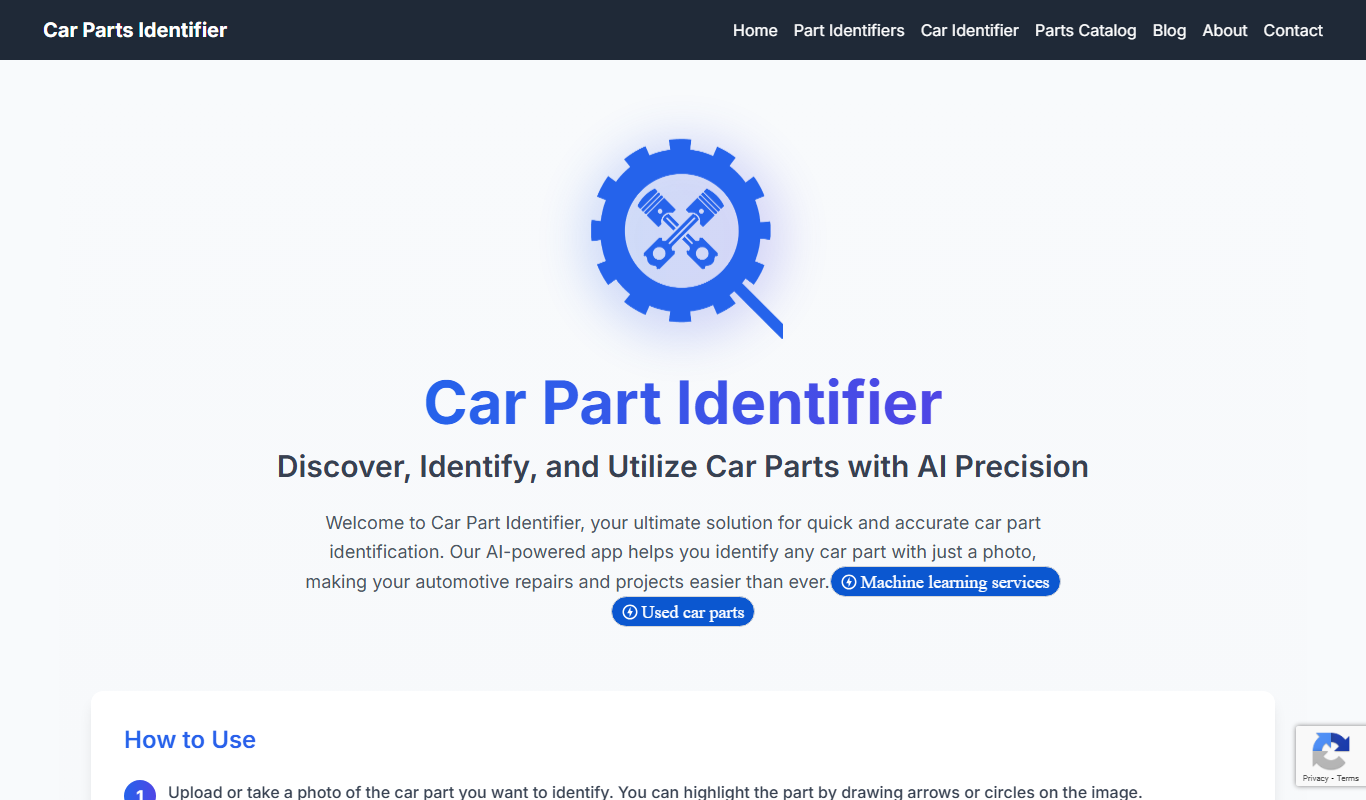

What is Car Part Identifier?
Car Part Identifier is an online tool that uses image recognition technology to help users identify automotive parts from photos. By uploading a picture of a car part, users receive detailed information about the part, including its name, function, and compatibility. This tool is designed to simplify the process of finding and ordering the correct vehicle components, especially for those unfamiliar with automotive terminology.
Key features of Car Part Identifier
The tool offers fast and accurate part identification through AI-powered image recognition, a user-friendly interface for uploading images, detailed part descriptions, and compatibility information. It also supports searching by part name or vehicle model to assist users in finding the right components.
AI-Powered Image Recognition
Accurately identifies car parts from photos using advanced machine learning.
Detailed Part Information
Provides comprehensive descriptions and compatibility data for each identified part.
Search by Part or Vehicle
Allows users to search parts by name or vehicle make and model.
User-Friendly Interface
Simple upload and navigation process designed for all user levels.
Pros and cons of Car Part Identifier
Pros
- Fast and easy part identification from images
- Detailed compatibility and part information
- Supports a broad range of vehicle makes and models
Cons
- Limited free tier usage
- No dedicated mobile app yet
- Accuracy may decrease with unclear images or rare parts
Key use cases for Car Part Identifier
Vehicle Part Identification
Users can upload images of car parts to quickly identify the exact part name and specifications.
Auto Repair Assistance
Mechanics and DIY enthusiasts can use the tool to verify parts needed for repairs or replacements.
Parts Ordering
The tool helps users find compatible parts for their vehicle, streamlining the ordering process.
Inventory Management
Auto shops can use the tool to catalog and manage their parts inventory more efficiently.
How Car Part Identifier works
- 1
Upload Image
Users upload a clear photo of the car part they want to identify.
- 2
AI Analysis
The tool analyzes the image using machine learning algorithms to recognize the part.
- 3
View Results
Users receive the part name, description, and compatibility details.
- 4
Order or Save
Users can save the part information or proceed to order compatible parts.
Who is using Car Part Identifier
Auto repair shops
DIY car enthusiasts
Parts retailers
Vehicle fleet managers
Automotive insurance adjusters
Car Part Identifier pricing
Free
$0/month
Basic access with limited daily identifications and standard support.
Pro
$19.99/month
Unlimited identifications, priority support, and access to advanced features.
Plans and prices are as published by the vendor and can change. Check the official site before you buy. Open the pricing page (opens in a new tab)
Frequently asked questions about Car Part Identifier
The tool uses advanced AI models trained on extensive automotive data, achieving high accuracy for most common parts.
Yes, the tool supports a wide range of vehicle makes and models, but accuracy may vary for rare or custom parts.
Currently, Car Part Identifier is accessible via mobile web browsers but does not have a dedicated app.
The tool provides links to compatible parts suppliers, but ordering is completed on partner websites.
It depends on your specific needs and how you plan to use the tool. The official website and documentation are the best sources for the latest details.
It depends on your specific needs and how you plan to use the tool. The official website and documentation are the best sources for the latest details.
Yes, it can help with that use case depending on how you configure it and what features are available. You’ll get the best results with clear inputs and a defined goal.
Sign in to review this tool.
Sign In to ReviewNo reviews yet
Be the first to share how this tool worked for you.
Ask about pricing, limits, or how it compares — or answer someone else.
Sign In to AskNo questions yet
Have a question about using or paying for this tool? Be the first to ask.
Featured on TiorAI



More AI Image & Visual Tools tools
Other tools in the same category, for when this one is not quite the fit.

Freemium
Morphlin
Morphlin is an AI-powered art generation tool that enables users to create unique digital images through image morphing and style transfer techniques on a user-friendly web platform.

Freemium
MolyPix.AI
MolyPix.AI is a web-based AI tool that generates images from text prompts, offering style customization and high-resolution downloads for creative projects.

Free
Pikzels
Pikzels is an AI-powered image generation tool that transforms text prompts into unique digital artworks, ideal for content creators and marketers seeking custom visuals.

Freemium
Pikzels AI
Pikzels AI is a web platform that uses artificial intelligence to generate images from user text prompts, enabling easy creation of unique visuals for various creative uses.

Free
PS2 Filter AI | Photo To PS2 Filter
PS2 Filter AI is a free web tool that uses artificial intelligence to convert photos into images with the distinctive PlayStation 2 graphical style, featuring pixelation and retro color palettes.

Free
Stable Diffusion 3 AI Image Generator
Stable Diffusion 3 is an AI-powered tool that generates high-quality images from text prompts using advanced diffusion models, suitable for artists, designers, and content creators.

Free
Stylize
Stylize is a web-based AI art generator that uses style transfer and prompt-based image creation to help users produce unique digital artworks quickly and easily.

Free
ARTIRO
ARTIRO is an AI-powered platform that generates unique digital artworks from text prompts, offering multiple art styles and a user-friendly web interface for artists and designers.