

Anaplan Business Planning Platform for Enterprise Performance Management
Anaplan is a cloud-based enterprise planning platform that enables connected planning across finance, sales, operations, and HR to improve decision-making and agility.
- Best for
- Financial Planning and Analysis
- Key capability
- Connected Planning Platform
Save Anaplan, follow its updates and vote on it — everything stays in your account.
Sign in or create a free account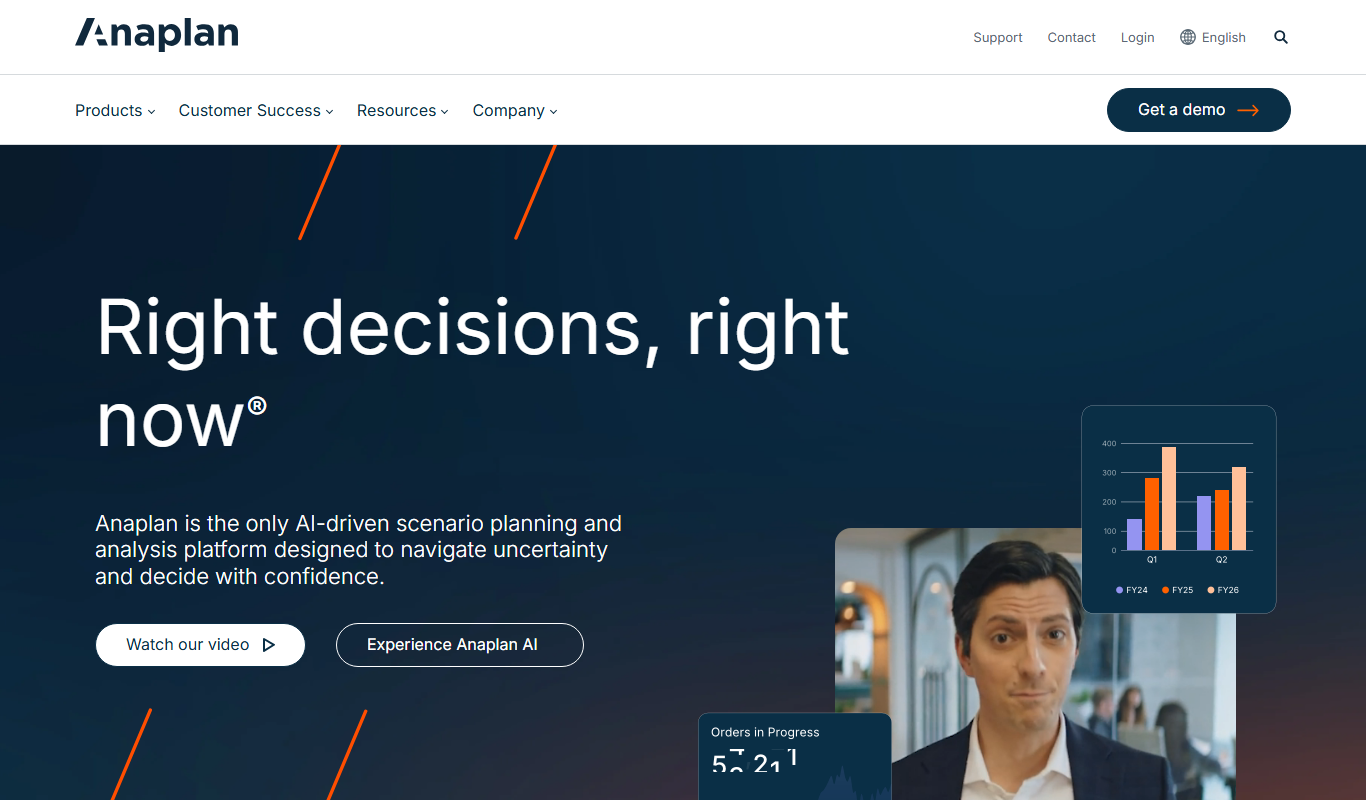
What is Anaplan?
Anaplan is a cloud-based enterprise planning platform designed to enable connected planning across business functions. It empowers organizations to build scalable, collaborative models for financial, operational, and sales planning. By unifying data and workflows, Anaplan helps businesses make faster, more informed decisions and adapt to market changes in real time.
Key features of Anaplan
Anaplan offers a flexible modeling engine, real-time data integration, collaborative planning workflows, scenario analysis, and role-based dashboards. Its cloud platform supports complex calculations and large datasets, enabling enterprise-wide planning agility.
Connected Planning Platform
Integrates data and planning processes across departments for unified decision-making.
Scalable Modeling Engine
Supports complex calculations and large datasets for enterprise-grade planning.
Real-Time Collaboration
Allows multiple users to work on plans simultaneously with instant updates.
Scenario and What-If Analysis
Enables testing of multiple business scenarios to evaluate potential outcomes.
Role-Based Dashboards and Reporting
Provides customized views and insights tailored to different user roles.
Pros and cons of Anaplan
Pros
- Highly scalable for enterprise needs
- Enables cross-departmental connected planning
- Real-time collaboration and updates
- Flexible modeling for complex scenarios
- Strong support and training resources
Cons
- Pricing is customized and can be expensive for small businesses
- Steep learning curve for new users
- Limited offline capabilities
Key use cases for Anaplan
Financial Planning and Analysis
Create dynamic financial models, forecasts, and budgets that adapt to changing business conditions.
Sales Performance Management
Align sales targets, commissions, and territory planning to drive revenue growth.
Supply Chain and Operations Planning
Optimize inventory, demand forecasting, and production planning across complex supply chains.
Workforce Planning
Plan and manage workforce capacity, skills, and costs to meet organizational goals.
Connected Planning Across Departments
Integrate data and planning processes across finance, sales, HR, and operations for unified decision-making.
How Anaplan works
- 1
Onboard and Model Your Business
Import data and build custom models tailored to your organization’s planning needs.
- 2
Collaborate Across Teams
Enable multiple stakeholders to contribute and update plans simultaneously with real-time visibility.
- 3
Run Scenario Analysis
Test different business scenarios and assess their impact on financial and operational outcomes.
- 4
Monitor and Adjust Plans
Use dashboards and reports to track performance and make data-driven adjustments.
Who is using Anaplan
Anaplan pricing
Subscription
Custom pricing
Pricing based on user count, modules, and deployment scale; contact sales for details.
Plans and prices are as published by the vendor and can change. Check the official site before you buy. Open the pricing page (opens in a new tab)
Frequently asked questions about Anaplan
Anaplan serves a wide range of industries including finance, retail, manufacturing, healthcare, and technology.
Yes, Anaplan is a fully cloud-based platform accessible via web browsers.
Yes, Anaplan supports integration with ERP, CRM, HR, and other enterprise systems through APIs and connectors.
Yes, it enables real-time collaboration across teams and departments.
This tool is designed to help users accomplish its core tasks more efficiently. It is typically used by individuals or teams looking to improve productivity and workflow.
Yes, it can help with that use case depending on how you configure it and what features are available. You’ll get the best results with clear inputs and a defined goal.
Integration support depends on the tool and its available connectors or API. Check the official documentation or integrations page to confirm what is supported.
It depends on your specific needs and how you plan to use the tool. The official website and documentation are the best sources for the latest details.
Conclusion
Planning in Anaplan starts by importing data and building custom models tailored to the organization’s planning needs. Multiple stakeholders then contribute to and update plans simultaneously with real-time visibility, test business scenarios for their financial and operational impact, and track performance on dashboards to make data-driven adjustments. The modeling engine supports complex calculations and large datasets for enterprise-grade planning, and role-based dashboards give different users customized views and insights.
Its connected planning approach integrates data and planning processes across finance, sales, HR and operations for unified decision-making. Finance teams can build dynamic financial models, forecasts and budgets, while sales operations managers align targets and commissions with territory planning. Workforce capacity, skills and costs can also be planned to meet organizational goals. Supply chain planners use it for inventory, demand forecasting and production planning. It is a fully cloud-based platform accessed via web browsers, with integration to ERP, CRM, HR and other enterprise systems through APIs and connectors.
Subscription pricing is based on user count, modules and deployment scale, and it can be expensive for small businesses. Industries served include finance, retail, manufacturing, healthcare and technology, and offline capabilities are limited.
Sources
Sign in to review this tool.
Sign In to ReviewNo reviews yet
Be the first to share how this tool worked for you.
Ask about pricing, limits, or how it compares — or answer someone else.
Sign In to AskNo questions yet
Have a question about using or paying for this tool? Be the first to ask.
Featured on TiorAI



More AI Analytics Assistant tools
Other tools in the same category, for when this one is not quite the fit.

TranscribetoText.AI
TranscribetoText.AI is an AI-driven online service that converts audio and video files into accurate text transcripts, supporting multiple languages and features like speaker identification and timestamps.

SPSSAU
SPSSAU is an online statistical analysis platform that provides a wide range of data analysis and visualization tools accessible through a web browser, suitable for academic, business, and educational use.

TwinMind
TwinMind is an AI second brain that transcribes and summarizes your day, organizes it into memory and powers any AI with the context of your life.
Azna AI
Azna AI turns ideas into personalized AI copilot apps in minutes with a no-code solution: choose a template, add your data and deploy the copilot.

Vuepak
Vuepak drives growth with AI-powered multichannel outreach and smart email delivery: share multimedia presentations and track engagement in real time.

PerceptInsight
Percept Insight is a real-time analytics platform that gives insights into user behaviour, user engagement and the effectiveness of marketing campaigns, with built-in engagement tools.

Roast That Face
Roast That Face is an AI roaster that turns an uploaded photo or a public Instagram, Twitter, X or LinkedIn profile into a funny, shareable roast.

Heatbot.io
Heatbot is a data-driven generative UI builder: upload user analysis heatmaps and let AI generate code for an improved website in seconds.