

From my experience with AI Drum Generator, I found it excels at quickly producing unique drum patterns without any technical barriers. The straightforward web interface makes it accessible for beginners and professionals alike, allowing fast beat creation without needing complex software. However, it is limited to drum pattern generation and lacks advanced editing or multi-track capabilities, which might be a drawback for users seeking deeper control. Overall, if you want a free, no-fuss tool to generate drum beats for practice, songwriting, or quick music production, AI Drum Generator delivers solid and reliable results.
AI Drum Generator - Create Custom Drum Patterns with AI Technology
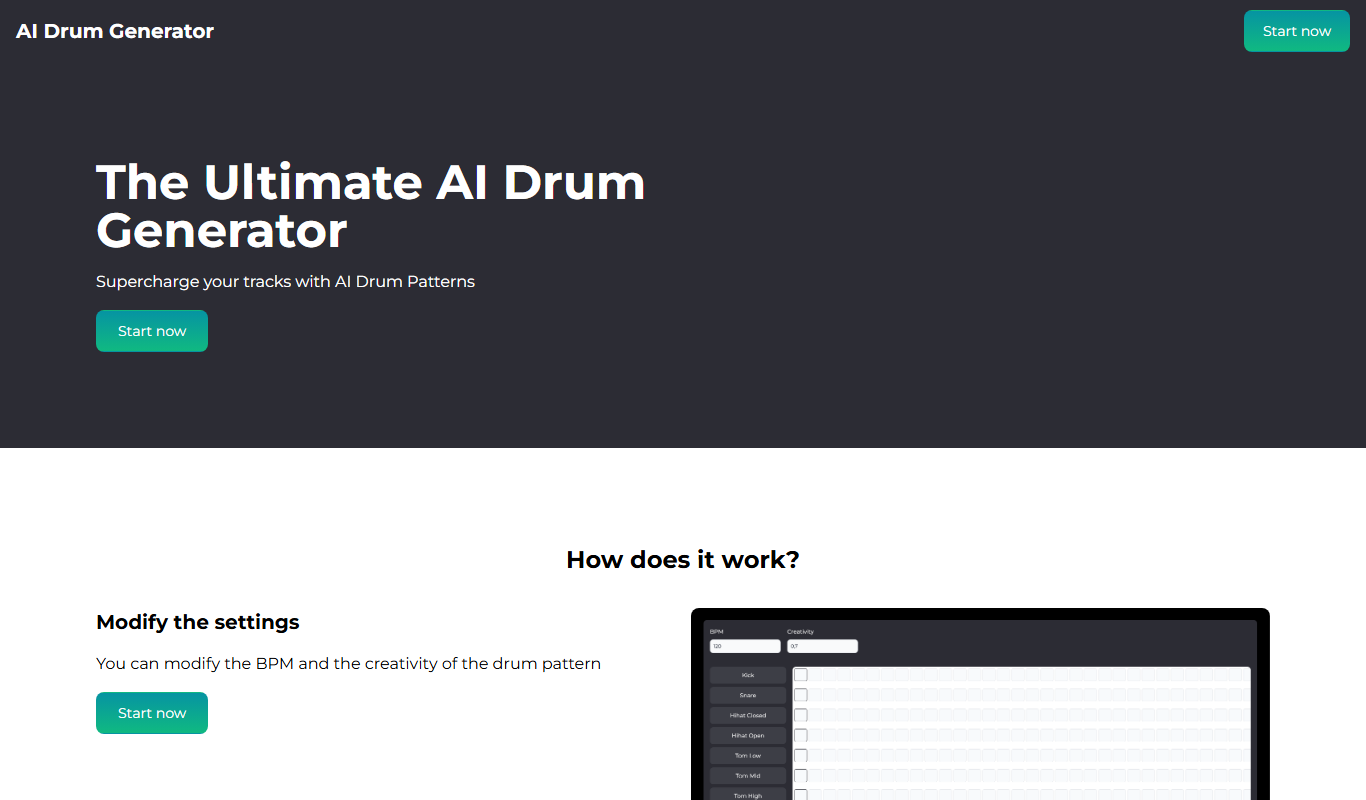
AI Drum Generator is a free web-based tool that uses artificial intelligence to create custom drum patterns quickly and easily without requiring advanced skills.
- Best for
- Music Production
- Key capability
- AI-Powered Drum Pattern Generation
Your actions

Do you recommend this tool?
What is AI Drum Generator?
AI Drum Generator is a free web-based tool that uses artificial intelligence to create custom drum patterns. It allows musicians, producers, and hobbyists to generate unique beats without needing advanced drum programming skills. The tool offers an intuitive interface where users can select styles and customize patterns, making drum creation accessible and fast.
Key features of AI Drum Generator
The tool features AI-powered drum pattern generation, style selection, tempo adjustment, and easy export options. It supports various drum styles and allows users to tweak patterns to fit their musical needs.
AI-Powered Drum Pattern Generation
Automatically creates unique and musically coherent drum beats.
Style and Tempo Customization
Allows users to select different drum styles and adjust tempo to fit their music.
User-Friendly Web Interface
No installation required; accessible directly through a web browser.
Free to Use
Offers full functionality without any cost or subscription.
Pros and cons of AI Drum Generator
Pros
- Easy and quick drum pattern creation
- No cost or signup required
- Accessible from any web browser
Cons
- Limited to drum pattern generation only
- No advanced editing or multi-track support
Key use cases for AI Drum Generator
Music Production
Generate unique drum patterns to enhance music tracks and compositions.
Beat Making
Create custom beats quickly for hip-hop, electronic, and other genres.
Songwriting Assistance
Use AI-generated drum rhythms as inspiration or foundation for songwriting.
Practice and Jamming
Provide drum backing tracks for musicians to practice or jam along with.
How AI Drum Generator works
- 1
Access the Website
Open the AI Drum Generator web app on your browser without any installation.
- 2
Select Drum Style and Tempo
Choose from available drum styles and set the desired tempo for your pattern.
- 3
Generate Drum Pattern
Click the generate button to create a unique AI-powered drum beat.
- 4
Customize and Export
Adjust the pattern if needed and export the drum track for use in your projects.
Who is using AI Drum Generator
Music producers
Beat makers
Songwriters
Musicians practicing with backing tracks
Hobbyist composers
AI Drum Generator pricing
Free
$0
Full access to AI drum pattern generation with no fees.
Plans and prices are as published by the vendor and can change. Check the official site before you buy. Open the pricing page (opens in a new tab)
Frequently asked questions about AI Drum Generator
No, the tool is accessible without registration or login.
Yes, you can export the drum patterns for use in your music projects.
Absolutely, the interface is simple and designed for users of all skill levels.
It depends on your specific needs and how you plan to use the tool. The official website and documentation are the best sources for the latest details.
Yes, it can help with that use case depending on how you configure it and what features are available. You’ll get the best results with clear inputs and a defined goal.
Some tools offer a free plan or trial with limited features. Availability can vary, so confirm on the official website.
Sign in to review this tool.
Sign In to ReviewNo reviews yet
Be the first to share how this tool worked for you.
Ask about pricing, limits, or how it compares — or answer someone else.
Sign In to AskNo questions yet
Have a question about using or paying for this tool? Be the first to ask.
Featured on TiorAI



More AI Beat Generator tools
Other tools in the same category, for when this one is not quite the fit.

Freemium
Ecrett Music
Ecrett Music is an AI music generator that creates royalty-free background music for videos, games, and other content by selecting mood, scene, and genre.

Free
Mixxx
Mixxx is a free, open-source DJ software that enables live mixing, beatmatching, and music production with support for multiple platforms and hardware controllers.
Commission-based
BeatStars
BeatStars is a music marketplace platform that allows producers to sell beats and artists to license music, featuring AI-powered beat generation tools and collaboration features.

Free Trial
AudioCipher
AudioCipher is an AI-powered tool that transforms text input into unique music beats and melodies, enabling easy music creation without deep music theory knowledge.

One-time purchase
Spectrasonics Omnisphere
Spectrasonics Omnisphere is a comprehensive software synthesizer plugin combining multiple synthesis types and a vast sound library, widely used for music production, sound design, and live performance.
One-time purchase
Native Instruments Komplete
Native Instruments Komplete is a professional music production suite offering a vast collection of virtual instruments, effects, and sound libraries designed for composing, producing, and performing music.

Free
WavTool
WavTool is a web-based AI music production platform offering beat generation, multi-track audio editing, and collaboration tools accessible directly in your browser.

Free
Drumbit
Drumbit is a free web-based drum machine that lets you create and export drum beats using an easy step sequencer interface with multiple drum kits and tempo control.