

Signature Generator
A signature generator is a utility that converts your handwritten or typed name into a digital signature image. This digital signature can be used to sign electronic documents, emails, and forms without needing to print or scan physical signatures. It replicates the look of a…
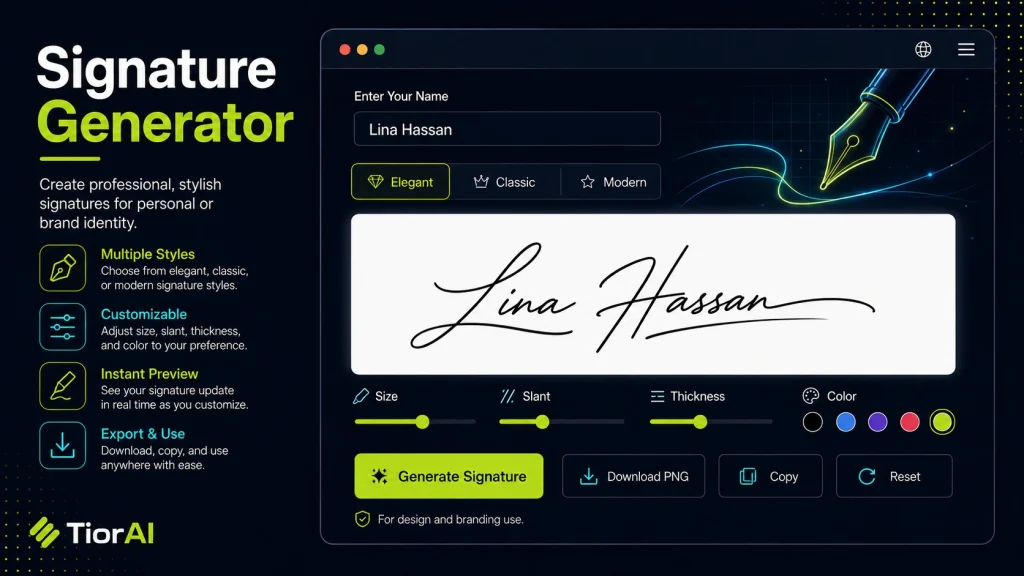
How to use it
- Configure Settings Set your preferences and parameters in the Signature Generator. Customize the output to match your specific requirements.
- Generate Output Click generate to create your result. The tool processes your settings and produces output instantly.
- Copy or Download Review the generated output, then copy it to your clipboard or download it for immediate use.
Tip The Signature Generator creates production-ready output — no manual cleanup needed before using the results.
Understanding Digital Signature Generation
A signature generator is a tool that creates a digital representation of a handwritten signature. Instead of signing on paper, users can produce a stylized signature image or vector graphic that can be inserted into electronic documents, emails, or forms. This process involves converting your name or drawn signature into a digital format that mimics the look of a real signature.
Digital signatures are essential in today’s paperless workflows because they provide a quick and convenient way to authenticate documents without printing or scanning. They are widely used in contracts, official letters, invoices, and other formal communications where a signature is required.
Common situations for using a signature generator include:
- Signing PDF documents electronically
- Adding a personal touch to emails or digital letters
- Creating a consistent signature style for branding purposes
- Generating signatures for use in graphic design or presentations
By generating a digital signature, users save time and reduce the need for physical paperwork, while maintaining a professional appearance.
What Is a Signature Generator?
A signature generator is a utility that converts your handwritten or typed name into a digital signature image. This digital signature can be used to sign electronic documents, emails, and forms without needing to print or scan physical signatures. It replicates the look of a real signature, making digital communications more personal and professional.
When to Use a Signature Generator
- Signing contracts or agreements electronically to save time and paper
- Adding a personal signature to emails or digital letters
- Creating a consistent signature style for branding or marketing materials
- Preparing documents that require a signature but must remain digital for easy sharing
Common Mistakes to Avoid
- Using the generated signature without checking if it meets legal requirements for your specific use case
- Failing to customize the signature style, which can result in a generic or unprofessional appearance
Technical Context
Signature generators typically produce images in formats like PNG or SVG. PNG files support transparent backgrounds, making them easy to overlay on documents. SVG files are vector-based, allowing the signature to scale without losing quality. Many tools also allow customization of color, thickness, and style to better match your handwriting or branding needs.
While digital signatures created this way are convenient, they differ from cryptographic digital signatures that provide legal authentication and security. For formal legal documents, additional verification methods may be necessary.
Frequently asked questions
Reviews and questions
Whether this tool gave people the answer they needed, and what they asked about it.
Sign in to review this tool.
Sign In to ReviewNo reviews yet
Be the first to say whether this tool gave you what you needed.
Ask how to read the result, or what the tool does with an edge case — or answer someone else.
Sign In to AskNo questions yet
Not sure how to read a result? Be the first to ask.