

Mailto Link Generator
Understanding Mailto Links A mailto link is a special type of hyperlink that opens the user's email client with a new message window ready to send an email. It uses the mailto: URI scheme followed by an email address and optional parameters like subject and…
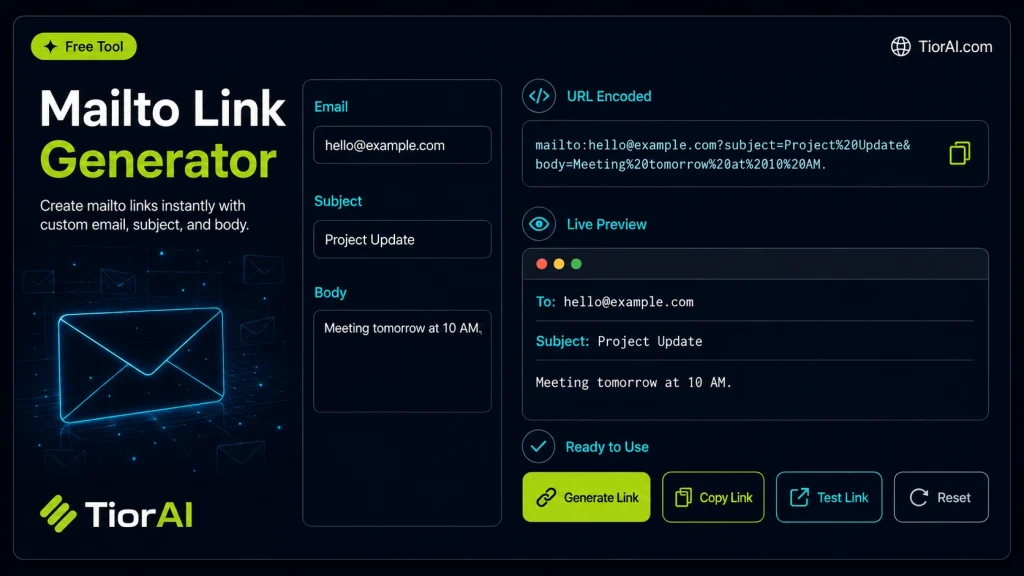
How to use it
- Configure Settings Set your preferences and parameters in the Mailto Link Generator. Customize the output to match your specific requirements.
- Generate Output Click generate to create your result. The tool processes your settings and produces output instantly.
- Copy or Download Review the generated output, then copy it to your clipboard or download it for immediate use.
Tip Bookmark the Mailto Link Generator for repeat use — generators are even more powerful when used as part of your regular workflow.
About Mailto Link Generator
A mailto link is a type of HTML hyperlink that opens the user’s default email client with a new message window pre-filled with specified details such as recipient address, subject, and body text. It uses the mailto: URI scheme to trigger email composition directly from a web page or document.
This method is useful because it simplifies the process of contacting someone via email without manually copying and pasting addresses or writing repetitive content. Instead of displaying an email address as plain text, a mailto link makes it interactive, improving user experience and encouraging communication.
Why use mailto links?
- Quick email initiation: Users can click a link and immediately start composing an email.
- Pre-filled content: You can specify recipients, subject lines, carbon copies (CC), blind carbon copies (BCC), and even body text.
- Integration in websites and documents: Commonly used in contact pages, newsletters, and digital signatures.
However, mailto links rely on the user’s device having a configured email client. If no client is set up, clicking the link may not work as intended. Despite this limitation, mailto links remain a simple and effective way to facilitate email communication directly from web interfaces.
Understanding Mailto Links
A mailto link is a special type of hyperlink that opens the user’s email client with a new message window ready to send an email. It uses the mailto: URI scheme followed by an email address and optional parameters like subject and body. This allows websites and documents to provide interactive email links that simplify communication.
Mailto links are commonly used on contact pages, newsletters, and digital documents to make it easier for users to reach out without manually copying email addresses or typing repetitive information.
When to Use Mailto Links
- On a website’s contact page to let visitors quickly send emails.
- In marketing emails or newsletters where you want to pre-fill the subject or message body.
- Within PDFs or digital forms to prompt users to send feedback or inquiries.
Common Mistakes to Avoid
- Failing to encode special characters in the subject or body, which can break the link.
- Assuming all users have a default email client configured, which may not be true and can cause the link to fail.
- Including too much text in the body, risking URL length limits and errors.
Using mailto links effectively requires understanding their limitations and ensuring proper formatting. When done correctly, they provide a straightforward way to enhance user interaction and streamline email communication from web pages and documents.
Frequently asked questions
mailto: URI scheme followed by an email address, for example, mailto:[email protected]. You can add parameters like subject and body by appending them with question marks and ampersands, such as mailto:[email protected]?subject=Hello&body=Message.mailto:[email protected],[email protected]. You can also specify CC and BCC recipients using parameters.mailto:[email protected]?subject=Your%20Subject&body=Your%20message%20here. Remember to URL-encode spaces and special characters.Reviews and questions
Whether this tool gave people the answer they needed, and what they asked about it.
Sign in to review this tool.
Sign In to ReviewNo reviews yet
Be the first to say whether this tool gave you what you needed.
Ask how to read the result, or what the tool does with an edge case — or answer someone else.
Sign In to AskNo questions yet
Not sure how to read a result? Be the first to ask.