

EXIF Data Remover
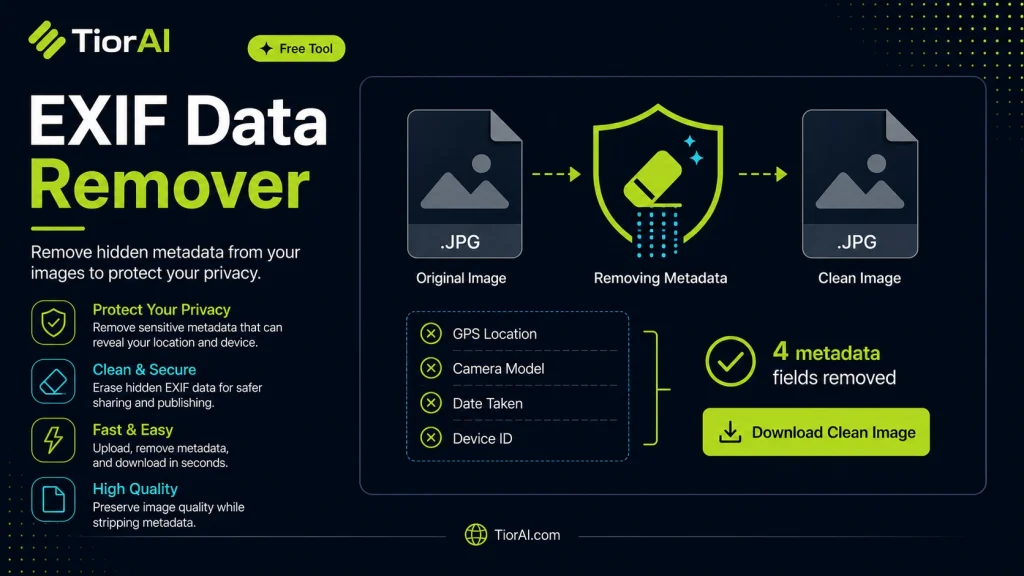
Strip camera, location, and other EXIF metadata from a JPEG. The image never leaves your browser.
| File | Size |
|---|---|
| Original | - |
| Cleaned | - |
How It Works
The image is redrawn onto a canvas and re-encoded, which discards every EXIF, GPS, and thumbnail block the original carried. Re-encoding also means the cleaned file is a fresh JPEG at 92% quality, so its size may differ from the original.
How to use it
- Upload Your Image Upload or drag and drop your image into the Exif Data Remover. Supports PNG, JPG, WebP, and other common formats.
- Process the Image Configure your desired settings and click process. The tool applies changes to your image in seconds.
- Download the Result Preview the processed image and download it in your preferred format, ready for use.
Tip Check the before-and-after preview in the Exif Data Remover to fine-tune settings before downloading your final image.
Understanding EXIF Data in Images
EXIF stands for Exchangeable Image File Format. It is metadata embedded within image files, especially photos taken by digital cameras and smartphones. This metadata includes details such as the camera model, date and time the photo was taken, shutter speed, aperture, ISO settings, GPS location, and sometimes even the device’s serial number.
EXIF data is useful for photographers and software to organize and edit images based on technical details. However, this information can also pose privacy risks if shared publicly, as it may reveal location or device details unintentionally.
Removing EXIF data is the process of stripping this metadata from image files. This is often done to protect privacy, reduce file size slightly, or prepare images for publication where metadata is unnecessary or undesirable.
Common situations where people remove EXIF data include:
- Uploading photos to social media or websites without revealing location or device information.
- Sharing images publicly while maintaining privacy.
- Preparing images for professional use where metadata might interfere with workflow or reveal confidential information.
What is EXIF Data?
EXIF data is metadata embedded in image files that records technical details about how and when a photo was taken. This includes camera settings like shutter speed, aperture, ISO, date and time, and sometimes GPS location. While useful for photographers and editors, EXIF data can reveal sensitive information when images are shared online.
When to Remove EXIF Data
Removing EXIF data is important when you want to protect your privacy by hiding location or device details. It is also useful when submitting images to clients or publications that require metadata-free files, or when uploading photos to platforms that do not handle metadata securely. Additionally, removing EXIF data can slightly reduce file size and help standardize photo archives.
Common Mistakes to Avoid
- Thinking that removing EXIF data improves image quality — it does not affect the visible image.
- Not backing up original images before removing metadata, which can cause permanent loss of useful information.
- Assuming all platforms preserve EXIF data — many social media sites remove it automatically.
Understanding EXIF data and when to remove it helps you manage your images responsibly and maintain control over your privacy and file information.
Frequently asked questions
Reviews and questions
Whether this tool gave people the answer they needed, and what they asked about it.
Sign in to review this tool.
Sign In to ReviewNo reviews yet
Be the first to say whether this tool gave you what you needed.
Ask how to read the result, or what the tool does with an edge case — or answer someone else.
Sign In to AskNo questions yet
Not sure how to read a result? Be the first to ask.
AI tools related to this topic
Tools from the TiorAI directory that work on the same kind of job.

background-remover.com
Background-Remover.com is a free online AI tool that automatically removes backgrounds from images, allowing users to download transparent PNGs quickly without manual editing.

Free AI Watermark Remover Online
Free AI Watermark Remover Online is a web-based tool that uses AI to automatically detect and remove watermarks from images quickly and for free, without requiring registration or software installation.