

Check Website Operating System
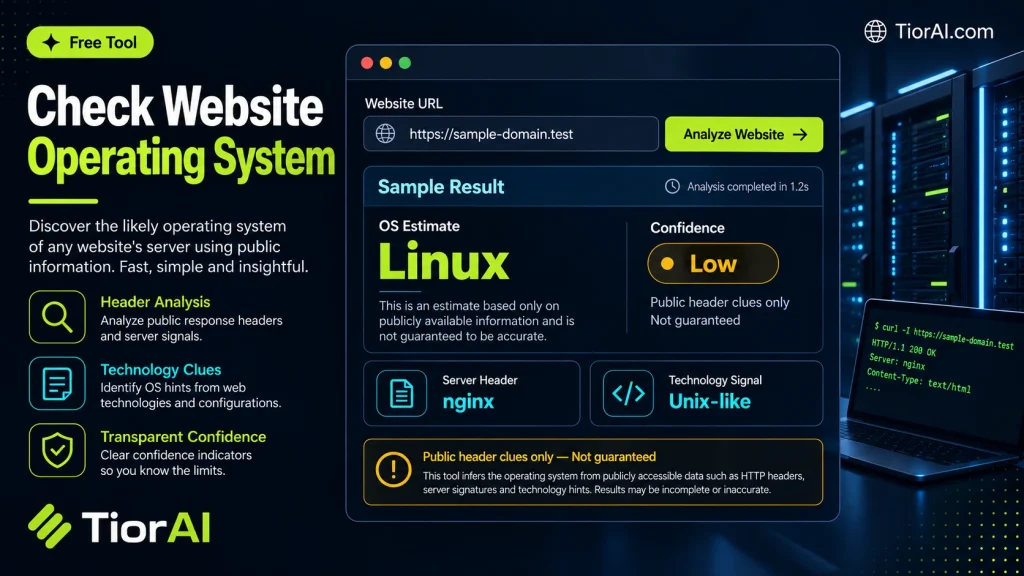
Every website is hosted on a server that runs an operating system like Linux, Windows, or Unix. This OS controls how the server manages resources and serves content. Detecting the operating system behind a website involves analyzing server responses and metadata to infer which OS…
How to use it
- Enter Domain or IP Enter the domain name, IP address, or URL into the Check Website Operating System to start the lookup or analysis.
- Run the Check Click the check button to query the relevant databases. Results are retrieved and displayed in seconds.
- Analyze the Results Review the detailed results including status, records, and diagnostics to troubleshoot or verify your query.
Tip Use the Check Website Operating System to verify DNS propagation after making changes — it can take up to 48 hours for full propagation.
Understanding Website Operating Systems
Websites are hosted on servers that run specific operating systems (OS), such as Linux, Windows, or Unix. The operating system manages the server’s hardware and software resources, enabling it to deliver web content to users. Identifying a website’s operating system can provide insights into its hosting environment, security posture, and compatibility with certain technologies.
Why is this important? Knowing the OS helps developers and SEO specialists optimize website performance, troubleshoot issues, and tailor security measures. For example, some server-side scripts or applications may only run on specific OS platforms.
How is the OS detected? Tools analyze HTTP headers, server responses, and other metadata to infer the underlying operating system. This process is not always 100% accurate because some servers mask or customize their responses for security reasons.
Common scenarios for checking a website’s OS include:
- Security audits to identify potential vulnerabilities related to the OS.
- Compatibility checks before deploying software or updates.
- Competitive analysis to understand technology stacks used by other websites.
What is Website Operating System Detection?
Every website is hosted on a server that runs an operating system like Linux, Windows, or Unix. This OS controls how the server manages resources and serves content. Detecting the operating system behind a website involves analyzing server responses and metadata to infer which OS is in use.
When Should You Use This Tool?
- Performing security audits to identify potential vulnerabilities related to the server OS.
- Checking compatibility before deploying server-side applications or updates.
- Conducting competitive analysis to understand the technology stack of other websites.
- Troubleshooting server-related issues that depend on the operating system.
Common Mistakes to Avoid
- Assuming the detected OS is always accurate; some servers mask their identity for security.
- Confusing the website’s server OS with the visitor’s device operating system.
- Using OS detection results alone to make security decisions without further investigation.
Understanding the operating system behind a website can provide valuable insights for developers and SEO professionals. However, it’s important to interpret the results carefully and consider additional context for accurate conclusions.
Frequently asked questions
Reviews and questions
Whether this tool gave people the answer they needed, and what they asked about it.
Sign in to review this tool.
Sign In to ReviewNo reviews yet
Be the first to say whether this tool gave you what you needed.
Ask how to read the result, or what the tool does with an edge case — or answer someone else.
Sign In to AskNo questions yet
Not sure how to read a result? Be the first to ask.
AI tools related to this topic
Tools from the TiorAI directory that work on the same kind of job.

4pm.app | Simple PRO website
4pm.app is a minimalist website builder that helps professionals and small businesses create simple, elegant websites quickly without coding.

Action Network
Action Network is a free digital organizing platform designed for progressive activists and nonprofits to manage petitions, fundraising, email and SMS outreach, and events.