

WordPress CMS Platform for Website Creation and Content Management
WordPress is a free, open-source content management system that allows users to create and manage websites and blogs with customizable themes and plugins.
- Best for
- Website Creation
- Key capability
- Block Editor (Gutenberg)
Save WordPress, follow its updates and vote on it — everything stays in your account.
Sign in or create a free account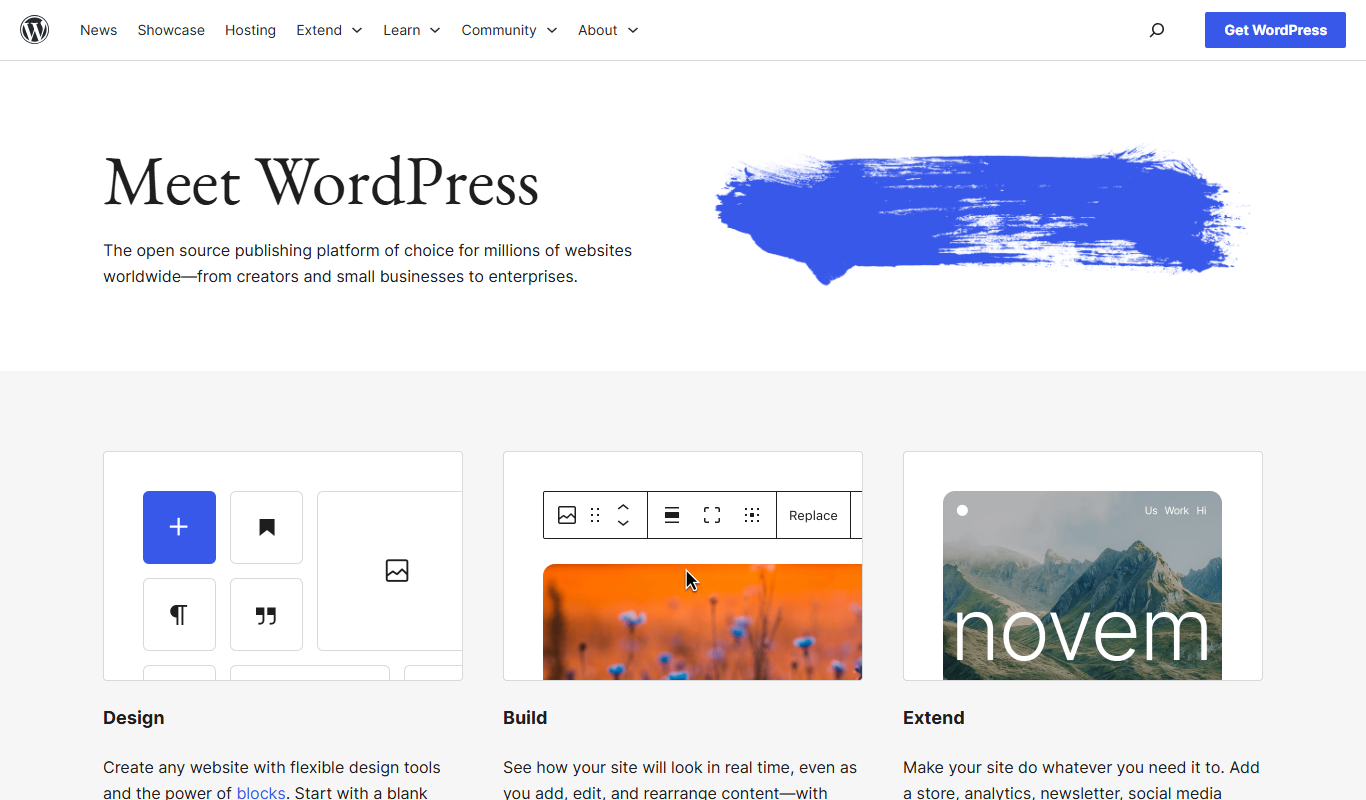
What is WordPress?
WordPress is a free and open-source content management system (CMS) that enables users to create, manage, and publish websites and blogs with ease. It offers a flexible platform with thousands of themes and plugins to customize site appearance and functionality without requiring advanced coding skills.
Key features of WordPress
WordPress provides a powerful editor, theme customization, plugin ecosystem, media management, SEO tools, and user role management, making it suitable for a wide range of website types from simple blogs to complex e-commerce stores.
Block Editor (Gutenberg)
A visual drag-and-drop editor that allows users to build content layouts with blocks for text, images, videos, and more.
Extensive Plugin Library
Thousands of plugins available to extend site functionality including SEO, security, caching, and e-commerce.
Theme Customization
Wide selection of free and premium themes with customization options for colors, fonts, and layouts.
SEO Friendly
Built-in features and plugins to optimize site structure, metadata, and performance for search engines.
User Roles and Permissions
Manage multiple users with different access levels such as administrators, editors, authors, and subscribers.
Pros and cons of WordPress
Pros
- Highly customizable with themes and plugins
- Large community and extensive documentation
- Open-source and free to use
- Supports a wide range of website types
- User-friendly content editor
Cons
- Requires hosting setup for self-hosted version
- Can be complex for absolute beginners
- Performance depends on hosting and plugin choices
Key use cases for WordPress
Website Creation
Build and customize websites for personal, business, or e-commerce purposes using themes and plugins.
Blogging
Publish and manage blog posts with rich media support and SEO optimization.
Content Management
Organize, edit, and schedule content efficiently with a user-friendly dashboard.
E-commerce
Set up online stores with payment gateways and product management via plugins like WooCommerce.
Community Building
Create forums, membership sites, and social networks using extensions and integrations.
How WordPress works
- 1
Install WordPress
Download and install WordPress on a web server or use a hosting provider with one-click installation.
- 2
Choose a Theme
Select and customize a theme to define the website’s look and layout.
- 3
Add Content
Create pages, posts, and media content using the built-in editor.
- 4
Extend Functionality
Install plugins to add features like SEO, e-commerce, security, and social media integration.
- 5
Publish and Manage
Launch the website and manage content updates, user roles, and site settings via the dashboard.
Who is using WordPress
WordPress pricing
Free
$0
Open-source software available for free download and self-hosting.
WordPress.com Plans
From $4/month
Managed hosting plans with additional features like custom domains, premium themes, and support.
Plans and prices are as published by the vendor and can change. Check the official site before you buy. Open the pricing page (opens in a new tab)
Compare similar tools
How WordPress lines up against the tools people weigh it against.
 Wix AI
 vs WordPress: Which AI Design Tool Wins in 2026?
Frequently asked questions about WordPress
Yes, the WordPress software is free and open-source, but hosting and premium services may cost extra.
No, WordPress is designed for users of all skill levels, with many themes and plugins that require no coding.
Yes, by using plugins like WooCommerce, you can build fully functional e-commerce websites.
WordPress is secure when kept updated and combined with security plugins and best practices.
This tool is designed to help users accomplish its core tasks more efficiently. It is typically used by individuals or teams looking to improve productivity and workflow.
Some tools offer a free plan or trial with limited features. Availability can vary, so confirm on the official website.
Yes, it can help with that use case depending on how you configure it and what features are available. You’ll get the best results with clear inputs and a defined goal.
Conclusion
WordPress comes in two forms: the open-source software, free to download and self-host, and managed WordPress.com plans from $4/month that add custom domains, premium themes and support. The self-hosted route needs a web server or a hosting provider with one-click installation, and hosting and premium services may cost extra even though the software is free. Performance also depends on the hosting and plugin choices made.
Once installed, a site takes its look and layout from a theme, and pages and posts are created in the block editor. Themes come in free and premium versions with customization options for colors, fonts and layouts. Thousands of plugins extend site functionality with SEO, security, caching and e-commerce features. Online stores are built the same way, with plugins like WooCommerce handling payment gateways and product management. Multiple users can work on one site under access levels such as administrators, editors and authors.
The software is designed for users of all skill levels, with many themes and plugins that require no coding, from bloggers and e-commerce entrepreneurs to web developers and nonprofits. It can still be complex for absolute beginners, and its security depends on keeping it updated and combining it with security plugins.
Sources
Sign in to review this tool.
Sign In to ReviewNo reviews yet
Be the first to share how this tool worked for you.
Ask about pricing, limits, or how it compares — or answer someone else.
Sign In to AskNo questions yet
Have a question about using or paying for this tool? Be the first to ask.
Featured on TiorAI



Alternative Tools
Explore similar AI tools that might fit your needs

Weebly
Weebly is a drag-and-drop website builder platform that enables users to create professional websites and online stores without coding skills, offering customizable templates, ecommerce tools, and hosting.
More Coding & Development tools
Other tools in the same category, for when this one is not quite the fit.

Freed AI Medical Scribe
Freed AI Medical Scribe is an AI-driven tool that automates medical note-taking by transcribing and structuring physician-patient conversations, integrating seamlessly with EHR systems to improve clinical workflow.

ApplicantAI
ApplicantAI is an AI recruitment tool that automates resume screening and candidate matching to streamline hiring processes and improve candidate selection accuracy.

CrayEye
CrayEye is a free, open-source mobile app for crafting and sharing multimodal LLM vision prompts that use your camera plus sensor data such as location and weather.
Nightwatch
Nightwatch is a Node.js powered end-to-end testing framework for writing efficient end-to-end tests and running them against W3C WebDriver.
Plandek Intelligent Analytics
Plandek Intelligent Analytics is a software platform that provides real-time agile delivery metrics, predictive analytics, and comprehensive dashboards by integrating with development tools like Jira and Git to help teams optimize software delivery and DevOps processes.

TestLabs
TestLabs tests your app on 20 real devices for 14 days to meet the Google Play testing policy, with daily reports, device logs and screenshots.
Spectate
Spectate monitors websites, APIs and servers, alerts you before users notice issues and keeps status pages updated with AI, with a free plan.

Modly
Modly.ai trains, fine-tunes and hosts custom large language models on your business data, delivered as a managed service with API access.