

From my experience with SkedPal, I found it excels at intelligently managing complex schedules by automatically fitting tasks around fixed appointments. The AI-driven approach reduces the manual effort of juggling priorities and deadlines, making it especially useful for busy professionals and freelancers. However, it is primarily designed for individual users and lacks robust team collaboration features, which might limit its use in larger organizations. Overall, if you need a smart scheduling assistant to optimize your personal or professional calendar, SkedPal delivers reliable and adaptive time management.
SkedPal Smart Scheduling Software for Efficient Time Management
SkedPal is an AI-driven smart scheduling software that automatically plans your tasks around fixed appointments, helping you manage time efficiently and meet deadlines.
- Best for
- Personal Time Management
- Key capability
- AI-Powered Smart Scheduling
Your actions
Save SkedPal, follow its updates and vote on it — everything stays in your account.
Sign in or create a free account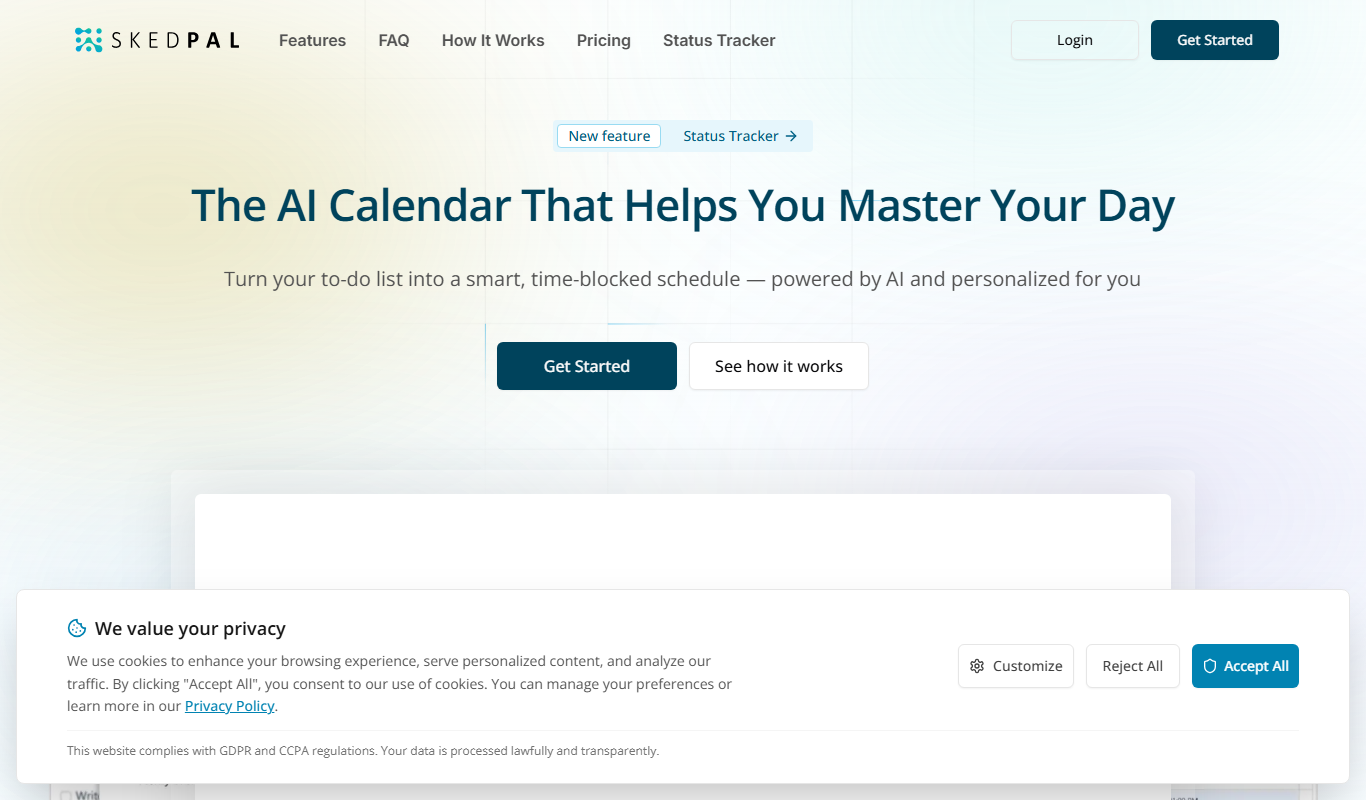
What is SkedPal?
SkedPal is an AI-powered smart scheduling software designed to optimize your calendar by automatically scheduling tasks around your fixed appointments and priorities. It integrates with popular calendar apps to help users manage their time more effectively, ensuring important tasks are completed on time without manual rescheduling.
Key features of SkedPal
SkedPal offers dynamic task scheduling, calendar integration, priority-based planning, and adaptive rescheduling to help users maintain productivity and meet deadlines effortlessly.
AI-Powered Smart Scheduling
Automatically schedules tasks based on priorities, deadlines, and calendar availability.
Calendar Integration
Seamlessly syncs with Google Calendar, Outlook, and other popular calendar apps.
Priority and Deadline Management
Allows users to set task priorities and deadlines to ensure critical tasks are completed first.
Adaptive Rescheduling
Automatically adjusts your schedule when unexpected events occur or tasks take longer than planned.
Time Blocking
Supports blocking dedicated time slots for focused work on specific tasks.
Pros and cons of SkedPal
Pros
- Automates complex scheduling tasks saving time
- Integrates well with major calendar apps
- Adaptive rescheduling handles unexpected changes
- Helps improve productivity and time management
Cons
- Limited team collaboration features
- No offline mode available
Key use cases for SkedPal
Personal Time Management
Helps individuals organize their daily tasks and appointments efficiently by automatically scheduling tasks around fixed commitments.
Professional Task Scheduling
Enables professionals to prioritize and allocate time for work projects, meetings, and deadlines with AI-powered calendar optimization.
Project Planning
Assists project managers in breaking down projects into manageable tasks and scheduling them to meet deadlines without overloading resources.
Work-Life Balance
Supports users in balancing work tasks with personal activities by intelligently adjusting schedules based on priorities and available time.
How SkedPal works
- 1
Connect Your Calendar
Integrate SkedPal with your existing calendar apps like Google Calendar or Outlook to sync your appointments.
- 2
Add Tasks with Priorities
Input your tasks and assign priorities, deadlines, and estimated durations.
- 3
Automatic Scheduling
SkedPal’s AI schedules your tasks around fixed events, optimizing your day for maximum productivity.
- 4
Adjust and Reschedule
If plans change, SkedPal automatically reschedules tasks to fit your updated availability.
Who is using SkedPal
Busy professionals
Freelancers and consultants
Project managers
Students managing coursework
Entrepreneurs and small business owners
SkedPal pricing
Free Trial
$0 for 14 days
Full access to all features during the trial period.
Monthly Subscription
$9.99/month
Access to smart scheduling features with monthly billing.
Annual Subscription
$99/year
Discounted annual plan with full feature access.
Plans and prices are as published by the vendor and can change. Check the official site before you buy. Open the pricing page (opens in a new tab)
Frequently asked questions about SkedPal
Yes, SkedPal integrates seamlessly with Google Calendar as well as Outlook and other popular calendar apps.
Yes, SkedPal offers a 14-day free trial with full access to all features.
SkedPal is primarily designed for individual use but can be used by professionals managing multiple projects.
Yes, SkedPal is available on web, iOS, and Android platforms.
It depends on your specific needs and how you plan to use the tool. The official website and documentation are the best sources for the latest details.
It depends on your specific needs and how you plan to use the tool. The official website and documentation are the best sources for the latest details.
Yes, it can help with that use case depending on how you configure it and what features are available. You’ll get the best results with clear inputs and a defined goal.
Yes, it can help with that use case depending on how you configure it and what features are available. You’ll get the best results with clear inputs and a defined goal.
Sign in to review this tool.
Sign In to ReviewNo reviews yet
Be the first to share how this tool worked for you.
Ask about pricing, limits, or how it compares — or answer someone else.
Sign In to AskNo questions yet
Have a question about using or paying for this tool? Be the first to ask.
Featured on TiorAI



Alternative Tools
Explore similar AI tools that might fit your needs
Free Trial
Motion
Motion is an AI-driven scheduling and productivity tool that automates meeting scheduling, task prioritization, and calendar management to help users optimize their time and workflows.

Free
Clockwise
Clockwise is an AI-powered scheduling assistant that optimizes your calendar by automatically rescheduling meetings, blocking focus time, and coordinating team schedules to improve productivity.
More AI Productivity Tools tools
Other tools in the same category, for when this one is not quite the fit.

Free
Merlin AI
Merlin AI is a GPT-4 powered AI chat assistant that integrates as a browser extension, enabling users to access AI-generated content and assistance directly on any website to improve productivity and content creation.

Freemium
Wanderlust Browser Extension V2
Wanderlust Browser Extension V2 is a travel planning tool that integrates with Chrome and Firefox browsers, enabling users to save travel ideas, build itineraries, and collaborate on trip plans directly from their browsing experience.

Freemium
EasyTrip AI
EasyTrip AI is an AI-driven travel planner that generates customized trip itineraries based on your travel dates, destinations, and preferences, helping you organize your trip efficiently.

Freemium
PlaninGo
PlaninGo is an AI travel planning tool that generates personalized trip itineraries and guides based on your preferences, helping you plan efficient and enjoyable trips.

Free
Travelwiz
Travelwiz is an AI-powered travel planning tool that creates personalized trip itineraries and offers tailored travel recommendations based on user preferences.

Freemium
Swifty
Swifty is an AI writing assistant that helps users create and edit English content quickly with AI-generated suggestions and grammar corrections.

Free
Momo
Momo is an AI-powered assistant that automates workflows, manages tasks, and enhances team collaboration by integrating with popular productivity tools.

Freemium
Travel Itinerary AI
Travel Itinerary AI is an AI-powered web tool that creates personalized travel itineraries based on your preferences, helping you plan and manage trips efficiently.