
From my experience with Deckset, I found it excels at turning simple Markdown text into polished presentations quickly, which is a huge time saver for those comfortable with Markdown. The live preview and professional themes make slide creation straightforward without the distractions of complex design tools. However, the Mac-only availability limits its use for teams or individuals on other platforms, and it lacks direct PowerPoint export, which might be a drawback for some. Overall, if you prefer a text-based workflow and want to create clean presentations fast on a Mac, Deckset is a solid choice.
Deckset Presentation Software for Mac - Markdown Slide Deck Creator
Deckset is a Mac-only presentation tool that transforms Markdown text into professional slide decks with customizable themes and live preview.
What is Deckset?
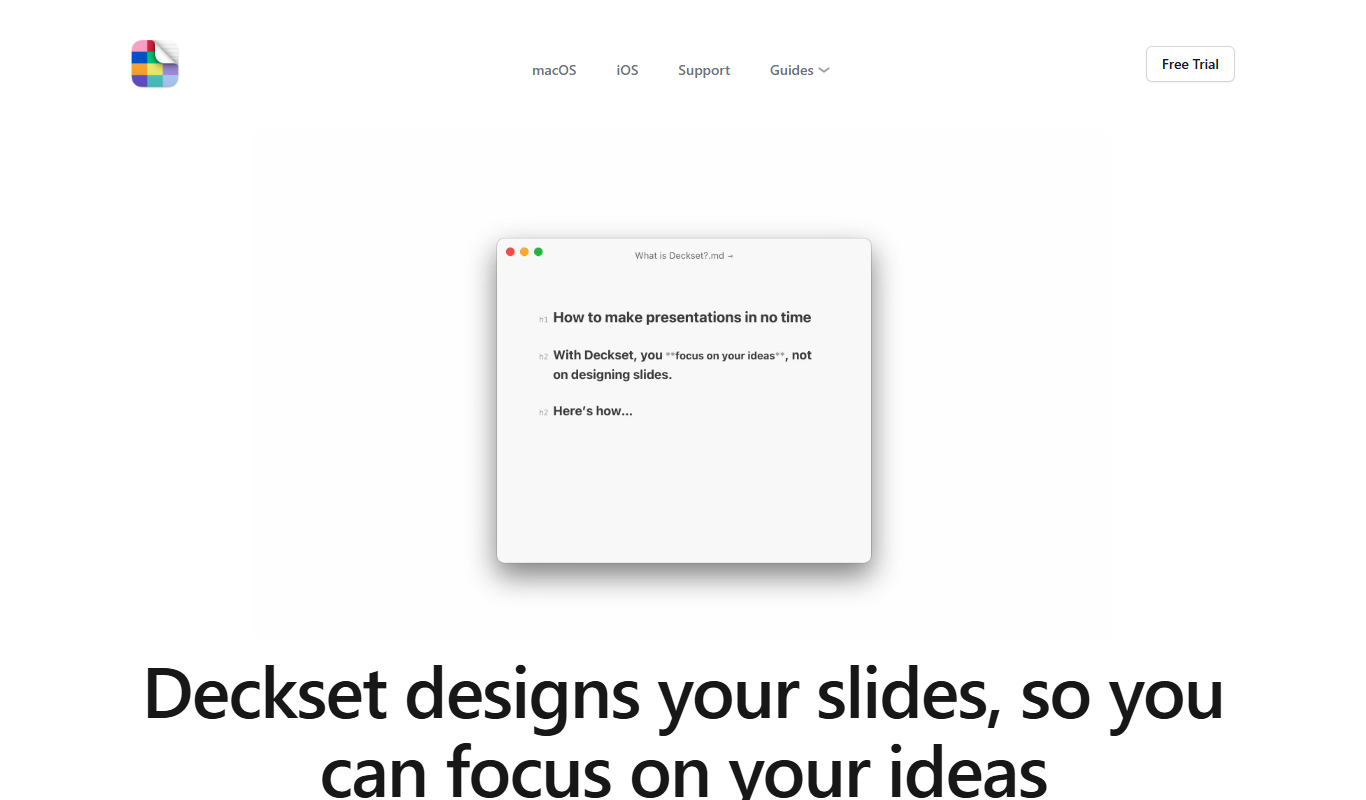
Deckset is a Mac-only presentation software that transforms plain text written in Markdown into stylish slide decks. It is designed for users who prefer writing their presentations in a simple text format and want to avoid the complexity of traditional slide editors. Deckset automatically applies themes and layouts to the Markdown content, enabling fast and distraction-free slide creation.
Key Features of Deckset
Markdown-Based Slide Creation
Write presentations in plain text using Markdown for fast and distraction-free content creation.
Professional Themes
Choose from a variety of clean, modern themes that automatically style your slides.
Live Preview
Instantly see how your Markdown content translates into slides as you write.
Media Embedding
Easily add images, videos, and links to your slides using simple Markdown syntax.
Export Options
Export presentations as PDFs or Keynote files for sharing or further editing.
Pros and Cons of Deckset
Pros
- Simple and fast slide creation using Markdown
- Clean, professional themes included
- Live preview speeds up editing
- One-time purchase with no subscription
- Great for users who prefer text-based workflows
Cons
- Mac-only platform limits accessibility
- No direct PowerPoint export
- Limited customization compared to traditional slide editors
Key Use Cases for Deckset
Creating Slide Presentations
Convert plain text written in Markdown into visually appealing slide decks quickly and efficiently.
Content Preparation for Talks
Prepare structured presentation content without distraction from formatting, focusing on the message.
Marketing and Sales Presentations
Design professional presentations for marketing pitches and sales meetings using customizable themes.
Educational Lectures
Create lecture slides with ease, allowing educators to focus on content rather than design.
Remote and Hybrid Meeting Presentations
Generate clean, readable slides suitable for sharing in virtual meetings and webinars.
How Deckset Works
-
1
Write in Markdown
Create your presentation content using Markdown syntax in any text editor.
-
2
Open in Deckset
Import the Markdown file into Deckset to automatically generate slides.
-
3
Choose a Theme
Select from multiple built-in themes to style your presentation.
-
4
Preview and Edit
Review your slides live and make adjustments to the Markdown text as needed.
-
5
Export and Present
Export your slide deck as PDF or Keynote file, or present directly from Deckset.
Who's Using Deckset
Writers and content creators
Educators and lecturers
Marketing professionals
Mac users preferring Markdown
Presenters seeking quick slide creation
Deckset Pricing
Standard License
$29.99 one-time
Full access to Deckset features with free updates.
Frequently Asked Questions About Deckset
No, Deckset is currently only available for macOS.
Deckset is designed for users comfortable with Markdown, but its syntax is simple to learn.
Deckset exports to PDF and Keynote formats, but not directly to PowerPoint.
Deckset offers a free trial version to test the software before purchase.
This tool is designed to help users accomplish its core tasks more efficiently. It is typically used by individuals or teams looking to improve productivity and workflow.
Some tools offer a free plan or trial with limited features. Availability can vary, so confirm on the official website.
Yes, it can help with that use case depending on how you configure it and what features are available. You’ll get the best results with clear inputs and a defined goal.
Yes, it can help with that use case depending on how you configure it and what features are available. You’ll get the best results with clear inputs and a defined goal.
Share your review
Reviews are limited to one per logged-in user and are published after moderation.
You need an account to review this tool.
0.0
★
★
★
★
★
0 reviews
5 star
0
4 star
0
3 star
0
2 star
0
1 star
0
No reviews yet
Be the first to share how this tool worked for you.
Questions from the community
Read questions and answers about this tool, or ask your own.
No questions yet
Start the conversation by asking the first question about this tool.
Is this tool helpful?
Alternative Tools
Explore similar AI tools that might fit your needs
Free
Marp
Marp is an open-source tool that converts Markdown files into presentation slides with export options including PDF and PowerPoint, featuring customizable themes and syntax highlighting.

Free
Reveal.js
Reveal.js is an open-source HTML presentation framework that allows developers to create interactive, customizable slide decks using web technologies like HTML, CSS, and JavaScript.
Free
CopyPaste.me
CopyPaste.me is an AI-powered web tool that helps users generate and rewrite text content quickly and easily, supporting content creation, paraphrasing, and SEO optimization.

Free
Remove Line Breaks Tool
Remove Line Breaks Tool is a free online utility that removes unwanted line breaks from text, helping you create clean, continuous paragraphs quickly and easily.

Free
CommonLit
CommonLit is a free online platform providing leveled reading passages, comprehension questions, and teacher tools to support literacy development for students in grades 3-12.
Custom Pricing
Yseop Compose
Yseop Compose is an AI natural language generation software that automates the creation of business reports and documents by converting structured data into human-like narratives, supporting multiple languages and API integration.
Subscription
Mathletics
Mathletics is an online math learning platform that provides interactive, curriculum-aligned math activities and real-time progress tracking for students, teachers, and parents.

Free
PromptPerfect
PromptPerfect is an AI tool that refines and optimizes user prompts to improve the quality and relevance of responses from AI chatbots like ChatGPT.

Free
Flashcard Machine
Flashcard Machine is a web-based tool for creating and studying custom flashcards with multiple study modes and sharing capabilities.

Free
WorksheetWorks
WorksheetWorks is a free online tool that lets users create and print customized educational worksheets for various subjects and grade levels without registration.