

From my experience with AlbumCover AI, I found it excels at quickly producing unique and professional album cover art without requiring any design skills. The platform is particularly well-suited for independent musicians and producers who need affordable, high-quality visuals to promote their music. However, the customization options are somewhat limited compared to manual graphic design tools, which might be a drawback for users seeking full creative control. Overall, if you want to generate compelling album artwork fast and cost-effectively, AlbumCover AI delivers solid results.
AI-Powered Album Cover Generator for Musicians and Creators
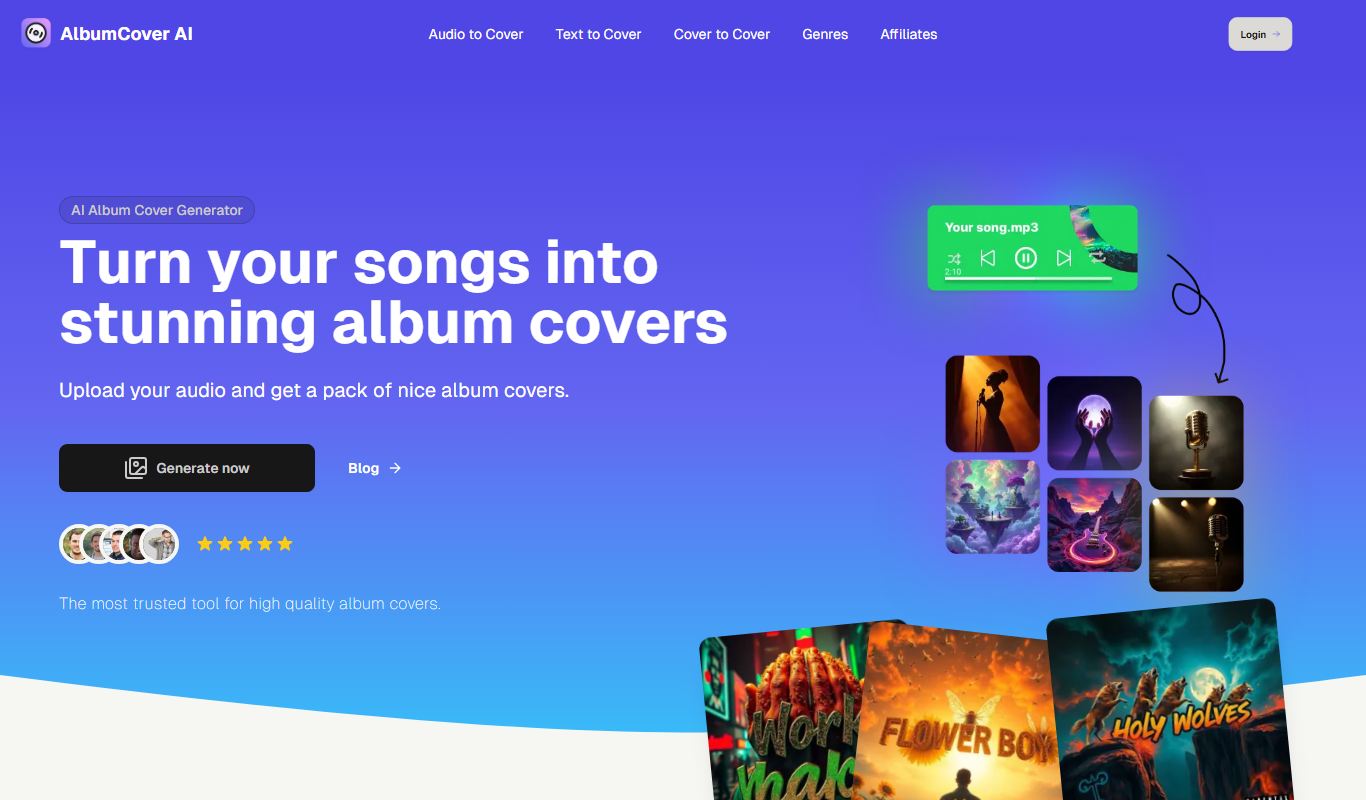
AlbumCover AI is a web-based tool that uses artificial intelligence to generate unique album cover art for musicians and creators, offering multiple design options and high-resolution downloads.
- Best for
- Album Cover Creation
- Key capability
- AI-Driven Design Generation

Do you recommend this tool?
What is AlbumCover AI?
AlbumCover AI is an AI-driven web application that enables musicians, producers, and creators to generate custom album cover art effortlessly. By leveraging advanced artificial intelligence models, the tool creates unique, visually appealing designs based on user inputs such as genre, mood, and style preferences. It simplifies the creative process, allowing users to obtain professional-quality artwork without needing graphic design skills.
Key features of AlbumCover AI
The platform offers an intuitive interface to input creative prompts, generate multiple cover art options, and download high-resolution images. It supports customization and iteration, making it easy to refine designs. AlbumCover AI also provides a cost-effective alternative to traditional graphic design services for album artwork.
AI-Driven Design Generation
Uses advanced AI models to create unique and relevant album cover art based on user inputs.
Multiple Design Options
Generates several cover art variations to choose from, enhancing creative freedom.
High-Resolution Downloads
Provides high-quality images suitable for digital distribution and print.
User-Friendly Interface
Simple and intuitive web platform that requires no prior design experience.
Pros and cons of AlbumCover AI
Pros
- Quick and easy album cover creation
- No graphic design skills required
- Affordable pricing compared to hiring designers
- Multiple unique design options generated
- High-resolution downloads suitable for professional use
Cons
- Customization options are limited compared to manual design tools
- Currently supports only English language interface
Key use cases for AlbumCover AI
Album Cover Creation
Generate unique and professional album covers quickly using AI, ideal for musicians and producers.
Music Marketing
Create eye-catching visuals to promote music releases on streaming platforms and social media.
Creative Inspiration
Use AI-generated art as a starting point for further customization or artistic exploration.
Independent Artists
Empower independent musicians to produce high-quality artwork without hiring a designer.
How AlbumCover AI works
- 1
Enter Album Details
Provide information such as album name, artist name, genre, and desired style to guide the AI.
- 2
Generate Artwork
The AI processes the inputs and creates multiple unique album cover designs.
- 3
Review and Customize
Browse generated options, select favorites, and make adjustments if needed.
- 4
Download Final Cover
Download the high-resolution album cover ready for distribution and promotion.
Who is using AlbumCover AI
Independent musicians
Music producers
Content creators
Small record labels
Marketing professionals in music industry
AlbumCover AI pricing
Free
$0/month
Access to basic features with limited downloads and standard resolution.
Pro
$9.99/month
Unlimited downloads, high-resolution images, and priority generation speed.
Plans and prices are as published by the vendor and can change. Check the official site before you buy. Open the pricing page (opens in a new tab)
Frequently asked questions about AlbumCover AI
Yes, album covers generated with AlbumCover AI can be used commercially without additional licensing fees.
No, the platform is designed for users without graphic design experience, making it easy to create professional covers.
Downloads are typically available in high-resolution PNG or JPEG formats suitable for digital and print use.
The free plan has limits on the number of downloads, while the Pro subscription offers unlimited generation and downloads.
It depends on your specific needs and how you plan to use the tool. The official website and documentation are the best sources for the latest details.
Yes, it can help with that use case depending on how you configure it and what features are available. You’ll get the best results with clear inputs and a defined goal.
Pricing depends on the plan and included features. For the most accurate and up-to-date details, check the official pricing page.
Sign in to review this tool.
Sign In to ReviewNo reviews yet
Be the first to share how this tool worked for you.
Ask about pricing, limits, or how it compares — or answer someone else.
Sign In to AskNo questions yet
Have a question about using or paying for this tool? Be the first to ask.
Featured on TiorAI



Alternative Tools
Explore similar AI tools that might fit your needs

Free
Fotor
Fotor is an online photo editing and graphic design tool offering AI-powered enhancements, templates, and batch processing across web and mobile platforms.