

Blanked AI reverse dictionary and word finder
Blanked is a free AI reverse dictionary: describe a word you forgot, any way you like, and it finds the word for you, with no signup.
- Best for
- Words on the tip of the tongue
- Key capability
- Describe a word your way
Save Blanked, follow its updates and vote on it — everything stays in your account.
Sign in or create a free account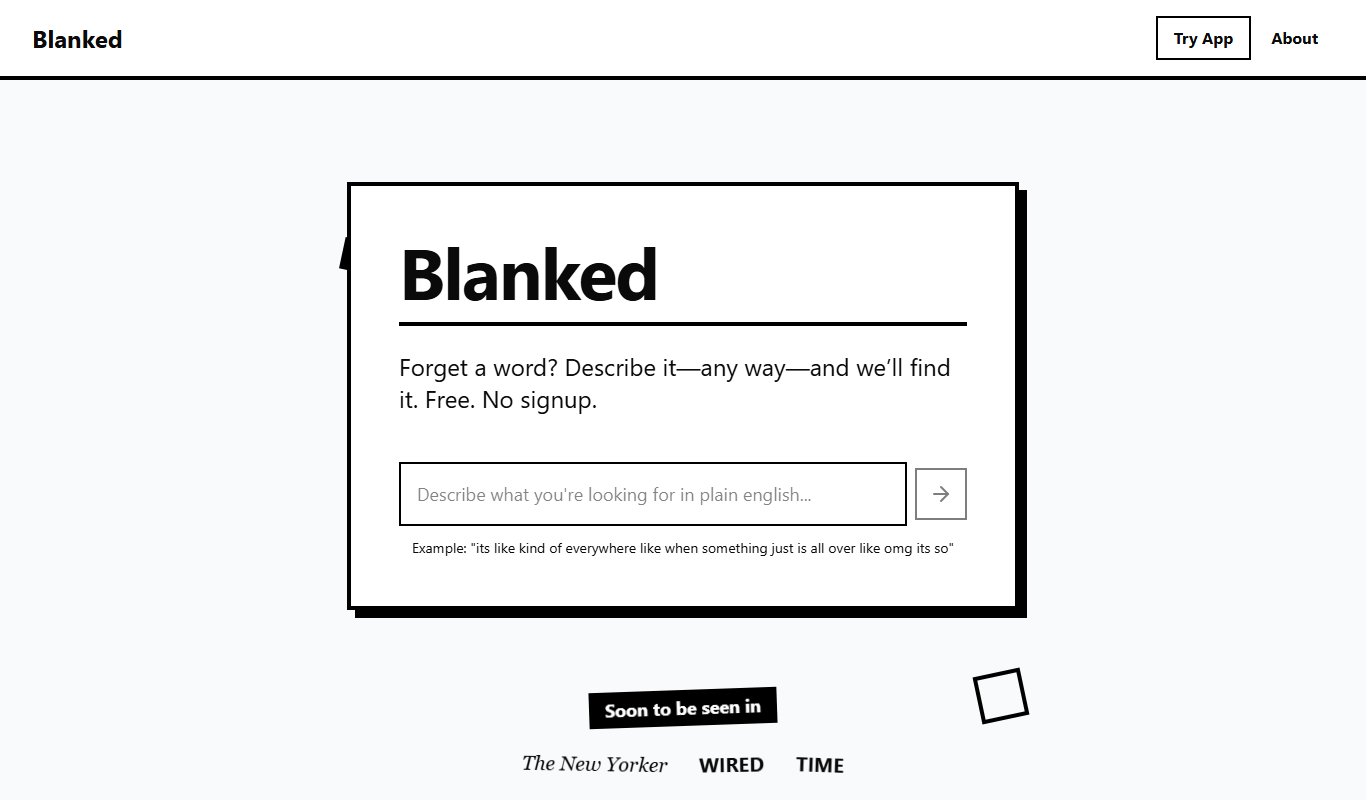
What is Blanked?
Blanked is an AI-powered reverse dictionary and word finder. You describe a word you have forgotten in your own words, even messy or vague ones, and its AI algorithm returns the word plus a few alternatives. It is free and needs no signup.
Key features of Blanked
Blanked flips a traditional dictionary: you describe a word in your own words, its AI algorithm reads the context, and it returns the word plus a few alternatives, free and without signup.
Describe a word your way
Describe the word you are looking for in your own words, even messy, vague or full of filler words.
AI that reads context
A novel AI algorithm digs into your description, catching every hint, piece of context and idea.
Word plus alternatives
Each result gives your word plus a few extra options to play with.
Free with no signup
Blanked is free and needs no signup: just type and go.
Pros and cons of Blanked
Pros
- Free and no signup needed
- Understands vague or messy descriptions
- Suggests a few alternative words with each result
Cons
- Supports only English language
- Limited features on free plan
- No mobile app available
Key use cases for Blanked
Words on the tip of the tongue
Find the word you are blanking on instead of dealing with tip of the tongue moments.
Finding a more precise word
Describe an idea such as something that is all over at once and get a word like ubiquitous, with alternatives such as omnipresent or widespread.
Creative Writing
Use AI to brainstorm ideas and draft creative stories or scripts with minimal effort.
Editing and Proofreading
Enhance existing text by improving grammar, style, and readability using AI suggestions.
How Blanked works
- 1
Describe it
Say what the word means your way, messy or vague.
- 2
The AI thinks
The AI algorithm digs into your words and catches every hint, piece of context and idea.
- 3
Get your word
Blanked returns your word plus a few extras to play with.
- 4
Export or Save
Save your work within the platform or export it for use in other applications.
Who is using Blanked
Blanked pricing
Free
Free
Free, no signup.
Pro
$15/month
Unlimited AI content generation, priority support, and advanced editing tools.
Plans and prices are as published by the vendor and can change. Check the official site before you buy. Open the pricing page (opens in a new tab)
Frequently asked questions about Blanked
Yes. Blanked is free and needs no signup.
Any way you like. The algorithm thrives on context, so vague, messy or imperfect descriptions all help.
Your word, plus a few extra words to play with, for example omnipresent and widespread next to ubiquitous.
Yes, your work is saved within your account to prevent data loss.
It depends on your specific needs and how you plan to use the tool. The official website and documentation are the best sources for the latest details.
Yes, it can help with that use case depending on how you configure it and what features are available. You’ll get the best results with clear inputs and a defined goal.
Conclusion
Blanked flips a traditional dictionary: a forgotten word is described in your own words, vague or messy, and the reverse dictionary finds it. Filler words do no harm, because the AI algorithm thrives on context and catches every hint. Each answer is the word plus a few alternatives, so a description of something that is all over at once can lead to ubiquitous, with omnipresent and widespread as other options.
The service is free and needs no signup or account: the user just types and goes. It is a single-purpose word finder, so it may suit anyone stuck on a tip of the tongue word rather than people who need a full writing editor.
Sources
Sign in to review this tool.
Sign In to ReviewNo reviews yet
Be the first to share how this tool worked for you.
Ask about pricing, limits, or how it compares — or answer someone else.
Sign In to AskNo questions yet
Have a question about using or paying for this tool? Be the first to ask.
Featured on TiorAI



More AI Writing & Content Tools tools
Other tools in the same category, for when this one is not quite the fit.

Podcast Shownotes Generator
Podcast Shownotes Generator is an AI-powered web tool that creates detailed, SEO-optimized summaries for podcast episodes, helping podcasters save time and improve discoverability.

JotBot AI
JotBot AI is an AI writing assistant that writes in your personal style and helps you find and cite sources without leaving your document.

Sonnet
Sonnet AI is a meeting assistant and notetaker that records without bots, transcribes, writes custom notes, extracts action items and updates your CRM.

MyReport
MyReport by Alaba.ai generates complete reports and essays from a title and description, searching the web and citing its sources.

MagicBlog
MagicBlog is an AI-powered SEO autoblogger that writes SEO-optimized blog content and publishes it automatically to your blog.

FixMeBot
FixMeBot is an AI writing assistant for 90+ languages that corrects, rewrites, translates and shortens text in any browser text field and in Telegram.

smudge.ai
Smudge.ai is a Chrome extension that gives you ChatGPT-powered shortcuts in your right-click menu to summarize, correct, refine or translate text on any web page.

Snazzy Send
Snazzy Send connects your Gmail or Outlook inbox and drafts polished replies from a short prompt, with reply logs, drafts and an automatic signature.