

AltText.ai Automated Image Alt Text Generator for SEO and Accessibility
AltText.ai is an AI-based tool that automatically generates descriptive alternative text for images to enhance web accessibility and SEO.
- Best for
- Automated Alt Text Generation
- Key capability
- AI-Powered Alt Text Generation
Save AltText.ai, follow its updates and vote on it — everything stays in your account.
Sign in or create a free account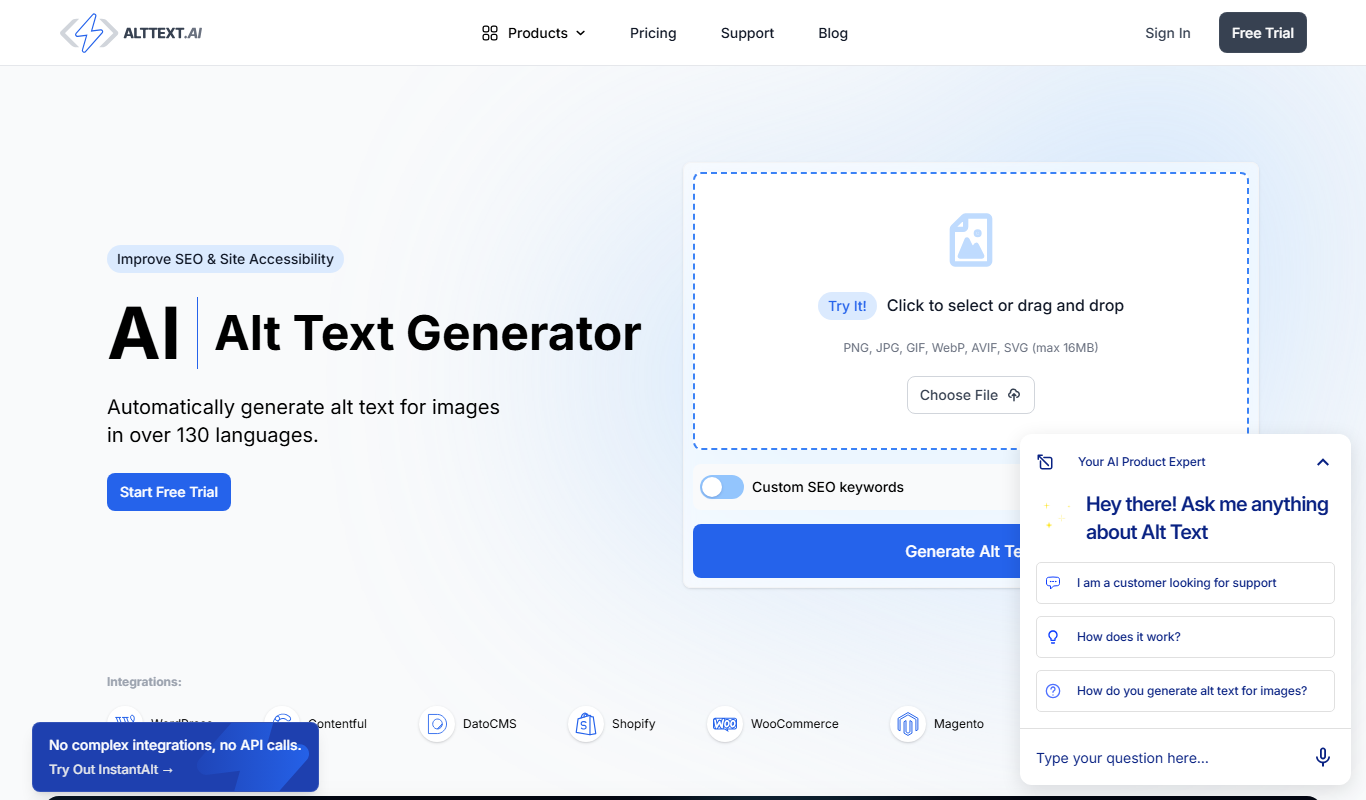
What is AltText.ai?
AltText.ai is an AI-powered web tool designed to automatically generate descriptive alternative text for images. It helps website owners, content creators, and marketers improve accessibility for visually impaired users and enhance SEO by providing accurate and relevant alt text without manual effort.
Key features of AltText.ai
The tool offers quick and automated alt text generation for images, supporting bulk uploads and integration with various platforms. It focuses on creating meaningful descriptions that comply with accessibility guidelines and improve search engine visibility.
AI-Powered Alt Text Generation
Automatically creates descriptive alt text using advanced image recognition algorithms.
Bulk Image Processing
Supports uploading multiple images at once for efficient alt text generation.
Accessibility Compliance
Generates alt text that helps meet WCAG and other accessibility standards.
Easy Integration
Can be integrated with various CMS platforms and workflows for seamless use.
Pros and cons of AltText.ai
Pros
- Saves time by automating alt text creation
- Improves website accessibility and SEO
- Supports bulk image processing
- User-friendly interface with editing options
Key use cases for AltText.ai
Automated Alt Text Generation
Automatically generate descriptive alt text for images to improve web accessibility and SEO.
E-commerce Image Optimization
Enhance product images with accurate alt text to boost search engine rankings and user experience.
Content Management
Streamline the process of adding alt text to images in blogs, websites, and digital content.
Accessibility Compliance
Help websites meet accessibility standards such as WCAG by providing meaningful image descriptions.
How AltText.ai works
- 1
Upload Images
Users upload images directly to the AltText.ai platform or connect via supported integrations.
- 2
AI Analysis
The AI analyzes the image content to generate a relevant and descriptive alt text.
- 3
Review and Edit
Users can review the generated alt text and make edits if necessary to ensure accuracy.
- 4
Download or Integrate
Final alt texts can be downloaded or integrated into websites and content management systems.
Who is using AltText.ai
AltText.ai pricing
Free
$0
Start with 25 credits, no credit card required.
Bronze
$5 /mo
Perfect for personal blogs and portfolios; 100 credits / month; $49 /yr with 1,200 credits when billed annually.
Silver
$19 /mo
Growing websites and small businesses; 500 credits / month; $189 /yr with 6,000 credits when billed annually.
Gold
$59 /mo
E-commerce stores and content teams; 2,000 credits / month; $489 /yr with 24,000 credits when billed annually.
Titanium
$119 /mo
Agencies and multi-client teams; 5,000 credits / month; $1179 /yr with 60,000 credits when billed annually.
Platinum
$229 /mo
Enterprise publishers and platforms; 10,000 credits / month; $2199 /yr with 120,000 credits when billed annually.
Plans and prices are as published by the vendor and can change. Check the official site before you buy. Open the pricing page (opens in a new tab)
Frequently asked questions about AltText.ai
Alt text is a description of an image that helps visually impaired users understand the content and improves SEO by providing context to search engines.
Yes, users can review and manually edit the generated alt text to ensure it meets their specific needs.
Yes, the tool allows users to upload multiple images at once for faster alt text generation.
AltText.ai generates alt text designed to help websites meet WCAG and other accessibility guidelines.
It depends on your specific needs and how you plan to use the tool. The official website and documentation are the best sources for the latest details.
Some tools offer a free plan or trial with limited features. Availability can vary, so confirm on the official website.
Yes, it can help with that use case depending on how you configure it and what features are available. You’ll get the best results with clear inputs and a defined goal.
Conclusion
An image goes in by URL or file upload, and descriptive alt text comes back. The same service runs through a web interface, a Developer API and ready-made integrations such as a WordPress plugin, a Shopify app and a Chrome extension. With the WordPress plugin, every new image added to the media library gets alt text automatically, and a bulk updater repairs existing images. Descriptions can be generated in 130+ languages and are aimed at WCAG and ADA accessibility as well as image SEO.
A free site scan crawls up to 25 pages to show which images are missing alt text. Web developers, e-commerce businesses and accessibility consultants are the groups it is meant for. Pricing runs on credits, one per image, with a free starting allowance and plans whose unused credits roll over at each renewal. Advanced formats such as AVIF, HEIC and SVG are reserved for paid plans.
Sources
Sign in to review this tool.
Sign In to ReviewNo reviews yet
Be the first to share how this tool worked for you.
Ask about pricing, limits, or how it compares — or answer someone else.
Sign In to AskNo questions yet
Have a question about using or paying for this tool? Be the first to ask.
Featured on TiorAI


