

Powerdrill AI Data Analytics Platform for Business Insights and Automation
Powerdrill Bloom is an AI data analysis workspace with memory whose agents learn from every analysis and turn documents, databases and open data into insights, charts and reports.
- Best for
- Business Data Analysis
- Key capability
- No-Code Data Exploration
Save Powerdrill, follow its updates and vote on it — everything stays in your account.
Sign in or create a free account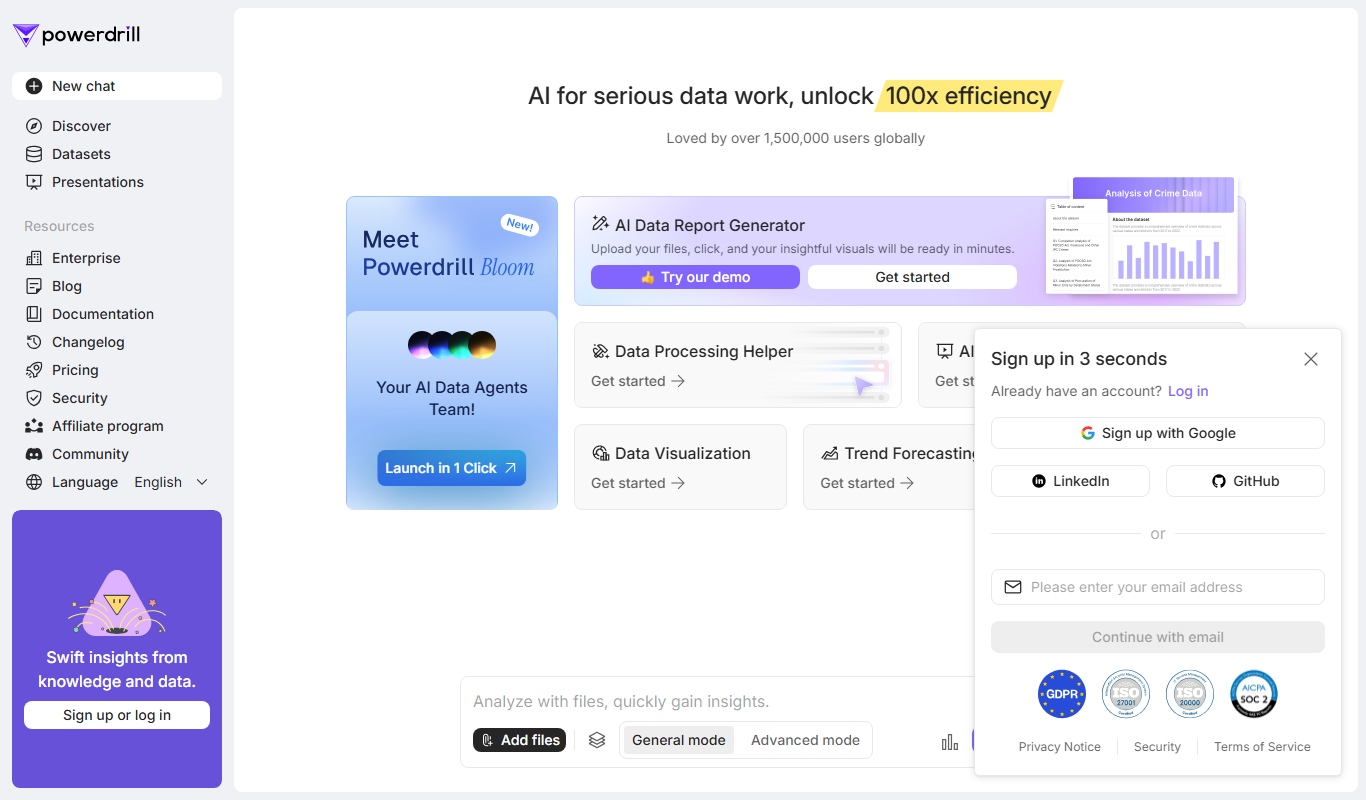
What is Powerdrill?
Powerdrill Bloom is an AI data analysis workspace with memory. Its AI agents learn from every analysis, answer questions about uploaded files, documents, databases and open data in plain language, and return insights, charts, summaries and reports.
Key features of Powerdrill
Powerdrill offers automated data ingestion, AI-powered analysis, customizable dashboards, and seamless report generation. Its intuitive interface allows users to ask questions in natural language and receive instant visual insights, streamlining the data-driven decision process.
No-Code Data Exploration
Enables users to analyze data through simple natural language queries without programming.
AI-Powered Insights
Automatically detects trends, anomalies, and patterns in data to provide actionable recommendations.
Customizable Dashboards
Allows creation of interactive dashboards tailored to specific business needs.
Automated Reporting
Generates scheduled reports to keep stakeholders informed with minimal effort.
Data Integration
Supports connection to multiple data sources including spreadsheets and databases.
Pros and cons of Powerdrill
Pros
- User-friendly no-code interface
- AI-driven automated insights
- Supports multiple data sources
- Customizable dashboards and reports
- Good for non-technical users
Cons
- Limited language support (English only)
- Primarily web-based, no mobile app available
Key use cases for Powerdrill
Business Data Analysis
Analyze complex business data sets to uncover actionable insights without coding.
Automated Reporting
Generate automated reports and dashboards to monitor key performance indicators.
Data Visualization
Create interactive visualizations to better understand trends and patterns.
Cross-Functional Collaboration
Enable teams across departments to access and interpret data easily.
Decision Support
Support strategic decision-making with AI-driven data summaries and recommendations.
How Powerdrill works
- 1
Connect Data Sources
Integrate your business data from spreadsheets, databases, or cloud services into Powerdrill.
- 2
Ask Questions
Use natural language queries to explore your data without writing code.
- 3
Generate Insights
Receive AI-powered analyses and visualizations instantly.
- 4
Create Dashboards
Build and customize dashboards to monitor key metrics and share with your team.
Who is using Powerdrill
Powerdrill pricing
Free
$0.00/month
AI agent workspace for everyday data exploration: 1,000 daily refreshed credits, uploads of Excel, CSV, PDF and docs, open data search, insights, charts and summaries, 1 scheduled task.
Pro
$16.58/month billed annually ($199.00/year)
For professionals who need stronger agents, deeper analysis and richer outputs: 1,000 daily credits plus 5,000 monthly credits and 20 scheduled tasks.
Plus
$33.25/month billed annually ($399.00/year)
Advanced tools built for scaling teams: 1,000 daily credits plus 11,000 monthly credits.
Premium
$165.83/month billed annually ($1,990.00/year)
For high-volume analytical work and complex business execution: 1,000 daily credits plus 60,000 monthly credits.
Team Pro
$16.58 per seat per month billed annually ($199.00/year)
All Pro features with shared team credits; each member uses one seat.
Plans and prices are as published by the vendor and can change. Check the official site before you buy. Open the pricing page (opens in a new tab)
Frequently asked questions about Powerdrill
No, Powerdrill is designed as a no-code platform allowing users to analyze data using natural language queries.
You can connect spreadsheets, SQL databases, and various cloud data services supported by the platform.
There is no trial period; Powerdrill has a free plan with 1,000 daily refreshed credits.
Yes, dashboards can be shared with team members for collaborative data analysis.
This tool is designed to help users accomplish its core tasks more efficiently. It is typically used by individuals or teams looking to improve productivity and workflow.
It depends on your specific needs and how you plan to use the tool. The official website and documentation are the best sources for the latest details.
Data handling and security practices vary by provider. Review the official privacy policy to understand how your data is stored and used.
Some tools offer a free plan or trial with limited features. Availability can vary, so confirm on the official website.
Conclusion
Now branded Powerdrill Bloom, the product is an AI data analysis workspace with memory whose agents learn from every analysis. Excel, CSV, PDF and other documents can be uploaded or built-in open data sources searched, and questions asked in plain language return insights, charts and summaries. Every number comes back with the page, the row or the figure behind it, and a scheduled agent can run recurring analysis by itself. For data that cannot leave a network, it also runs on-premise or in a private cloud.
It is aimed at data analysts without coding skills, business intelligence professionals and marketing teams. A free plan includes 1,000 daily refreshed credits and 1 scheduled task, while the Pro, Plus and Premium plans add monthly credits, stronger agents and 20 scheduled tasks. Team Pro shares credits across seats, and one-time credit top-ups work on any plan, including Free.
Sources
Sign in to review this tool.
Sign In to ReviewNo reviews yet
Be the first to share how this tool worked for you.
Ask about pricing, limits, or how it compares — or answer someone else.
Sign In to AskNo questions yet
Have a question about using or paying for this tool? Be the first to ask.
Featured on TiorAI


