

Albato 3.0 Integration Platform for Automated Workflow and API Connections
Albato 3.0 is a no-code integration platform that connects multiple apps and APIs to automate workflows and synchronize data in real time.
- Best for
- Automate Business Workflows
- Key capability
- Visual Scenario Builder
Save Albato 3.0, follow its updates and vote on it — everything stays in your account.
Sign in or create a free account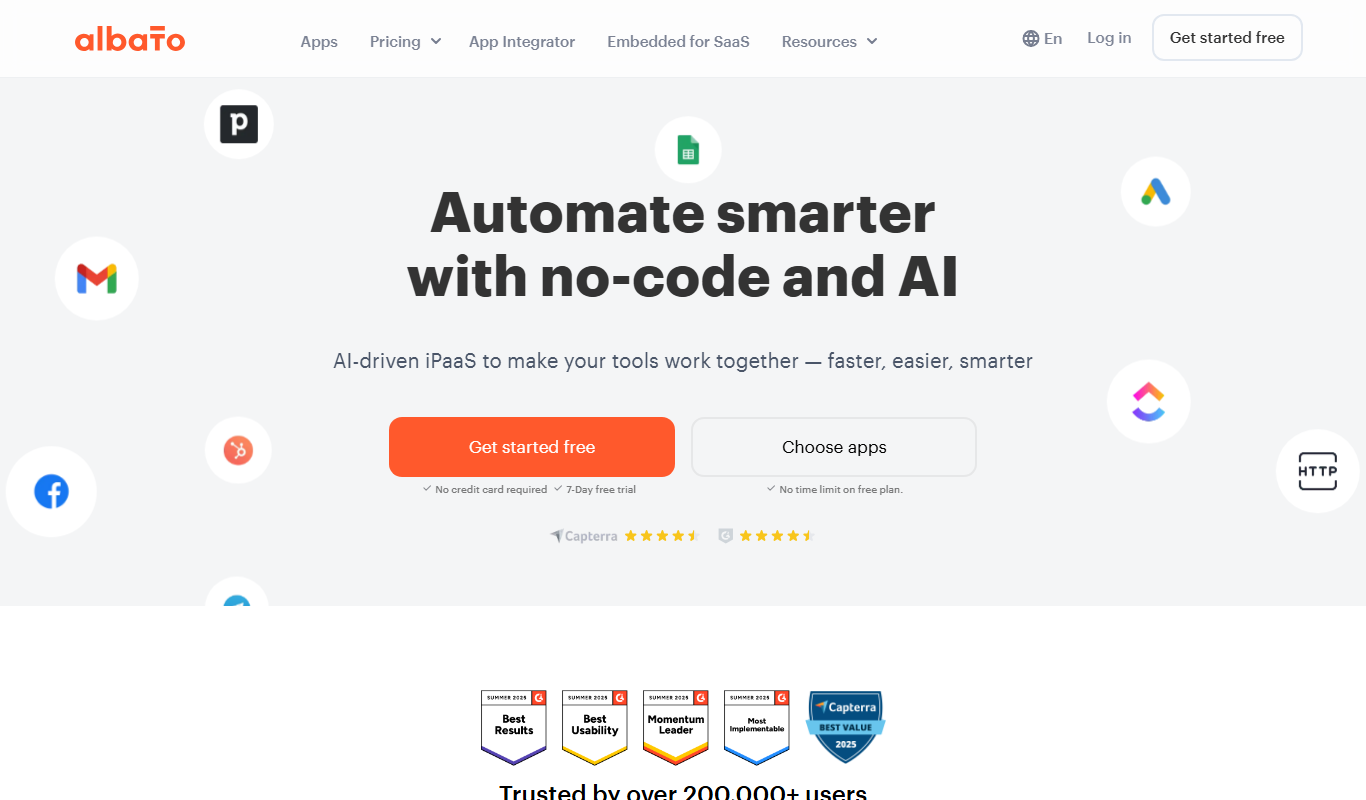
What is Albato 3.0?
Albato 3.0 is a cloud-based integration platform designed to connect various web applications and automate workflows without requiring programming skills. It enables users to create complex automation scenarios by linking multiple services and APIs, helping businesses save time and reduce manual work.
Key features of Albato 3.0
Albato 3.0 offers a no-code visual builder for creating integrations, supports 1,000+ apps, and allows custom webhook and API connections. It also includes monitoring tools and error handling to ensure reliable automation.
Visual Scenario Builder
Drag-and-drop interface to create complex automation workflows without coding.
Wide App Integration Library
Supports integration with 1,000+ apps.
Custom API Support
Connect to any service with an API using Albato’s flexible custom connector.
Real-Time Data Sync
Automate data transfer and synchronization instantly across connected applications.
Error Handling and Monitoring
Built-in tools to monitor workflows and manage errors to ensure reliable automation.
Pros and cons of Albato 3.0
Pros
- User-friendly no-code visual builder
- Supports a wide range of popular apps
- Custom API integration capability
- Real-time data synchronization
- Comprehensive monitoring and error handling
Cons
- Limited task volume on free plan
- Primarily web-based with no desktop or mobile apps
- Some advanced features require higher-tier plans
Key use cases for Albato 3.0
Automate Business Workflows
Connect multiple apps and services to automate repetitive tasks and streamline business processes without coding.
API Integration
Easily integrate APIs from various platforms to synchronize data and enable seamless communication between software tools.
Data Synchronization
Keep data consistent across different applications by setting up automated synchronization workflows.
Lead and Customer Management
Automate lead capture, follow-ups, and customer data updates by connecting CRM, marketing, and communication tools.
E-commerce Automation
Streamline order processing, inventory updates, and customer notifications by integrating e-commerce platforms with other business apps.
How Albato 3.0 works
- 1
Create an Account
Sign up on Albato’s website to access the integration platform.
- 2
Select Apps to Connect
Choose from hundreds of supported applications or add custom APIs.
- 3
Build Automation Scenarios
Use the visual scenario builder to define triggers, actions, and data flows between apps.
- 4
Test and Activate
Test your automation workflows and activate them to run automatically.
- 5
Monitor and Manage
Track workflow executions, handle errors, and adjust scenarios as needed.
Who is using Albato 3.0
Albato 3.0 pricing
Free
$0/month
For individuals getting started with automation: 100 transactions, 5 active automations, 2 steps per automation, unlimited apps and connections, 7-day log storage, 15-min automation update.
Pro
$22/mo billed monthly or $15 /mo billed annually, for 1K transactions
For individuals and small teams, with a 7-day trial: everything in Free plus unlimited automations and steps, data migration and auto replay, Albato AI, AI Agents, parallel scenario execution, 30-day log storage and 5-min automation update.
Teams (Coming soon)
$93/mo billed monthly or $65 /mo billed annually, from 5K transactions
For agencies and collaboration-focused teams: everything in Pro plus Teams mode (invitations, roles, projects), 5 team seats, priority support, shared workspaces and projects, 3-min automation update.
Custom
Contact us
For enterprises with advanced needs: flexible transaction limits, everything in Teams plus a dedicated customer success manager, custom solutions and integrations, agreement sign and SLA support, 60-day log storage and 1-min automation update.
Plans and prices are as published by the vendor and can change. Check the official site before you buy. Open the pricing page (opens in a new tab)
Frequently asked questions about Albato 3.0
No, Albato uses a visual no-code builder that allows users to create integrations without programming.
Yes, Albato supports custom API connections to integrate with virtually any service.
Yes, Albato offers a free plan with limited tasks and access to standard integrations.
Albato supports 1,000+ apps across CRM, marketing, sales and support tools.
This tool is designed to help users accomplish its core tasks more efficiently. It is typically used by individuals or teams looking to improve productivity and workflow.
Integration support depends on the tool and its available connectors or API. Check the official documentation or integrations page to confirm what is supported.
Some tools offer a free plan or trial with limited features. Availability can vary, so confirm on the official website.
Yes, it can help with that use case depending on how you configure it and what features are available. You’ll get the best results with clear inputs and a defined goal.
Conclusion
Two products now share the Albato name: a self-serve automation platform for teams and individuals, and an embedded iPaaS that SaaS companies offer to their own customers under their own brand. On the self-serve side, a visual scenario builder defines triggers, actions and data flows between apps, and finished workflows are tested and then activated to run automatically. The catalog covers 1,000+ apps, and a custom webhook or API connection reaches services outside it. Usage is counted in transactions, one for each automation step that runs after the trigger, while triggers themselves do not consume transactions.
Small and medium businesses, marketing teams and e-commerce operators form the core audience, with use cases such as lead capture and order processing. The free plan allows 5 active automations with 2 steps per automation, while Pro removes those limits, adds Albato AI and AI agents, and starts with a 7-day trial. A Teams plan for agencies and collaboration-focused teams is still marked as coming soon.
Sources
Sign in to review this tool.
Sign In to ReviewNo reviews yet
Be the first to share how this tool worked for you.
Ask about pricing, limits, or how it compares — or answer someone else.
Sign In to AskNo questions yet
Have a question about using or paying for this tool? Be the first to ask.
Featured on TiorAI


