

Insight Video IA tool that turns video lessons into educational resources
Insight Video IA turns recorded lessons into transcripts, e-books, summaries, quizzes, mind maps and social media posts to speed up educational content production.
- Best for
- Lesson preparation
- Key capability
- Lesson transcription
Save Insight Video IA, follow its updates and vote on it — everything stays in your account.
Sign in or create a free account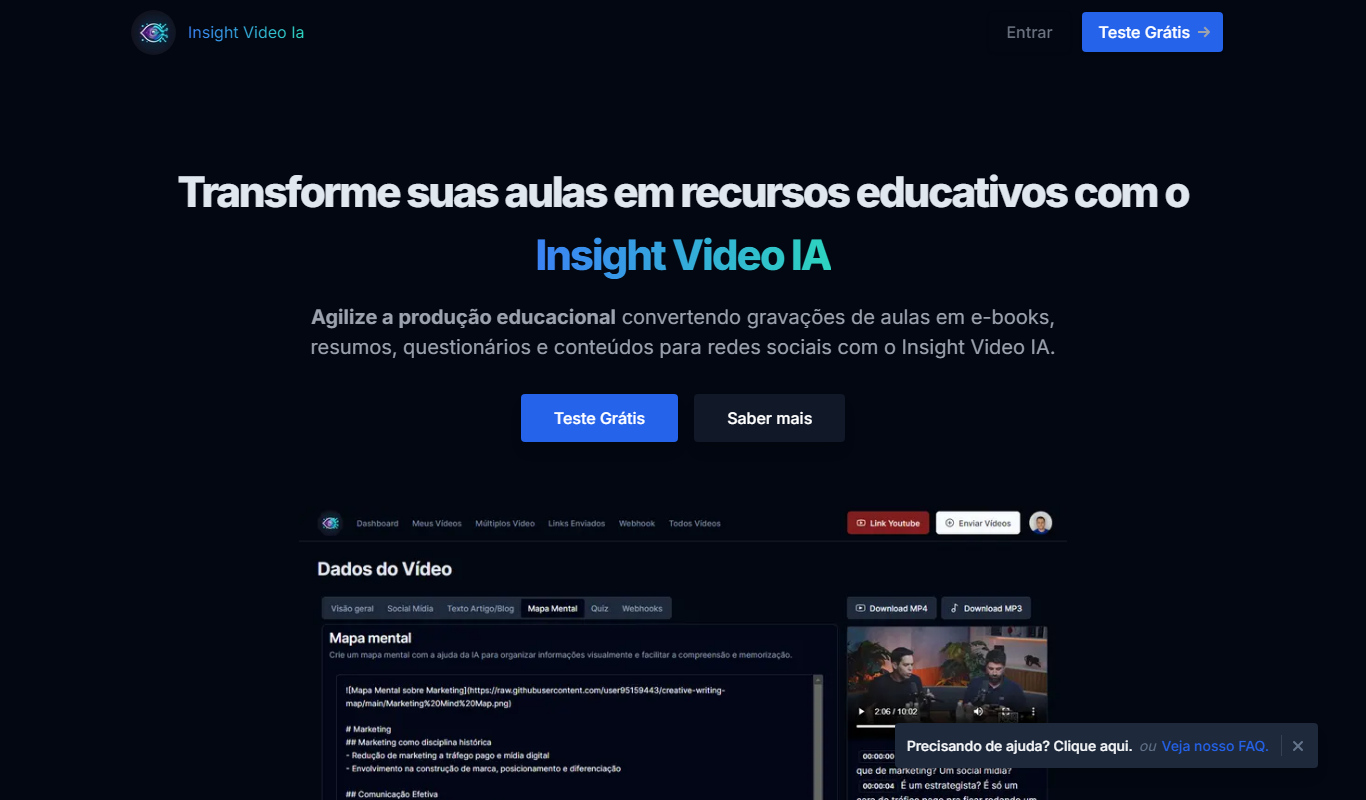

What is Insight Video IA?
Insight Video IA is an AI education tool that converts recorded video lessons into detailed transcripts, e-books, summaries, quizzes, mind maps and content for social networks, so teachers can prepare teaching material faster.
Key features of Insight Video IA
Insight Video IA transcribes video lessons, turns them into e-books, summaries, quizzes, mind maps, articles and study guides, and creates social media posts from the same lesson.
Lesson transcription
Turns video lessons into detailed transcripts that make review and study easier.
Instant e-books
Turns lesson recordings into teaching e-books in minutes.
Mind maps
Converts complex lessons into visual, interactive mind maps for students.
Social media content
Creates educational content for social networks, from titles to descriptions and interactive posts.
Pros and cons of Insight Video IA
Pros
- Turns one lesson video into several types of teaching material
- Teachers can customize the generated content
- Free trial available
Cons
- The site and product are in Portuguese
- Limited information on technology stack
- Primarily focused on Portuguese and Brazilian market
Key use cases for Insight Video IA
Lesson preparation
Speed up lesson preparation by turning lesson videos into easy-to-understand teaching content.
Study materials
Produce articles, educational posts and study guides from lesson videos.
Visual learning
Give students interactive mind maps of complex lessons.
Educational social media
Create titles, descriptions and interactive posts that share lessons online.
Operational Efficiency
Monitor and optimize processes through video data analysis.
How Insight Video IA works
- 1
Start a free trial
Sign up with the free trial on the site.
- 2
Add a lesson video
Use a recording of a lesson as the starting point.
- 3
Get the transcript
AI transcribes the video lesson into a detailed text for review and study.
- 4
Generate teaching materials
Produce e-books, summaries, quizzes, mind maps, articles or study guides from the lesson.
Who is using Insight Video IA
Insight Video IA pricing
Custom Pricing
Contact for pricing
Pricing tailored to client needs based on volume and features.
Plans and prices are as published by the vendor and can change. Check the official site before you buy. Open the pricing page (opens in a new tab)
Frequently asked questions about Insight Video IA
It turns recorded video lessons into educational resources such as e-books, summaries, quizzes and content for social networks.
It uses AI algorithms to transcribe video lessons with high accuracy into detailed texts for review and study.
Yes. Teachers can explore and customize the educational content to enrich their teaching material.
Yes. The site offers a free trial.
The team can be contacted through WhatsApp.
It depends on your specific needs and how you plan to use the tool. The official website and documentation are the best sources for the latest details.
Conclusion
Teachers who record their classes are the audience here: a lesson video becomes a detailed transcript, and from that transcript come e-books, summaries, quizzes and mind maps. The same recording can also feed articles, study guides and posts for social networks, from titles to descriptions.
Generated content can be explored and customized by the teacher, and the transcripts are meant to make review and study easier for students. The site and product are in Portuguese, and the team can be contacted through WhatsApp. A free trial is offered, but the site publishes no plans or prices.
Sources
Sign in to review this tool.
Sign In to ReviewNo reviews yet
Be the first to share how this tool worked for you.
Ask about pricing, limits, or how it compares — or answer someone else.
Sign In to AskNo questions yet
Have a question about using or paying for this tool? Be the first to ask.
Featured on TiorAI



More AI Education & Learning Tools tools
Other tools in the same category, for when this one is not quite the fit.

Narrative Nooks
Narrative Nooks is an AI-driven learning platform for young learners, with interactive story-based lessons, badges, a homework helper and round-the-clock tutoring support.

FGenEds
FGenEds turns a PDF of your lecture slides into a cheat sheet for studying, aimed at students in gen ed classes.

knowt.com
Knowt.com is an AI-driven study tool that converts your notes or any text into interactive flashcards and summaries to enhance learning efficiency.

Terrakotta
Terrakotta is the all-in-one prospecting platform for commercial real estate brokers: source leads, make calls and deliver personalized AI voicemails.
plat.ai
plat.ai is a comprehensive AI development platform that enables users to build, train, deploy, and manage custom machine learning models with scalable infrastructure and API integration.

Quino
Quino is the LMS that marks every exam: courses, lessons, online exams and diplomas, with AI that marks handwritten answers in seconds and writes tests from your notes.

MockTok
MockTok is an AI mock interview app with 50+ interactive questions, follow-up questions, job post analysis, multi-stage interviews, feedback and AI extracted cases.

ModelBench AI
ModelBench compares 180+ models side by side in an interactive playground and turns experiments into testable prompts that run as benchmarks at scale.