

AI Video Creation Platform for Personalized Videos and Content
Elai.io is an AI-powered platform that converts text scripts into professional videos using realistic AI avatars, supporting multiple languages and scalable personalized video creation.
- Best for
- Marketing Videos
- Key capability
- AI Avatars
Save Elai.io, follow its updates and vote on it — everything stays in your account.
Sign in or create a free account
What is Elai.io?
Elai.io is an AI-powered video creation platform that enables users to generate professional videos from text input. It leverages artificial intelligence to create realistic AI avatars who present the scripted content, eliminating the need for cameras, actors, or studios. This tool is designed to simplify video production for marketing, education, corporate communication, and personalized messaging.
Key features of Elai.io
Elai.io offers features such as AI avatar selection, text-to-speech conversion with natural voices, multi-language support, customizable video templates, and easy editing tools. It supports scalable video creation with personalized content options and integrates with various platforms for seamless publishing.
AI Avatars
Choose from a variety of realistic AI presenters to deliver your message.
Text-to-Video Conversion
Transform written scripts into engaging videos automatically.
Multi-language Support
Create videos in multiple languages with natural-sounding voices.
Customizable Templates
Use pre-designed templates or customize layouts to fit your brand.
Scalable Personalized Videos
Generate personalized videos at scale for marketing or customer engagement.
Pros and cons of Elai.io
Pros
- Easy to use with no video production skills needed
- Realistic AI avatars enhance video engagement
- Supports multiple languages for global reach
- Scalable personalized video creation
- Affordable pricing tiers including a free plan
Cons
- Limited avatar customization options
- Video length restrictions on lower-tier plans
- Currently web-only platform without mobile apps
Key use cases for Elai.io
Marketing Videos
Create engaging marketing videos quickly using AI-generated presenters and scripts.
E-learning Content
Produce educational videos with AI avatars for online courses and training materials.
Personalized Video Messages
Generate customized video messages for clients or customers at scale.
Corporate Communications
Streamline internal communications with professional AI-generated video presentations.
Social Media Content
Easily create short videos optimized for social media platforms.
How Elai.io works
- 1
Sign Up
Create an account on Elai.io’s website to access the video creation dashboard.
- 2
Choose a Template or Start from Scratch
Select a video template or create a new project to begin your video.
- 3
Input Your Script
Enter the text you want the AI avatar to speak in the video.
- 4
Select AI Avatar and Voice
Pick an AI presenter and voice that fits your video style.
- 5
Customize and Generate Video
Adjust settings, add visuals if needed, then generate the video.
- 6
Download or Share
Download the finished video or share it directly to your platforms.
Who is using Elai.io
Elai.io pricing
Free
$0
No commitment: 1 user, 1 minute, 80+ avatars, 75+ languages and all Creator features.
Creator
$29 /Month ($23 /Month billed annually)
1 user, up to 15 minutes per month, Full HD video and the full avatar, voice and language library.
Team
$125 /Month ($100 /Month billed annually)
Everything in Creator plus 50 minutes per month, 3 editors and 3 guests, custom images and fonts, Ultra 4K HD video, premium voices, and 1 selfie avatar and 1 voice clone.
Enterprise
Contact Sales
Tailored to your needs: custom setup, unlimited users, 3 voice clones, 3 selfie avatars, premium avatars, Brand Kit, workspaces, SSO and premium support.
Plans and prices are as published by the vendor and can change. Check the official site before you buy. Open the pricing page (opens in a new tab)
Compare similar tools
How Elai.io lines up against the tools people weigh it against.
 D-ID
D-Id vs elai.io: For Marketing Videos & Social Media
 Synthesia
 vs elai.io: For Content Creators: Quality & Speed
Frequently asked questions about Elai.io
Elai.io supports multiple languages including English, Spanish, French, German, and more.
No, the platform is designed to be user-friendly with no prior video editing skills required.
You can select from various avatars and customize some appearance and voice options.
It depends on your specific needs and how you plan to use the tool. The official website and documentation are the best sources for the latest details.
Yes, it can help with that use case depending on how you configure it and what features are available. You’ll get the best results with clear inputs and a defined goal.
Some tools offer a free plan or trial with limited features. Availability can vary, so confirm on the official website.
Yes, it can help with that use case depending on how you configure it and what features are available. You’ll get the best results with clear inputs and a defined goal.
Conclusion
Written scripts become presenter videos: a user picks a template or starts a new project, enters the text, chooses an AI avatar and voice, then downloads or shares the result. Other inputs work too, including PPTX files, a pasted URL and uploaded voiceovers used as an alternative to a text script. Videos can carry branching, clickable buttons and quizzes, and they can be exported in SCORM format.
The official site presents it mainly as an AI video generator for learning and development, with employee training, sales enablement and customer education among its use cases. Plans are measured in video minutes deducted when a video is rendered. The Free plan includes 1 minute, the Creator plan up to 15 minutes per month, and Team 50 minutes per month with 3 editors and 3 guests.
Sources
Sign in to review this tool.
Sign In to ReviewNo reviews yet
Be the first to share how this tool worked for you.
Ask about pricing, limits, or how it compares — or answer someone else.
Sign In to AskNo questions yet
Have a question about using or paying for this tool? Be the first to ask.
Featured on TiorAI



More AI Artificial Intelligence Tools tools
Other tools in the same category, for when this one is not quite the fit.

Uranus AI
Uranus.AI makes AI generated art from just a few words, with prompt ideas, built-in styles, enhancers and an expert mode.

Kvants Studio
Kvants Studio is a quantitative AI trading agent builder: describe a trading thesis in plain English, then inspect, backtest, validate and paper trade the agent's model.

SolidPoint
SolidPoint AI uses autonomous AI agents to summarize YouTube videos, Reddit threads, arXiv papers and web pages and turn them into quizzes, flashcards and dashboards.

Saleswise | AI Tools for Real Estate Agents
Saleswise is an AI workspace for real estate agents with CMAs, staging and flyers, plus listing descriptions, emails, and blog posts.

ImgGen AI
ImgGen AI is a web-based platform that uses artificial intelligence to generate images from text descriptions, enabling users to create unique visuals quickly and easily.

Dog Breed AI
Dog Breed AI uses artificial intelligence to identify dog breeds from photos, providing breed details and care information on web and mobile platforms.
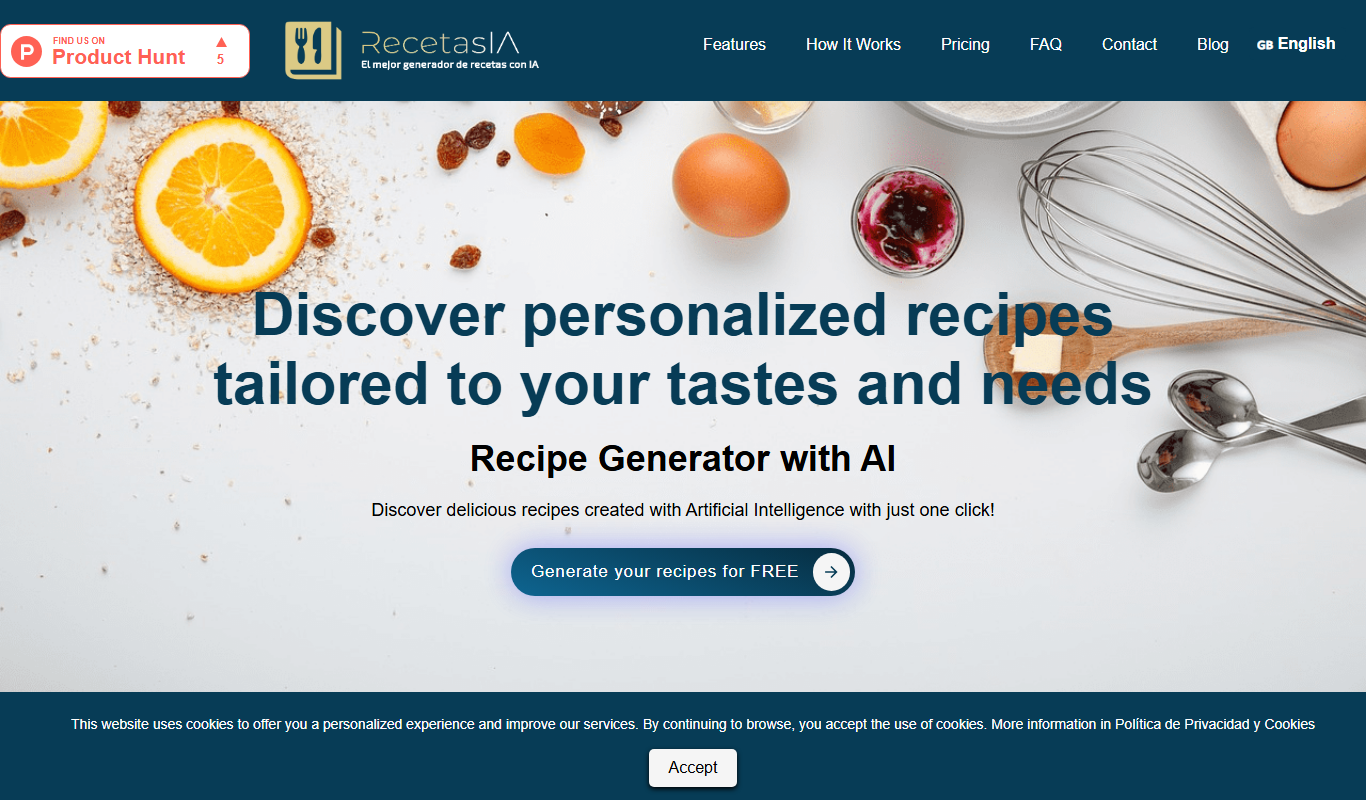
RecetasIA
RecetasIA is an AI-based web tool with a free plan that generates personalized recipes from your tastes, dietary restrictions and intolerances, in English or Spanish.

Newmoney.AI
Newmoney.AI is an AI-powered crypto and cash wallet: buy, trade, swap and send crypto across SUI, Solana, Ethereum and Bitcoin with the AI agent Newton, including via WhatsApp and Telegram.