

Sumazon AI Study Tool for Assignments and Exams
Sumazon AI is an all-in-one AI study tool that turns assignments into summaries, quizzes and flashcards in seconds.
- Best for
- Exam preparation
- Key capability
- Document summaries
Save sumazon.com, follow its updates and vote on it — everything stays in your account.
Sign in or create a free account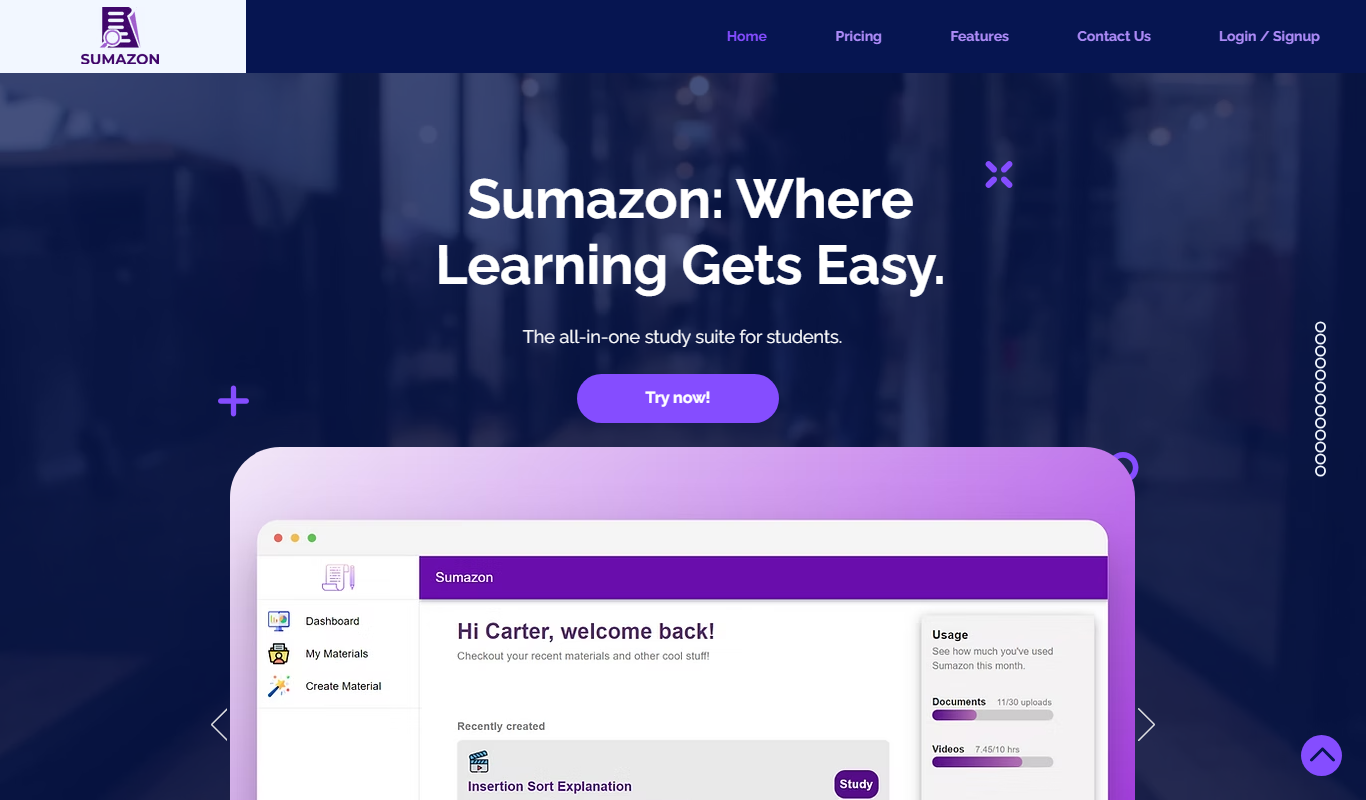

What is sumazon.com?
Sumazon is an AI study tool for students that turns assignments into summaries, quizzes and flashcards. Students upload a PDF, text file, document or handwritten notes, choose study sets such as flash cards, practice exams, summaries or true/false quizzes, and review the material at their own pace.
Key features of sumazon.com
Sumazon offers document summaries, summaries of audio, videos and handwritten notes, AI-generated study sets (practice exams, true/false quizzes, summaries and flash cards), an AI tutor and speech and interview practice.
Document summaries
Condense lengthy texts into concise summaries for focused study sessions.
Audio, video and handwritten notes
Break down video content and handwritten notes into key insights for review.
AI-generated study sets
Practice exams, true/false quizzes, summaries and flash cards created from your material.
AI tutor
Paid plans include full AI tutor access along with video and image processing.
Speech and interview practice
Hone your speech or interview practice.
Pros and cons of sumazon.com
Pros
- Turns one document into several study formats
- Accepts PDF and Word files, YouTube lecture links and textbook photos
- Unlimited documents on the paid plans
- Monthly subscription can be cancelled at any time
- Real-time editing suggestions enhance quality
Cons
- The free trial is limited to 14 days and 5 documents a month
- Video and image processing and the full AI tutor require a paid plan
- No mobile app available
Key use cases for sumazon.com
Exam preparation
Practice with real questions pulled from your material.
Summarizing readings
Condense lengthy texts into concise summaries.
Reviewing lectures
Process a link to a YouTube lecture or a photo of your textbook into summaries and flashcards.
Speech and interview practice
Practice a speech or an interview before the real test.
Email Drafting
Generate professional and personalized email content for outreach and communication.
How sumazon.com works
- 1
Upload your document
Select any PDF, text file or document, even handwritten notes, from your device.
- 2
Select study sets
Choose flash cards, practice exams, summaries or true/false quizzes.
- 3
Start studying
Review, practice and master the material at your own pace.
- 4
Generate Content
Let the AI produce content based on your inputs, then review and edit as needed.
- 5
Download or Publish
Export the finalized content or publish it directly to your platform if supported.
Who is using sumazon.com
sumazon.com pricing
Free Trial
Free for 14 days
5 documents per month, basic AI summaries, standard processing.
Student Plan
$9.99/month
Unlimited documents per month, full AI tutor access, video and image processing, cloud sync across devices.
Academic Plan
$80/year
Unlimited documents per month, full AI tutor access, video and image processing, cloud sync across devices, billed annually.
Plans and prices are as published by the vendor and can change. Check the official site before you buy. Open the pricing page (opens in a new tab)
Frequently asked questions about sumazon.com
Sumazon offers a free trial; after it you can upgrade to the paid Student or Academic plan.
A document can be a PDF, a Word file, a link to a YouTube lecture or a high-resolution photo of your textbook.
Flash cards, practice exams, summaries and true/false quizzes.
Yes. You can cancel the monthly subscription at any time in your account settings and keep access until the end of the billing period.
This tool is designed to help users accomplish its core tasks more efficiently. It is typically used by individuals or teams looking to improve productivity and workflow.
Pricing depends on the plan and included features. For the most accurate and up-to-date details, check the official pricing page.
Yes, it can help with that use case depending on how you configure it and what features are available. You’ll get the best results with clear inputs and a defined goal.
Some tools offer a free plan or trial with limited features. Availability can vary, so confirm on the official website.
Conclusion
Students start by uploading course material, which can be a PDF, a Word file, a YouTube lecture link or even a photo of a textbook page. From that single upload they choose which study sets to generate: flash cards, practice exams, summaries or true/false quizzes. Exam questions are pulled from the student’s own material rather than from a generic bank.
Beyond text, Sumazon breaks down video content and handwritten notes into key insights, and it adds a speech and interview practice mode. The tool is aimed at students working on assignments and exams. New users get a 14-day trial capped at a few documents a month, while the paid Student and Academic plans include unlimited documents, the full AI tutor and video and image processing.
Sources
Sign in to review this tool.
Sign In to ReviewNo reviews yet
Be the first to share how this tool worked for you.
Ask about pricing, limits, or how it compares — or answer someone else.
Sign In to AskNo questions yet
Have a question about using or paying for this tool? Be the first to ask.
Featured on TiorAI



More AI Education & Learning Tools tools
Other tools in the same category, for when this one is not quite the fit.

History Timeline Generator
History Timeline Generator is an AI tool that turns a topic such as a person, nation, company or historical event into a customized history timeline.

Narrative Nooks
Narrative Nooks is an AI-driven learning platform for young learners, with interactive story-based lessons, badges, a homework helper and round-the-clock tutoring support.

FGenEds
FGenEds turns a PDF of your lecture slides into a cheat sheet for studying, aimed at students in gen ed classes.

knowt.com
Knowt.com is an AI-driven study tool that converts your notes or any text into interactive flashcards and summaries to enhance learning efficiency.

Terrakotta
Terrakotta is the all-in-one prospecting platform for commercial real estate brokers: source leads, make calls and deliver personalized AI voicemails.
plat.ai
plat.ai is a comprehensive AI development platform that enables users to build, train, deploy, and manage custom machine learning models with scalable infrastructure and API integration.

Quino
Quino is the LMS that marks every exam: courses, lessons, online exams and diplomas, with AI that marks handwritten answers in seconds and writes tests from your notes.

MockTok
MockTok is an AI mock interview app with 50+ interactive questions, follow-up questions, job post analysis, multi-stage interviews, feedback and AI extracted cases.