

From my experience with Seance AI, it stands out for its ability to quickly produce realistic videos using AI avatars without the complexity of traditional video production. This makes it especially useful for marketers and sales professionals who need personalized video content at scale. However, the platform currently limits avatar customization and does not support uploading custom avatars, which could be a drawback for brands seeking unique representations. Overall, if you want to streamline video creation for outreach or training without filming, Seance AI offers a practical and efficient solution.
Seance AI Review: AI-Powered Video Generation for Marketing & Sales
Seance AI is an AI-driven video generation tool that creates realistic videos using virtual avatars to deliver custom scripts, ideal for marketing and sales content.
- Best for
- Marketing Video Creation
- Key capability
- Realistic AI Avatars
Your actions
Save Seance AI, follow its updates and vote on it — everything stays in your account.
Sign in or create a free account
What is Seance AI?
Seance AI is an AI-powered video generation platform that enables users to create realistic videos featuring virtual avatars delivering custom scripts. It leverages synthetic media technology to produce professional-quality videos without the need for cameras, actors, or studios. The tool is designed to streamline video content creation for marketing, sales, training, and social media purposes.
Key features of Seance AI
Seance AI offers features such as customizable AI avatars, text-to-video generation, multilingual support, and easy integration with marketing workflows. It simplifies video production by automating avatar lip-syncing and facial expressions based on input scripts.
Realistic AI Avatars
High-quality virtual presenters that mimic human facial expressions and lip movements.
Text-to-Video Conversion
Transform written scripts into engaging video content automatically.
Multilingual Support
Create videos in multiple languages to reach diverse audiences.
Easy Integration
Seamlessly incorporate generated videos into marketing and sales workflows.
Pros and cons of Seance AI
Pros
- Quick and easy video creation without filming
- Realistic avatars with natural lip-syncing
- Supports multiple languages
- Good for marketing and sales personalization
Cons
- Limited avatar customization options
- No support for uploading custom avatars
- Pricing may be high for casual users
Key use cases for Seance AI
Marketing Video Creation
Create personalized and engaging marketing videos quickly using AI-generated avatars and scripts.
Sales Outreach
Generate customized sales videos to improve engagement and conversion rates in outreach campaigns.
Training and Internal Communication
Produce professional training videos or internal communications without the need for filming.
Social Media Content
Easily create video content tailored for social media platforms to boost audience interaction.
How Seance AI works
- 1
Select an AI Avatar
Choose from a variety of realistic virtual presenters to represent your brand or message.
- 2
Input Your Script
Type or upload the text you want the avatar to speak in the video.
- 3
Customize Video Settings
Adjust language, voice style, and video length to fit your specific needs.
- 4
Generate and Download
The AI processes your input and creates a video ready for download and distribution.
Who is using Seance AI
Marketing agencies
Sales teams
Content creators
Small and medium businesses
Corporate training departments
Seance AI pricing
Free Trial
$0
Limited access to features to test video generation capabilities.
Pro
$49/month
Full access to all avatars, unlimited video generation, and priority support.
Plans and prices are as published by the vendor and can change. Check the official site before you buy. Open the pricing page (opens in a new tab)
Frequently asked questions about Seance AI
Currently, Seance AI offers a selection of pre-designed avatars; custom avatars are not supported.
Videos can be downloaded in common formats such as MP4, suitable for most platforms.
Video length limits depend on your subscription plan, with longer videos available on paid plans.
It depends on your specific needs and how you plan to use the tool. The official website and documentation are the best sources for the latest details.
Pricing depends on the plan and included features. For the most accurate and up-to-date details, check the official pricing page.
This tool is designed to help users accomplish its core tasks more efficiently. It is typically used by individuals or teams looking to improve productivity and workflow.
Sign in to review this tool.
Sign In to ReviewNo reviews yet
Be the first to share how this tool worked for you.
Ask about pricing, limits, or how it compares — or answer someone else.
Sign In to AskNo questions yet
Have a question about using or paying for this tool? Be the first to ask.
Featured on TiorAI



More AI Content Creation Tools tools
Other tools in the same category, for when this one is not quite the fit.

Free
Listnr AI
Listnr AI is a text-to-speech platform that converts written text into natural, human-like audio using AI voices across multiple languages, suitable for podcasts, e-learning, and marketing content.

Freemium
yuzzit.video
Yuzzit.video is a platform for video cutting and editing, live video and subtitles.

Free
aivideogenerator.me
aivideogenerator.me is a third-party website that presents itself as a Luma AI Video Generator powered by Dream Machine; it is not the official Luma Labs site.

Free
AI Social Bio
AI Social Bio is a web-based AI tool that generates personalized social media bios tailored to various platforms, helping users create engaging profiles quickly.

Freemium
Visla
Visla is a web-based AI video editor that automates editing tasks and supports real-time collaboration to help users create professional videos quickly and easily.

Freemium
AIVideo
AIVideo is an aggregator of third-party AI generative models, with a Model Playground, MCP and automations.
Freemium
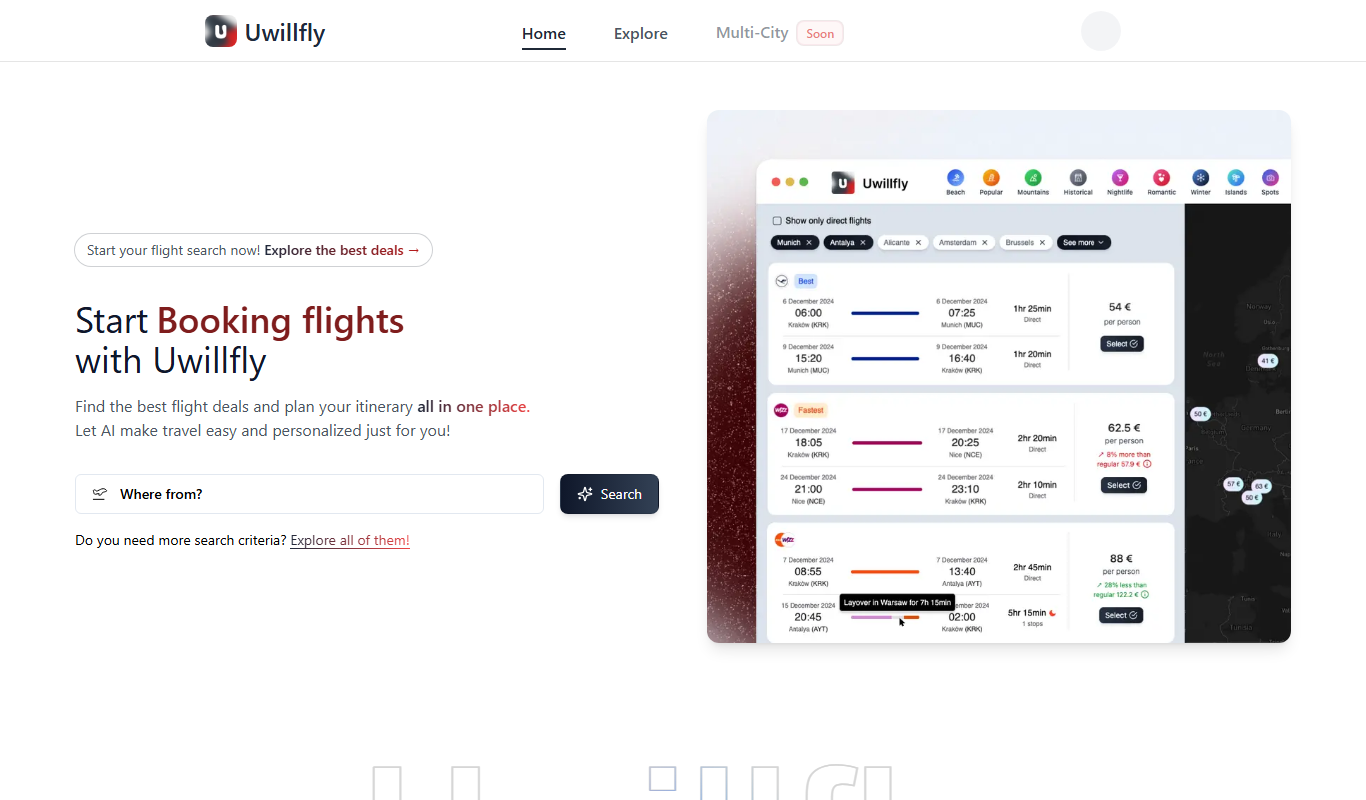
Uwillfly
Uwillfly is an AI-powered writing assistant that generates SEO-optimized articles, marketing copy, and content in English and Chinese to help marketers and writers create content faster.

Freemium
Explra
Explra is an AI-powered writing assistant designed to help marketers and content creators generate SEO-friendly content quickly and efficiently.