

KreadoAI Free AI Video Generator for Quick Video Creation Online
KreadoAI turns product inputs into ready-to-run video, image and copy ad creatives, with 1000+ AI avatars, 140+ languages and multi-platform export.
- Best for
- Marketing Videos
- Key capability
- AI Text-to-Video Conversion
Save KreadoAI – Free AI Video Generator, follow its updates and vote on it — everything stays in your account.
Sign in or create a free account

What is KreadoAI – Free AI Video Generator?
KreadoAI is an AI ad creation platform that turns product inputs into ready-to-run ad creatives, including videos, images and copy. It offers 1000+ AI avatars, 140+ languages and multi-platform export.
Key features of KreadoAI – Free AI Video Generator
KreadoAI offers text or image to video, AI spokesperson videos, PPT/PDF avatar videos, URL-to-video, UGC avatar videos, an ad creative generator, an AI image generator, text-to-speech and instant voice cloning.
AI Text-to-Video Conversion
Automatically converts written content into dynamic video sequences.
URL to Video
Transforms product and website links into video ads: it analyzes product details, generates scripts and selling points and uses digital voiceovers.
AI Spokesperson Videos
Brings scripts to life with 1,000+ realistic digital humans for global campaigns.
User-Friendly Interface
Designed for ease of use, requiring no prior video editing experience.
Fast Video Generation
Produces videos quickly, enabling rapid content creation workflows.
Pros and cons of KreadoAI – Free AI Video Generator
Pros
- Easy to use with no editing skills required
- Fast video creation from text
- Free plan available for basic needs
- Includes royalty-free media assets
- Web-based with no installation needed
Cons
- Limited customization compared to professional editors
- Free plan videos include watermarks
- No mobile app available
- Some advanced features require paid subscription
Key use cases for KreadoAI – Free AI Video Generator
Marketing Videos
Create engaging promotional videos quickly for social media and advertising campaigns.
Educational Content
Generate instructional videos from text scripts to support e-learning and training.
Social Media Posts
Produce short, eye-catching videos optimized for platforms like Instagram, TikTok, and Facebook.
Product Demonstrations
Easily create videos showcasing product features and benefits without filming.
Content Repurposing
Transform blog posts or articles into video format to reach wider audiences.
How KreadoAI – Free AI Video Generator works
- 1
Enter Text Script
Input your video script or key points into the platform’s text box.
- 2
Select Video Style
Choose from various templates and visual styles to match your brand or message.
- 3
Generate Video
The AI processes your input and creates a video with relevant visuals and animations.
- 4
Edit and Customize
Make adjustments to scenes, add music, or tweak text as needed.
- 5
Download or Share
Export the finished video or share it directly on social media platforms.
Who is using KreadoAI – Free AI Video Generator
KreadoAI – Free AI Video Generator pricing
Free
$0/month
3 minutes of AI avatar video in total, 5 AI avatars, 120+ voices in 31 languages and 1 instant avatar clone.
Premium
$19/month, billed monthly
1,800 K-coins per month (up to 600 images or 120 videos), 30 minutes of AI avatar video per month and 700+ AI avatars.
Pro
$40/month, billed monthly
3,000 K-coins per month (up to 1,000 images or 200 videos), 50 minutes of AI avatar video per month and 1000+ AI avatars.
Plans and prices are as published by the vendor and can change. Check the official site before you buy. Open the pricing page (opens in a new tab)
Frequently asked questions about KreadoAI – Free AI Video Generator
KreadoAI offers a free plan with basic features and limited exports. Paid plans unlock additional capabilities.
Yes, videos created can be used commercially, but check the licensing terms for included media assets.
No, the platform is designed to be user-friendly and requires no prior video editing skills.
Videos can be exported primarily in MP4 format suitable for most platforms.
It depends on your specific needs and how you plan to use the tool. The official website and documentation are the best sources for the latest details.
Some tools offer a free plan or trial with limited features. Availability can vary, so confirm on the official website.
Yes, it can help with that use case depending on how you configure it and what features are available. You’ll get the best results with clear inputs and a defined goal.
Yes, it can help with that use case depending on how you configure it and what features are available. You’ll get the best results with clear inputs and a defined goal.
Conclusion
Ad production is now the focus: KreadoAI turns product inputs into ready-to-run ad creatives that cover video, images and copy. Pasting a product link starts the URL to video flow, where the platform analyzes product details, generates scripts and selling points, and adds digital voiceovers. Finished ads can be published to Google, Meta, TikTok and Douyin for advertising and A/B testing.
Scripts can also be presented by AI spokesperson avatars drawn from more than 1,000 realistic digital humans. With 140+ languages and multi-platform export, one creative can be resized to fit each major social platform. Industry solutions run from e-commerce and retail to fashion, beauty, consumer electronics and apps and gaming.
Usage is metered in K-coins, a virtual currency spent on each service, and new users receive free K-coins on registration. A free plan covers a few minutes of avatar video, while paid subscriptions add monthly K-coins, more digital avatars and watermark removal according to the pricing page.
Sources
Sign in to review this tool.
Sign In to ReviewNo reviews yet
Be the first to share how this tool worked for you.
Ask about pricing, limits, or how it compares — or answer someone else.
Sign In to AskNo questions yet
Have a question about using or paying for this tool? Be the first to ask.
Featured on TiorAI



More AI Ai Tools tools
Other tools in the same category, for when this one is not quite the fit.

BarGPT AI-Powered Bartender
BarGPT is an AI-powered virtual bartender that creates personalized cocktail recipes and offers mixology tips based on your available ingredients and preferences.

NoFOMO.AI
noFOMO OS is a free web calendar: add the venues you love and its scraper scans their websites every day, pulling every event into one calendar.

AI Song Generator
AI Song Generator is a web tool that creates original songs and lyrics from your genre, mood and topic, with a limited free plan and paid subscriptions.

Beatoven.ai
Beatoven.ai is an AI-driven platform that generates custom royalty-free music tracks tailored to your project's mood and style, ideal for content creators and marketers.
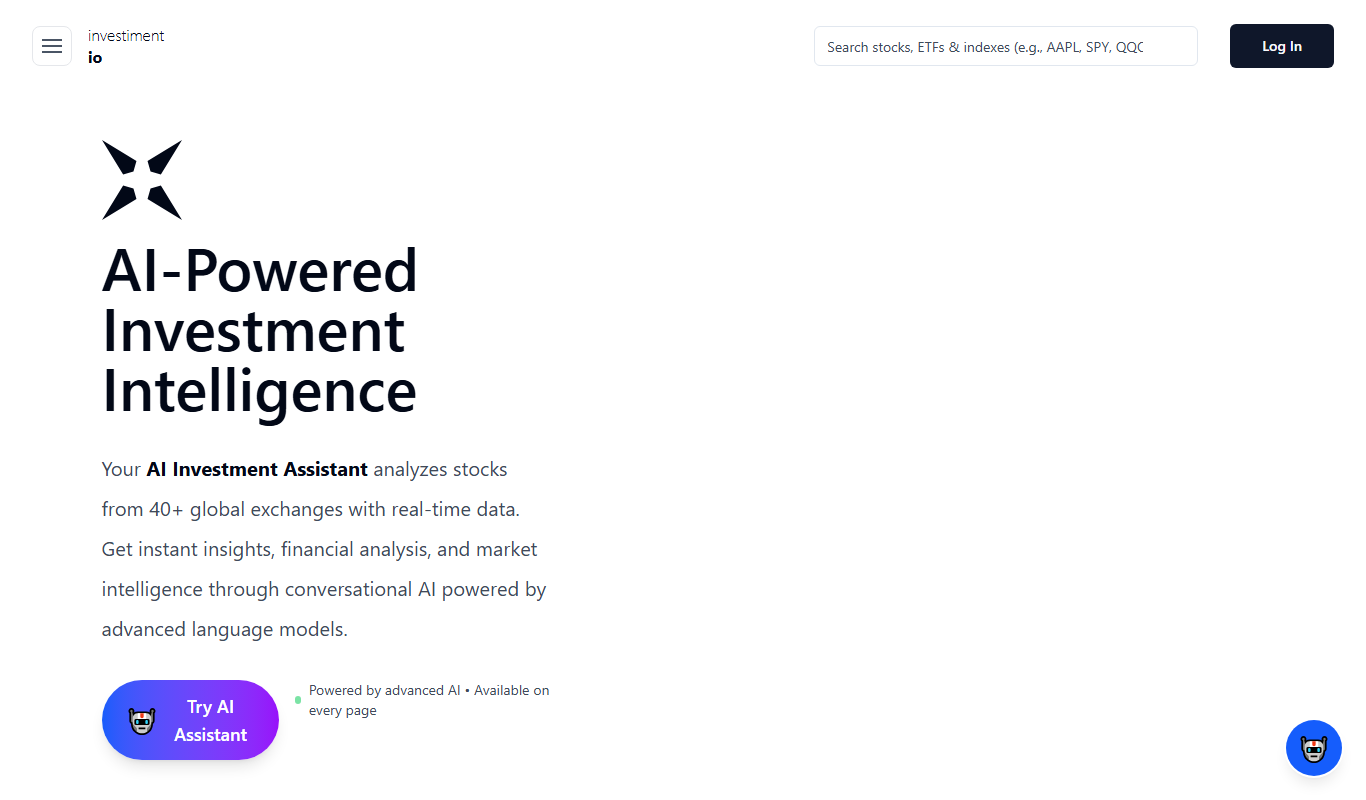
investiment.io
investiment.io is an AI-powered investment platform featuring an intelligent assistant that provides real-time stock analysis across 40+ global exchanges through conversational AI.

Remodel AI
Remodel AI is a web-based AI tool that redesigns any room or home exterior from an uploaded photo in seconds.

Parcae: AI Mind Map Creator
Parcae is an AI-powered mobile mind mapping app that instantly transforms typed, pasted or dictated text into a mind map.

WiseMap.ai
WiseMap.ai is an AI-driven mind mapping tool that helps users generate, organize, and collaborate on ideas visually, enhancing creativity and productivity.