

Visla AI Video Editor for Fast, Collaborative Video Creation Online
Visla is a web-based AI video editor that automates editing tasks and supports real-time collaboration to help users create professional videos quickly and easily.
- Best for
- Content Creation
- Key capability
- AI-Powered Automatic Editing
Save Visla, follow its updates and vote on it — everything stays in your account.
Sign in or create a free account

What is Visla?
Visla is a web-based AI-powered video editing platform designed to simplify and accelerate the video creation process. It leverages artificial intelligence to automate editing tasks such as clipping, summarizing, and enhancing videos, enabling users to produce professional-quality content without extensive technical skills. Visla also supports collaborative workflows, allowing teams to edit and review videos together in real time.
Key features of Visla
Visla is an AI video platform for businesses that creates a storyboard, script, B-roll, voice-over and subtitles, with collaboration for teams.
AI-Powered Automatic Editing
Automatically trims and summarizes videos to highlight important content, saving time.
Real-Time Collaboration
Multiple users can edit and provide feedback simultaneously within the platform.
Intuitive Timeline Interface
Easy-to-use timeline for manual adjustments and precise control over video clips.
Multi-Format Export
Export videos in various resolutions and formats suitable for different platforms.
Cloud-Based Platform
No software installation required; accessible from any modern web browser.
Pros and cons of Visla
Pros
- Simplifies video editing with AI automation
- Supports real-time team collaboration
- User-friendly web interface
- Multiple export options
- No software installation needed
Cons
- Limited offline capabilities
- Free plan has restrictions on video length and features
Key use cases for Visla
Content Creation
Create engaging videos quickly using AI-powered editing tools suitable for social media, marketing, and educational content.
Collaborative Video Editing
Teams can work together in real-time on video projects, streamlining feedback and revisions.
Automatic Video Summarization
Generate concise video summaries automatically from longer footage to highlight key moments.
Marketing and Advertising
Produce polished promotional videos with minimal effort, enhancing brand storytelling.
Educational Videos
Create instructional videos with AI-assisted editing to improve clarity and engagement.
How Visla works
- 1
Upload Video
Start by uploading your raw video footage to the Visla platform via the web interface.
- 2
AI Processing
Visla’s AI analyzes the footage to identify key moments and suggests edits such as trimming and summarization.
- 3
Collaborative Editing
Invite team members to review, comment, and make edits in real time to refine the video.
- 4
Export and Share
Finalize the video and export it in formats optimized for social media, presentations, or other uses.
Who is using Visla
Visla pricing
Free
$0/month
Basic features with limited video length and export options.
Pro
$19/month
Paid plan with access to the Storyblocks premium stock library (4M videos).
Team
$49/month
Collaborative tools for teams, increased storage, and enhanced export capabilities.
Enterprise
The pricing page lists Free, Pro, Business and Enterprise plans without visible prices.
Plans and prices are as published by the vendor and can change. Check the official site before you buy. Open the pricing page (opens in a new tab)
Frequently asked questions about Visla
Yes, Visla’s AI-assisted editing and intuitive interface make it accessible for users with no prior video editing experience.
Yes, Visla supports real-time collaboration allowing multiple users to edit and comment on videos simultaneously.
Visla supports exporting videos in common formats such as MP4, optimized for social media and presentations.
No, Visla is entirely web-based and works through modern browsers without any installation.
It depends on your specific needs and how you plan to use the tool. The official website and documentation are the best sources for the latest details.
Some tools offer a free plan or trial with limited features. Availability can vary, so confirm on the official website.
Yes, it can help with that use case depending on how you configure it and what features are available. You’ll get the best results with clear inputs and a defined goal.
Yes, it can help with that use case depending on how you configure it and what features are available. You’ll get the best results with clear inputs and a defined goal.
Conclusion
Storyboards, scripts, B-roll, voice-over and subtitles are all produced inside Visla, an AI video platform for businesses. Raw footage can also be uploaded, and the AI analyzes it to identify key moments and suggest edits such as trimming and summarization. Team members can review, comment and make edits in real time. Finished videos export in common formats such as MP4, optimized for social media and presentations.
Everything is web-based and works through modern browsers without any installation. Marketing teams, educators and social media managers can find the collaborative workflow relevant. The pricing page lists Free, Pro, Business and Enterprise plans without visible prices.
Sources
Sign in to review this tool.
Sign In to ReviewNo reviews yet
Be the first to share how this tool worked for you.
Ask about pricing, limits, or how it compares — or answer someone else.
Sign In to AskNo questions yet
Have a question about using or paying for this tool? Be the first to ask.
Featured on TiorAI



More AI Ai Tools tools
Other tools in the same category, for when this one is not quite the fit.

Tradepost.ai
Tradepost.ai sends one free email every market day: US SEC filings, UK regulatory news, EU market notices and Polymarket odds, analyzed by AI and scored for materiality.

BarGPT AI-Powered Bartender
BarGPT is an AI-powered virtual bartender that creates personalized cocktail recipes and offers mixology tips based on your available ingredients and preferences.

NoFOMO.AI
noFOMO OS is a free web calendar: add the venues you love and its scraper scans their websites every day, pulling every event into one calendar.

AI Song Generator
AI Song Generator is a web tool that creates original songs and lyrics from your genre, mood and topic, with a limited free plan and paid subscriptions.

Beatoven.ai
Beatoven.ai is an AI-driven platform that generates custom royalty-free music tracks tailored to your project's mood and style, ideal for content creators and marketers.
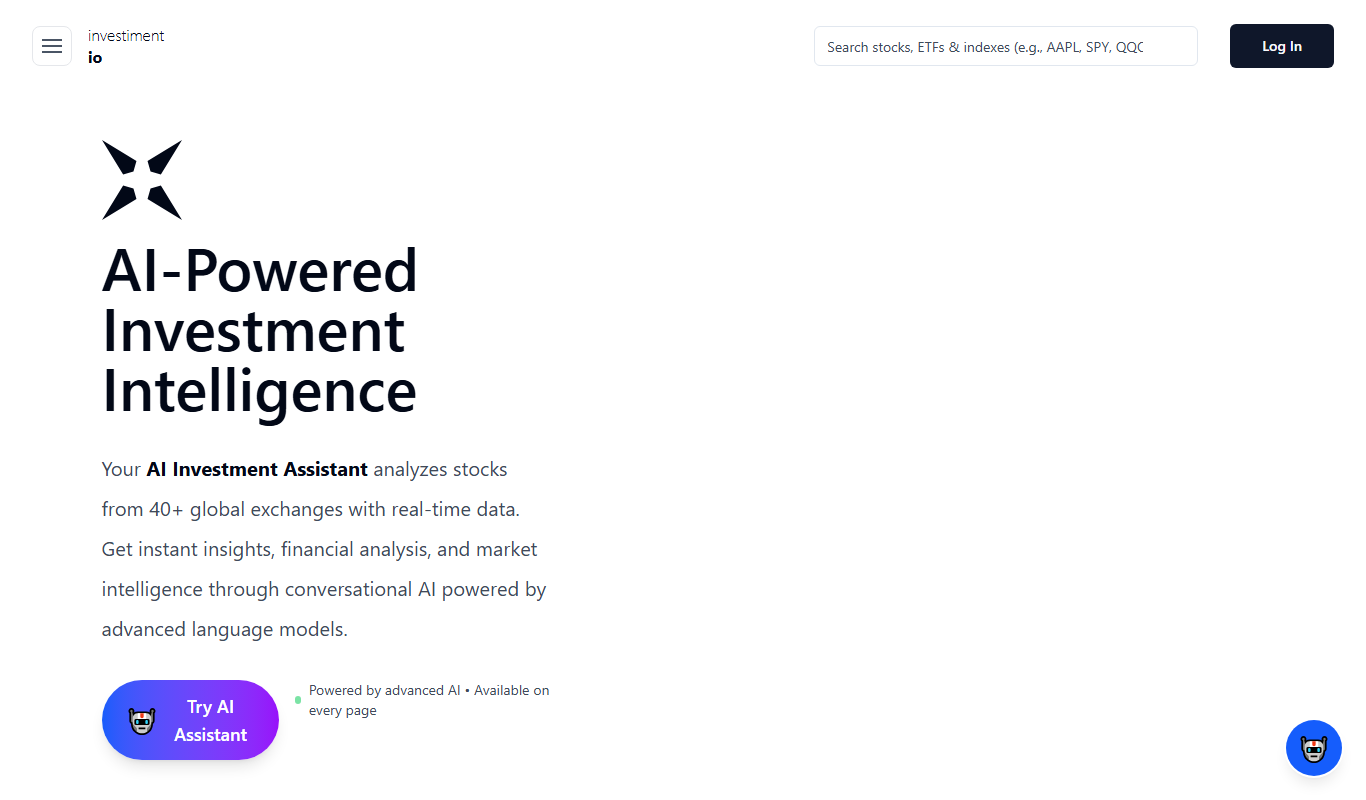
investiment.io
investiment.io is an AI-powered investment platform featuring an intelligent assistant that provides real-time stock analysis across 40+ global exchanges through conversational AI.

Remodel AI
Remodel AI is a web-based AI tool that redesigns any room or home exterior from an uploaded photo in seconds.

Parcae: AI Mind Map Creator
Parcae is an AI-powered mobile mind mapping app that instantly transforms typed, pasted or dictated text into a mind map.