
From my experience with Appsmith, it stands out as a powerful open-source low-code platform that truly accelerates building custom internal business applications. Its drag-and-drop interface combined with robust API and database integrations makes it accessible for developers to prototype and deploy apps quickly. I found it particularly well-suited for small to medium businesses and IT teams aiming to automate workflows without heavy coding. However, non-developers might face a learning curve, and advanced UI customization is somewhat limited compared to full-code frameworks. Overall, if you need to rapidly create tailored internal tools with flexibility in deployment, Appsmith delivers solid, practical results.
Appsmith Low-Code Platform for Building Custom Business Apps Fast
Appsmith is an open-source low-code platform that enables developers and businesses to build custom internal applications quickly using drag-and-drop UI components and integrations with databases and APIs.
Tech Stack:
Docker
JavaScript
Kubernetes
Node.js
React
What is Appsmith?
Appsmith is an open-source low-code platform designed to help developers and businesses build custom internal applications quickly and efficiently. It provides a drag-and-drop interface to create user interfaces, connect to databases and APIs, and automate workflows without writing extensive code. Appsmith supports self-hosting and cloud deployment, making it flexible for various organizational needs.

Key Features of Appsmith
Drag-and-Drop UI Builder
Easily create interfaces using pre-built widgets like tables, forms, charts, and buttons.
Data Source Integrations
Connect to popular databases (PostgreSQL, MySQL, MongoDB) and APIs seamlessly.
Open Source and Extensible
Fully open-source platform allowing customization and community-driven improvements.
Role-Based Access Control
Manage user permissions and secure your applications with granular access controls.
Real-Time Collaboration
Multiple team members can work simultaneously on app development.
Pros and Cons of Appsmith
Pros
- Open-source with active community support
- Flexible deployment options including self-hosting
- Intuitive drag-and-drop interface for rapid app building
- Supports multiple data sources and API integrations
- Role-based access control enhances security
Cons
- Learning curve for non-developers despite low-code approach
- Limited advanced UI customization compared to full-code frameworks
- Cloud pricing can be expensive for large teams
Key Use Cases for Appsmith
Internal Business Applications
Build custom internal tools like dashboards, admin panels, and workflows without extensive coding.
Data Visualization
Create interactive dashboards that connect to multiple data sources for real-time insights.
Workflow Automation
Automate repetitive tasks by integrating APIs and databases with custom UI components.
Customer Support Tools
Develop tailored customer support portals and ticketing systems to improve service efficiency.
Rapid Prototyping
Quickly prototype and iterate on app ideas with drag-and-drop UI and pre-built widgets.
How Appsmith Works
-
1
Sign Up or Self-Host
Create an account on Appsmith cloud or deploy the platform on your own infrastructure.
-
2
Connect Data Sources
Integrate databases, REST APIs, or GraphQL endpoints to fetch and manipulate data.
-
3
Build UI
Use drag-and-drop widgets to design the app interface without coding.
-
4
Add Logic
Configure actions, queries, and event handlers to automate workflows and interactions.
-
5
Deploy and Collaborate
Publish your app for users and collaborate with team members with role-based permissions.
Who's Using Appsmith
Developers building internal tools
Small to medium businesses needing custom apps
IT teams automating workflows
Startups prototyping MVPs
Enterprises requiring secure self-hosted solutions
Appsmith Pricing
Community
$0/month
Free and open-source version with core features and self-hosting.
Cloud
Starts at $10/month
Managed cloud hosting with additional features and support.
Enterprise
Custom pricing
Advanced security, compliance, and dedicated support for large organizations.
Frequently Asked Questions About Appsmith
Yes, Appsmith offers a free open-source Community edition that you can self-host.
Yes, Appsmith supports integration with many databases like PostgreSQL, MySQL, MongoDB, and more.
Absolutely, you can connect REST and GraphQL APIs to build dynamic applications.
No extensive coding is needed; however, some JavaScript knowledge can help customize app logic.
This tool is designed to help users accomplish its core tasks more efficiently. It is typically used by individuals or teams looking to improve productivity and workflow.
Some tools offer a free plan or trial with limited features. Availability can vary, so confirm on the official website.
Data handling and security practices vary by provider. Review the official privacy policy to understand how your data is stored and used.
It depends on your specific needs and how you plan to use the tool. The official website and documentation are the best sources for the latest details.
Share your review
Reviews are limited to one per logged-in user and are published after moderation.
You need an account to review this tool.
0.0
★
★
★
★
★
0 reviews
5 star
0
4 star
0
3 star
0
2 star
0
1 star
0
No reviews yet
Be the first to share how this tool worked for you.
Questions from the community
Read questions and answers about this tool, or ask your own.
No questions yet
Start the conversation by asking the first question about this tool.
Is this tool helpful?
Alternative Tools
Explore similar AI tools that might fit your needs
Enterprise
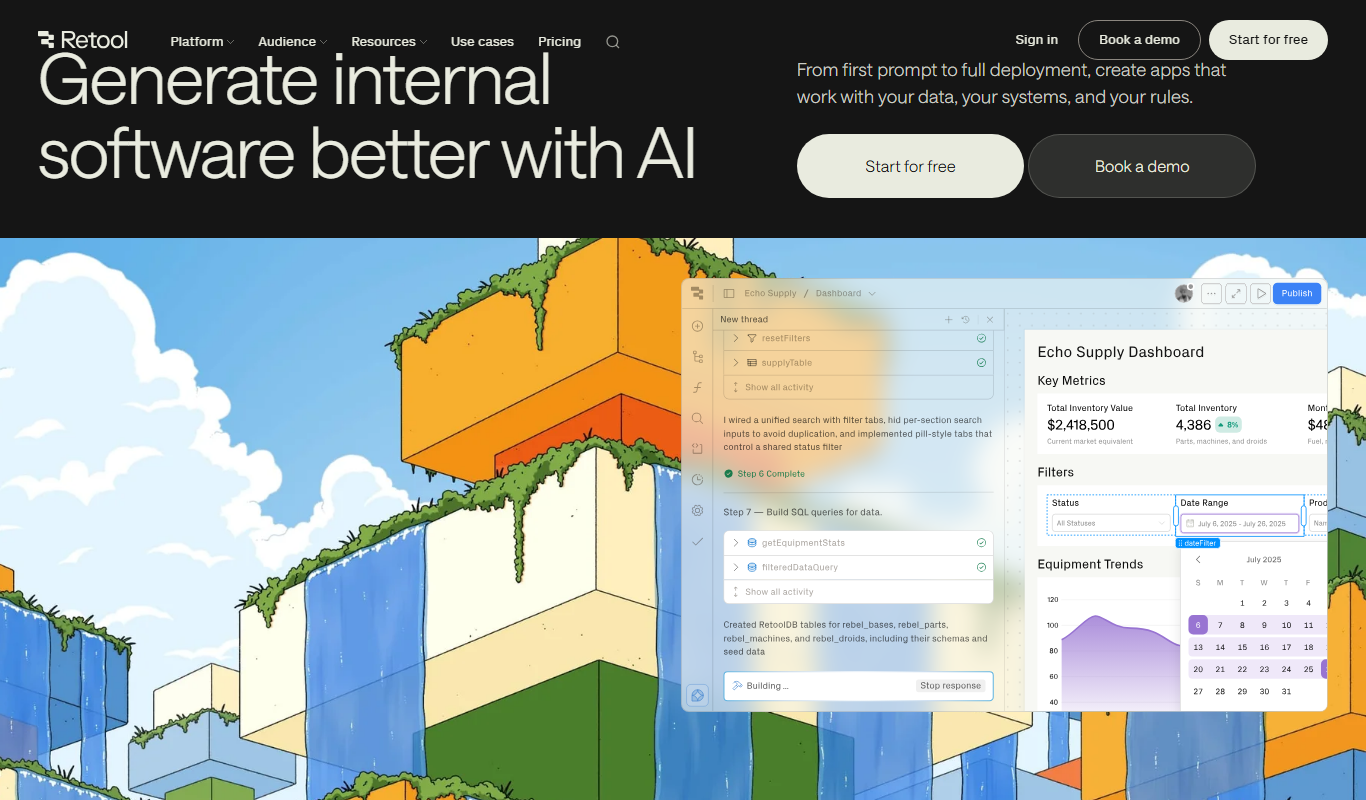
Retool
Retool is a low-code platform that helps developers and businesses quickly build internal tools by connecting to databases and APIs using a drag-and-drop interface combined with custom JavaScript.

Free
Budibase
Budibase is an open-source low-code platform that enables rapid development of internal tools and web applications through a visual builder, database integrations, and automation workflows.

Free Trial
MIND-Interview
MIND-Interview is an AI-based platform that helps candidates practice interviews and assists recruiters with automated candidate screening and detailed response analysis.

Free Trial
BambooHR
BambooHR is a cloud-based human resources software designed to help small and medium businesses manage employee data, recruitment, performance, and time-off tracking efficiently.

Freemium
Monic AI
Monic AI is an AI-powered meeting assistant that automatically transcribes meetings, generates summaries, and extracts tasks to improve productivity and collaboration.

Freemium
Underline.Ai
Underline.Ai is an AI-driven platform that enables users to highlight, annotate, and collaborate on documents with intelligent assistance to streamline review and knowledge management.
Free Trial
EZOfficeInventory
EZOfficeInventory is a cloud-based asset management software that helps businesses track, manage, and maintain physical assets through features like barcode scanning, maintenance scheduling, and detailed reporting.
Custom Pricing
Sportradar
Sportradar is a leading sports data intelligence platform offering real-time data feeds, AI-driven analytics, and sports integrity services to betting operators, media companies, and sports organizations worldwide.
Custom Pricing
Phenom People
Phenom People is an AI-driven talent experience management platform that personalizes candidate journeys, automates recruitment workflows, and provides analytics to improve hiring outcomes.

Free
applai.me
applai.me is an AI-driven platform that helps users generate innovative app ideas and validate them with market insights, supporting entrepreneurs and developers in early-stage concept development.