

Auphonic Audio Processing Tool for Podcasting and Broadcast Automation
Auphonic is an AI-driven audio post-production tool that automates leveling, noise reduction, loudness normalization, and metadata tagging to produce professional-quality audio for podcasts and broadcasts.
- Best for
- Podcast Production
- Key capability
- Automatic Loudness Normalization
Save Auphonic, follow its updates and vote on it — everything stays in your account.
Sign in or create a free account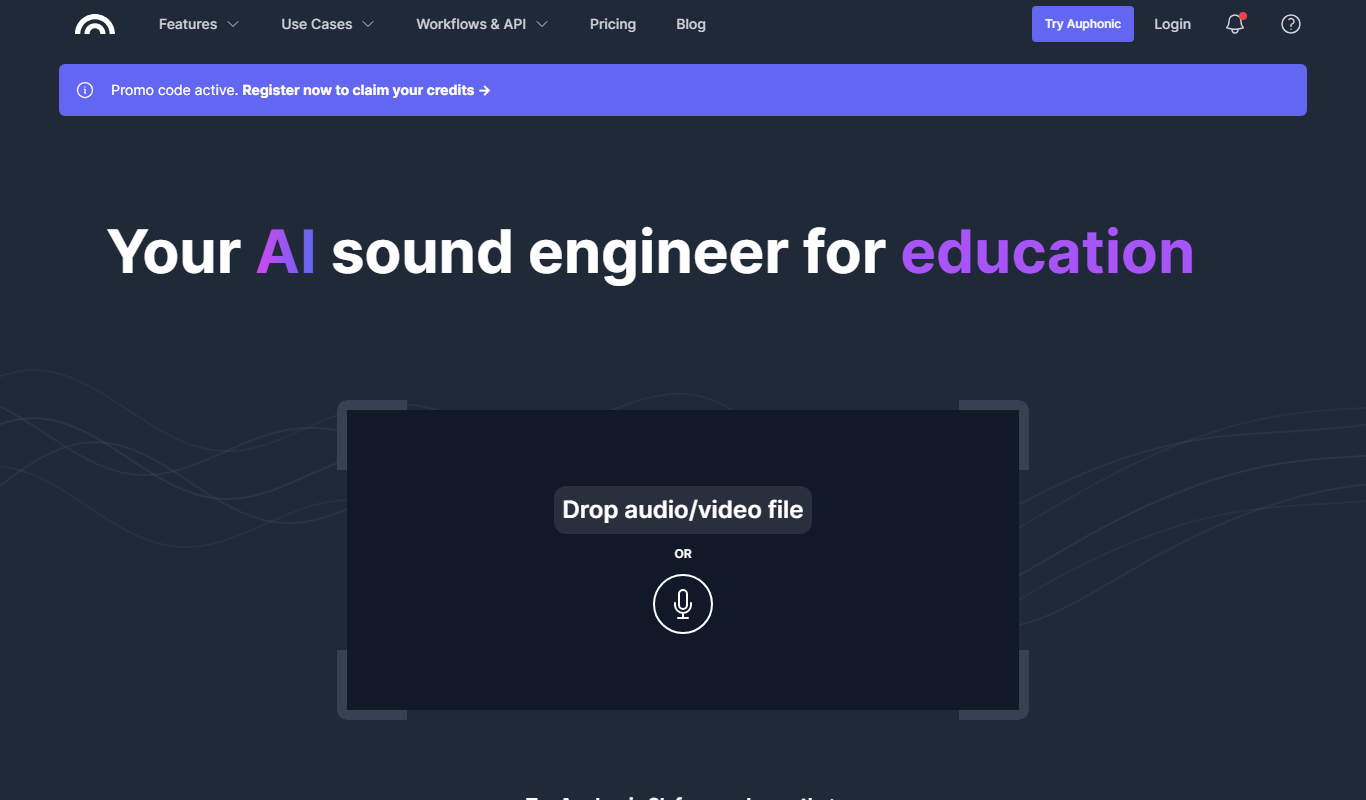
What is Auphonic?
Auphonic is an AI-powered audio post-production web service and software designed to automate and simplify the process of audio mastering, leveling, noise reduction, and encoding. It caters primarily to podcasters, broadcasters, and audio producers who want to improve audio quality with minimal manual effort.
Key features of Auphonic
Auphonic offers automatic audio leveling, loudness normalization compliant with broadcast standards, noise and hum reduction, audio restoration, multi-track mixing, metadata tagging, and support for various output formats. It integrates with popular podcast hosting platforms and provides an API for automation.
Automatic Loudness Normalization
Ensures consistent volume levels across episodes and complies with EBU R128 and ITU-R BS.1770 standards.
Noise and Hum Reduction
Removes background noise and electrical hum to improve clarity without manual editing.
Multi-track Audio Processing
Supports separate processing of multiple audio tracks with individual leveling and mixing.
Metadata and Chapter Marking
Automatically generates and embeds metadata and chapter marks for enhanced listener navigation.
API Access
Allows integration into custom workflows and automation pipelines.
Pros and cons of Auphonic
Pros
- Automates complex audio post-production tasks
- Supports multi-track processing and metadata tagging
- Complies with industry loudness standards
- Offers flexible pricing plans including free tier
- API enables workflow automation
Cons
- No live audio processing capabilities
- Limited customization for advanced audio engineers
- Free tier has low monthly processing limits
Key use cases for Auphonic
Podcast Production
Automate audio post-production tasks such as leveling, noise reduction, and encoding to produce professional-sounding podcasts.
Broadcast Automation
Streamline audio processing workflows for radio and broadcast stations with automatic loudness normalization and metadata tagging.
Audio Mastering
Enhance audio quality for music tracks or spoken word recordings with AI-driven mastering and audio restoration.
Transcoding and Encoding
Convert audio files into multiple formats and bitrates optimized for different platforms and devices.
Audio File Metadata Management
Automatically generate and embed metadata such as chapter marks, titles, and descriptions into audio files.
How Auphonic works
- 1
Upload Audio
Users upload their raw audio files to the Auphonic platform via web interface or API.
- 2
Configure Processing
Select desired processing options such as loudness targets, noise reduction, and output formats.
- 3
Automatic Processing
Auphonic applies AI-driven algorithms to level audio, remove noise, and encode files automatically.
- 4
Download or Publish
Processed audio files can be downloaded or directly published to podcast platforms or storage.
Who is using Auphonic
Auphonic pricing
Free
$0/month
Includes 2 hours of audio processing per month with access to core features.
Auphonic S
$11 per month, $132 billed yearly
Recurring credits: 9 h of processed audio per month; credits reset every month and do not stack up.
Auphonic M
$25 per month, billed yearly
Recurring credits: 21 h of processed audio per month; credits reset every month and do not stack up.
Auphonic L
$52 per month, billed yearly
Recurring credits: 45 h of processed audio per month; credits reset every month and do not stack up.
Auphonic XL
$113 per month, billed yearly
Recurring credits: 100 h of processed audio per month; credits reset every month and do not stack up.
Auphonic XXL
$245 per month, billed yearly
Recurring credits: 250 h of processed audio per month; credits reset every month and do not stack up.
Plans and prices are as published by the vendor and can change. Check the official site before you buy. Open the pricing page (opens in a new tab)
Frequently asked questions about Auphonic
Auphonic supports common audio formats including WAV, MP3, AIFF, FLAC, and AAC.
Auphonic is designed for post-production and does not currently support live audio processing.
Yes, Auphonic provides an API that allows integration with custom workflows and automated processing.
Yes, it normalizes audio to comply with EBU R128 and ITU-R BS.1770 loudness standards.
It depends on your specific needs and how you plan to use the tool. The official website and documentation are the best sources for the latest details.
Yes, it can help with that use case depending on how you configure it and what features are available. You’ll get the best results with clear inputs and a defined goal.
Pricing depends on the plan and included features. For the most accurate and up-to-date details, check the official pricing page.
Integration support depends on the tool and its available connectors or API. Check the official documentation or integrations page to confirm what is supported.
Conclusion
Raw audio goes in through the web interface or the API, and the service then levels speakers, reduces noise and reverb and encodes the files automatically. It can also cut filler words, coughs and silence, turn speech into auto-generated shownotes and chapters, and publish results to platforms like YouTube, Libsyn and Soundcloud. Loudness normalization follows the EBU R128 and ITU-R BS.1770 standards.
Podcasters, radio broadcasters and audio producers are the core audience. Processing is free for 2 hours of audio per month, although productions from free users carry a jingle. Beyond that, recurring credit plans run from S to XXL, and one-time credits that never expire can be added on top. Watch folders and batch productions are not part of the free plan.
Sources
Sign in to review this tool.
Sign In to ReviewNo reviews yet
Be the first to share how this tool worked for you.
Ask about pricing, limits, or how it compares — or answer someone else.
Sign In to AskNo questions yet
Have a question about using or paying for this tool? Be the first to ask.
Featured on TiorAI



Alternative Tools
Explore similar AI tools that might fit your needs

Alitu
Alitu is a web-based podcast maker that automates audio editing, cleanup, and episode assembly to help podcasters produce professional-quality episodes quickly and easily.
More AI Audio Editing tools
Other tools in the same category, for when this one is not quite the fit.
AI-Spy
AI-Spy detects whether audio is AI-generated or human: upload an mp3 or wav file or a link and get an authenticity result.

Santelmo
Santelmo Audio Engineering offers paid mixing and mastering, music production, podcast cleanup, film scoring and foley and AI music services, bought per job.

Koolio.ai
koolio.ai combines studio-grade processing with smart automation to transform raw concepts into polished audio in minutes, from podcast episodes to audiobooks and ads.

Xound.io
Xound.io is an AI voice cleaner that removes background noise, corrects pitch and levels audio for YouTubers, TikTokers and podcasters, with a free tier.

Artificial Studio
Artificial Studio is a platform that brings 60+ AI tools together for image, video, audio, 3D, marketing and design work.

article2audio
article2audio is an article narration service for publishers and readers that turns an HTML post, including images, tables, code blocks and footnotes, into audio.

Udio AI | Make your music
Udio AI is an online platform that uses artificial intelligence to generate original music tracks quickly and easily, suitable for creators and producers needing royalty-free compositions.

AI Mastering
AI Mastering is an online service that uses artificial intelligence to automatically master audio tracks, providing musicians and podcasters with professional-quality sound quickly and affordably.