

Gravel Calculator
A gravel calculator helps you determine the amount of gravel needed for a project by calculating the volume of the area to be filled and converting it into a quantity of gravel. This calculation is essential because gravel is sold by weight or volume, and…
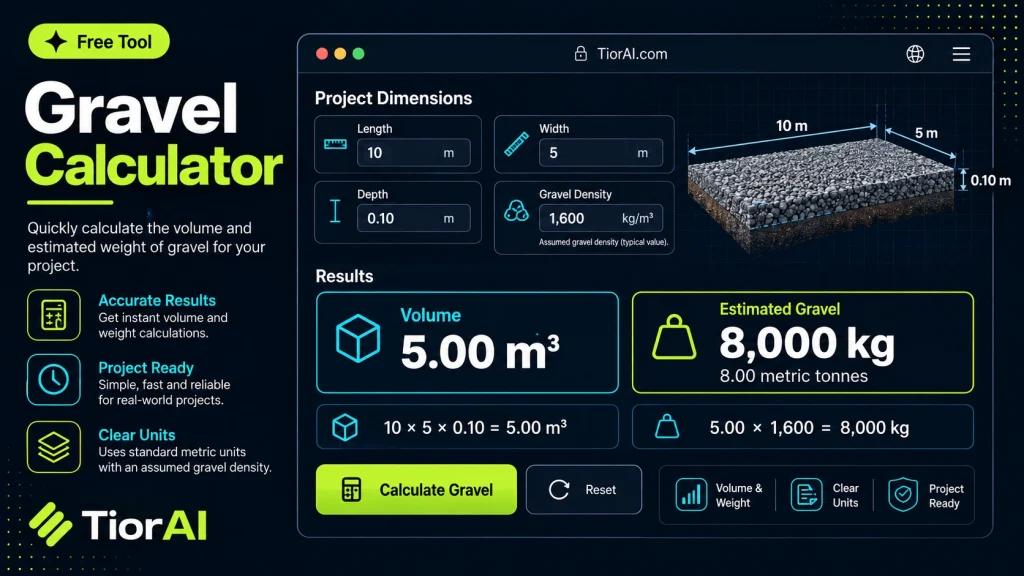
Gravel Calculator
Calculate the amount of gravel, sand, or aggregate needed for your project. Enter dimensions and select material type to get volume and weight estimates.
Results
Formula
- Weight
Weight = Volume × Density
Note: Results include 5% extra for compaction and waste.
How to use it
- Enter Your Values Input your numbers or parameters into the Gravel Calculator. Fill in all required fields for an accurate calculation.
- Calculate Results Click the calculate button to process your inputs. The Gravel Calculator delivers instant, accurate results.
- Review and Use Review your calculated results, explore the breakdown, and copy or share the output for your needs.
Tip Try different input values with the Gravel Calculator to compare scenarios side by side before making decisions.
Understanding Gravel Volume and Weight Calculations
Calculating the amount of gravel needed for a construction or landscaping project involves determining the volume of space to be filled and converting that volume into a weight or quantity of gravel. Gravel is typically sold by weight (tons) or volume (cubic yards or cubic meters), so accurate measurement is essential to avoid ordering too much or too little material.
Why is this calculation important?
- Ensures cost efficiency by purchasing the right amount of gravel.
- Prevents project delays caused by material shortages.
- Helps in planning transportation and storage logistics.
Gravel volume is usually calculated by measuring the length, width, and depth of the area to be covered. This gives a volume in cubic feet or meters, which is then converted to cubic yards or cubic meters. Since gravel density varies by type (e.g., crushed stone, pea gravel), converting volume to weight requires knowing the specific density, often expressed in pounds or kilograms per cubic foot.
Common situations where gravel calculations are needed include laying driveways, creating drainage layers, building patios, or filling trenches. Accurate calculations help ensure the gravel layer is the correct thickness and coverage for durability and function.
What is a Gravel Calculator?
A gravel calculator helps you determine the amount of gravel needed for a project by calculating the volume of the area to be filled and converting it into a quantity of gravel. This calculation is essential because gravel is sold by weight or volume, and ordering the correct amount saves time and money.
When to Use a Gravel Calculator
- Estimating materials for driveways, walkways, or patios.
- Planning drainage systems or erosion control layers.
- Calculating gravel for landscaping or garden paths.
- Ordering gravel for backfilling around foundations or pipes.
Common Mistakes to Avoid
- Not accounting for gravel compaction, which reduces volume after installation.
- Using incorrect measurements for depth or area, leading to inaccurate estimates.
- Ignoring differences in gravel density when converting volume to weight.
Technical Context
Gravel volume is calculated by multiplying length, width, and depth of the area. This volume is then converted into cubic yards or meters. Because gravel density varies by type, converting volume to weight requires knowing the specific density, usually expressed in pounds or kilograms per cubic foot. Adding extra material to account for compaction is a practical consideration to ensure sufficient coverage.
Frequently asked questions
Reviews and questions
Whether this tool gave people the answer they needed, and what they asked about it.
Sign in to review this tool.
Sign In to ReviewNo reviews yet
Be the first to say whether this tool gave you what you needed.
Ask how to read the result, or what the tool does with an edge case — or answer someone else.
Sign In to AskNo questions yet
Not sure how to read a result? Be the first to ask.