

MazeMap Indoor Mapping Software for Wayfinding and Facility Navigation
MazeMap is an indoor mapping and wayfinding platform that helps users navigate complex indoor spaces like hospitals and universities with detailed digital maps and turn-by-turn directions.
- Best for
- Indoor Navigation
- Key capability
- Interactive Indoor Maps
Save MazeMap, follow its updates and vote on it — everything stays in your account.
Sign in or create a free account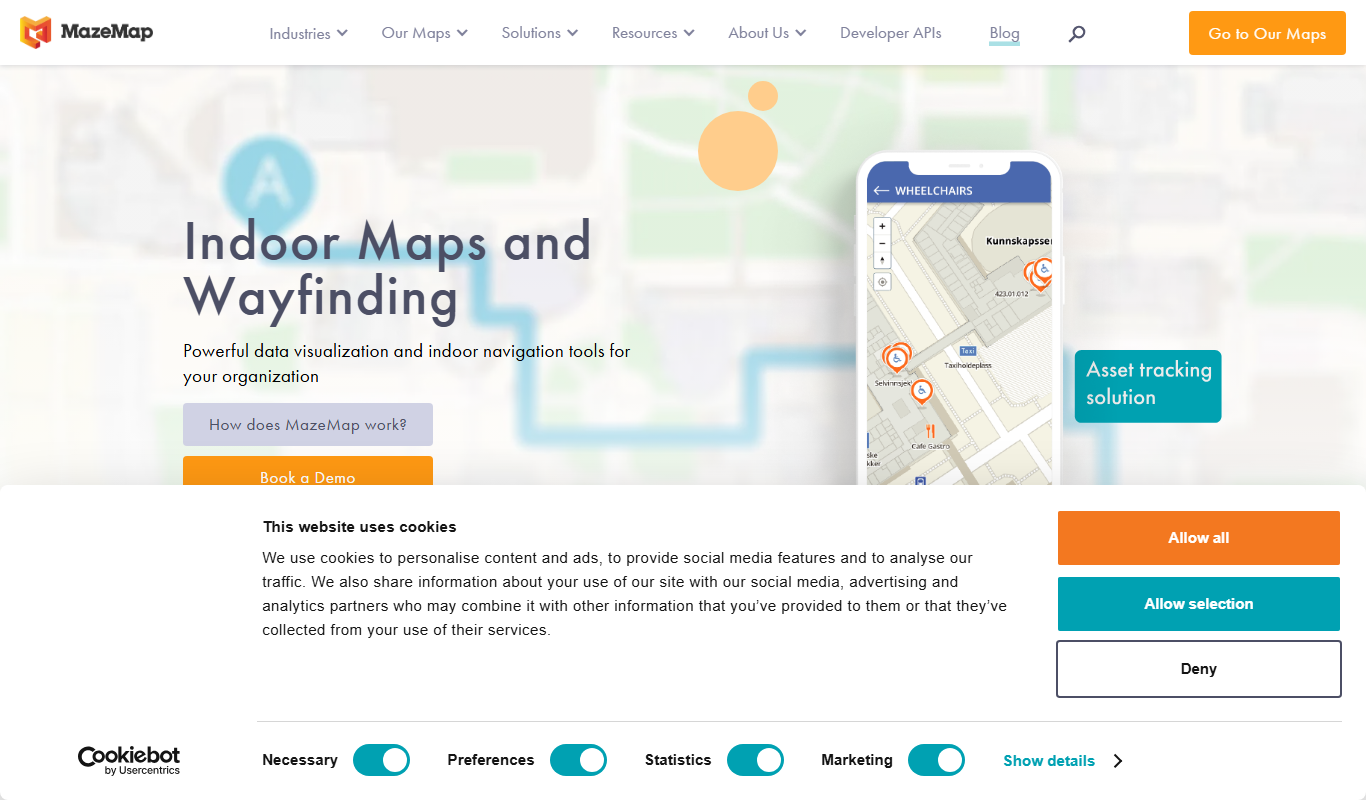
What is MazeMap?
MazeMap is an indoor mapping and wayfinding platform designed to help users navigate complex indoor environments such as hospitals, universities, airports, and corporate campuses. It provides digital maps, turn-by-turn navigation, and location services that improve user experience and operational efficiency within large facilities.
Key features of MazeMap
The platform offers interactive indoor maps, real-time navigation, accessibility routing, integration capabilities via APIs, and tools for facility management and event planning.
Interactive Indoor Maps
Detailed, zoomable maps with points of interest and multiple floors.
Turn-by-Turn Wayfinding
Step-by-step navigation inside buildings tailored to user preferences.
Accessibility Routing
Routes optimized for wheelchair users and other accessibility needs.
API Integration
Allows embedding maps and navigation into third-party apps and systems.
Real-Time Updates
Dynamic updates to maps and routes based on changes in the facility.
Pros and cons of MazeMap
Pros
- Highly detailed and accurate indoor maps
- Supports accessibility and diverse user needs
- Flexible integration options via API
- Improves user experience in complex buildings
Cons
- Pricing is custom and may be expensive for small organizations
- Requires initial effort to create and maintain maps
Key use cases for MazeMap
Indoor Navigation
Helps users find their way inside large buildings such as hospitals, universities, airports, and corporate campuses.
Facility Management
Enables facility managers to visualize and manage building layouts and assets digitally.
Event Planning
Assists event organizers in mapping venues and guiding attendees efficiently.
Accessibility Support
Provides accessible routes and navigation options for people with disabilities.
Location-Based Services
Integrates with other systems to offer location-aware services and analytics.
How MazeMap works
- 1
Map Creation
Facility managers upload floor plans and create detailed digital indoor maps using MazeMap’s tools.
- 2
Integration
Maps are integrated into websites, mobile apps, or kiosks to provide user access.
- 3
User Navigation
End users access the maps to get turn-by-turn directions and find points of interest inside buildings.
- 4
Analytics and Management
Facility teams use analytics and management features to optimize space usage and improve navigation.
Who is using MazeMap
MazeMap pricing
Custom Enterprise
Contact for pricing
Tailored solutions based on facility size and feature requirements.
Plans and prices are as published by the vendor and can change. Check the official site before you buy. Open the pricing page (opens in a new tab)
Frequently asked questions about MazeMap
MazeMap is suitable for hospitals, universities, airports, corporate campuses, and other large indoor venues.
Yes, it provides routing optimized for wheelchair users and other accessibility needs.
Yes, MazeMap offers APIs to embed maps and navigation into third-party applications.
Yes, MazeMap supports web and mobile platforms for easy access.
It depends on your specific needs and how you plan to use the tool. The official website and documentation are the best sources for the latest details.
This tool is designed to help users accomplish its core tasks more efficiently. It is typically used by individuals or teams looking to improve productivity and workflow.
Yes, it can help with that use case depending on how you configure it and what features are available. You’ll get the best results with clear inputs and a defined goal.
Conclusion
Facility managers are where a MazeMap map begins: they upload floor plans and create detailed digital indoor maps with the platform’s tools. Those maps are then integrated into websites, mobile apps or kiosks, where end users get turn-by-turn directions and find points of interest inside buildings. Step-by-step navigation inside buildings is tailored to user preferences. Maps are zoomable and cover multiple floors, and dynamic updates adjust maps and routes to changes in the facility. Routes can also be optimized for wheelchair users and other accessibility needs.
It is suitable for hospitals, universities, airports, corporate campuses and other large indoor venues. It also enables facility managers to visualize and manage building layouts and assets digitally. Event organizers can map venues and guide attendees, while facility teams use analytics and management features to optimize space usage. APIs allow embedding maps and navigation into third-party apps and systems, and the service supports web and mobile platforms. Integration with other systems can also offer location-aware services and analytics. Pricing is a custom enterprise arrangement based on facility size and feature requirements. Maps also require initial effort to create and maintain.
Sources
Sign in to review this tool.
Sign In to ReviewNo reviews yet
Be the first to share how this tool worked for you.
Ask about pricing, limits, or how it compares — or answer someone else.
Sign In to AskNo questions yet
Have a question about using or paying for this tool? Be the first to ask.
Featured on TiorAI



More AI Customer Service tools
Other tools in the same category, for when this one is not quite the fit.

Square
Square is a payment processing and business management platform offering POS software, online store creation, invoicing, and analytics primarily for small businesses.
SendGrid
SendGrid is a cloud-based email platform that enables businesses to send transactional and marketing emails reliably using APIs and marketing tools, with features focused on deliverability and analytics.

Demio
Demio is a cloud-based webinar platform that enables businesses to host live and automated webinars with interactive features such as polls, Q&A, and detailed analytics, all accessible via web browser without downloads.

Mursion
Mursion is an AI-driven simulation platform that uses virtual human avatars and live human interaction to provide immersive training for workforce development, focusing on soft skills, leadership, and customer service.

Feedback Fish
Feedback Fish is a lightweight user feedback tool that enables websites to collect anonymous, qualitative feedback through an easy-to-install widget, helping businesses improve customer experience and product development.

ReviewTrackers
ReviewTrackers is a cloud-based platform that aggregates customer reviews from multiple sources, analyzes sentiment using AI, and enables businesses to respond and manage their online reputation effectively.

Jobberbase
Jobberbase is an open source job board software that enables organizations to create customizable job listing websites for free.

TestInvite
TestInvite is a cloud-based online assessment platform that enables organizations to create secure exams with remote proctoring, customizable tests, and detailed analytics for recruitment, certification, and training purposes.