

From my experience with WordPress, I found it excels at providing a flexible and scalable platform for building websites without requiring deep technical skills. Its vast ecosystem of themes and plugins allows users to tailor their sites precisely to their needs, whether for blogging, business, or e-commerce. However, the trade-off is that managing hosting and ensuring optimal performance can be challenging for beginners. Overall, if you want a powerful, customizable CMS with a strong community, WordPress delivers reliable and versatile results.
WordPress CMS Platform for Website Creation and Content Management
WordPress is a free, open-source content management system that allows users to create and manage websites and blogs with customizable themes and plugins.
- Best for
- Website Creation
- Key capability
- Block Editor (Gutenberg)
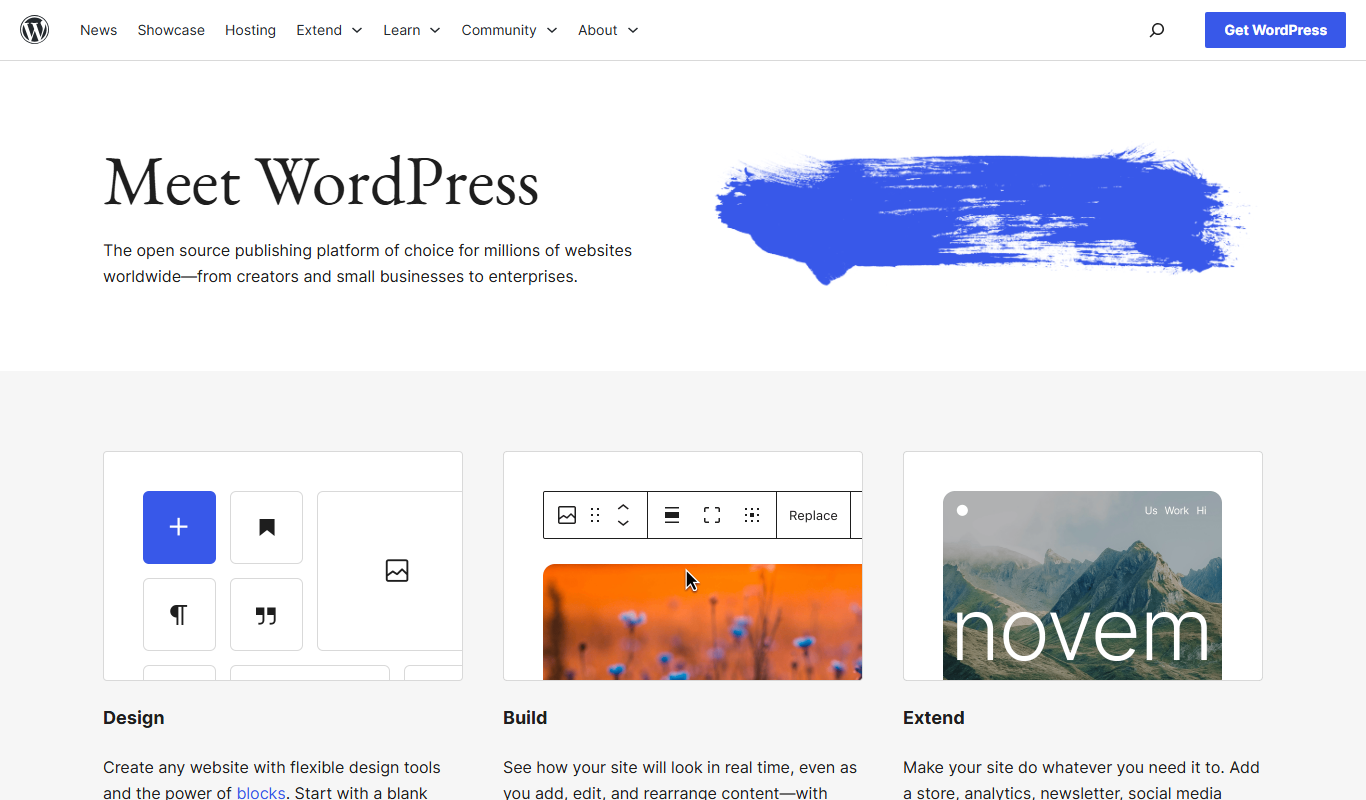
What is WordPress?
WordPress is a free and open-source content management system (CMS) that enables users to create, manage, and publish websites and blogs with ease. It offers a flexible platform with thousands of themes and plugins to customize site appearance and functionality without requiring advanced coding skills.
Key features of WordPress
WordPress provides a powerful editor, theme customization, plugin ecosystem, media management, SEO tools, and user role management, making it suitable for a wide range of website types from simple blogs to complex e-commerce stores.
Block Editor (Gutenberg)
A visual drag-and-drop editor that allows users to build content layouts with blocks for text, images, videos, and more.
Extensive Plugin Library
Thousands of plugins available to extend site functionality including SEO, security, caching, and e-commerce.
Theme Customization
Wide selection of free and premium themes with customization options for colors, fonts, and layouts.
SEO Friendly
Built-in features and plugins to optimize site structure, metadata, and performance for search engines.
User Roles and Permissions
Manage multiple users with different access levels such as administrators, editors, authors, and subscribers.
Pros and cons of WordPress
Pros
- Highly customizable with themes and plugins
- Large community and extensive documentation
- Open-source and free to use
- Supports a wide range of website types
- User-friendly content editor
Cons
- Requires hosting setup for self-hosted version
- Can be complex for absolute beginners
- Performance depends on hosting and plugin choices
Key use cases for WordPress
Website Creation
Build and customize websites for personal, business, or e-commerce purposes using themes and plugins.
Blogging
Publish and manage blog posts with rich media support and SEO optimization.
Content Management
Organize, edit, and schedule content efficiently with a user-friendly dashboard.
E-commerce
Set up online stores with payment gateways and product management via plugins like WooCommerce.
Community Building
Create forums, membership sites, and social networks using extensions and integrations.
How WordPress works
-
1
Install WordPress
Download and install WordPress on a web server or use a hosting provider with one-click installation.
-
2
Choose a Theme
Select and customize a theme to define the website’s look and layout.
-
3
Add Content
Create pages, posts, and media content using the built-in editor.
-
4
Extend Functionality
Install plugins to add features like SEO, e-commerce, security, and social media integration.
-
5
Publish and Manage
Launch the website and manage content updates, user roles, and site settings via the dashboard.
Who is using WordPress
Bloggers and content creators
Small to medium businesses
E-commerce entrepreneurs
Web developers and designers
Nonprofits and community organizations
WordPress pricing
Free
$0
Open-source software available for free download and self-hosting.
WordPress.com Plans
From $4/month
Managed hosting plans with additional features like custom domains, premium themes, and support.
Plans and prices are as published by the vendor and can change. Check the official site before you buy. Open the pricing page (opens in a new tab)
Compare similar tools
How WordPress lines up against the tools people weigh it against.
 Wix AI
WordPress
Wix AI vs WordPress: Which AI Design Tool Wins in 2026?
Frequently asked questions about WordPress
Yes, the WordPress software is free and open-source, but hosting and premium services may cost extra.
No, WordPress is designed for users of all skill levels, with many themes and plugins that require no coding.
Yes, by using plugins like WooCommerce, you can build fully functional e-commerce websites.
WordPress is secure when kept updated and combined with security plugins and best practices.
This tool is designed to help users accomplish its core tasks more efficiently. It is typically used by individuals or teams looking to improve productivity and workflow.
Some tools offer a free plan or trial with limited features. Availability can vary, so confirm on the official website.
Yes, it can help with that use case depending on how you configure it and what features are available. You’ll get the best results with clear inputs and a defined goal.
Sign in to review this tool.
No reviews yet
Be the first to share how this tool worked for you.
Ask about pricing, limits, or how it compares — or answer someone else.
No questions yet
Have a question about using or paying for this tool? Be the first to ask.
Featured on TiorAI



Alternative Tools
Explore similar AI tools that might fit your needs

Free
Weebly
Weebly is a drag-and-drop website builder platform that enables users to create professional websites and online stores without coding skills, offering customizable templates, ecommerce tools, and hosting.
More Coding & Development tools
Other tools in the same category, for when this one is not quite the fit.

Custom Pricing
Andela
Andela is a platform that connects companies with vetted remote software developers globally, offering flexible hiring models and ongoing support to scale engineering teams efficiently.

Freemium
Claude
Claude is an AI assistant by Anthropic with a 200K token context window built on Constitutional AI for safer responses. Free tier available, Pro at $20/month.

Freemium
ChatGPT
ChatGPT is an AI chatbot by OpenAI powered by GPT-4o. It handles writing, coding, research, data analysis, and natural conversation. Free tier available, Plus at $20/month.

Free
Cohere
Cohere is an AI platform providing large language models accessible via API for natural language processing tasks such as text generation, semantic search, and classification, with support for fine-tuning and developer-friendly integration.

Free
Zapier AI
Zapier AI is an AI-powered automation tool that connects apps and automates workflows using natural language processing and intelligent triggers to improve productivity.

Free
Visily AI
Visily AI is a web-based no-code design tool that uses AI to help users quickly create UI wireframes and interactive prototypes without coding skills.

Free
Uizard
Uizard is an AI-driven design tool that converts sketches and screenshots into editable UI prototypes, enabling rapid app and website design without coding.

Free
10Web AI
10Web AI is an AI-powered platform that automates WordPress website creation, SEO optimization, and performance management, enabling users to build and maintain websites efficiently without coding skills.