
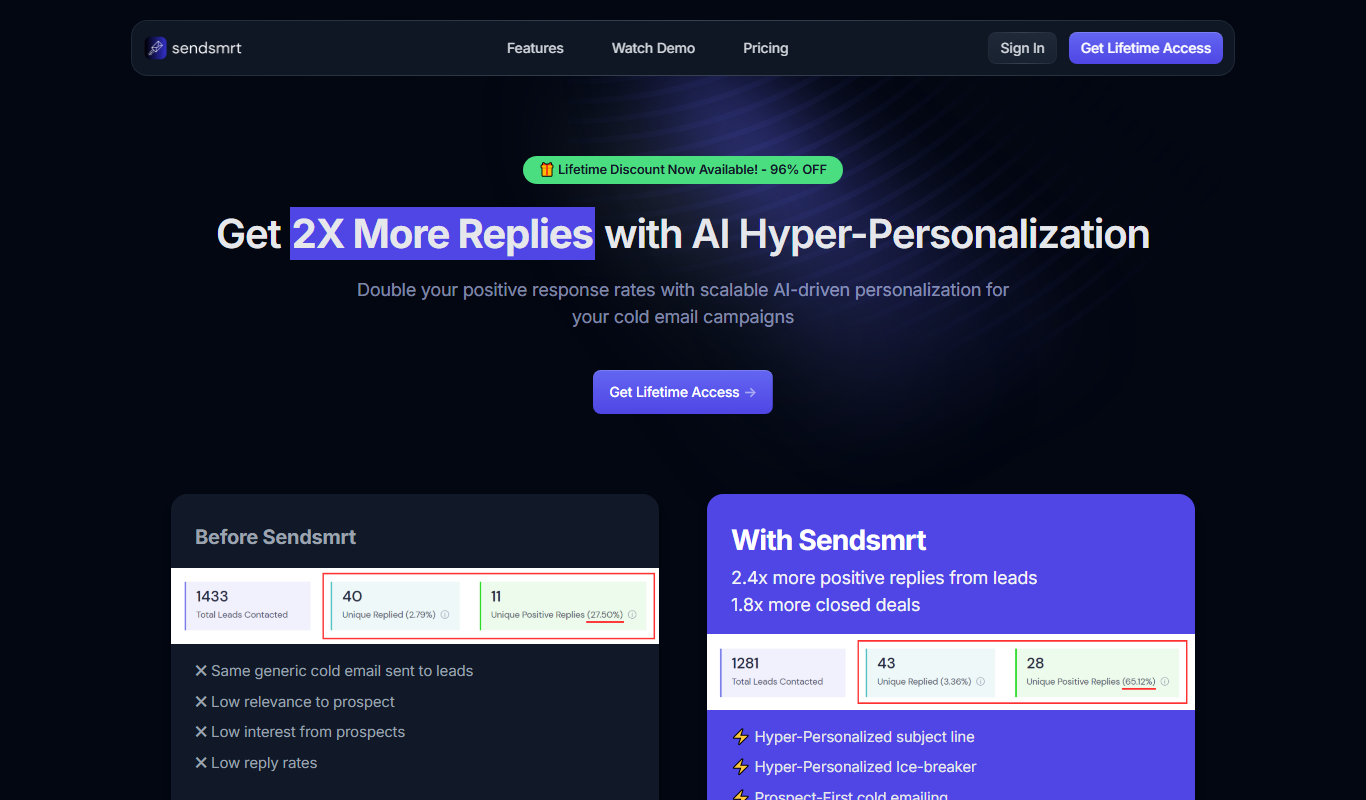
From my experience with Sendsmrt, I found it excels at simplifying email marketing automation with an intuitive drag-and-drop editor and solid analytics. After spending time with the platform, I can say it’s particularly well-suited for small to medium businesses and marketers who want to automate campaigns without steep learning curves. However, there’s a trade-off: Sendsmrt currently lacks extensive third-party integrations and a mobile app, which might limit flexibility for some users. Overall, if you need straightforward email automation with good reporting, Sendsmrt delivers solid results.

Sendsmrt Email Marketing Platform for Automated Campaigns and Analytics
Sendsmrt is a web-based email marketing platform that enables businesses to automate email campaigns, manage subscriber lists, and analyze performance with real-time analytics and customizable templates.
What is Sendsmrt?
Sendsmrt is a web-based email marketing platform designed to help businesses automate their email campaigns, manage subscriber lists, and analyze campaign performance. It offers tools for creating customized email templates, scheduling campaigns, and tracking engagement metrics to optimize marketing efforts.
Key Features of Sendsmrt
Drag-and-Drop Email Builder
Easily create visually appealing emails without coding knowledge.
Automation Workflows
Set up automated email sequences based on user behavior and timing.
Segmentation Tools
Target specific groups within your email list for personalized messaging.
Real-Time Analytics
Access detailed metrics to track opens, clicks, and conversions.
Responsive Templates
Choose from mobile-friendly templates to ensure emails look great on all devices.
Pros and Cons of Sendsmrt
Pros
- User-friendly drag-and-drop email editor
- Comprehensive automation features
- Detailed real-time analytics
- Affordable pricing plans
- Responsive email templates
Cons
- Limited integrations with third-party apps
- No mobile app available
Key Use Cases for Sendsmrt
Automated Email Campaigns
Create and schedule automated email sequences to engage subscribers and nurture leads.
Email List Management
Organize and segment email lists to target specific audiences effectively.
Performance Analytics
Track open rates, click-through rates, and other key metrics to optimize campaigns.
Template Customization
Design and customize professional email templates without coding.
Subscriber Engagement
Use behavioral triggers and personalization to increase subscriber interaction.
How Sendsmrt Works
-
1
Sign Up
Create a free account on the Sendsmrt platform to access the dashboard.
-
2
Import Contacts
Upload or add your email subscriber lists to start targeting your audience.
-
3
Create Campaign
Use the drag-and-drop editor to design emails or select from templates.
-
4
Set Automation
Define triggers and schedule automated email sequences for your contacts.
-
5
Analyze Results
Monitor campaign performance with detailed analytics and reports.
Who's Using Sendsmrt
Small and medium businesses
Digital marketers
E-commerce stores
Content creators
Marketing agencies
Sendsmrt Pricing
Free
$0/month
Basic features with limited emails and contacts.
Pro
$29/month
Advanced automation, higher limits, and priority support.
Frequently Asked Questions About Sendsmrt
Yes, Sendsmrt allows you to import contacts via CSV or manual entry.
Yes, you can create automated email sequences triggered by user actions or schedules.
Sendsmrt offers a free plan with limited features to test the platform.
Yes, the platform includes a drag-and-drop editor for easy template customization.
It depends on your specific needs and how you plan to use the tool. The official website and documentation are the best sources for the latest details.
Pricing depends on the plan and included features. For the most accurate and up-to-date details, check the official pricing page.
Yes, it can help with that use case depending on how you configure it and what features are available. You’ll get the best results with clear inputs and a defined goal.
Share your review
Reviews are limited to one per logged-in user and are published after moderation.
You need an account to review this tool.
0.0
★
★
★
★
★
0 reviews
5 star
0
4 star
0
3 star
0
2 star
0
1 star
0
No reviews yet
Be the first to share how this tool worked for you.
Questions from the community
Read questions and answers about this tool, or ask your own.
No questions yet
Start the conversation by asking the first question about this tool.
Is this tool helpful?
Custom Pricing
Thread
Thread by AntWorks is an AI-driven platform that automates extraction, classification, and validation of data from complex documents to streamline enterprise workflows.

Freemium
Webtap – AI Web Scraper
Webtap is an AI-powered no-code web scraping tool that automates data extraction from websites, supports scheduling, and exports data in multiple formats.

Free Trial
reliocrm.com
Reliocrm is a cloud-based CRM platform designed to help businesses manage sales pipelines, automate marketing, and provide customer support through an intuitive web and mobile interface.

Free
Text-to-Reward
Text-to-Reward is a free web-based SMS marketing tool that helps businesses create reward-driven text message campaigns to engage customers and increase loyalty.

Freemium
Fulgent AI
Fulgent AI is an AI-driven platform that automates content creation and marketing workflows, helping businesses generate marketing copy, automate tasks, and improve communication efficiency.

Freemium
Supercreator AI for OnlyFans
Supercreator AI is a web-based tool designed to help OnlyFans creators automate content creation and scheduling using AI-generated captions and multi-platform management.

Freemium
MarketerGrad by Pangea
MarketerGrad by Pangea is an AI-powered marketing assistant that analyzes campaign data to provide actionable insights and optimize digital marketing efforts.

Freemium
Leadlister
Leadlister is an AI-driven platform that automates lead generation, contact verification, and email outreach to help sales teams find and engage prospects efficiently.