

From my experience with SalesPrompter, I found it excels at simplifying the creation of personalized sales emails directly within Gmail using AI. The Chrome extension’s seamless integration and customizable prompts make it a practical tool for sales professionals who want to save time and improve outreach effectiveness. However, it is limited to the Chrome browser and English language, which may restrict some users. Overall, if your workflow revolves around Gmail and you need quick AI-assisted sales email generation, SalesPrompter delivers solid, user-friendly results.
SalesPrompter Chrome Extension for AI-Powered Sales Email Generation
SalesPrompter is a Chrome extension that leverages AI, specifically ChatGPT, to help sales professionals generate personalized sales emails quickly and efficiently within Gmail and other webmail platforms.
- Best for
- Sales Email Writing
- Key capability
- AI-Powered Email Generation
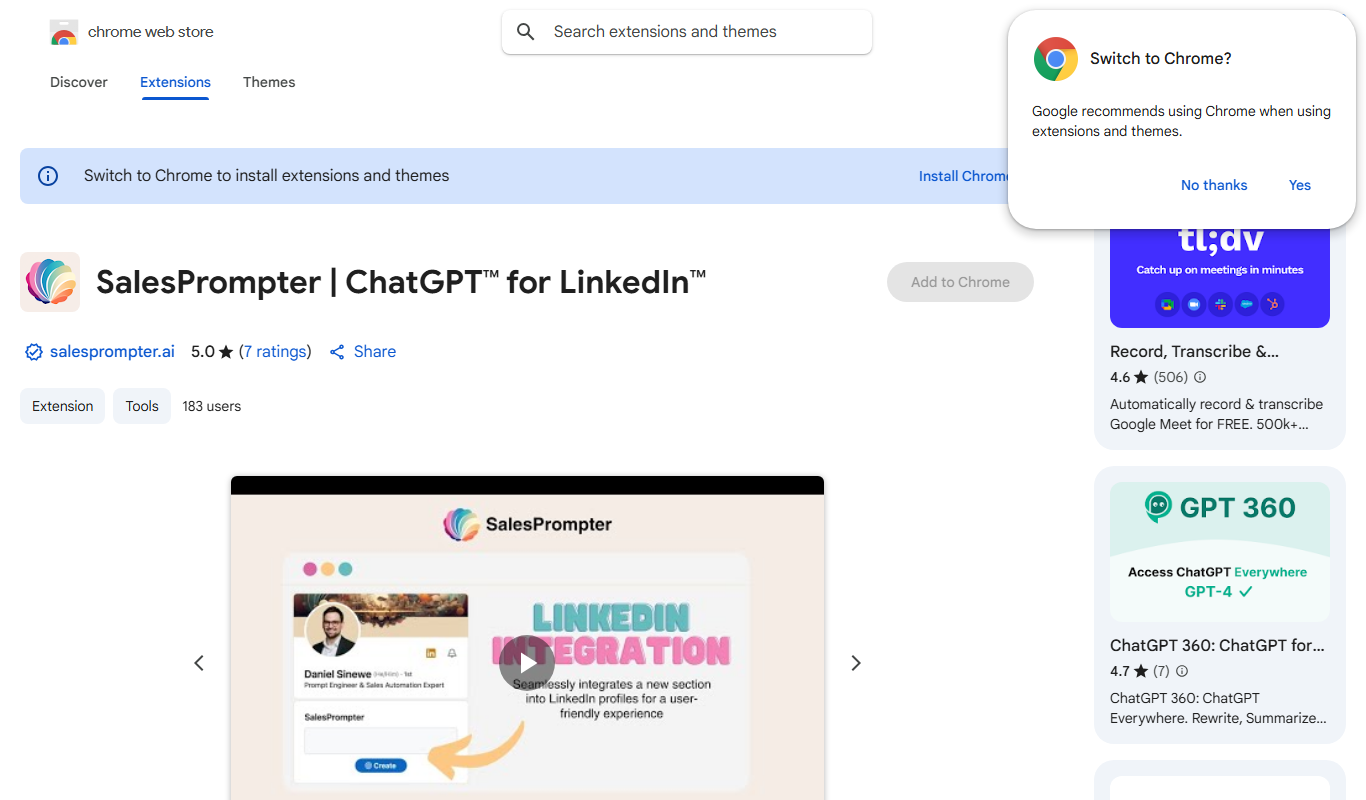
What is SalesPrompter?
SalesPrompter is a Chrome extension that integrates AI-powered assistance, specifically leveraging ChatGPT, to help sales professionals generate high-quality sales emails and outreach messages directly within their browser. It streamlines the process of writing personalized sales communications by providing smart prompts and suggestions, reducing the time and effort required to craft effective emails.
Key features of SalesPrompter
The extension offers AI-driven email generation, customizable prompts tailored to sales contexts, seamless integration with Gmail and other webmail clients, and an intuitive interface that allows users to quickly produce persuasive sales content without leaving their inbox.
AI-Powered Email Generation
Leverages ChatGPT to create personalized sales emails based on minimal input.
Seamless Gmail Integration
Works directly within Gmail and other webmail interfaces for smooth workflow.
Customizable Prompts
Allows users to tailor prompts to specific sales scenarios and audiences.
Time-Saving Interface
Simplifies the email drafting process, boosting sales team productivity.
Pros and cons of SalesPrompter
Pros
- Easy integration with Gmail
- Speeds up sales email creation
- Customizable AI prompts
- Free tier available
Cons
- Limited to Chrome browser
- Free plan has usage caps
- Supports only English language
Key use cases for SalesPrompter
Sales Email Writing
Generate personalized and effective sales emails quickly using AI prompts.
Lead Outreach
Craft tailored outreach messages to engage potential customers efficiently.
Follow-up Emails
Create professional follow-up emails to nurture leads and improve response rates.
Sales Team Productivity
Help sales teams save time on email drafting and focus more on closing deals.
How SalesPrompter works
-
1
Install Extension
Add the SalesPrompter Chrome extension from the Chrome Web Store.
-
2
Open Email Client
Navigate to your webmail platform such as Gmail.
-
3
Use AI Prompts
Activate SalesPrompter to generate or enhance sales emails using AI suggestions.
-
4
Customize and Send
Edit the generated email as needed and send it to your prospects.
Who is using SalesPrompter
Sales professionals
Small business owners
Marketing teams
Customer success managers
Freelancers doing outreach
SalesPrompter pricing
Free
$0/month
Basic access with limited AI-generated emails per day.
Pro
$15/month
Unlimited AI email generation and advanced customization features.
Plans and prices are as published by the vendor and can change. Check the official site before you buy. Open the pricing page (opens in a new tab)
Frequently asked questions about SalesPrompter
Yes, there is a free plan with limited usage, and a Pro plan for unlimited access.
It primarily supports Gmail and other web-based email clients accessible via Chrome.
No, the extension integrates the AI backend, so users do not need a separate ChatGPT account.
Yes, users can tailor prompts to better fit their sales messaging needs.
It depends on your specific needs and how you plan to use the tool. The official website and documentation are the best sources for the latest details.
Some tools offer a free plan or trial with limited features. Availability can vary, so confirm on the official website.
Yes, it can help with that use case depending on how you configure it and what features are available. You’ll get the best results with clear inputs and a defined goal.
Yes, it can help with that use case depending on how you configure it and what features are available. You’ll get the best results with clear inputs and a defined goal.
Sign in to review this tool.
No reviews yet
Be the first to share how this tool worked for you.
Ask about pricing, limits, or how it compares — or answer someone else.
No questions yet
Have a question about using or paying for this tool? Be the first to ask.
Featured on TiorAI



More AI Ad Creative tools
Other tools in the same category, for when this one is not quite the fit.

Freemium
lipsyncer.ai
Lipsyncer AI is a web-based tool that uses artificial intelligence to automatically generate lip sync animations from audio, helping video creators and animators produce realistic mouth movements quickly.

Free
Blizzy
Blizzy is an AI-powered writing assistant that helps users generate various types of content quickly and efficiently through customizable templates and AI text generation.

Free Trial
Typeface
Typeface AI is a web-based platform that uses artificial intelligence to generate custom fonts, allowing users to create unique typefaces tailored for branding and design without advanced skills.

Free
Airpost
Airpost is an AI email assistant that automates inbox management, reply drafting, and workflow automation to help users handle emails more efficiently.

Free
LoopGenius
LoopGenius is an AI-powered writing assistant that helps users create and improve written content efficiently through real-time grammar corrections, style suggestions, and content generation.

Freemium
MetaMuse
MetaMuse is an AI-driven platform that helps marketers generate SEO-optimized marketing content such as blog posts, ads, and social media copy efficiently.

Free
Etereel
Etereel is a free web-based AI writing assistant designed to help users generate creative stories and content by providing AI-powered text generation based on user prompts.

Subscription
Enso Connect
Enso Connect is a secure remote access platform that enables IT teams to connect to devices remotely without VPNs, offering encrypted sessions, multi-factor authentication, and cross-platform support.