
From my experience with OnlyOffice, I found it excels at providing a unified platform for document editing and project management, especially valuable for teams needing real-time collaboration combined with task tracking. The option to self-host is a significant advantage for organizations prioritizing data control. However, the interface can feel overwhelming initially, and advanced features require a subscription. Overall, if you want a versatile office suite that integrates multiple productivity tools in one environment, OnlyOffice delivers a robust and flexible solution.
OnlyOffice Collaborative Office Suite for Document Editing and Project Management
OnlyOffice is a collaborative office suite that enables real-time editing of documents, spreadsheets, and presentations, combined with project management tools and flexible deployment options including cloud and self-hosted environments.
Tech Stack:
Docker
JavaScript
Node.js
React
TypeScript
What is OnlyOffice?
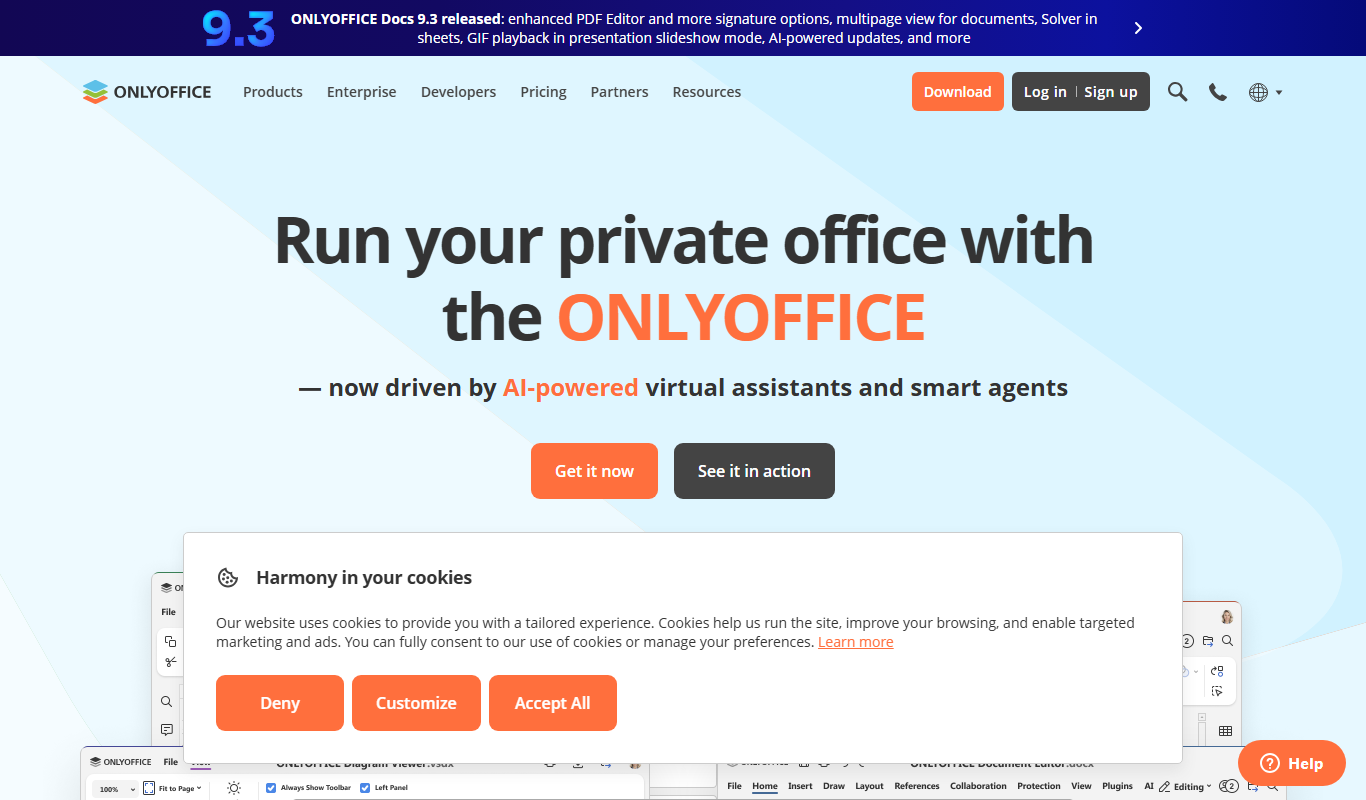
OnlyOffice is a comprehensive office suite designed for document editing, collaboration, and project management. It offers a cloud-based and self-hosted platform where teams can create and work together on text documents, spreadsheets, and presentations in real time. The tool integrates project management and CRM features, making it a versatile solution for businesses seeking an all-in-one productivity environment.
Key Features of OnlyOffice
Real-Time Collaborative Editing
Multiple users can edit documents simultaneously with live changes and comments.
Cross-Platform Accessibility
Access OnlyOffice via web browsers, desktop apps (Windows, macOS, Linux), and mobile apps (iOS, Android).
Integrated Project Management
Tools for task assignment, deadlines, Gantt charts, and time tracking within the same environment.
Self-Hosted Deployment
Option to install OnlyOffice on private servers for full control over data and security.
Third-Party Integrations
Supports integration with popular cloud storage providers and collaboration platforms.
Pros and Cons of OnlyOffice
Pros
- Robust real-time collaboration features
- Supports multiple platforms and deployment options
- Integrated project management and CRM tools
- High compatibility with Microsoft Office formats
- Open-source self-hosted edition available
Cons
- Advanced features require paid plans
- User interface can be complex for new users
- Limited AI-powered writing assistance compared to specialized tools
Key Use Cases for OnlyOffice
Document Editing and Collaboration
Create, edit, and collaborate on text documents, spreadsheets, and presentations in real time with team members.
Project Management
Manage projects, tasks, and deadlines using integrated project management tools within the platform.
Cloud Storage and File Management
Store, organize, and share files securely in the cloud with customizable access permissions.
Integration with Third-Party Services
Connect OnlyOffice with popular cloud storage services like Google Drive, Dropbox, and OneDrive for seamless workflow.
Self-Hosted Office Suite
Deploy OnlyOffice on your own servers for enhanced data control and security.
How OnlyOffice Works
-
1
Sign Up or Install
Create an account on OnlyOffice cloud or install the self-hosted version on your server.
-
2
Create or Upload Documents
Start new documents or upload existing files to the platform.
-
3
Collaborate in Real Time
Invite team members to edit and comment on documents simultaneously.
-
4
Manage Projects and Tasks
Use the integrated project management tools to assign tasks and track progress.
-
5
Integrate with Other Services
Connect OnlyOffice with cloud storage and communication tools to streamline workflows.
Who's Using OnlyOffice
Small to medium-sized businesses
Remote and distributed teams
IT departments managing self-hosted solutions
Project managers seeking integrated tools
Educational institutions
OnlyOffice Pricing
Community Edition
Free
Open-source self-hosted version with core document editing features.
Cloud Basic
$5/user/month
Cloud-hosted solution with document editors and basic collaboration tools.
Cloud Professional
$10/user/month
Includes advanced collaboration, project management, and CRM features.
Frequently Asked Questions About OnlyOffice
OnlyOffice desktop editors allow offline document editing, which syncs when reconnected to the internet.
Yes, OnlyOffice supports popular formats like DOCX, XLSX, and PPTX with high compatibility.
Yes, OnlyOffice provides mobile applications for both iOS and Android devices.
Yes, OnlyOffice offers a Community Edition for self-hosting on your own infrastructure.
Yes, it can help with that use case depending on how you configure it and what features are available. You’ll get the best results with clear inputs and a defined goal.
It depends on your specific needs and how you plan to use the tool. The official website and documentation are the best sources for the latest details.
Yes, it can help with that use case depending on how you configure it and what features are available. You’ll get the best results with clear inputs and a defined goal.
It depends on your specific needs and how you plan to use the tool. The official website and documentation are the best sources for the latest details.
Share your review
Reviews are limited to one per logged-in user and are published after moderation.
You need an account to review this tool.
0.0
★
★
★
★
★
0 reviews
5 star
0
4 star
0
3 star
0
2 star
0
1 star
0
No reviews yet
Be the first to share how this tool worked for you.
Questions from the community
Read questions and answers about this tool, or ask your own.
No questions yet
Start the conversation by asking the first question about this tool.
Is this tool helpful?

Free Trial
UpKeep
UpKeep is a cloud-based maintenance management software that helps organizations manage work orders, assets, and preventive maintenance through a mobile-friendly platform.

Free Trial
SELPHO
SELPHO is an AI writing assistant designed to help marketers and content creators generate high-quality, SEO-optimized content quickly through an easy-to-use web platform.

Freemium
LegalZoom
LegalZoom is an online platform providing affordable legal document preparation, business formation services, and access to licensed attorneys for legal advice.

Freemium
Solvemigo – ChatGPT for Telegram
Solvemigo is a ChatGPT-powered Telegram bot that allows users to interact with AI for conversations, content creation, and automation within Telegram chats.

Freemium
Codility
Codility is an online platform that provides automated coding assessments and developer screening tools to help companies evaluate programming skills efficiently during technical hiring.

Free Trial
xleads.com
XLeads.com is an AI-driven lead generation platform that helps sales and marketing teams find verified business contacts and emails to improve outreach and sales pipelines.

Free Trial
Marketcells
Marketcells is an AI-driven marketing automation platform that helps businesses generate leads, automate email campaigns, and manage sales pipelines efficiently.

Package Pricing
Headshots by The Headshot Truck
The Headshot Truck offers mobile professional headshot photography by traveling to your location with a fully equipped studio, providing convenient, high-quality portraits for individuals and organizations.