

From my experience with Layerpath, I found it excels at providing comprehensive cloud and network security tailored for enterprise environments. The platform’s real-time threat detection combined with automated policy enforcement offers a proactive approach to safeguarding complex cloud infrastructures. It is particularly well-suited for organizations needing strong compliance management alongside network protection. However, the lack of publicly available pricing and technical details means prospective users should engage directly with Layerpath for tailored solutions. Overall, if your enterprise requires integrated cloud security with compliance oversight, Layerpath delivers robust capabilities.
Layerpath Cloud Security Platform for Enterprise Network Protection and Compliance
Layerpath is a cloud-native security platform that provides enterprises with network segmentation, threat detection, and compliance management to protect cloud and hybrid environments.
- Best for
- Enterprise Network Security
- Key capability
- Cloud Network Segmentation


What is Layerpath?
Layerpath is a cloud-native security platform designed to protect enterprise networks and cloud infrastructure. It provides comprehensive threat detection, network segmentation, and compliance management capabilities to help organizations safeguard their digital assets. Layerpath integrates with existing cloud environments to deliver real-time visibility and control over network traffic, enabling proactive defense against cyberattacks.
Key features of Layerpath
Layerpath offers features such as cloud network segmentation, continuous compliance monitoring, real-time threat detection, automated policy enforcement, and detailed security analytics. These capabilities help enterprises maintain robust security postures while simplifying management of complex cloud environments.
Cloud Network Segmentation
Create isolated network segments to limit lateral movement of threats within cloud environments.
Continuous Compliance Monitoring
Automate compliance checks and receive alerts on deviations from regulatory standards.
Real-Time Threat Detection
Leverage advanced analytics to detect anomalies and potential cyberattacks instantly.
Automated Policy Enforcement
Apply security policies automatically across cloud and network resources to maintain protection.
Security Analytics and Reporting
Access detailed dashboards and reports to understand security posture and incident trends.
Pros and cons of Layerpath
Pros
- Comprehensive cloud and network security features
- Real-time threat detection with automated response
- Strong compliance management capabilities
Cons
- Pricing details are not publicly available
- Primarily targeted at enterprise customers, less suitable for small businesses
- Limited publicly available technical documentation
Key use cases for Layerpath
Enterprise Network Security
Protect enterprise networks from cyber threats with Layerpath’s cloud-based security controls.
Cloud Infrastructure Protection
Secure cloud workloads and infrastructure with real-time monitoring and threat detection.
Compliance Management
Ensure compliance with industry regulations through continuous security assessments and reporting.
Threat Detection and Response
Identify and respond to network threats quickly using Layerpath’s advanced analytics and alerting.
Access Control and Segmentation
Implement granular access policies and network segmentation to reduce attack surfaces.
How Layerpath works
-
1
Integration
Connect Layerpath to your cloud infrastructure and network environments via APIs.
-
2
Configuration
Define security policies, segmentation rules, and compliance requirements tailored to your organization.
-
3
Monitoring
Layerpath continuously monitors network traffic and cloud workloads for suspicious activity.
-
4
Alerting and Response
Receive real-time alerts on detected threats and automate responses to mitigate risks.
-
5
Reporting
Generate compliance and security reports to demonstrate adherence to industry standards.
Who is using Layerpath
Enterprise IT security teams
Cloud infrastructure managers
Compliance officers
Network security professionals
Managed security service providers
Layerpath pricing
Custom Pricing
Contact for pricing
Pricing tailored to enterprise needs based on deployment size and feature requirements.
Plans and prices are as published by the vendor and can change. Check the official site before you buy. Open the pricing page (opens in a new tab)
Frequently asked questions about Layerpath
Layerpath supports major cloud providers and hybrid network environments, integrating via APIs.
Yes, it offers automated compliance monitoring and reporting for various industry standards.
Layerpath is primarily designed for enterprise-scale organizations with complex cloud and network security needs.
This tool is designed to help users accomplish its core tasks more efficiently. It is typically used by individuals or teams looking to improve productivity and workflow.
Data handling and security practices vary by provider. Review the official privacy policy to understand how your data is stored and used.
It depends on your specific needs and how you plan to use the tool. The official website and documentation are the best sources for the latest details.
Sign in to review this tool.
No reviews yet
Be the first to share how this tool worked for you.
Ask about pricing, limits, or how it compares — or answer someone else.
No questions yet
Have a question about using or paying for this tool? Be the first to ask.
Featured on TiorAI



Alternative Tools
Explore similar AI tools that might fit your needs

Enterprise Licensing
Check Point CloudGuard
Check Point CloudGuard is a cloud security platform that protects workloads, networks, and cloud infrastructure across multi-cloud and hybrid environments with advanced threat prevention, compliance management, and DevSecOps integration.
More AI Video Recording tools
Other tools in the same category, for when this one is not quite the fit.

Free
SantaCard
SantaCard is a web platform for creating and sending personalized digital holiday greeting cards with customizable templates and easy sharing options.

Free Trial
Interruptible
Interruptible is an AI writing assistant that allows users to interrupt and redirect AI-generated content in real time, supporting collaborative writing and dynamic content creation.

Freemium
reccloud.cn
RecCloud.cn is a cloud-based AI video recording and transcription platform that supports Chinese and English, designed to help businesses and educators capture and transcribe audio and video content efficiently.

Free Trial
interview.co
Interview.co is a web-based platform that enables recruiters and hiring managers to conduct live coding technical interviews with integrated video, collaborative coding environment, and interview recording features.

Custom Pricing
Roll
Roll AI is a data annotation platform that automates labeling workflows to accelerate machine learning model training with high-quality annotated datasets.
Free
Wudpecker
Wudpecker is an AI-powered meeting assistant that automatically transcribes and summarizes online meetings to improve productivity and collaboration.
Freemium
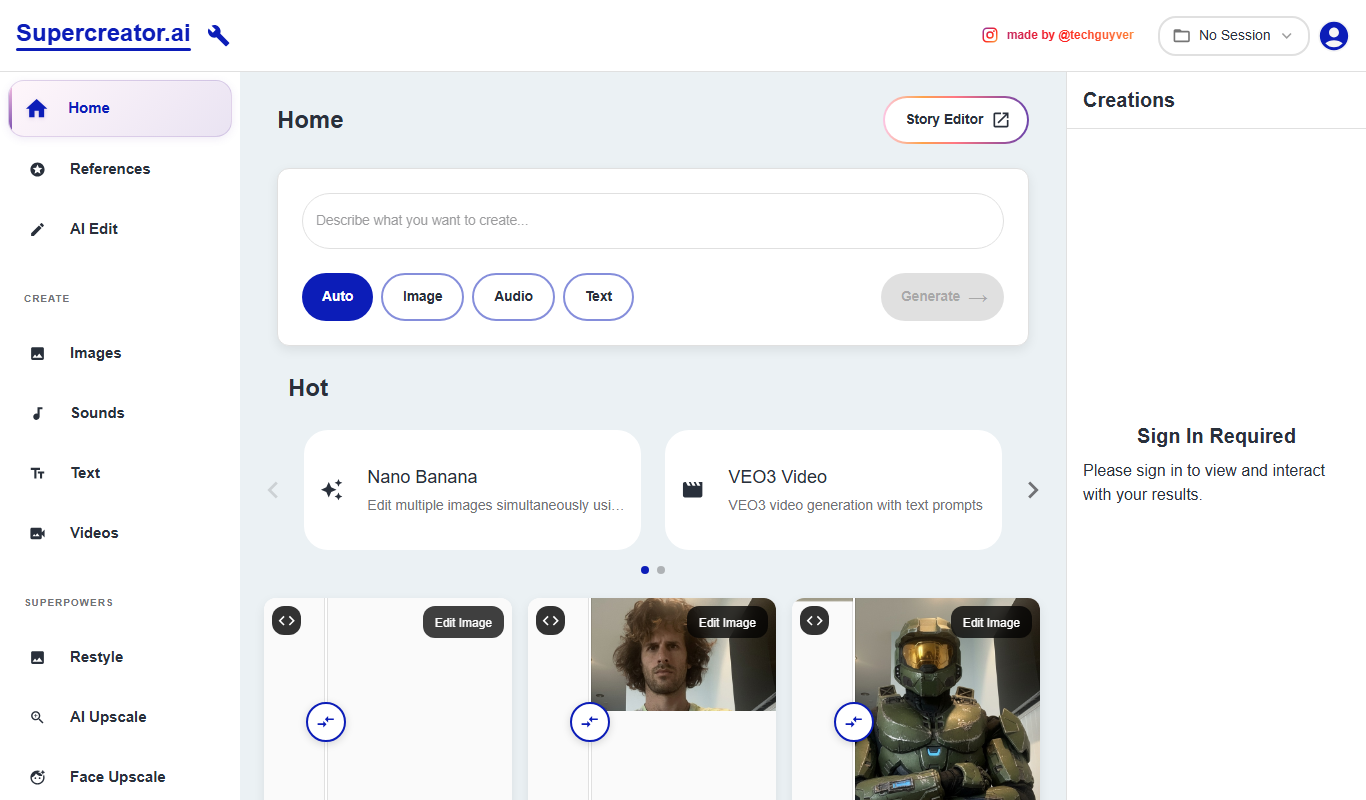
Supercreator
Supercreator is an AI content generation platform designed to help marketing and social media teams create tailored, engaging content efficiently.

Freemium
Noota
Noota is an AI-driven tool that transcribes and summarizes meetings, enabling users to capture accurate notes and key points efficiently.