

From my experience with Kadence Blocks, it stands out as a practical and flexible solution for WordPress users wanting to enhance their Gutenberg editor capabilities without coding. The plugin’s intuitive interface and variety of blocks make it easy to build custom layouts and responsive designs, which is especially valuable for marketers and small business owners managing their own sites. While some advanced features require a paid subscription, the free version is robust enough for many use cases. If you rely on WordPress and want to improve your site’s design and functionality efficiently, Kadence Blocks is a solid choice.
Kadence Blocks WordPress Plugin for Custom Gutenberg Block Design
Kadence Blocks is a WordPress plugin that extends the Gutenberg editor with customizable blocks to build professional websites without coding.
- Best for
- Custom Website Design
- Key capability
- Advanced Row Layouts
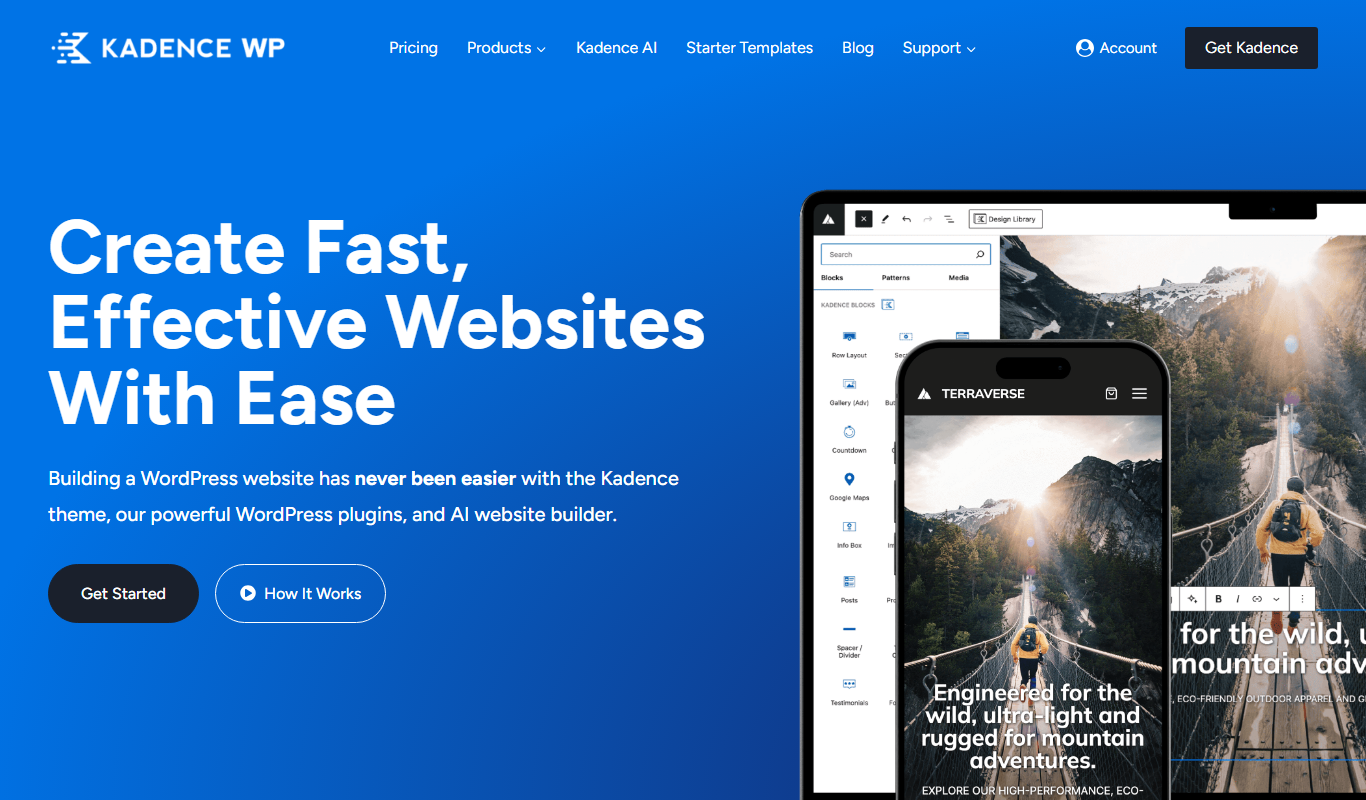
What is Kadence Blocks?
Kadence Blocks is a WordPress plugin that extends the Gutenberg block editor by providing a collection of customizable, advanced blocks. It enables users to build professional, responsive websites without needing to write code. The plugin focuses on flexibility and performance, allowing site creators to design unique layouts and interactive content easily.
Key features of Kadence Blocks
Kadence Blocks offers a variety of blocks such as row layouts, advanced galleries, tabs, accordions, buttons, and more. It supports responsive controls, custom typography, colors, and spacing, empowering users to create visually appealing and functional websites. Integration with WooCommerce and compatibility with popular themes make it a versatile tool for WordPress site building.
Advanced Row Layouts
Create multi-column, nested, and responsive row layouts with precise control.
Customizable Typography and Colors
Easily adjust fonts, sizes, and colors for each block to match your branding.
Interactive Content Blocks
Add accordions, tabs, info boxes, and buttons to improve user engagement.
WooCommerce Integration
Enhance e-commerce sites with product grids and customizable shop layouts.
Performance Optimized
Lightweight code ensures fast loading times and smooth user experience.
Pros and cons of Kadence Blocks
Pros
- User-friendly block customization without coding
- Wide variety of advanced blocks for diverse layouts
- Responsive design controls for mobile optimization
- Good WooCommerce integration
- Lightweight and performance-focused
Cons
- Some advanced features require Pro subscription
- Limited language support beyond English
- Primarily focused on Gutenberg editor users
Key use cases for Kadence Blocks
Custom Website Design
Create custom page layouts and designs using advanced Gutenberg blocks without coding.
Marketing Landing Pages
Build conversion-optimized landing pages with flexible block options to support marketing campaigns.
Content Layout Enhancement
Enhance blog posts and pages with advanced content blocks like accordions, tabs, and galleries.
Responsive Design
Design fully responsive websites that adapt seamlessly across devices using Kadence Blocks.
E-commerce Storefronts
Customize WooCommerce product pages and shop layouts with specialized blocks.
How Kadence Blocks works
-
1
Install and Activate
Download Kadence Blocks from the WordPress repository or Kadence WP website and activate it on your WordPress site.
-
2
Add Blocks in Gutenberg Editor
Open the WordPress block editor and insert Kadence Blocks into your pages or posts.
-
3
Customize Block Settings
Use the block settings panel to adjust layout, colors, typography, and responsive options.
-
4
Publish Your Content
Preview and publish your page or post with the enhanced Kadence Blocks design.
Who is using Kadence Blocks
WordPress site builders
Marketing professionals creating landing pages
Small business owners managing their websites
Freelance web designers
E-commerce store owners using WooCommerce
Kadence Blocks pricing
Free
$0/month
Access to basic blocks and features suitable for simple websites.
Kadence Blocks Pro
$59/year
Unlock premium blocks, advanced features, and priority support.
Kadence Membership
$129/year
Includes Kadence Blocks Pro plus access to themes and other Kadence WP products.
Plans and prices are as published by the vendor and can change. Check the official site before you buy. Open the pricing page (opens in a new tab)
Frequently asked questions about Kadence Blocks
Kadence Blocks is designed to work with most WordPress themes, especially those optimized for Gutenberg.
Yes, it integrates with WooCommerce to help customize product and shop pages.
No coding skills are required; the plugin is built for users of all levels.
Yes, a free version with essential blocks is available in the WordPress plugin repository.
This tool is designed to help users accomplish its core tasks more efficiently. It is typically used by individuals or teams looking to improve productivity and workflow.
Some tools offer a free plan or trial with limited features. Availability can vary, so confirm on the official website.
Yes, it can help with that use case depending on how you configure it and what features are available. You’ll get the best results with clear inputs and a defined goal.
Sign in to review this tool.
Sign In to ReviewNo reviews yet
Be the first to share how this tool worked for you.
Ask about pricing, limits, or how it compares — or answer someone else.
Sign In to AskNo questions yet
Have a question about using or paying for this tool? Be the first to ask.
Featured on TiorAI



More Coding & Development tools
Other tools in the same category, for when this one is not quite the fit.

Custom Pricing
Andela
Andela is a platform that connects companies with vetted remote software developers globally, offering flexible hiring models and ongoing support to scale engineering teams efficiently.

Freemium
Claude
Claude is an AI assistant by Anthropic with a 200K token context window built on Constitutional AI for safer responses. Free tier available, Pro at $20/month.

Freemium
ChatGPT
ChatGPT is an AI chatbot by OpenAI powered by GPT-4o. It handles writing, coding, research, data analysis, and natural conversation. Free tier available, Plus at $20/month.

Free
Cohere
Cohere is an AI platform providing large language models accessible via API for natural language processing tasks such as text generation, semantic search, and classification, with support for fine-tuning and developer-friendly integration.

Free
Zapier AI
Zapier AI is an AI-powered automation tool that connects apps and automates workflows using natural language processing and intelligent triggers to improve productivity.

Free
Visily AI
Visily AI is a web-based no-code design tool that uses AI to help users quickly create UI wireframes and interactive prototypes without coding skills.

Free
Uizard
Uizard is an AI-driven design tool that converts sketches and screenshots into editable UI prototypes, enabling rapid app and website design without coding.

Free
10Web AI
10Web AI is an AI-powered platform that automates WordPress website creation, SEO optimization, and performance management, enabling users to build and maintain websites efficiently without coding skills.