
From my experience with CTRL Sheet, I found it excels at simplifying complex spreadsheet tasks by allowing users to generate formulas and automate data analysis using natural language. This makes it particularly well-suited for professionals who rely heavily on Google Sheets but lack advanced formula skills. However, the tool currently focuses mainly on Google Sheets and English language support, which may limit users working with other spreadsheet platforms or languages. Overall, if you need to speed up spreadsheet workflows and reduce manual formula errors, CTRL Sheet delivers practical and efficient assistance.

CTRL Sheet AI Spreadsheet Assistant for Data Analysis and Automation
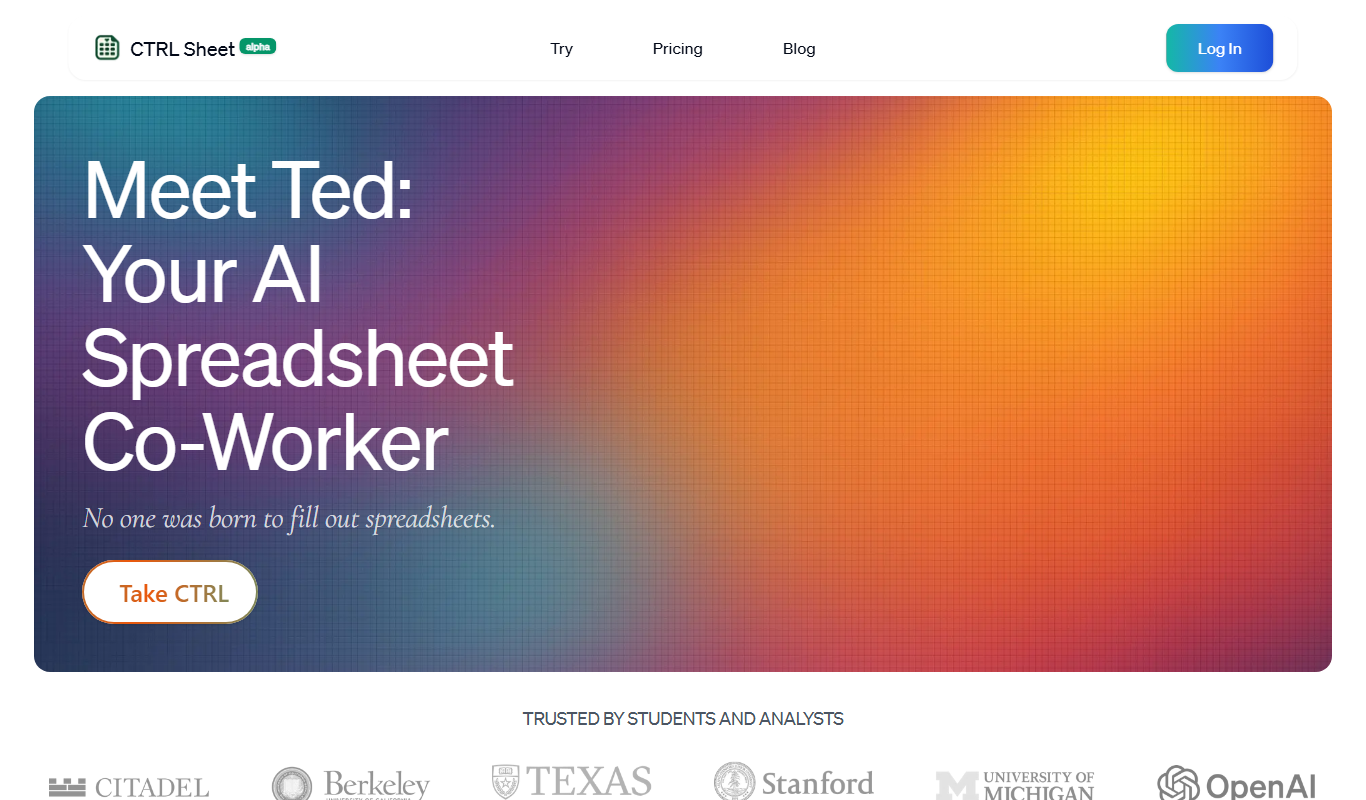
CTRL Sheet is an AI assistant that helps users create spreadsheet formulas, automate data analysis, and clean data using natural language commands within Google Sheets.
Tech Stack:
JavaScript
Machine Learning
Python
What is CTRL Sheet?
CTRL Sheet is an AI-powered spreadsheet assistant designed to simplify and accelerate data analysis, formula creation, and automation within spreadsheets. It integrates with popular spreadsheet platforms like Google Sheets to help users interact with their data using natural language commands, eliminating the need for complex manual formulas and scripting.
Key Features of CTRL Sheet
Natural Language Formula Creation
Create complex spreadsheet formulas by simply describing the desired outcome.
AI-Powered Data Analysis
Automatically analyze datasets to extract insights and summaries.
Data Cleaning Automation
Use AI commands to clean and format data efficiently.
Report and Summary Generation
Generate reports and summaries directly from spreadsheet data.
Integration with Google Sheets
Seamlessly works as an add-on within Google Sheets for easy access.
Pros and Cons of CTRL Sheet
Pros
- Simplifies complex formula creation with natural language
- Integrates directly into Google Sheets
- Automates repetitive spreadsheet tasks
- Offers a free plan for basic use
Cons
- Limited to English language support
- Advanced features require paid subscription
- Currently focused mainly on Google Sheets platform
Key Use Cases for CTRL Sheet
Automated Data Analysis
Use CTRL Sheet to automatically analyze spreadsheet data and generate insights without manual formulas.
Spreadsheet Formula Generation
Generate complex formulas and functions by describing your needs in natural language.
Data Cleaning and Transformation
Clean, format, and transform raw data efficiently using AI-powered commands.
Report Generation
Create summaries and reports from spreadsheet data quickly with AI assistance.
Workflow Automation
Automate repetitive spreadsheet tasks to save time and reduce errors.
How CTRL Sheet Works
-
1
Install the Add-on
Add CTRL Sheet to your Google Sheets or access it via the web platform.
-
2
Input Your Request
Describe the data operation or formula you need in plain English.
-
3
Receive AI-Generated Formula or Action
CTRL Sheet converts your request into spreadsheet formulas or automations.
-
4
Apply and Customize
Insert the generated formulas or automation scripts into your spreadsheet and adjust as needed.
Who's Using CTRL Sheet
Data analysts
Small business owners
Financial professionals
Marketing teams
Spreadsheet beginners
CTRL Sheet Pricing
Free
$0/month
Basic access with limited formula generations and usage.
Pro
$15/month
Unlimited formula generation, priority support, and advanced features.
Frequently Asked Questions About CTRL Sheet
CTRL Sheet primarily supports Google Sheets through its add-on and also offers a web platform.
Yes, it can create complex formulas based on natural language descriptions.
Yes, CTRL Sheet offers a free plan with limited usage.
No, it is designed for users without coding skills by using natural language commands.
It depends on your specific needs and how you plan to use the tool. The official website and documentation are the best sources for the latest details.
Some tools offer a free plan or trial with limited features. Availability can vary, so confirm on the official website.
Data handling and security practices vary by provider. Review the official privacy policy to understand how your data is stored and used.
Share your review
Reviews are limited to one per logged-in user and are published after moderation.
You need an account to review this tool.
0.0
★
★
★
★
★
0 reviews
5 star
0
4 star
0
3 star
0
2 star
0
1 star
0
No reviews yet
Be the first to share how this tool worked for you.
Questions from the community
Read questions and answers about this tool, or ask your own.
No questions yet
Start the conversation by asking the first question about this tool.
Is this tool helpful?
Alternative Tools
Explore similar AI tools that might fit your needs

Free
FormulaBot
FormulaBot is an AI tool that generates Excel formulas from natural language descriptions, explains formulas, and helps debug spreadsheet calculations.
Free
WebsiteColorsAI
WebsiteColorsAI is an AI-based tool that generates harmonious color palettes tailored for website design, helping users create visually appealing and consistent color schemes quickly.
Freemium
Vivid
Vivid is an AI-powered platform that converts text prompts into high-quality videos quickly, ideal for social media and marketing content creation.
Freemium
Extra Blu
Extra Blu is a web-based AI video editing tool that enhances video quality through upscaling, color correction, and filters, designed for easy use by creators and marketers.

Freemium
Checkmyidea-IA
Checkmyidea-IA is an AI-driven platform that helps entrepreneurs validate business ideas by analyzing market demand, competition, and providing actionable insights to improve market fit.

Free Trial
openhouse.ai
OpenHouse.ai is a web-based platform that enables real estate agents to host live virtual open houses with AI-driven lead capture and engagement tools.

Freemium
Balm.ai
Balm.ai is an AI-driven video editing platform that automates key editing tasks like trimming, captioning, and scene detection to help creators and marketers produce polished videos quickly.

Freemium
Langtail
Langtail is an AI-driven translation platform that automates multilingual content management through machine learning, API integration, and collaborative editing features.

Freemium
RealmPlay
RealmPlay is an AI-driven web platform that enables users to create interactive games and virtual worlds without coding, featuring AI-assisted design, dynamic storytelling, and metaverse building tools.